 ChatGPT
 Perplexity
 Claude
 Gemini
 Grok



Before putting the product away, check that someone can follow its main action in the footage. A close-up of a zipper may show the finish beautifully while leaving the opening movement out of frame.
Use this shot list template to plan the views, select usable takes, and record approved uses. Copy the blank tables and follow the fictional example below.
What Does a Product Shot List Need to Record?
It should tell the crew what to capture and tell production what the footage can support. Record the exact product version, framing, action, required materials, and location. After filming, add the selected take, capture status, alternative, and approved use.
Connect each shot to a buyer question before choosing camera moves. A product video brief can establish the message and supporting evidence. The shot list then specifies the footage needed to make that explanation visible.
A B-roll shot list also needs a purpose. A fabric detail might cover a transition; a wider tabletop view establishes the setting. Neither automatically demonstrates how the closure works. Capture the main action clearly before treating supporting images as substitutes.
Group compatible shots by location and lighting setup. StudioBinder's B-roll planning guide describes this approach. Keep the shot IDs stable when you change filming order, so references in the brief still point to the right shot.
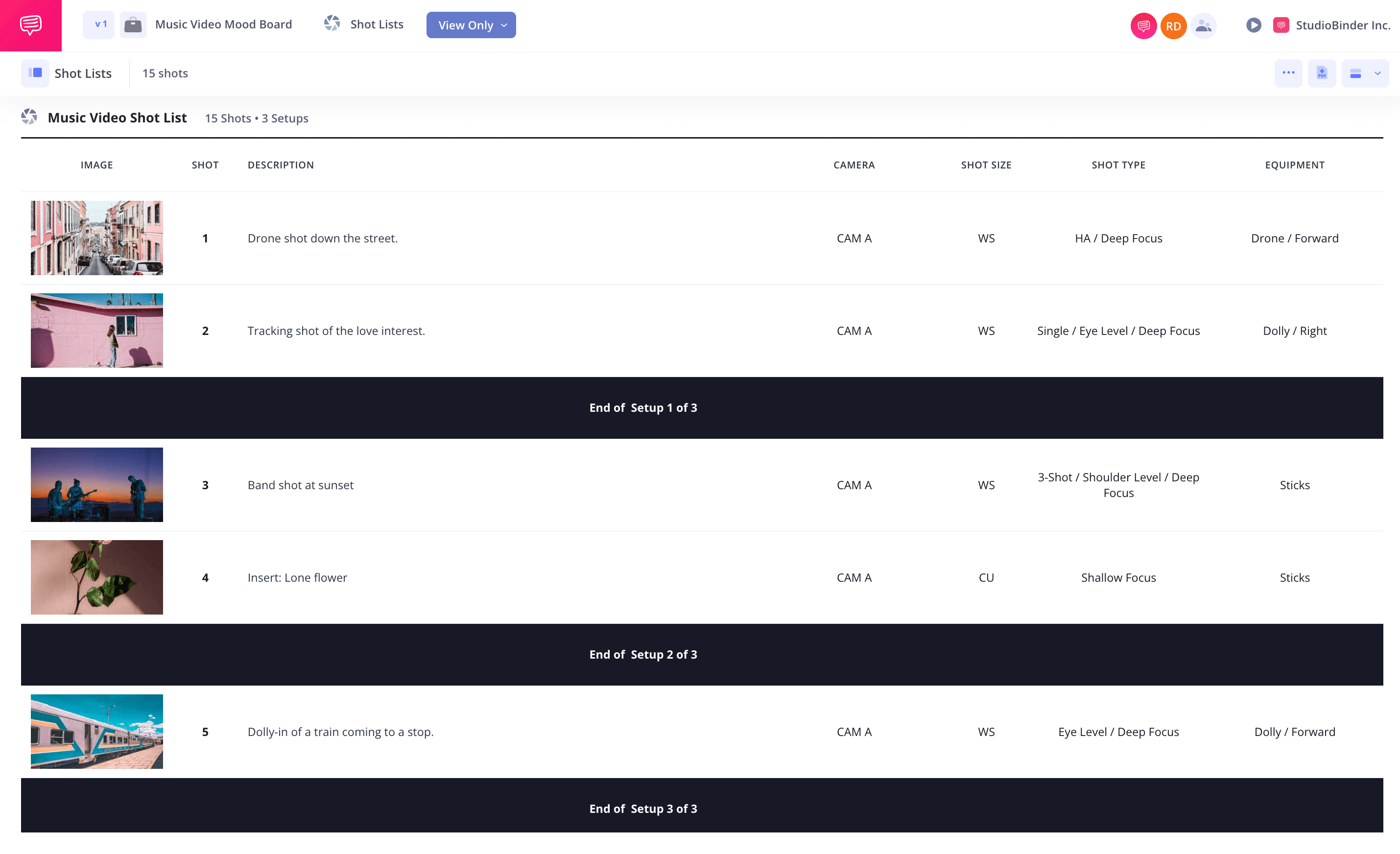
Copyable Product Shot List Template
Copy both tables and connect them through Shot ID. Add a header with the campaign, product version, shoot date, owner, and required delivery formats.
Shot ID, SKU, Angle, Action, and Use
Use one row for each planned view. Describe the camera position and what must remain visible through the action.
| Shot ID | SKU / version | Angle / framing | Action | Required materials | Location | Planned story use |
|---|---|---|---|---|---|---|
| P01 | [Exact SKU] | [Position, size, movement] | [Visible action and end state] | [Product, props, approved references] | [Set / surface] | [Opening, demonstration, B-roll, ending] |
| P02 | [Exact SKU] | [Position, size, movement] | [Visible action and end state] | [Product, props, approved references] | [Set / surface] | [Buyer question or transition] |
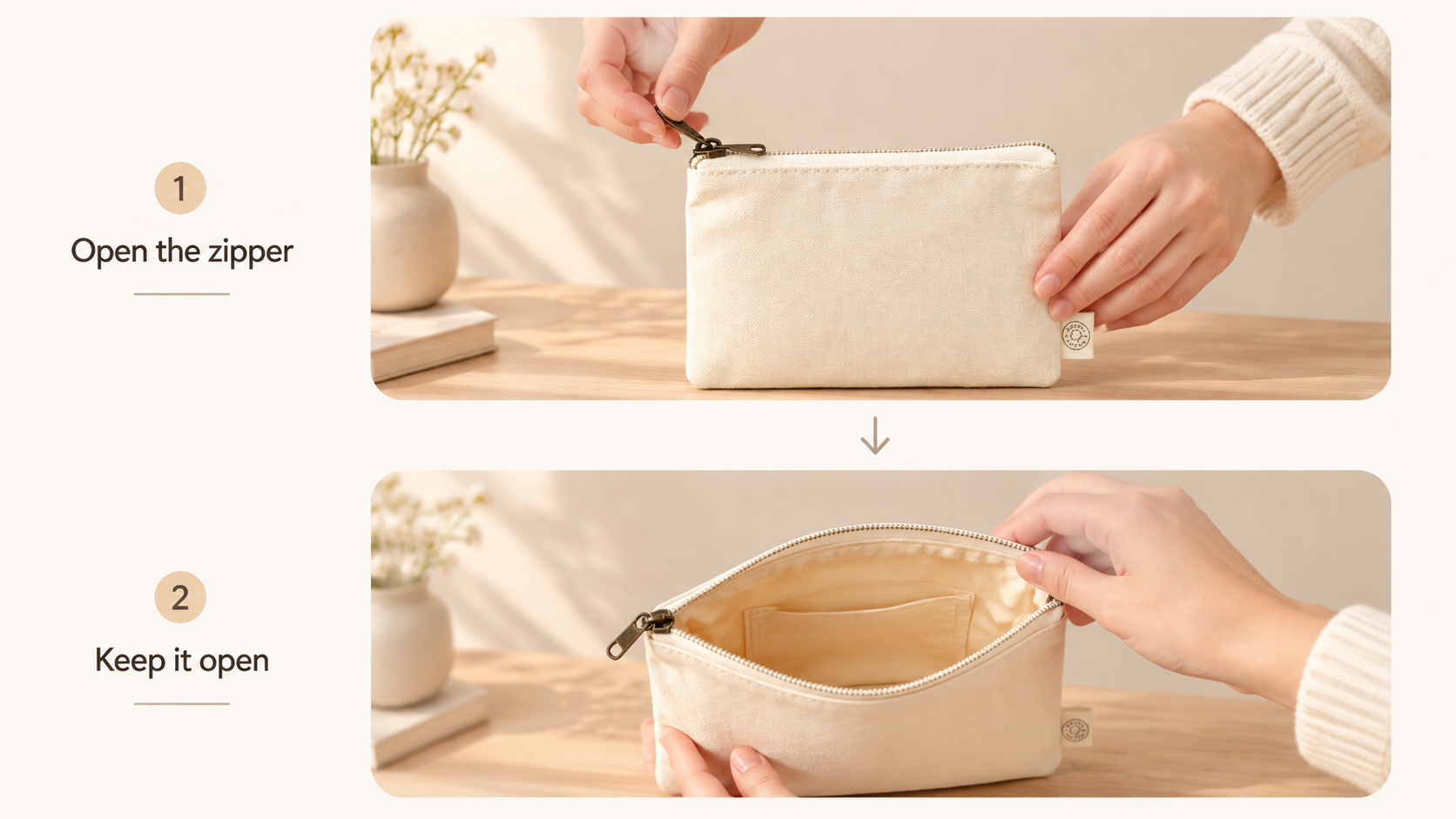
“Show the pouch” leaves too much undecided. “Fixed three-quarter close-up; hand opens the zipper fully, then leaves the opening visible” gives the operator something to capture. Leave usable footage before and after the movement so the editor has room to cut.
List the actual sample, current packaging, approved label reference, and required props. An accessory placed beside the product should not accidentally look included in the purchase.
Capture Status, Alternate Take, and Approval
Update this table while reviewing the footage. A file being recorded does not mean it is ready to use.
| Shot ID | Capture status | Selected file / take | Alternate take | Approved use / restrictions | Approval owner / date |
|---|---|---|---|---|---|
| P01 | [Planned / captured / retake / approved] | [Filename, take, usable timecode] | [File and reason to retain] | [Campaign, channels, limits] | [Named reviewer / date] |
| P02 | [Planned / captured / retake / approved] | [Filename, take, usable timecode] | [File and reason to retain] | [Campaign, channels, limits] | [Named reviewer / date] |
Choose status labels the whole team understands. Mark a soft-focus label shot “retake” even if its lighting is attractive. Name an alternate's specific advantage, such as an unobstructed hand position or a longer closing hold.
Keep the original camera filename if you rename a delivery copy, so production can find another take without guessing.
A Filled Shot List for a Fictional Product
This product shot list example uses Ilex, a fictional zip pouch, with the invented SKU ILX-SND-01. The rows and approval decisions are hypothetical. Replace the product details and usage scope with your team's verified information.
The video introduces the pouch, demonstrates its zipper, and closes on the product. B-roll supplies context and texture.
| Shot ID | SKU / version | Angle / framing | Action | Required materials | Location | Planned story use |
|---|---|---|---|---|---|---|
| P01 | ILX-SND-01 / v1 | Eye-level medium; fixed | Closed pouch, logo facing camera | Sample; logo reference | Table A / neutral surface | Opening recognition |
| P02 | ILX-SND-01 / v1 | Three-quarter close-up; fixed | Hand opens zipper fully; hold opening | Sample; approved action reference | Table A / neutral surface | Closure demonstration |
| P03 | ILX-SND-01 / v1 | Overhead wide; fixed | Place coiled cable beside pouch | Sample; cable prop | Table A / neutral surface | Context B-roll; cable excluded |
| P04 | ILX-SND-01 / v1 | Macro seam; slow camera move | Pouch stays still | Sample; fabric reference | Table A / detail setup | Texture B-roll |
| P05 | ILX-SND-01 / v1 | Rear three-quarter medium; fixed | Hand turns pouch, then exits | Sample; rear reference | Table A / neutral surface | Closing view |
The matching review record might read:
| Shot ID | Capture status | Selected file / take | Alternate take | Approved use / restrictions | Approval owner / date |
|---|---|---|---|---|---|
| P01 | Approved | P01_T02.mov | T03: more space for text | Campaign A: web and paid social | Product + marketing / [date] |
| P02 | Approved | P02_T03.mov | T04: clearer hand position | Campaign A: closure demonstration only | Product + marketing / [date] |
| P03 | Approved | P03_T01.mov | None selected | Campaign A: context; cable not included | Product + marketing / [date] |
| P04 | Retake | None; T01 has soft focus | None usable | Not approved | Product reviewer / [date] |
| P05 | Approved | P05_T02.mov | T03: longer final hold | Campaign A: web and paid social | Product + marketing / [date] |
P04 can wait if texture is optional. P02 cannot disappear from the handoff while the script still promises to show the opening. Decide which missing shot changes the explanation before scheduling another shoot.
How to Hand the Footage to Video Production
Send the selected files with the current shot list and brief. Include the originals or an agreed route to them, plus exact copy and relevant product references. Keep rejected takes outside the approved selection.
For each demonstration, name the moment production must preserve. Ilex's handoff note could say: “Use P02_T03 for the opening action. Keep the zipper travel visible before cutting to P03.” Check that the source filename and instruction agree.
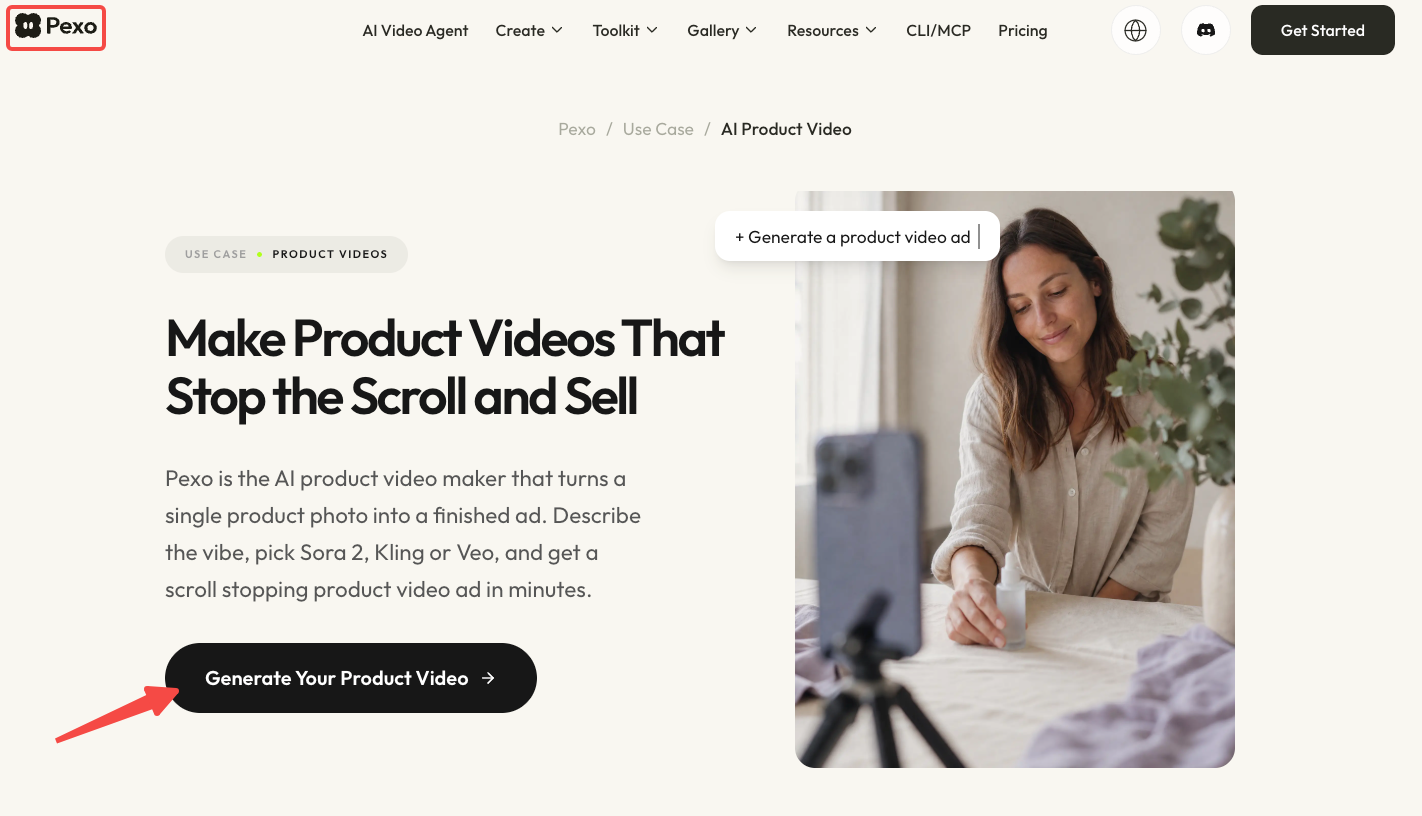
You can use Pexo's product-video workflow to generate a product video from a product photo or store URL. Confirm separately whether the current workflow accepts your selected source footage before relying on it. Review how the real demonstration sits among the surrounding scenes. If a transition hides the zipper finishing its travel, ask to change that transition and inspect the returned version.
Confirm input support and processing permissions before uploading. Pexo's current terms require users to hold the necessary rights and authorizations for uploaded content, and require prior written consent for certain advertising or promotional activities on the platform; confirm which provisions apply to your project. Check the intended commercial use against footage, music, location, and performer permissions. This article does not provide legal advice.
Where AI Inserts Need Different Labels
AI inserts need their own source type and approval status. Keep original footage identifiable when adding generated backgrounds, alternate views, or atmospheric shots.
Add source type, source reference, and transformation notes to affected rows. For example, AI01 — generated setting; reference P01; background changed; review pending tells production what happened. A hybrid shot should identify both the captured source and the generated changes.
A generated view cannot establish an unseen product mechanism or validate a performance claim. For US advertising, the FTC's claim-substantiation guidance covers the overall impression created by words and pictures. Check requirements for your actual market too.
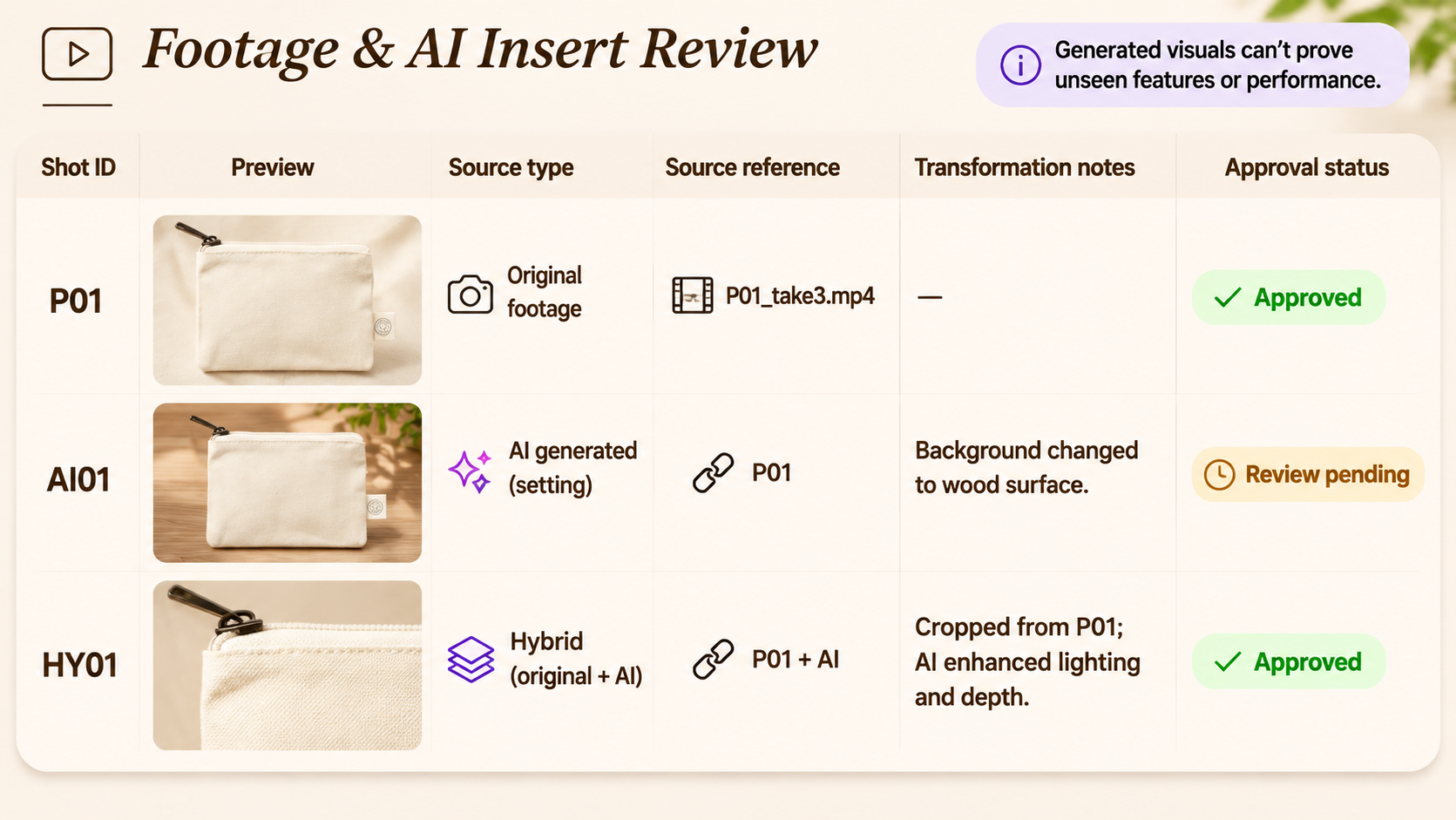
For planning an additional view from one source take, the single-take coverage guide explains what the new angle must clarify. Keep its role separate from factual evidence in your shot list. If the zipper action is missing, film it clearly before approving a demonstration.
Conclusion
Before wrapping, review the action the buyer needs to see and confirm that a usable take exists. Then send production the selected files, their shot IDs, and their approved uses. Supporting B-roll can change; the evidence needed for the promised demonstration must remain clear.