
Wedding Video
Make a wedding video from ceremony clips, photos, and recorded messages. Use Pexo to tell the story of the day and keep the voices that matter.
Create an AI recipe video that makes viewers want to cook it tonight. Describe the dish or paste the recipe, and Pexo's recipe video maker generates the shots, narrates the steps, and adds captions in minutes.
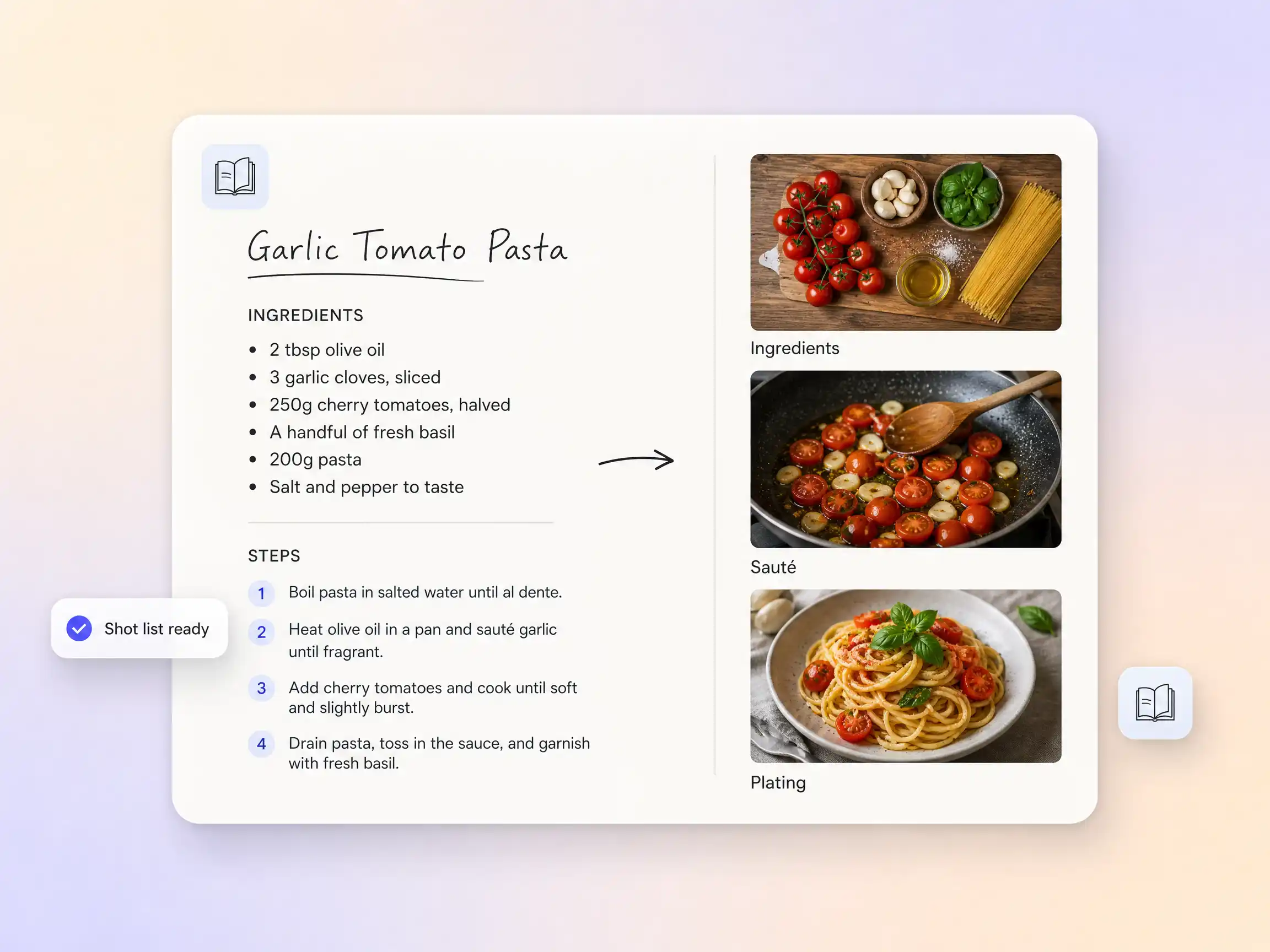
Drop in a recipe, a link, or just the name of the dish. Pexo turns it into a filmable sequence: ingredient close-ups, step-by-step actions, and the final reveal, each timed like a cooking show. You never storyboard anything, and rewriting a step is a chat message, not an edit session.
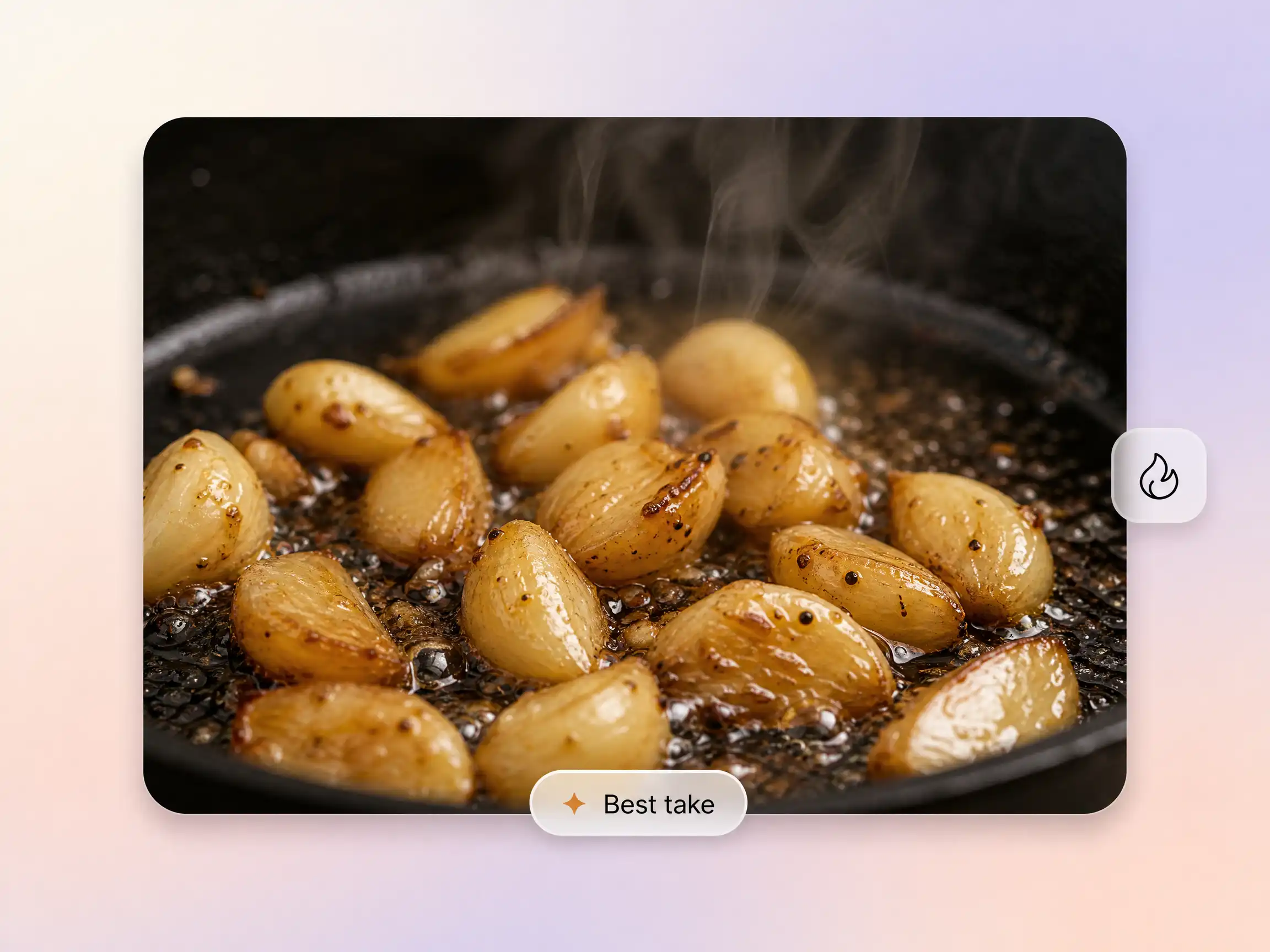
Sizzling garlic, steam curling off the pan, a slow pull on the cheese. Pexo routes every shot to the strongest model and keeps the same dish consistent from prep to plating, so your recipe video looks like one continuous cook rather than a stack of stock clips.
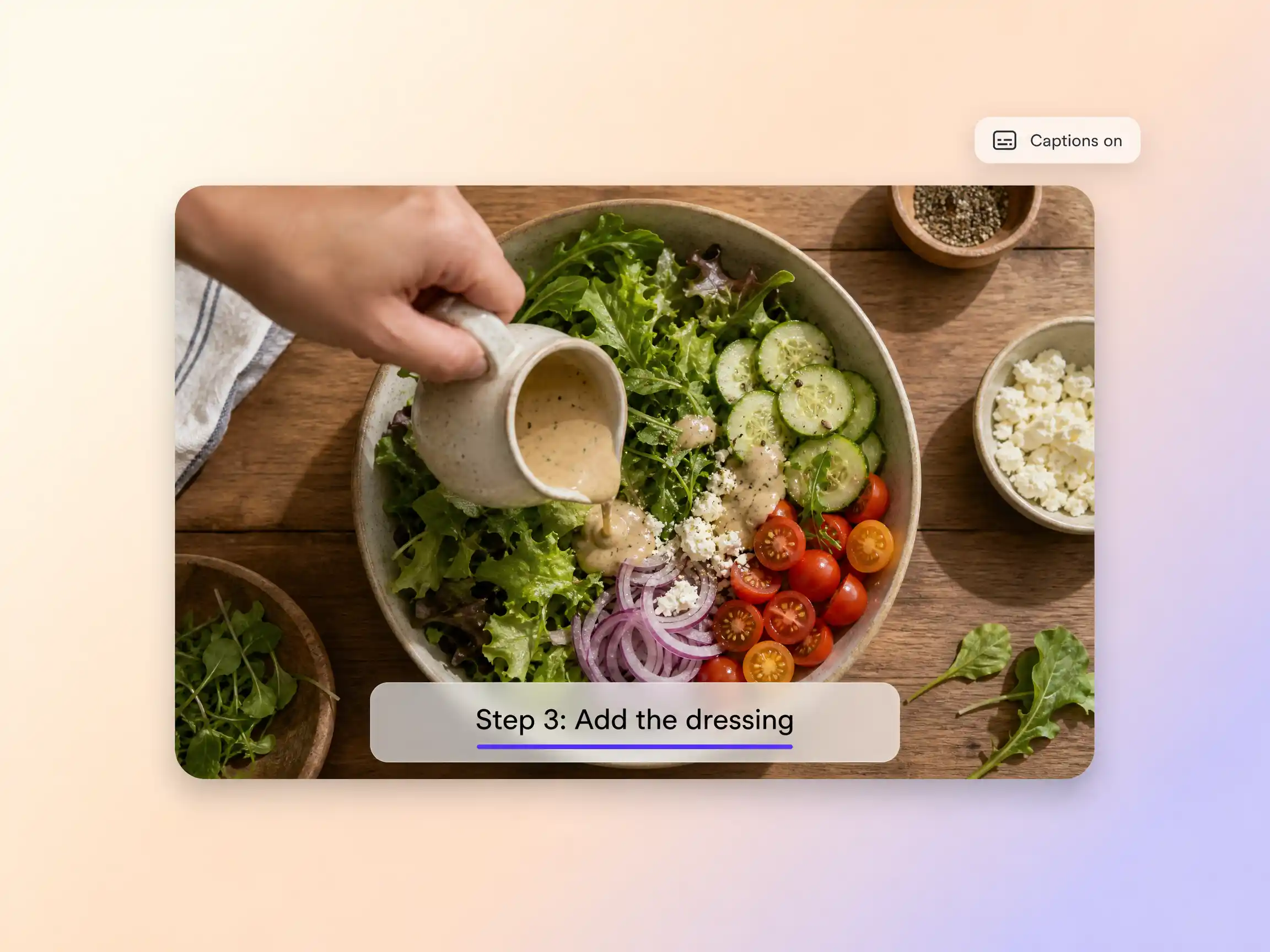
Step overlays and captions are generated automatically and stay in sync with the action, so viewers can cook along with the sound off. Localize the same recipe video into other languages with translated captions and narration in one pass.
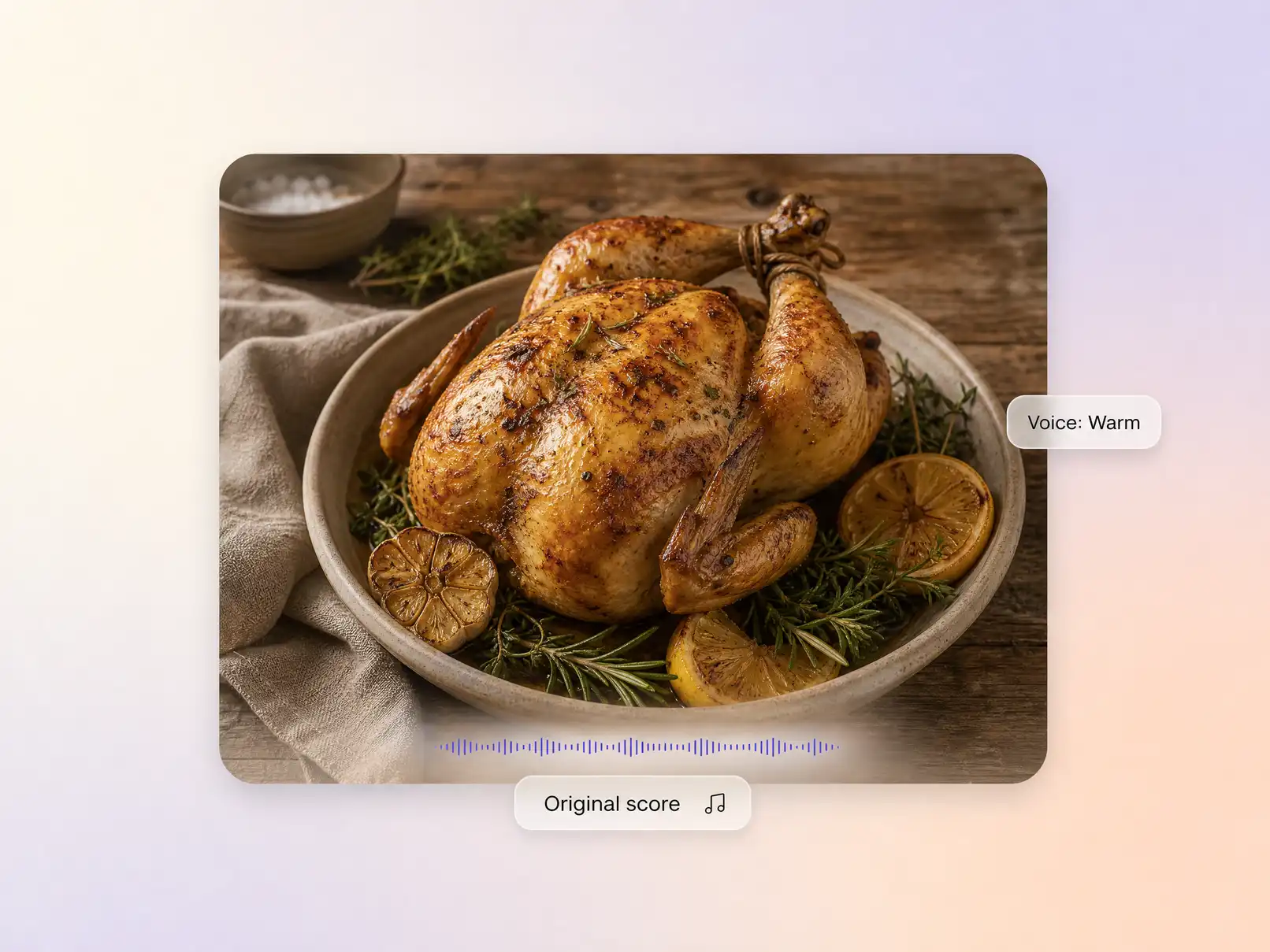
Pick a warm narrator voice or clone your own, and Pexo scores the video with an original track that settles under the narration. Tell it the mood, cozy weeknight, fresh and bright, festive, and the mix balances itself automatically.
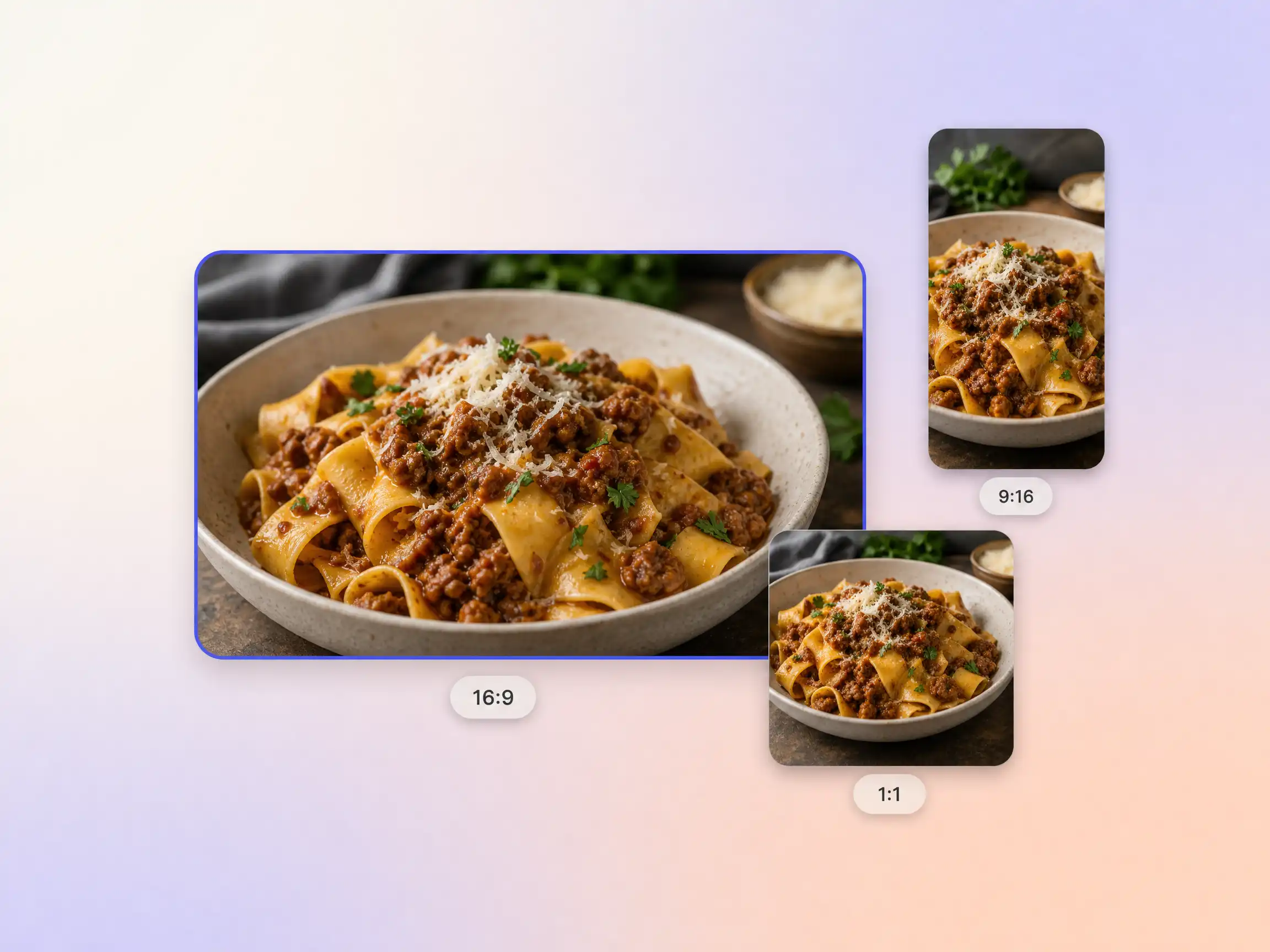
Pexo delivers your recipe video natively in 16:9 for YouTube, 9:16 for TikTok and Reels, and 1:1 for feeds, up to 4K and anywhere from 5 to 120 seconds. Each aspect ratio is generated fresh for that screen, with the composition framed for it rather than cropped down from one master. Ask for several formats at once and post the right version to every channel. It looks intentional everywhere it lands.
I paste the recipe from my post and get the video the same morning. Same dish, same vibe, every time. My recipe posts finally have matching videos.
Our specials get a recipe teaser every week now. No film crew in the kitchen, no closed sections. Weeknight covers went up noticeably.
Five prep recipes, five vertical videos, one afternoon. The captions sync better than my old editor. Batch day content is a solved problem.
A recipe video shows a dish being made step by step, from ingredients to plating, usually in under two minutes. With Pexo's AI recipe video generator you paste the recipe or describe the dish, and the shots, step overlays, captions, and voiceover are generated for you, no filming required.
No. Pexo generates the cooking shots from your recipe text or description. If you have photos of the real dish, upload them and the recipe video builds around your actual food, keeping it consistent in every shot.
Pexo is one of the best AI tools for recipe videos because it picks the strongest take across Sora 2, Kling, and Veo for every shot, keeps the same dish consistent from prep to plating with Hyperframe, and exports up to 4K with captions built in.
A recipe video is built around steps and timing, viewers cook along with it. For broader feed content, start from the social media video or TikTok video page instead, the workflow is the same.
Widescreen, vertical, and square, 16:9, 9:16, and 1:1, up to 4K and 5 to 120 seconds. A 30 second recipe video for Reels and a full walkthrough for YouTube are rendered natively, not cropped from one master.
Use a simple formula: dish + key steps + camera style + pace + mood. For example: creamy garlic pasta, four steps from sizzling garlic to the final twirl, overhead close-ups, fast pace, warm cozy kitchen. Pexo expands that one line into the full recipe video, shot list to final cut.
Hand Pexo the recipe and let the recipe video maker handle the shots, the steps, and the soundtrack.
Make a wedding video from ceremony clips, photos, and recorded messages. Use Pexo to tell the story of the day and keep the voices that matter.
Make an affirmation video with your own words, an optional voiceover, and time to pause. Review the pacing and readability with Pexo.
Make a graduation video from school photos, ceremony clips, and personal messages. Use Pexo to tell the story from the first day to the final walk.
Make a meditation video with a steady view, gentle movement, and quiet ambience or silence. Use Pexo to shape the scene and its pace.
Make an animated starting soon screen with Pexo. Add your channel colors, logo, and message, then preview a short video to loop before you go live.
Create duanju with Pexo. Turn ideas into short drama scenes, develop memorable characters, and add expressive voiceovers and twists that keep viewers watching.
Turn photos into a video slideshow in minutes with Pexo. The AI video slideshow generator arranges your slides, adds music and captions, and renders every scene with Sora 2, Kling and Veo, up to 4K.
Turn any song into a beat synced music video with Pexo. The AI music video generator times every scene to your track and renders with Sora 2, Kling and Veo in minutes.