Pexo
Iris-Z

Iris-Z
Generate the image and its depth

Iris-Z is Speridlabs’ image-generation model for creating pictures together with their relative depth. Its November 2026 research release combines text-to-image, image-to-depth and depth-guided image generation in one family, with downloadable big and small variants and an official interactive demo.

Floating islands and a suspended staircase above mist

Core capabilities

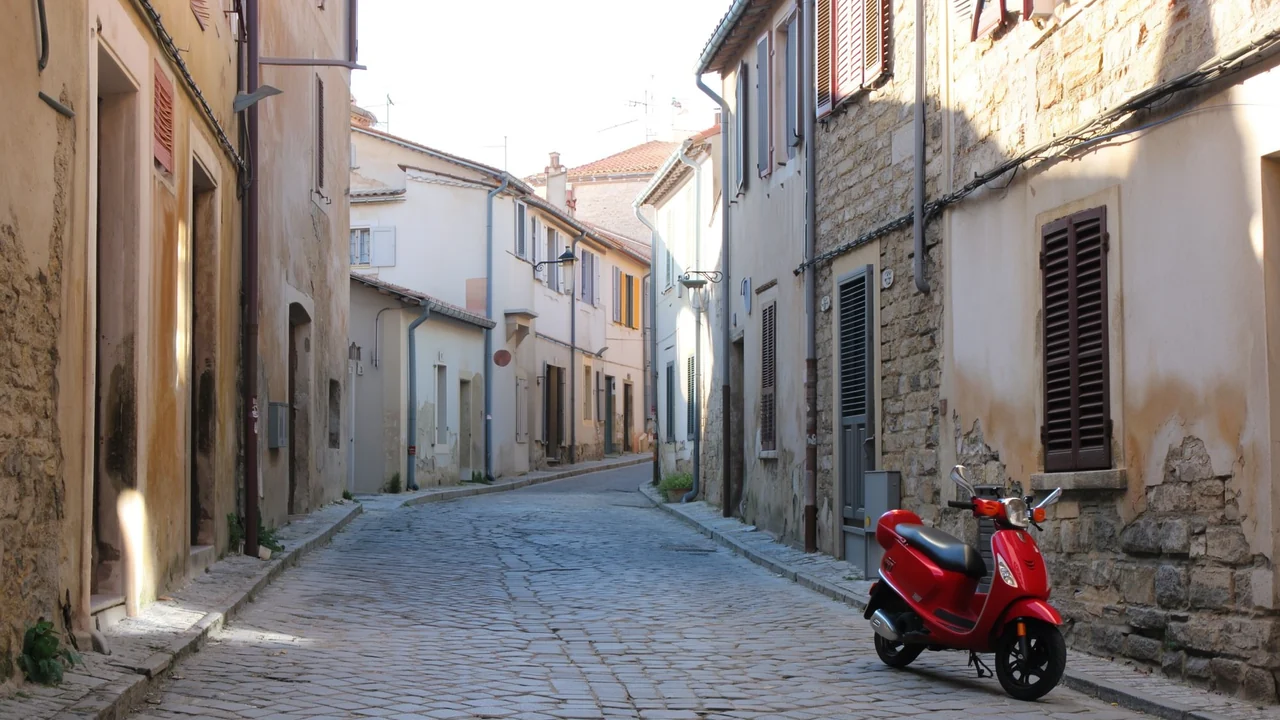
A narrow pale stone street with a red scooter
Example prompt · editorial suggestionA quiet pale stone street, an eye-level viewpoint and one red scooter, with soft daylight and space around the subject.

Turn a written scene into an image

Describe the space, viewpoint and focal subject before adding surface details. A narrow stone street and a red scooter make a simple composition to inspect: the buildings establish depth, while the scooter gives the scene a point of attention. Iris-Z supports a text-to-image route without requiring an input photograph. The brief below is an editorial suggestion for this kind of scene; it is not the original prompt or a Pexo generation test.

A sunlit historic library with a spiral staircase

Generated image

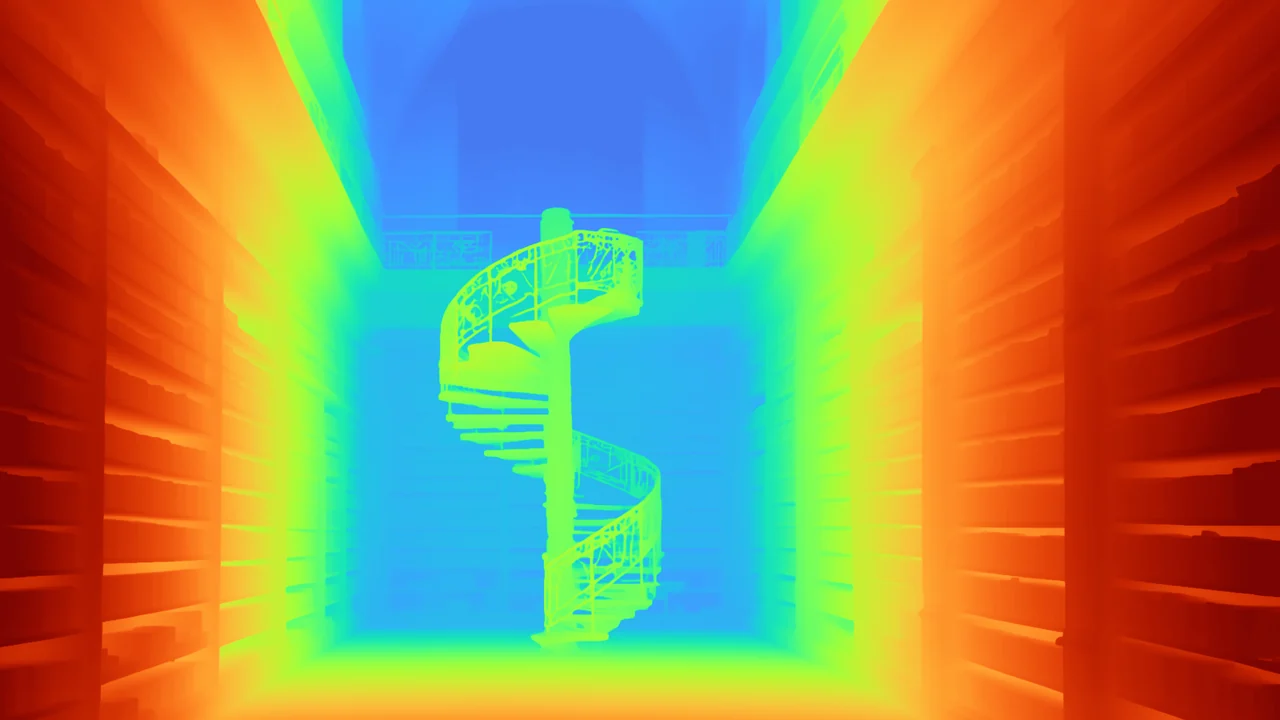
Relative depth of the same library and staircase

Generated relative depth

One prompt → an image and its depth. The pair is a published model demonstration.

Generate appearance and depth together

The text-to-RGBD route returns an image and a corresponding depth representation from the same model. In the library example, compare the shelves, stairway and far window across both outputs. This pairing can help a creative team discuss which surfaces sit in front of others. A coloured depth map represents relative distance; it is not a finished 3D scene, a calibrated survey or a promise of production-ready geometry.

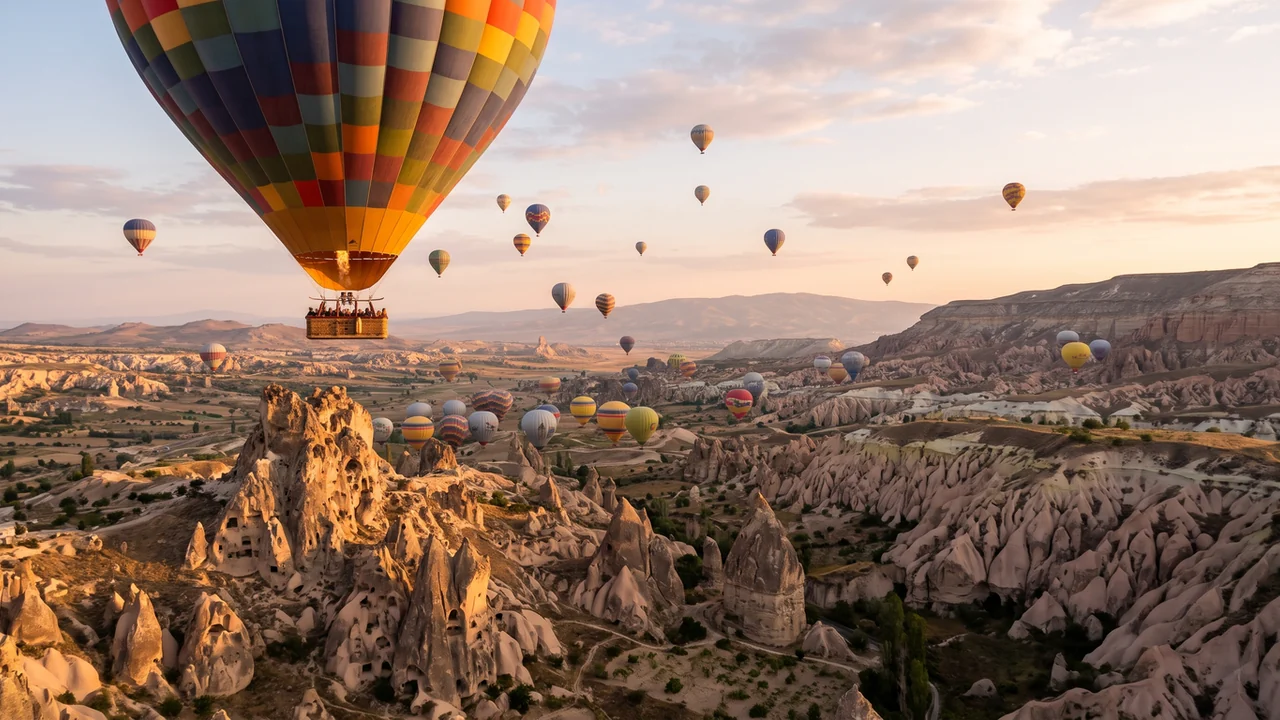
Input photograph of hot air balloons above a rocky landscape

Input photograph

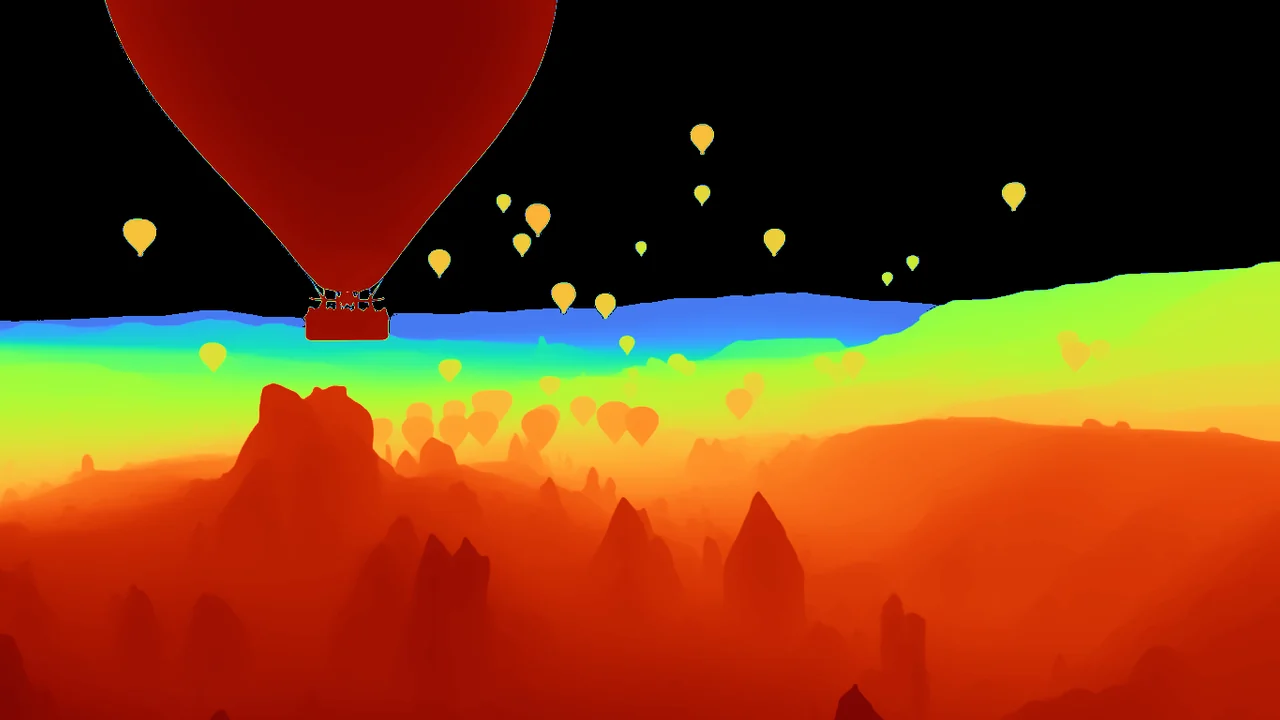
Iris-Z relative depth estimate for the balloon photograph

Estimated relative depth

Photograph → depth estimate. Near = warm colours; far = cool colours.

Read the depth of an existing photograph

An input photograph can be processed into a relative depth map. In this balloon scene, the large foreground balloon, rock formations and distant horizon occupy different depth layers. The official display uses warm colours for nearer regions and cool colours for farther ones. Review thin details, boundaries and occluded areas before using the map in a downstream visual workflow; a depth estimate is not a physical measurement.

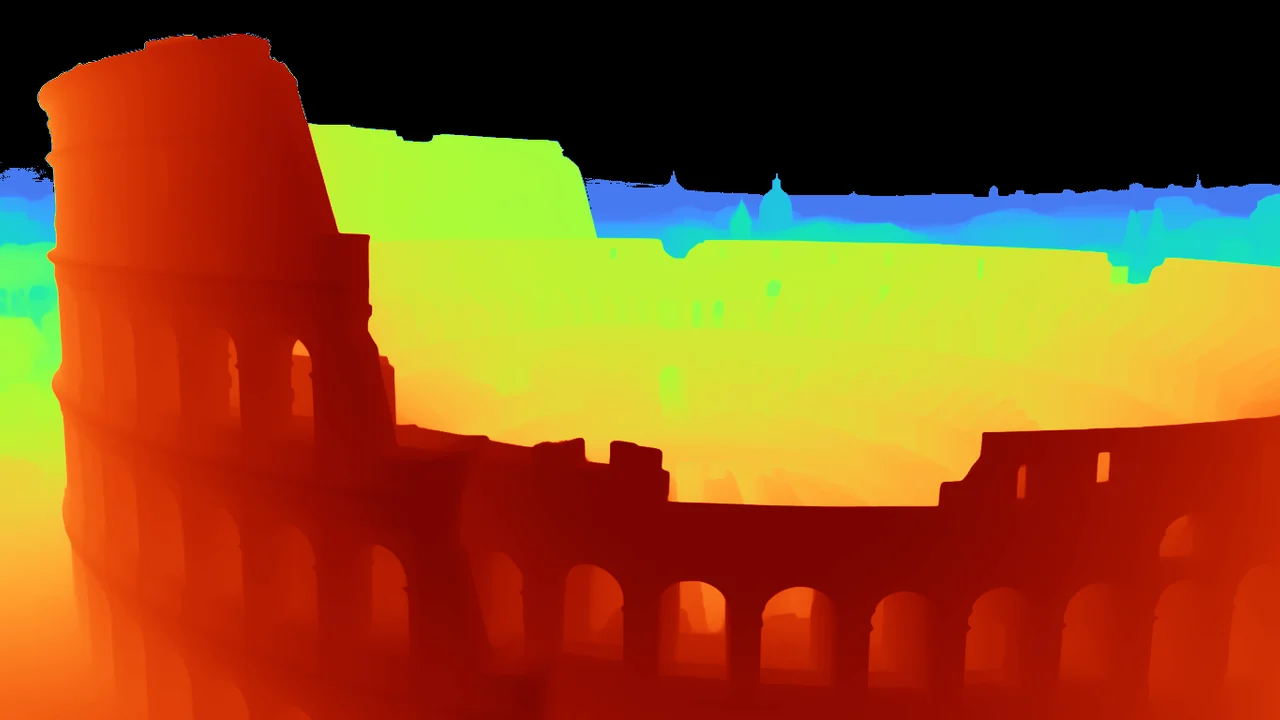
Input depth map of an amphitheatre

Input depth map

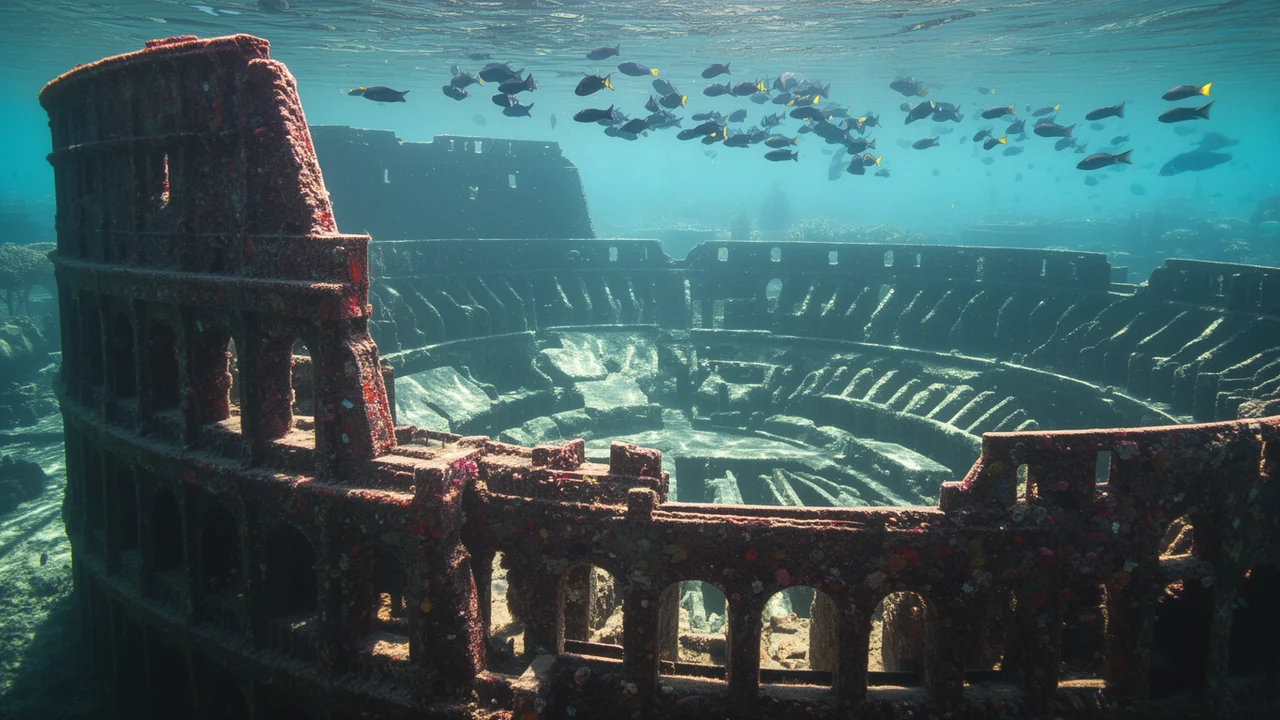
Generated underwater amphitheatre guided by the depth map

Generated image

Depth map + text direction → a new image. This is a matched official example.

Use depth as the starting composition

The depth-to-image route generates an image from a depth map and a text direction. Here, the source map supplies the amphitheatre’s spatial structure while the result places it underwater. This is useful when a brief needs a spatial starting point rather than an unrestricted new composition. Check the resulting objects and surfaces against the input: depth guidance does not guarantee exact pixel preservation or a usable 3D asset.

Image showcase

Source: Speridlabs’ official Iris-Z examples, including the labelled reference photo and depth-map inputs. Examples are publisher-selected; brief suggestions are editorial. Use-case thumbnails below belong to Pexo.

Model comparison

DIMENSIONIris-Z-bigIris-Z-small
Parameters32.2 billion9.1 billion
Creative routesText → image; text → image + depth; depth → imageSame documented routes
Photographic depthImage → relative depthImage → relative depth
Documented resolution levels512 and 1024; generation width and height use multiples of 16512 and 1024; generation width and height use multiples of 16
GPU memory, all tasksApproximately 112 GB in the SDK documentationApproximately 33 GB in the SDK documentation
Default generation guidance3.54.0

Provider-documented variants, checked November 17, 2026. The big variant is the SDK default and is emphasized as this comparison’s primary model; emphasis is not a Pexo quality ranking. Memory requirements depend on the selected pipeline and environment.

Use-case scenarios

Spatial references for a scene brief

Pair a concept image with relative depth when discussing foreground, middle ground and background. Keep the intended camera viewpoint in the brief; the pair communicates a spatial direction without replacing a measured scene.

Depth-guided visual variations

Start from a depth layout when the location or arrangement matters more than exact surface appearance. Inspect new objects, edges and materials after generation before treating a variation as a faithful edit.

Choose a practical research workflow

Use the smaller variant when its documented memory needs fit the available setup. Check the selected weights, base-model access conditions and licence before a commercial project; downloadable code and model weights have different terms.

Use cases

Continue a wider scene or story idea with Pexo’s video workflows.

Frequently Asked Questions About Iris-Z

What is Iris-Z, and when was it introduced?

Iris-Z is Speridlabs’ model family for images and relative depth. Its research page identifies a November 2026 release, and the paper was submitted on November 11. The paper date does not by itself establish the exact first day that every weight or hosted endpoint became available.

Can Iris-Z generate pictures, or does it only estimate depth?

It can generate an image from text, generate an image and its depth together, estimate depth from a photograph, and generate an image guided by depth. The depth output represents relative spatial structure rather than a complete 3D model or a calibrated distance measurement.

How should I choose between big and small?

Both variants provide the documented routes. Iris-Z-big has 32.2 billion parameters, while Iris-Z-small has 9.1 billion. The SDK lists approximately 112 GB and 33 GB of GPU memory for all tasks, respectively. Compare the required task, memory budget and your own results before choosing.

Are Iris-Z code and weights available for commercial use?

The SDK code is Apache 2.0, while the model card lists a FLUX non-commercial licence for the weights and identifies FLUX.2 base models. Check the actual selected weights and their applicable terms before commercial use. The documented local setup also requires access to the gated FLUX.2 autoencoder.

Were the examples on this page generated by Pexo?

No. The model examples come from Speridlabs’ official research gallery. The input photograph and depth map are labelled separately from generated outputs. These publisher-selected examples illustrate the documented routes; they are not independent Pexo benchmark results.

Official Iris-Z guide

Describe your idea and start your next creation.

Start creating