Pexo
JoyAI-Video-Edit-1.1

JoyAI-Video-Edit-1.1
Replace a character in video

JoyAI-Video-Edit-1.1 is JD.com’s open-weight video editor for changing a character’s appearance while carrying over movement from the source footage. Released on November 9, 2026, the update focuses on replacement guided by a reference image. JD provides a downloadable checkpoint and a browser demo.

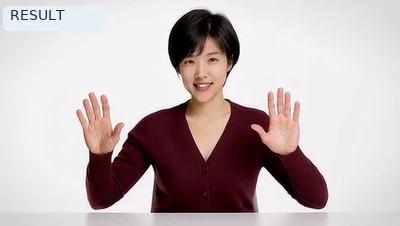
The 1.1 release demo shows an original hand gesture on the left and character edits on the right. The reference portraits appear before the edited results.

Core capabilities

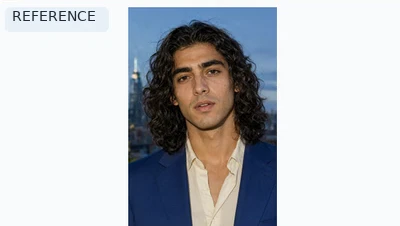
Portrait reference of a man in a blue jacket
Reference portrait
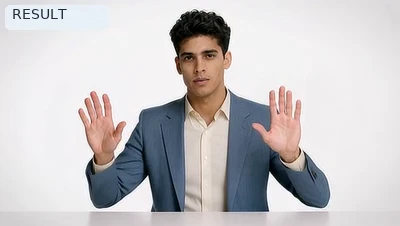
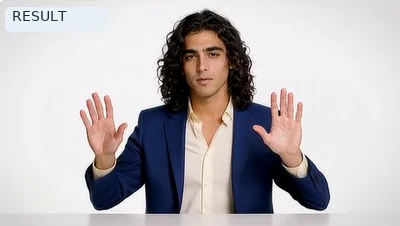
Edited performer in the blue jacket raises his hands
Edited result
The output uses the reference’s appearance and the source clip’s movement.

Guide the replacement with a portrait

Use source footage for the performance and select a separate image for the replacement character. Choose a portrait in which the face, hair and wardrobe are clear. The official example carries the blue jacket and hairstyle into a different shot.
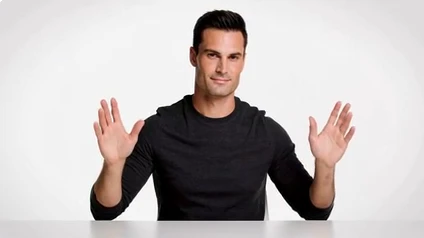
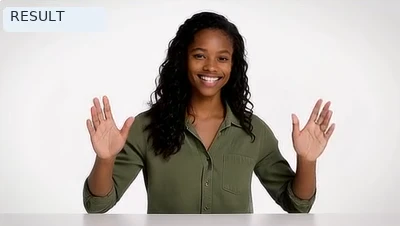
Original performer holds both hands up
Source motion
Edited performer in green mirrors the source gesture
Edited result
Matched frames from the release demonstration.

Check whether movement carries over

Compare the original and edited clips at moments with a clear gesture. Hands, head turns and changes in posture are useful checkpoints. The 1.1 release specifically targets character replacement while preserving the source motion.

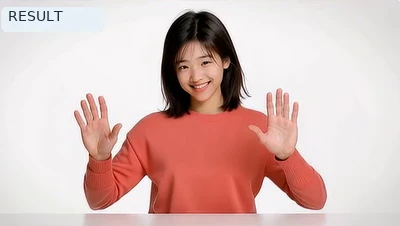
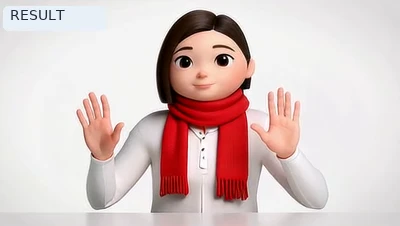
Photorealistic character variant wearing a red sweater
Realistic character
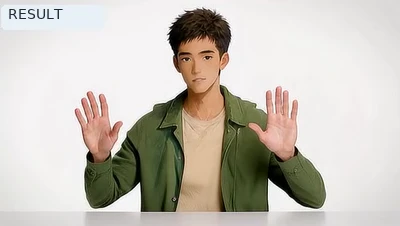
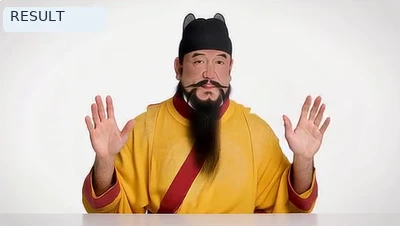
Stylized character variant wearing a green jacket
Illustrated character
Two different references guide the appearance of one performance.

Compare realistic and stylized looks

Use the same source clip with different references to compare how each look handles the performance. The publisher’s demonstration uses the same seated gesture across realistic and illustrated characters. Review edges and details throughout the edit before choosing a version.

Image showcase

Source: JD.com’s official JoyAI-Video-Edit-1.1 release demonstration.

Model comparison

DIMENSIONJoyAI-Video-Edit-1.1August RV2V checkpoint
ReleaseNovember 9, 2026August 14, 2026
FocusReference-guided character replacement with emphasis on source motionEarlier reference-guided update focused on subject and identity preservation
InputsSource video plus an appearance reference in the showcased workflowSource video plus a visual reference
DistributionCurrent DiT checkpoint in the official repositoryEarlier DiT checkpoint kept for reproducibility
DeploymentPublisher’s live demo and self-hosted setupEarlier weights for the self-hosted setup

This comparison summarizes the publisher’s release notes. It does not rank the checkpoints on a shared evaluation.

Use-case scenarios

Compare casting concepts

Try different looks on the same performance before planning a new shoot. Check expressions and gestures that matter to the script.

Prototype an animated presenter

Start with a clean performance and choose an illustrated reference with readable facial features. Review hands and mouth shapes in motion.

Plan alternate wardrobe and styling

Use a reference with visible clothing and hair. Compare the output with the source to see what carries through during turns and hand movements.

Use cases

Carry a performance or character concept into these Pexo video workflows.

Frequently Asked Questions About JoyAI-Video-Edit-1.1

What is JoyAI-Video-Edit-1.1?

It is JD.com’s November 2026 update to its real-time video editing model. This version focuses on replacing a character from a reference image while retaining the source performance.

What goes into a reference-guided edit?

Use a video for the performance and a reference image for the new character’s appearance. The publisher demonstrates an input gesture across several alternative looks.

Does it preserve every part of the original movement?

JD describes preservation of source movement as a goal of the 1.1 update. Review individual poses, hands and motion across frames. The official demo illustrates the behavior on one performance.

How can I try it?

JD links to a live Hugging Face Space and publishes the weights and deployment instructions for self-hosting. Access to the live demo depends on the Space’s GPU availability.

How do I identify the 1.1 checkpoint?

The publisher identifies the DiT file ending in 1101_face++ as the current 1.1 checkpoint. Its August checkpoint remains available for reproducibility.

Official JoyAI-Video-Edit-1.1 guide

Describe your idea and start your next creation.

Start creating