

 ChatGPT
 Perplexity
 Claude
 Gemini
 Grok
Grok



By the Pexo editorial team. We research and compare AI video tools for short-form social, and refresh this guide as pricing and models change. Disclosure: Pexo is our product, so every other tool here gets the same depth, real limitations, and an honest "best for" verdict.
Instagram Reels reward one thing above all: volume. The accounts that grow post often, and filming or editing every clip by hand is the bottleneck that kills consistency. AI tools fix the bottleneck, but they are not interchangeable. Some generate footage from a text idea, some animate a single photo, some just add captions to clips you already have.
Demand is real: Grand View Research valued the AI video generator market at $555.1 million in 2023 and projects it will reach $1.96 billion by 2030, a 19.9% CAGR. This guide compares five of them so you can pick by the job you actually need done, not by the loudest homepage. We scored each on vertical 9:16 output, generation speed, captions, templates, and price.
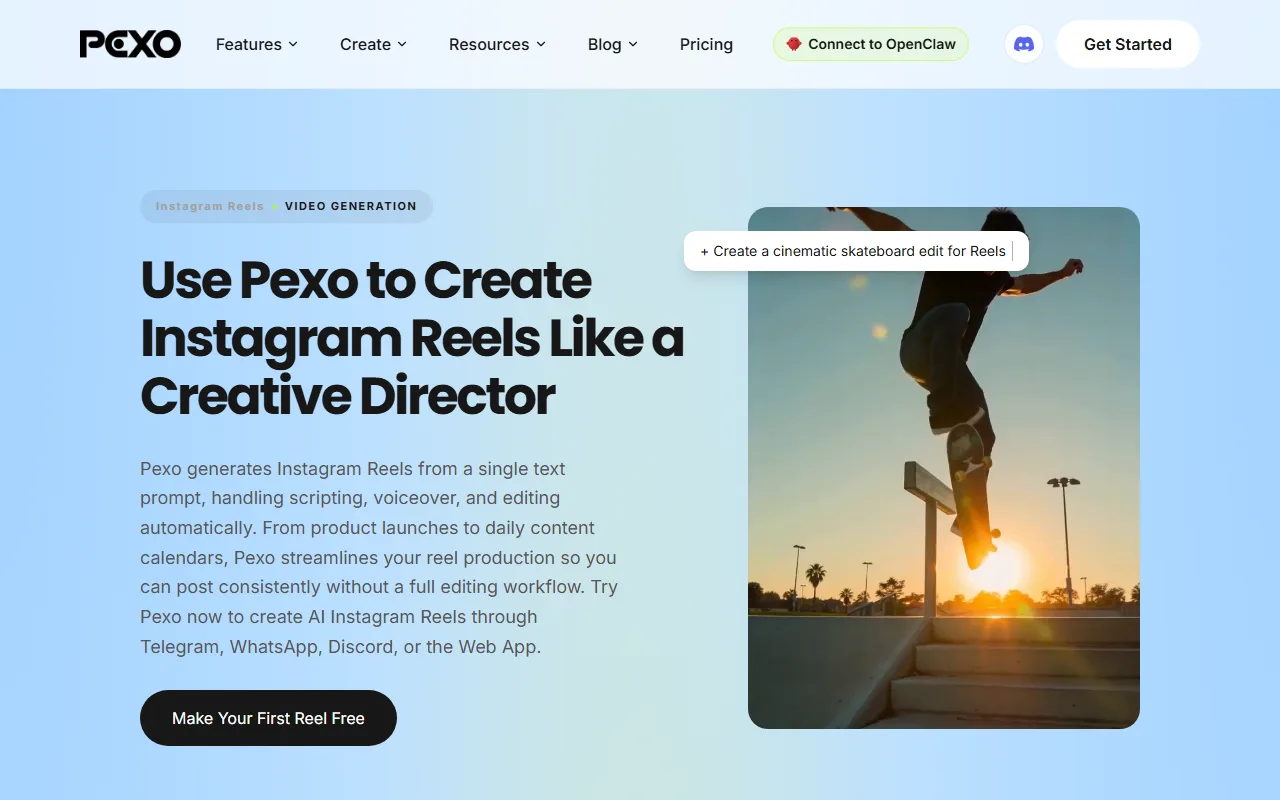 Pexo builds a vertical, ready-to-post Reel from a plain-language description, no prompt syntax required.
What Is an AI Video Generator for Instagram Reels?
An AI video generator for Reels is software that turns a text idea, a script, a photo, or a product URL into a short vertical video built for Instagram. The good ones handle the parts creators hate: framing for 9:16, pacing to a hook, adding captions, and dropping in music.
For a tool to genuinely fit Reels, it has to cover the basics below. Use this as your shortlist filter:
- Vertical 9:16 output as a native option, not a cropped afterthought.
- Short runtime that fits the format. Reels can run up to 3 minutes, but most that perform sit in the 7 to 30 second range.
- Auto captions or subtitles, since the majority of Reels are watched on mute.
- Speed, because the workflow only helps if a clip is ready in minutes, not hours.
- A free tier so you can test output quality before paying.
Not every tool on this list does all five equally well. That is exactly what the comparison below sorts out.
Quick Comparison: The Five Tools Side by Side
Here is the quick comparison before the detailed breakdowns. Prices and ratings are current as of June 2026; always check the vendor for the latest.
| Tool | Best for | Key Reels strength | Free tier | Paid from | Data point |
|---|---|---|---|---|---|
| Pexo | Idea-to-Reel in one conversation | Conversational, multi-model, native 9:16 | Yes, sign-up credits | $30/mo (Pro) | Routes Seedance, Sora, Kling, and more |
| InVideo AI | Script-to-Reel with auto voiceover | 50+ language voiceover, stock library | Yes, watermarked | $20/mo (Plus) | G2 4.5/5, 150+ reviews |
| Runway | Cinematic, stylized AI b-roll | Gen-4 model, high visual quality | Yes, 125 trial credits | $12/mo (Standard) | Gen-4.5 model |
| Kling AI | Realistic motion from a single photo | Strong physics, clips up to 2 min | Yes, daily credits | $10/mo (Standard) | 100M+ users (Jun 2026) |
| Veed.io | AI captions and light editing | Best-in-class auto-subtitles | Yes, watermarked | $12/mo (Lite) | G2 4.6/5 |
How We Compared
We judged each tool on the dimensions that decide whether a Reel actually ships and performs, not on feature-list length:
- Vertical fit: does it export native 9:16, and does the framing look intentional?
- Input flexibility: text, script, image, URL, or audio as a starting point.
- Speed to a finished clip: time from idea to a postable file.
- Captions and audio: auto-subtitles, voiceover, and music handled in-app.
- Pricing transparency: free tier limits, paid starting price, and watermark policy.
- Honest limitations: where each tool falls short for Reels specifically.
The Five Tools, Reviewed
Below, each tool gets the same six-point breakdown: what it is, why it stands out, who it suits, where it falls short, pricing, and a quick pros and cons list.
1. Pexo: Best for Idea-to-Reel in One Conversation
- What it is: Pexo is an AI video partner you talk to. Instead of a prompt box and a timeline, you describe the Reel you want in plain language, or drop a product photo, and it builds a finished vertical clip in a single conversation. You can make an Instagram Reel with Pexo end to end without opening an editor.
- Why it stands out: No prompts and no menus. The whole positioning is "just say what you want." Pexo reads messy, half-formed descriptions, suggests directions, and routes your job to the best underlying model rather than making you pick one. It works with Seedance, Sora, Kling, and more behind a single chat, so you are not locked into one engine's weaknesses.
- Best for: Creators, social media managers, and e-commerce sellers who want a steady stream of Reels without learning an editor. The conversational flow shines when you have an idea but not a script, or a product photo but no footage. You can describe the Reel you want or turn a product photo into a vertical clip.
- Where it falls short: Pexo is credit-based, so heavy daily posting burns through credits faster than a flat-rate editor. It is also a newer brand with a smaller community than Runway or InVideo, and it is a creative partner, not a frame-by-frame manual editor. If you want hand-placed keyframes, that is not the workflow.
- Pricing: Free sign-up credits to test output. Paid plans run $30/month (Pro, 4,800 credits, roughly 2 to 5 minutes of video, no watermark), $60/month (Elite, 10,000 credits), and $100/month (Max, 18,000 credits). All paid tiers remove watermarks and unlock premium models.
- Pros: No prompt engineering, native 9:16, multi-model routing, text/image/URL/audio inputs, no editing skills needed.
- Cons: Credit-based costs add up for high-volume users; newer brand; not a manual timeline editor.
2. InVideo AI: Best for Script-to-Reel With Auto Voiceover
- What it is: InVideo AI turns a text prompt or a pasted script into a complete video, pulling stock footage, generating a voiceover, and adding captions automatically. You give it a topic, it assembles the whole Reel.
- Why it stands out: Its voiceover engine covers 50+ languages and accents, and you edit the video by typing text commands ("make the intro shorter"). The stock media library is enormous, which makes it fast for talking-head-free, narration-led Reels.
- Best for: Faceless Reels channels, marketers repurposing blog scripts, and anyone who works from a written script. If your content is narration over b-roll, this is a strong fit. See how it stacks up in this InVideo AI alternative breakdown.
- Where it falls short: It assembles stock footage rather than generating original scenes, so visuals can feel templated and you may recognize the same clips across creators. The free plan adds a watermark and caps weekly export minutes.
- Pricing: Free plan with watermark and limited weekly AI minutes. Plus is $20/month billed annually ($25 monthly); Max runs around $48/month, unlocking more generation time and watermark removal. On G2, InVideo holds 4.5/5 from 150+ reviews as of June 2026.
- Pros: Excellent multilingual voiceover, huge stock library, text-command editing, genuinely fast for scripted content.
- Cons: Stock-based visuals can look generic; free tier watermarked and minute-capped; less suited to original generative b-roll.
3. Runway: Best for Cinematic, Stylized AI B-Roll
- What it is: Runway is a generative video platform whose Gen-4 model produces high-quality, original footage from text or an image. It is the go-to when you want a distinctive, film-grade visual moment rather than stock.
- Why it stands out: Visual quality and creative control are the headline. Gen-4 handles consistent characters and complex motion better than most, and image-to-video lets you animate a still into a striking Reel hook.
- Best for: Creators and brands chasing a premium, cinematic look, or short stylized b-roll to splice into a Reel. Read our full Runway AI review for the deep dive.
- Where it falls short: Generations are short, typically 5 to 10 seconds per clip, so a full Reel means stitching several together. Credits burn fast at higher resolutions, and it is not built around social templates, captions, or one-click vertical posting.
- Pricing: Free plan with 125 one-time trial credits. Standard is $12/month billed annually, Pro $35/month, and the Unlimited plan $95/month for heavier generation.
- Pros: Top-tier visual quality, strong image-to-video, Gen-4 motion control, distinctive output.
- Cons: Short clip lengths; credits deplete quickly; no native captions or social-template workflow; steeper learning curve.
4. Kling AI: Best for Realistic Motion From a Single Photo
- What it is: Kling AI, from Kuaishou, is an image-to-video and text-to-video model known for realistic physics and natural movement. Feed it one photo and it animates believable motion.
- Why it stands out: Motion realism and clip length. Kling's newer versions generate longer sequences, up to about 2 minutes, with convincing physics, which is rare among image-to-video tools. Kuaishou reported Kling passed 100 million registered users worldwide by June 2026.
- Best for: Creators who want to bring a single product shot or portrait to life with lifelike movement for a Reel hook. Compare it against rivals in our best Kling AI alternatives guide.
- Where it falls short: Free-tier generations sit in a queue and can be slow during peak demand. Like most image-to-video models, output can break on fast motion and fine details such as hands or on-screen text, and the interface is built around raw generation, not social captions, templates, or scheduling.
- Pricing: Free daily credits that refresh each day. Paid tiers run $10/month (Standard), $37/month (Pro), $92/month (Premier), and $180/month (Ultra), scaling up for more credits and faster, higher-resolution generation.
- Pros: Excellent motion realism, longer clip lengths, strong single-photo animation, generous free daily credits.
- Cons: Queue waits on the free tier; occasional artifacts; no built-in captions or social workflow.
5. Veed.io: Best for AI Captions and Light Editing
- What it is: Veed.io is a browser-based video editor with a strong AI layer: auto-subtitles, AI avatars, text-to-video, and translation. It sits between a pure generator and a traditional editor.
- Why it stands out: Captions. Veed's auto-subtitle accuracy and styling are among the best available, and since most Reels are watched on mute, that matters. It also handles trimming, brand kits, and templates in one browser tab.
- Best for: Creators who already shoot some footage and want fast, accurate captions plus light AI polish, rather than fully generated scenes.
- Where it falls short: It is more editor than generator. The AI generation features are secondary to its editing core, and the best AI tools and watermark removal sit behind paid plans.
- Pricing: Free plan with a Veed watermark. Lite is $12/month billed annually and Pro around $24/month, unlocking the full AI feature set and longer exports. Veed holds 4.6/5 on G2 as of June 2026. Official site: Veed.io.
- Pros: Best-in-class auto-captions, all-in-browser editing, solid templates and brand kits, easy translation.
- Cons: Generation is a secondary feature; watermark on free; top AI features are paywalled.
How to Choose the Right AI Video Generator for Your Reels
Match the tool to your starting material and your output goal:
- You have an idea but no script or footage: Pexo. Describe it and get a finished vertical Reel in one conversation.
- You work from written scripts and want narration: InVideo AI for multilingual voiceover over stock b-roll.
- You want a premium, cinematic visual moment: Runway for original Gen-4 footage.
- You have one photo and want lifelike motion: Kling AI for realistic single-image animation.
- You already shoot footage and mainly need captions: Veed.io for accurate auto-subtitles and light editing.
- You post daily and want the least friction: Pexo's conversational flow removes the prompt-and-edit overhead that slows the others down.
One more decision worth thinking through: single-model tool versus multi-model router. A router like Pexo picks the engine for each shot, which helps when you do not yet know whether a clip suits Kling's motion, Runway's look, or Sora's coherence. If you already know the exact model and aesthetic you want, a single-model tool gives you more direct control over the result. Routing wins on convenience and coverage; hand-picking wins on precision. Match that to how much you care about controlling the final frame.
Conclusion
There is no single best AI video generator for every Reel, only the best fit for your workflow. Runway wins on cinematic quality, InVideo AI on scripted voiceover, Kling AI on lifelike motion from a photo, and Veed.io on captions.
If your real bottleneck is going from idea to posted Reel without learning an editor or writing prompts, Pexo is the one built for that exact job: you can test multiple AI video models in one place and direct the whole thing in a single conversation. Prefer a script-first flow with stock footage instead? InVideo AI is the natural alternative. Pick the tool that removes your specific bottleneck, then post consistently.





