 ChatGPT
 Perplexity
 Claude
 Gemini
 Grok
Grok

You have a script, a blog post, or even just a rough idea for a video. You do not have a camera, a studio, or hours to spend editing. Fliki AI promises to turn your words into a finished video in minutes, complete with AI voiceover, stock visuals, and captions. For solo creators, marketers, and educators running on tight timelines, that pitch sounds like exactly what they need. But does the output actually hold up? And what happens when you need more than stock clips stitched over a voiceover? This review covers everything: what the Fliki AI tool does well, where it falls short, what it really costs, and why tools like Pexo AI are becoming the go-to alternative for creators who want original, AI-generated video instead of templated slideshows.
What Is Fliki AI?
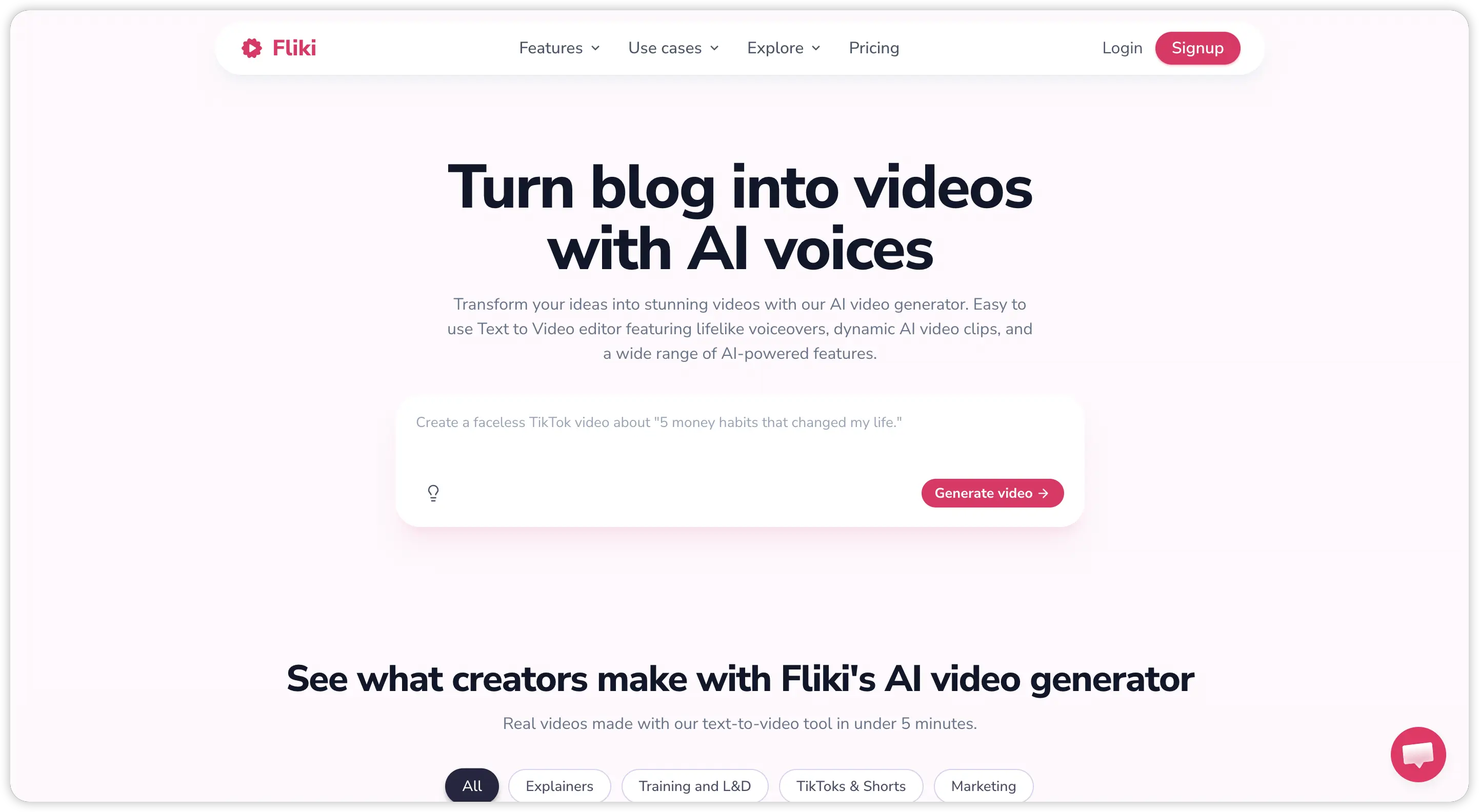 Fliki AI is a web-based video creation platform that converts text into fully produced videos using AI voiceover, stock footage, and automated captions. You can start from a script, a blog URL, a PowerPoint file, or even a one-line prompt. The platform handles the rest: writing or structuring the script, matching each scene with relevant stock clips and images, layering on AI narration, and adding background music and subtitles.
The platform is built around two core capabilities. First, the Fliki text to video engine breaks your input into scenes and assembles a complete video automatically. Second, the Fliki AI voice generator offers 2,000+ voices across 80+ languages, including voice cloning on higher-tier plans.
Fliki is not an AI video generator in the way tools like Kling or Seedance are. It does not create original footage. Every visual in a Fliki AI video comes from royalty-free stock libraries. The AI's job is to match your script to relevant pre-existing clips and stitch them together into a coherent sequence. This is an important distinction, especially if you are looking for truly original video content.
How Does Fliki AI Work?
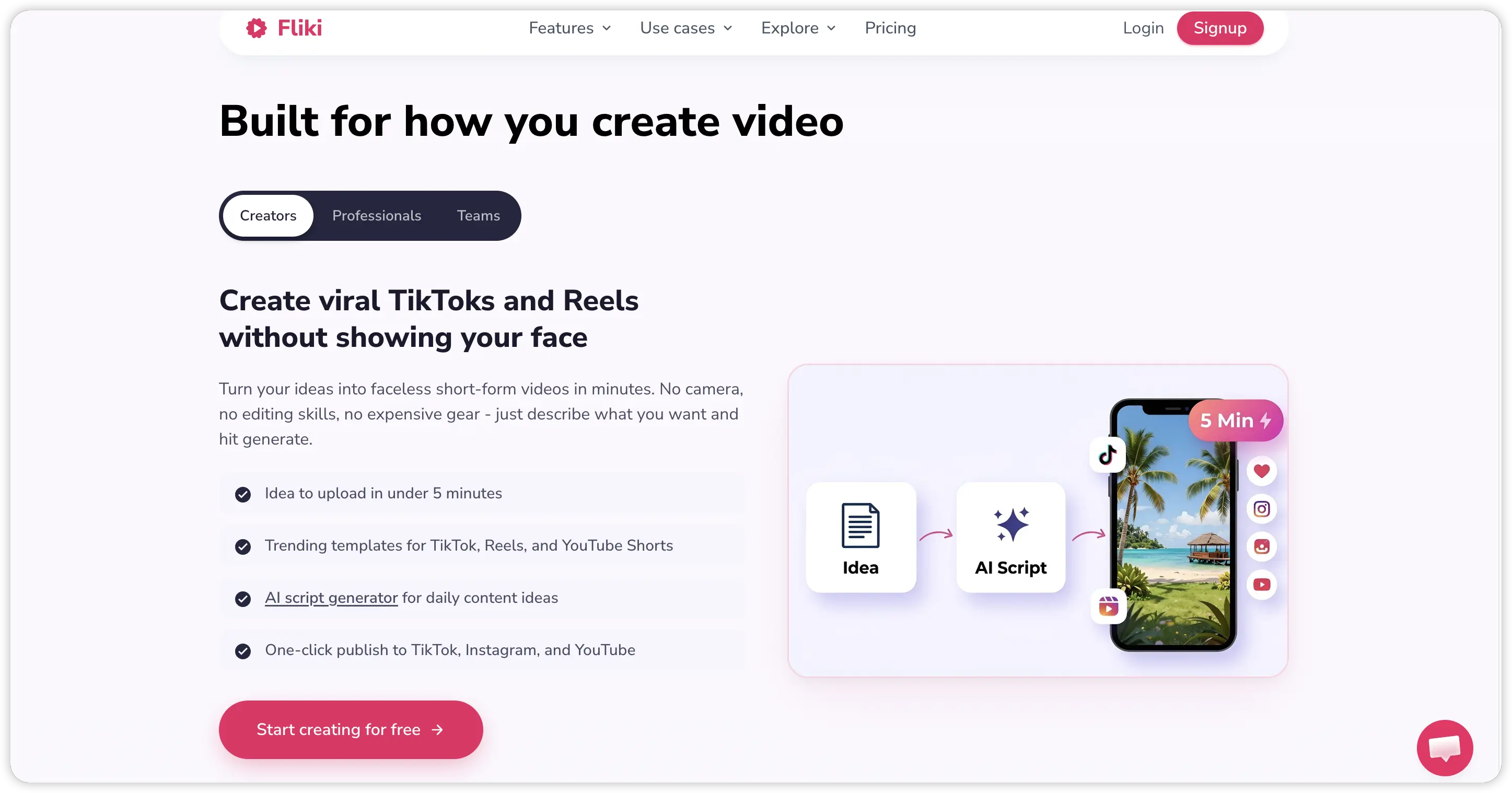 The workflow inside the Fliki AI app is designed to minimize effort. Here is the typical process from start to published video:
- Choose your input by typing a script, pasting a blog URL, uploading a PowerPoint, or entering a short topic prompt. The AI structures your content into individual scenes.
- AI generates voiceover and visuals automatically. Each scene gets matched with stock footage or images from Fliki's media library, and the selected AI voice narrates the text.
- Review and customize using the scene-based editor. You can swap out visuals, change the AI voice, adjust pacing and emphasis, edit the script text, and add or remove scenes.
- Export and publish in your preferred aspect ratio. Paid plans remove the Fliki watermark and unlock 1080p or higher export quality.
The entire process typically takes five to ten minutes for a short video. For creators who need to produce high volumes of content quickly, this speed is the primary selling point of the Fliki AI video maker.
Key Features of Fliki AI
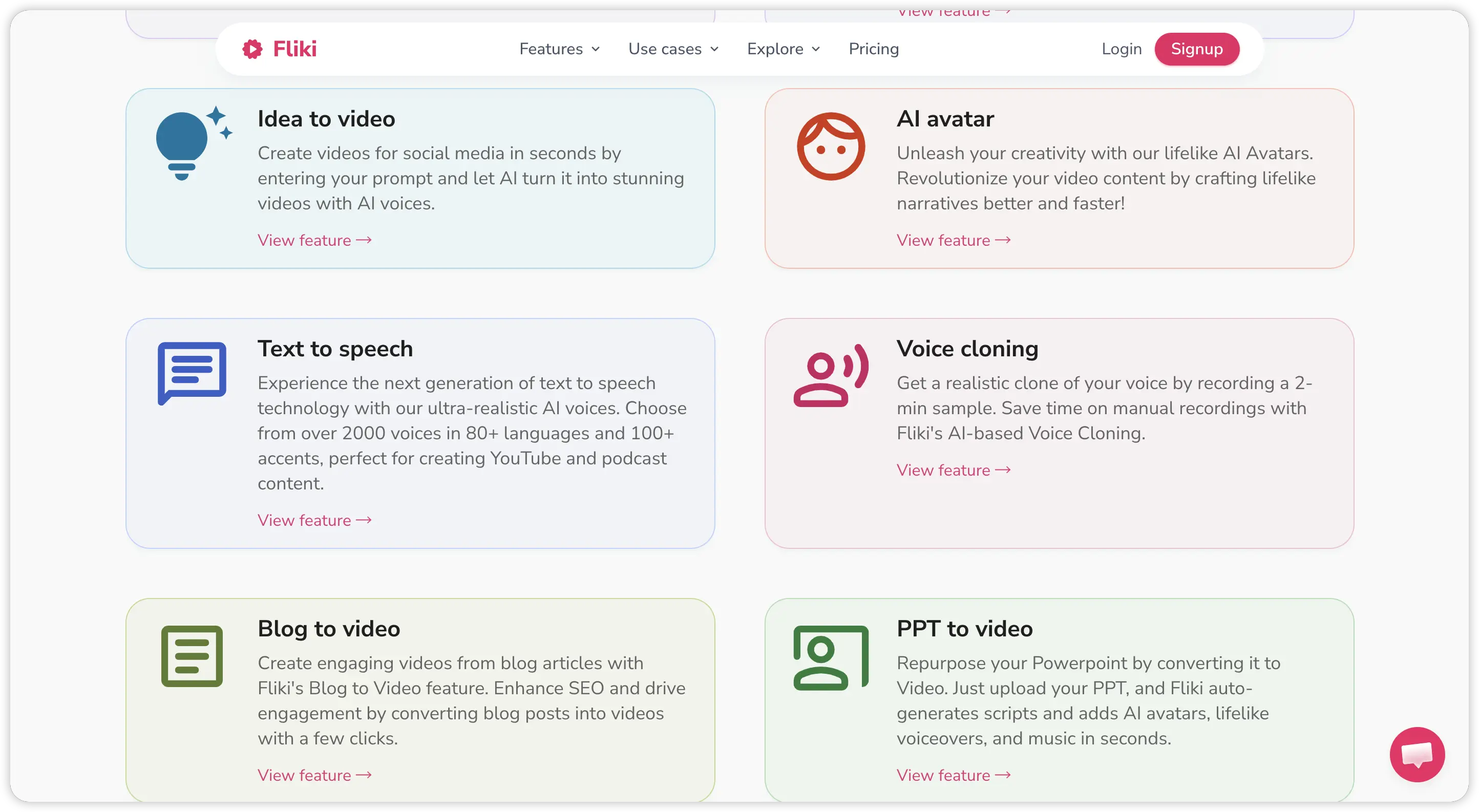 Understanding what Fliki actually delivers helps you decide whether it matches your content needs. Here are the features that define the platform in 2026.
Fliki AI Text to Video
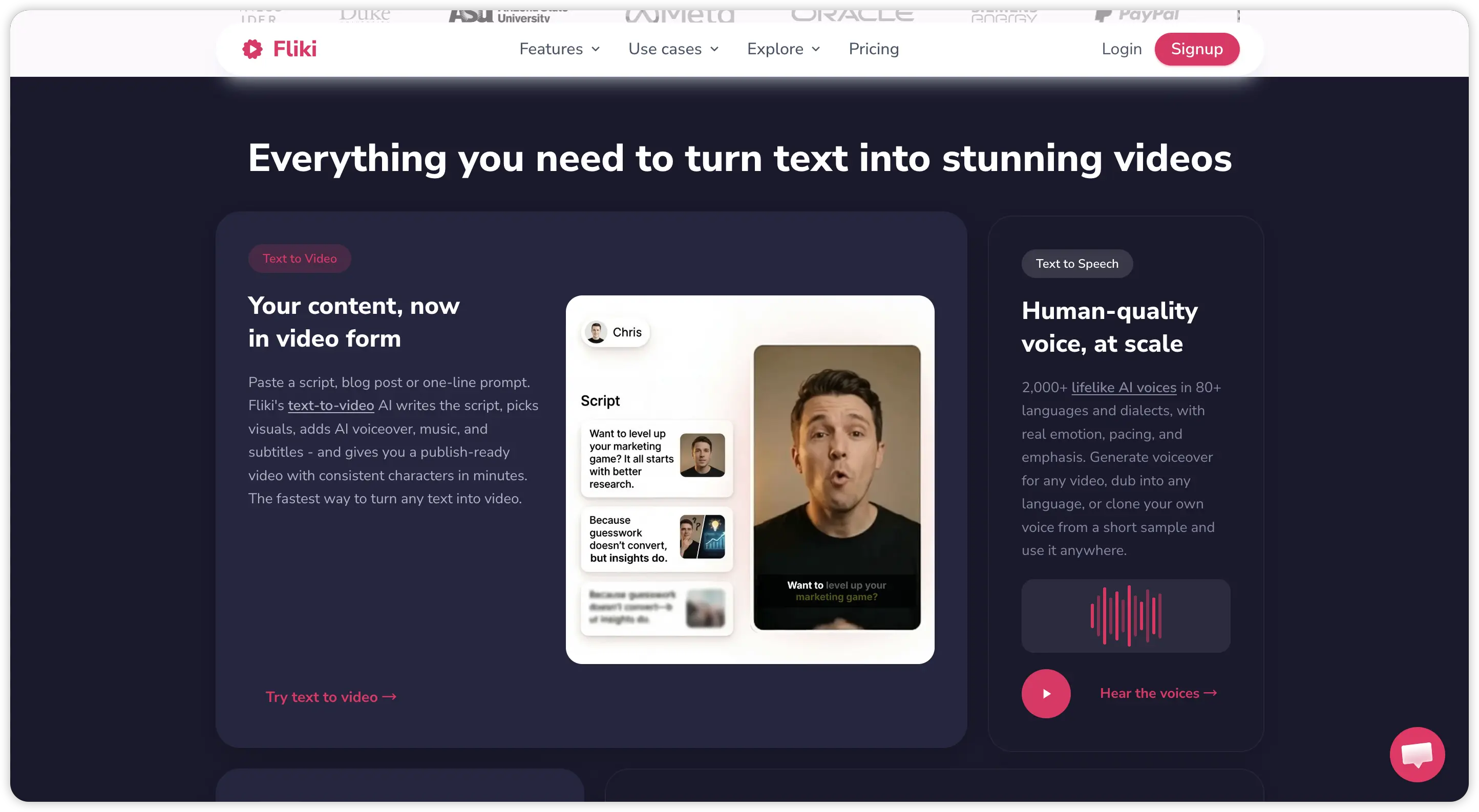
This is Fliki's flagship feature. Paste any text, whether it is a full script, blog article, product description, or a single sentence prompt, and the Fliki AI video generator builds a multi-scene video around it. Each scene includes a visual, voiceover narration, and optional subtitles. The system works best with structured, informational content. Creative or abstract concepts tend to get matched with generic stock footage that feels disconnected from the message.
Fliki Text to Speech and AI Voice
Fliki's voice library is one of its strongest assets. The Fliki AI voice engine offers over 2,000 voices in 80+ languages and dialects. Standard voices sound clean and professional. The "ultra-realistic" voices available on higher-tier plans are noticeably more natural, with better pacing, inflection, and emotional range. Fliki TTS quality is competitive, and voice cloning is available on Standard and Premium plans, allowing you to train a custom AI voice from your own recordings.
Blog to Video and URL to Video
Paste a blog post URL and Fliki scrapes the content, extracts key points, and builds a narrated video automatically. This feature is popular with content marketers who want to repurpose written articles into video format for social platforms. The output quality depends heavily on how well-structured the original article is.
Fliki AI Avatar and Digital Twins
Fliki offers AI avatar presenters that can deliver your script on screen. On premium plans, you can create a "digital twin" by recording yourself once and letting the AI replicate your face and voice for future videos. The Fliki AI avatar quality is functional for corporate or educational content, though the animation still reads as clearly AI-generated rather than photorealistic.
PPT to Video
Upload a PowerPoint or Google Slides file, and the Fliki AI editor converts each slide into a narrated video scene with transitions and captions. This feature targets educators, trainers, and corporate teams who want to turn existing presentation decks into watchable video content without re-recording.
Multilingual Support and Translation
With support for 80+ languages, Fliki makes it straightforward to produce localized versions of any video. You can translate captions, swap voiceover language, and reach global audiences from a single source script. This is a genuine advantage for brands operating across multiple markets.
Fliki AI Pricing in 2026
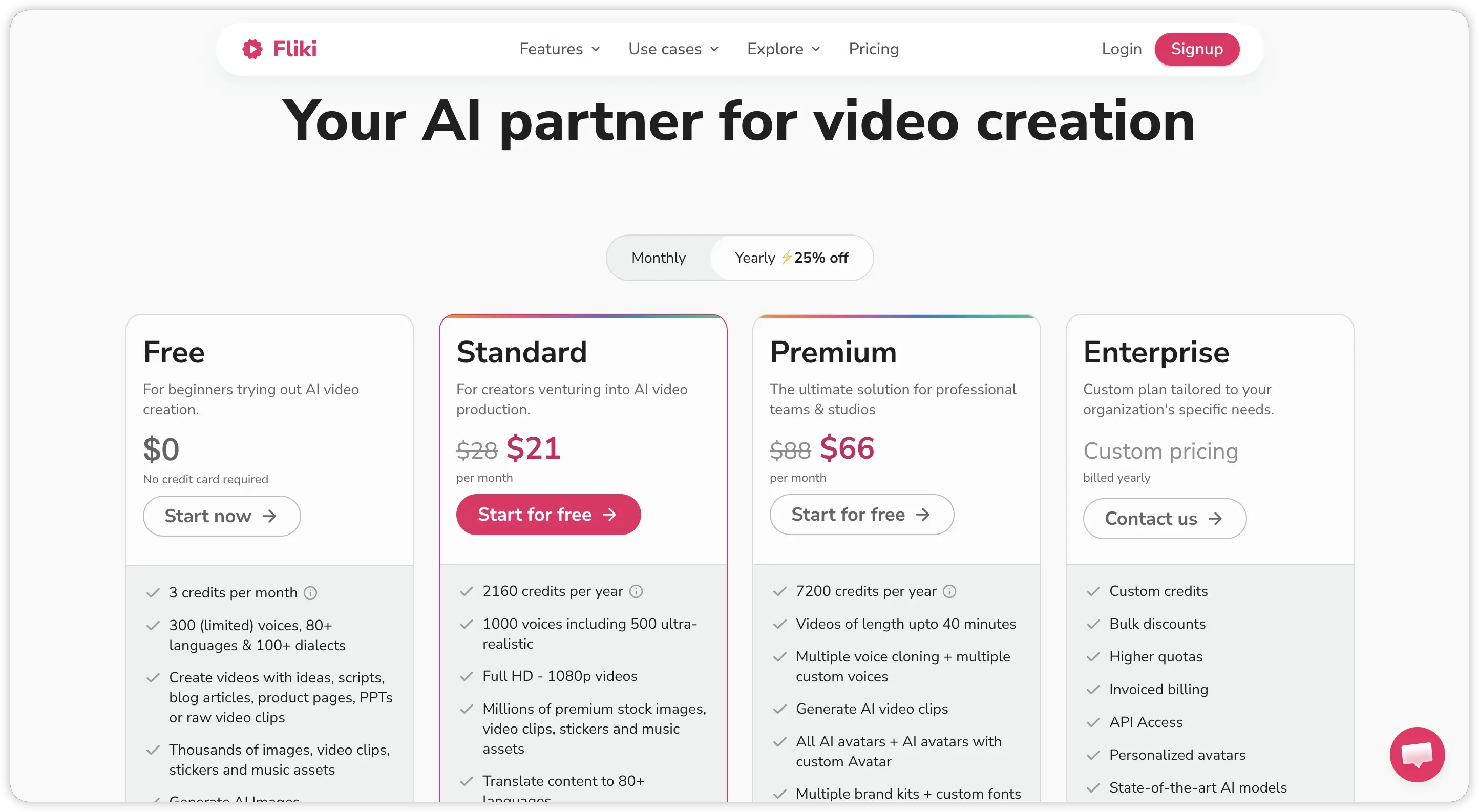 Fliki uses a credit-based system where credits are consumed based on the duration of audio generated or video exported. Understanding the credit math is important because it directly affects how many videos you can actually produce each month.
| Plan | Monthly Price (Annual) | Monthly Price (Monthly) | Credits/Month | Key Features |
|---|---|---|---|---|
| Free | $0 | $0 | 5 minutes | 720p, watermark, limited voices |
| Standard | $21/month | $28/month | 180 minutes | 1080p, no watermark, 1,000+ voices, commercial license |
| Premium | $66/month | $88/month | 600 minutes | Ultra-realistic voices, voice cloning, 30-min max length, API access |
| Enterprise | Custom | Custom | Custom | Dedicated support, custom integrations |
A few things to note about Fliki AI pricing. Credits are deducted not just on export, but also when you regenerate audio for a scene after editing text or changing voice settings. This means experimenting with different voices or refining your script can burn through credits faster than expected. The Fliki AI free plan's 5-minute monthly limit is only useful for a quick test. Any real production workflow requires at least the Standard plan.
Pros and Cons of Fliki AI: An Honest Look
 After testing the Fliki AI tool across multiple content types, here is a balanced assessment of where it delivers and where it struggles.
What Fliki AI does well:
- Exceptional Fliki AI voice quality, especially the ultra-realistic tier
- Fast turnaround from script to finished video
- Strong multilingual support across 80+ languages
- Blog-to-video conversion saves significant time for content marketers
- Clean, intuitive interface that requires zero video editing experience
- Fliki AI voice cloning adds brand consistency without ongoing recording sessions
Where Fliki falls short:
- All visuals come from stock footage libraries, so videos can look generic and templated
- No AI-generated original footage, only pre-existing clips matched to your script
- Credit system penalizes experimentation, as re-generating scenes consumes credits
- AI avatar animation still looks noticeably artificial
- Stock footage matching can be overly literal or mismatched for abstract topics
- Fliki AI free tier is too limited for any meaningful testing
Who Should Use Fliki AI?
The Fliki AI video maker works best for creators and teams who need volume over visual originality. If your content strategy revolves around turning written content into narrated video quickly, and you are comfortable with stock footage visuals, Fliki delivers genuine value.
The ideal users include content marketers repurposing blog posts into video, educators creating lecture and training content, e-commerce sellers producing product videos from listings, and faceless YouTube channel operators who need consistent output without appearing on camera.
However, Fliki AI is not the right tool if you need original, AI-generated visuals that match your brand's creative vision. It is also not ideal for ad creatives, branded campaigns, or any use case where generic stock footage undermines the message. For those workflows, a fundamentally different type of tool is needed.
Fliki AI vs Pexo AI: Which One Fits Your Workflow?
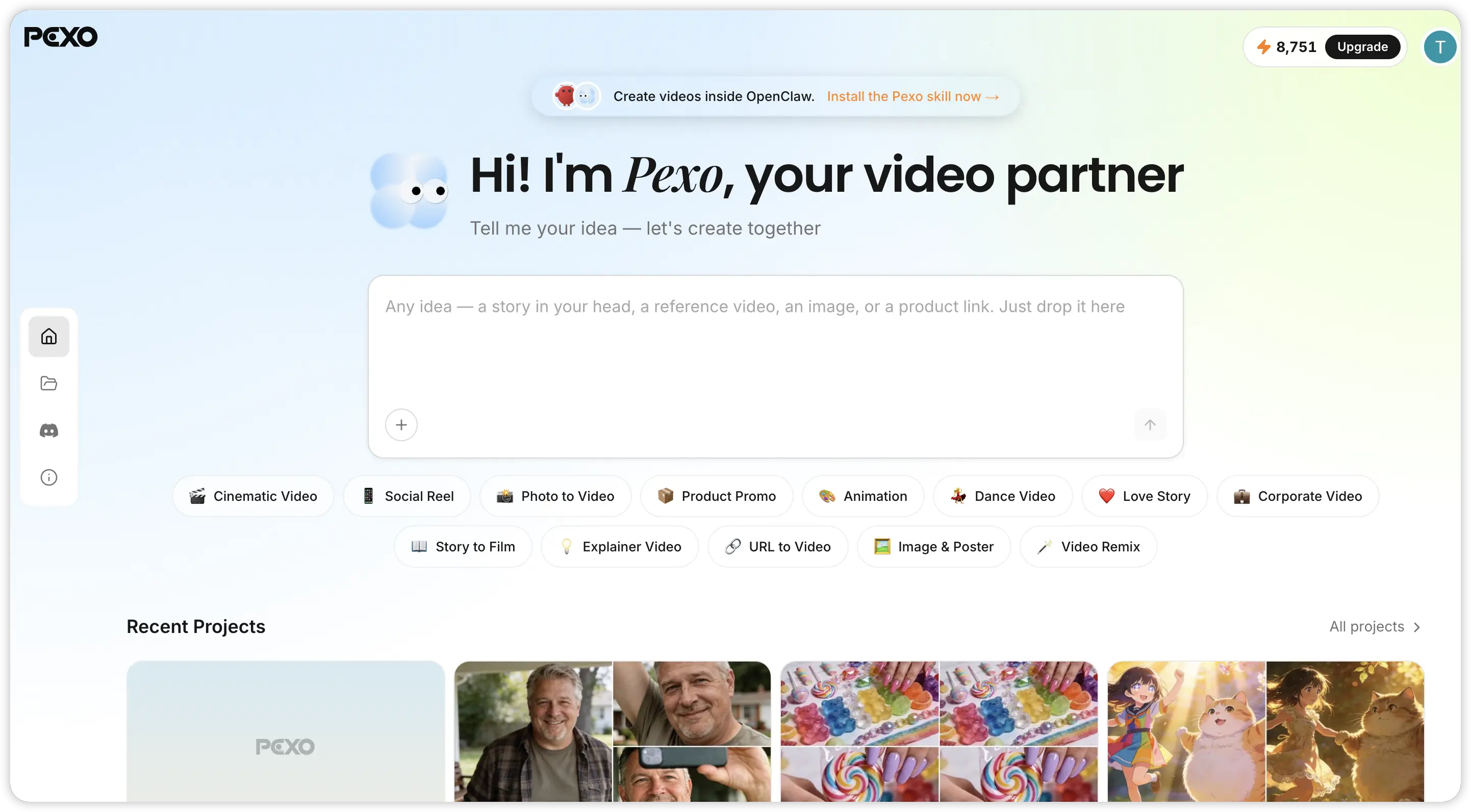 The core difference between Fliki and Pexo comes down to stock footage assembly versus original AI video generation. Fliki AI matches your script with pre-existing clips from media libraries. Pexo AI generates entirely new video content from your ideas using advanced AI models, producing footage that has never existed before.
| Feature | Fliki AI | Pexo AI |
|---|---|---|
| Core Function | Assembles stock footage over AI voiceover | Generates original AI video from scratch |
| Video Source | Royalty-free stock libraries | AI-generated scenes (Kling, Seedance, etc.) |
| Text to Video | Script-to-stock-footage assembly | Full text to video with AI-generated visuals |
| Image to Video | Not available | AI-powered image to video generation |
| AI Voiceover | 2,000+ voices, voice cloning | Multi-language AI voice generation |
| AI Avatars | Template-based digital presenters | Not avatar-focused, but generates human scenes |
| Music | Stock music library | AI music generation from description |
| Best For | High-volume narrated content from text | Original creative and marketing video production |
| Visual Originality | Low, relies on shared stock libraries | High, every frame is uniquely generated |
For high-volume informational content where visual originality is secondary, Fliki is a practical choice. But for brands, marketers, and creators who need their videos to stand out visually, Pexo AI operates on a completely different level.
Why Pexo AI Is the Best Fliki AI Alternative
If you have been searching for a Fliki AI alternative that goes beyond stock footage slideshows, Pexo AI addresses the exact limitations that make creators outgrow tools like Fliki AI.
Original AI-Generated Video, Not Stock Clips
Every video Pexo creates uses AI to generate original scenes from your description. No shared stock libraries, no risk of your video looking identical to someone else's content. You describe what you want, and the AI produces it. This applies to social media videos, explainer content, product ads, and creative shorts.
Multiple AI Models Working Together
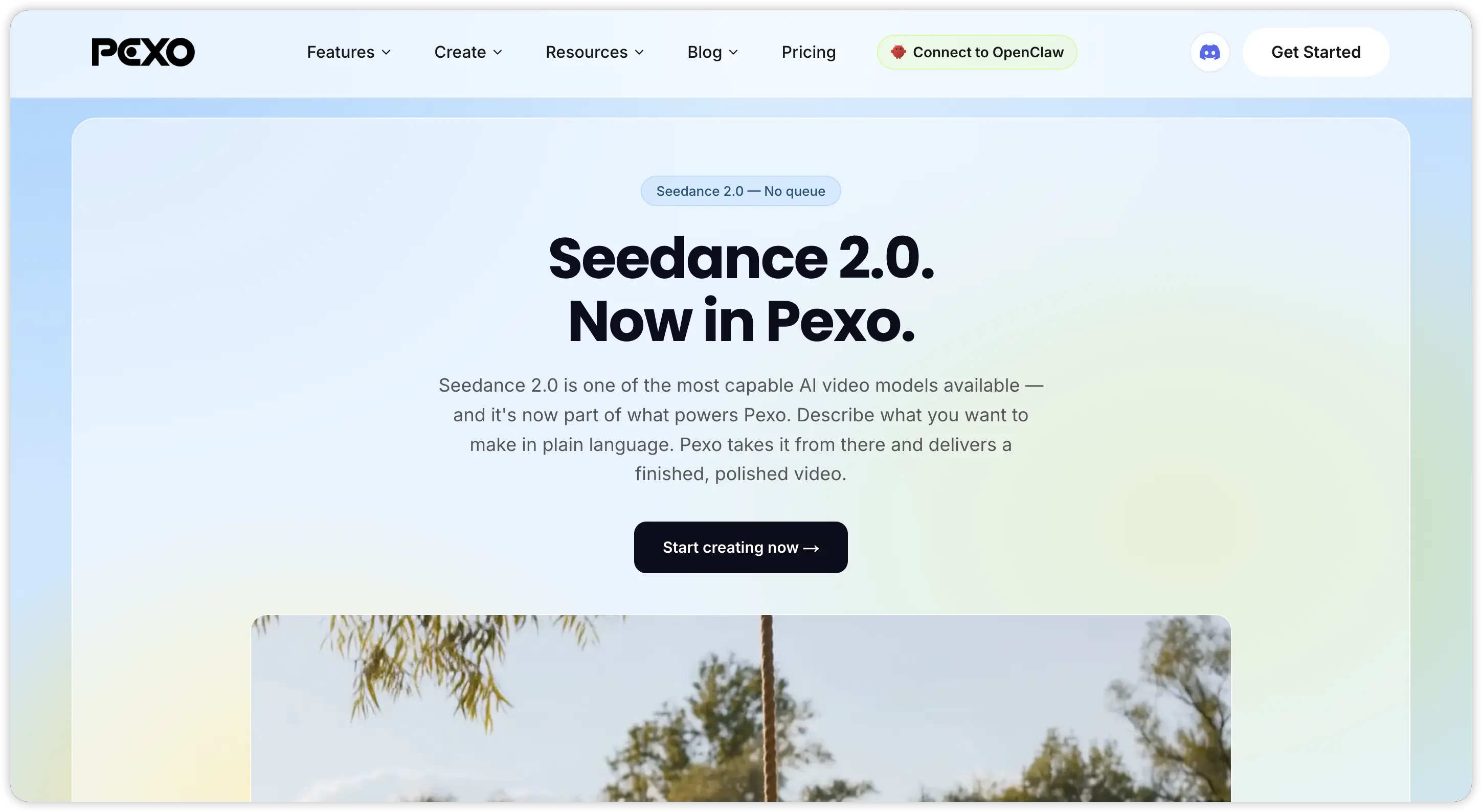 Pexo automatically selects from leading AI video models, including Seedance, Kling, and others, to match your content type. You do not need to understand which model to use or configure technical parameters. The platform optimizes output quality behind the scenes, so you focus on the creative direction rather than the technical setup.
Full Commercial Rights on Everything
Every video Pexo generates is original content you fully own. No copyright complications from stock footage licensing, no dependency on third-party media libraries, and no risk when running paid advertising campaigns. This is a critical advantage for any brand using video in commercial contexts.
Create Videos Inside Your Existing Chat Tools
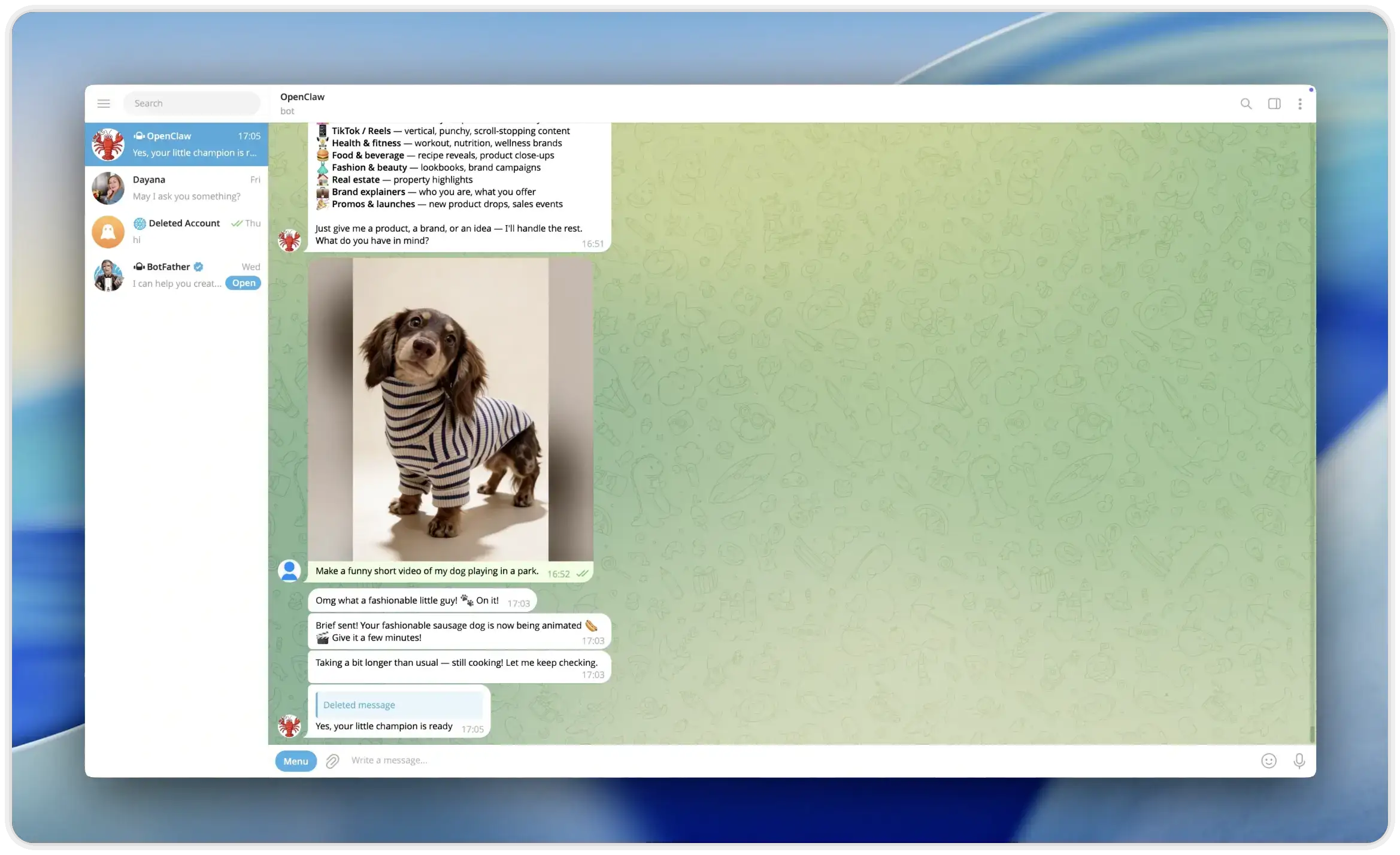 Pexo connects to Telegram, WhatsApp, Discord, Slack, and Lark through OpenClaw. You can generate videos directly inside the messaging apps your team already uses, turning video creation into just another message in your daily workflow.
Also read: Top 10 Best AI Video Generators in 2026
Conclusion
Fliki AI does a solid job at one specific task: turning text into narrated videos quickly using stock footage and high-quality AI voices. For content marketers, educators, and faceless channel creators who prioritize speed and volume, it is a practical tool. But the stock footage approach puts a hard ceiling on visual originality. Every Fliki video draws from the same shared media libraries, making it difficult to stand out. Pexo AI removes that limitation entirely by generating original video content from your ideas, giving you full creative control and commercial ownership over every frame.
Also read: Best InVideo AI Alternatives 2026: Top 6 AI Video Tools