ChatGPT
 Perplexity
 Claude
 Gemini
 Grok
Grok


Creating an explainer video is one of the most effective ways to communicate complex ideas, especially for SaaS products that often lack physical tangibility. But how do you make an explainer video that informs, engages, and converts your audience? Here’s a step-by-step guide to help you create an explainer video using both traditional production methods and AI-powered tools.
How to Make an Explainer Video: Quick Steps
You can make an explainer video in six steps: plan one core message and audience, write a tight 60-to-90-second script, choose a visual style (animated, live-action, or screencast), produce and narrate it, edit with captions and music, then end with a clear call to action. New to the format? Start with what an explainer video is or browse explainer video examples, and skip the setup entirely with a free explainer video maker.
Why Explainer Videos Matter
Explainer videos are powerful because they:
-
Boost Engagement: Videos capture attention better than text, making them perfect for keeping viewers hooked.
-
Increase Conversions: With a strong CTA (Call to Action), explainer videos can help improve conversion rates.
-
Are Shareable: Videos are ideal for sharing across social media, email, and websites, making them incredibly versatile.
Traditional Explainer Video Production
Traditional explainer videos are often produced with the help of professional teams who manage everything from live-action filming to post-production editing. However, this process can be both expensive and time-consuming. Let’s break down the key steps:
1. Plan Your Video Strategy
-
Key Question: What’s the core message you want to communicate, and who is your audience?
-
Goal: Define a single problem your product solves and determine the action you want your viewers to take after watching the video.
2. Write the Script
A strong script is essential for any explainer video. Structure it in three parts:
-
Problem: What challenge does your product solve?
-
Solution: How does your product provide the solution?
-
CTA: What action should viewers take? (Sign-up, purchase, etc.)
3. Storyboarding
This step helps visualize your video by planning each scene to align with your script.
4. Hire a Professional Team
You’ll need a professional team for filming, voiceovers, and editing. This ensures high production value but can be costly. In many cases, companies choose explainer video services to handle the entire production process. While this can be expensive, it ensures that the video is polished and effectively communicates the message.
5. Editing & Post-Production
After the shoot, the editing process involves syncing audio, adding background music, and refining visuals, which can take several weeks to complete.
Challenges with Traditional Production
-
High Cost: Traditional explainer videos can cost upwards of $5000 per minute of video.
-
Time-Consuming: Extensive planning, shooting, and coordination with the production team can make this process take months.
How to Make an Explainer Video Using AI Tools
AI video creation tools are revolutionizing explainer video production by offering affordable, quick, and efficient methods. Here's how you can use these tools:
1. Choose an AI Tool
Platforms like PexoAI, Powtoon, and InVideo AI provide templates and easy-to-use tools to create animated explainer videos. These tools remove the need for technical skills, allowing anyone to make professional-quality videos.
2. Write the Script
Typically, when creating an explainer video, you need to follow a structured scriptwriting process. This often involves:
-
Problem: What challenge does your product solve?
-
Solution: How does your product provide the solution?
-
CTA: What action do you want your viewers to take?
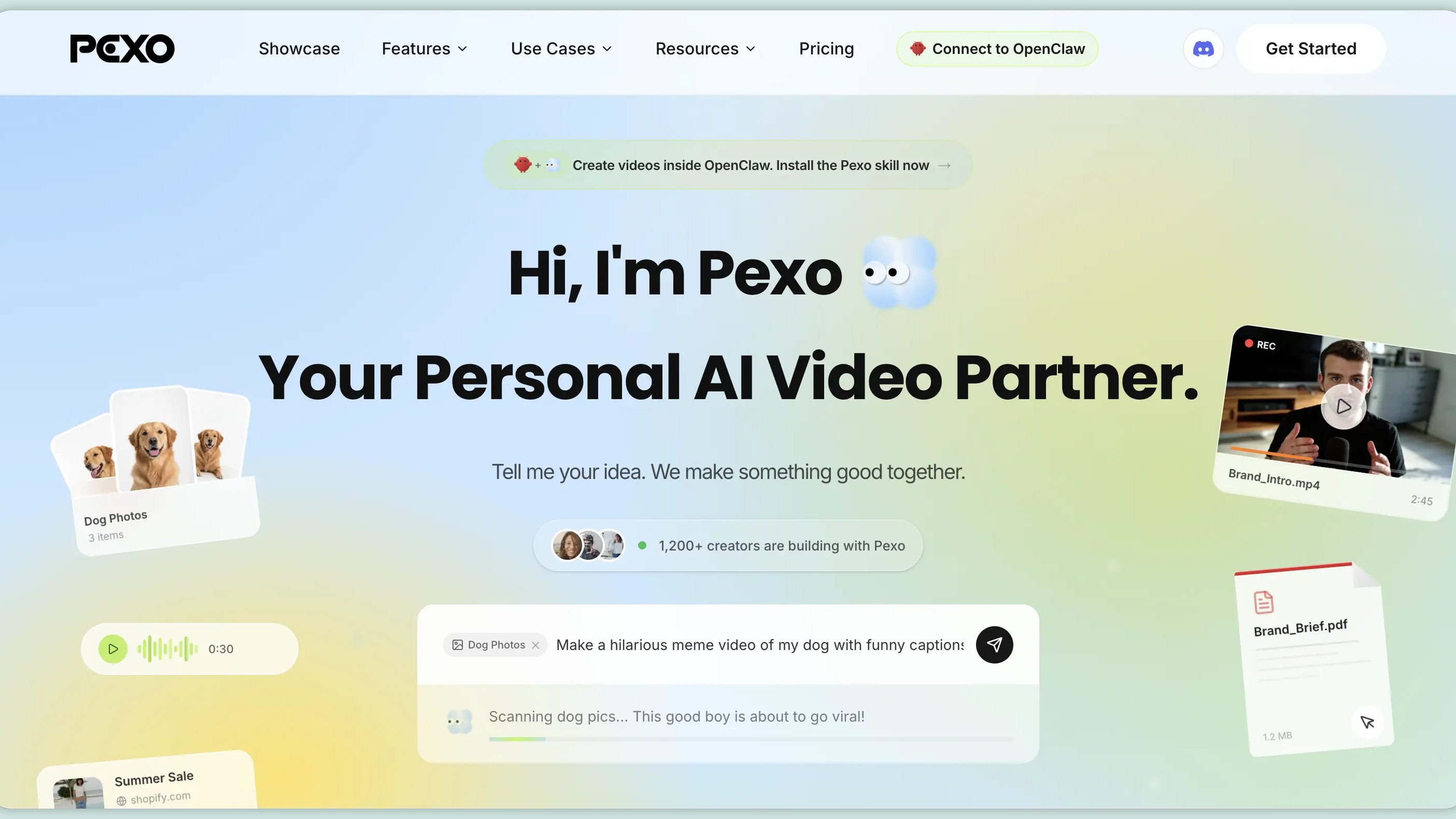
However, with PexoAI, this process is simplified. Instead of manually writing a script or selecting a specific style, you simply have a conversation with PexoAI. Just tell it the general vibe or tone you want, and the platform will generate the script for you.
This chat-based approach eliminates the need for detailed script writing or style selection, saving you time while ensuring a script that fits your message perfectly.
3. Select Visuals and Animation Style
AI tools offer pre-designed templates and animations, so you can easily select the right visuals to accompany your script:
-
Animation: Animated characters and motion graphics.
-
Stock Footage: Use pre-recorded video clips if you prefer a live-action feel.
4. Record the Voiceover(optional)
AI platforms allow you to record your own voiceover or use AI-powered voiceover generators to make your script come alive.
5. Edit and Finalize
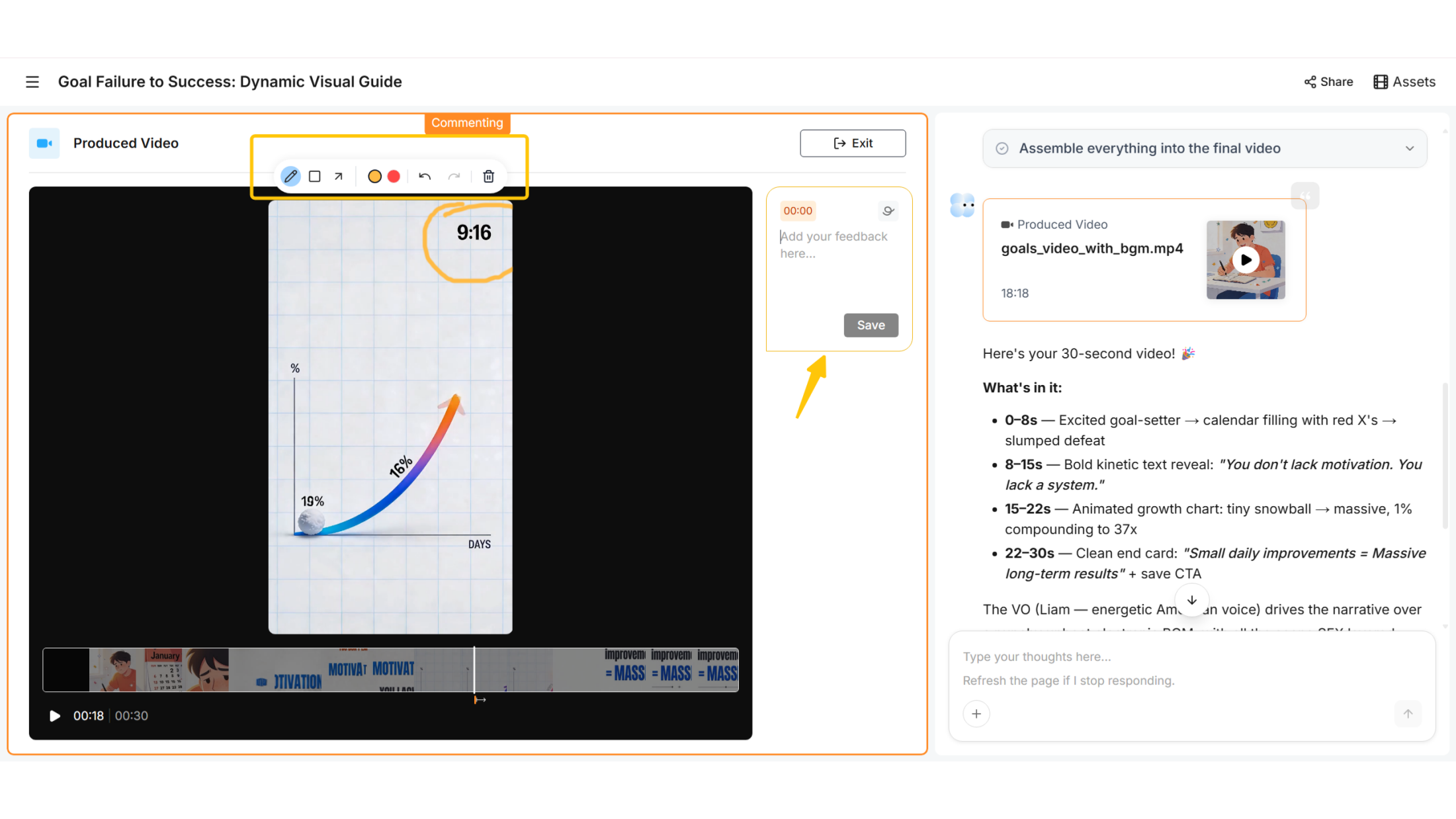
Once you’ve created the visuals and synced the audio, you can easily refine the video with built-in editing tools. Most AI platforms allow you to export the video in various formats, optimized for social media, email, and websites. Best AI Video Generators can help streamline the process of optimizing your video for different platforms and ensure that your video maintains its quality across various formats.
Tools to Help You Make an Explainer Vide

Creating an explainer video doesn't have to be complicated. Here are some tools that can simplify the process:
-
PexoAI: A cutting-edge AI video maker that streamlines the process of creating explainer videos, from scriptwriting to final edits.
-
Powtoon: Great for animated explainer videos with easy-to-use templates.
-
InVideo AI: Ideal for making professional explainer videos quickly with customizable templates.
Common Mistakes to Avoid When Making Explainer Videos
-
Overloading the Video with Information: Keep the message clear and focused. Don't try to explain everything in one video.
- Fix: Stick to one core message.
-
Weak CTA: A vague call to action can leave viewers confused about the next steps.
- Fix: Make your CTA strong, clear, and actionable.
-
Ignoring Branding: A lack of brand consistency can confuse your audience.
- Fix: Ensure your video includes your logo, colors, and fonts.
Conclusion
Creating an explainer video is essential for effectively communicating complex concepts, especially for SaaS products. Traditional video production can be costly and time-consuming, while AI tools like Pexo, Powtoon, and InVideo AI offer an affordable, quick alternative. These AI-powered solutions streamline the process, making video creation accessible to all, reducing the need for extensive communication with production teams. Whether you're aiming for professional polish or efficiency, AI tools help you produce engaging explainer videos that drive conversions without the high costs of traditional production methods.