ChatGPT
 Perplexity
 Claude
 Gemini
 Grok
Grok


In a world where attention spans are shrinking and competition is fierce, businesses are looking for ways to quickly grab their audience’s attention. Enter the explainer video—a powerful tool that helps you simplify complex ideas, products, or services into a captivating visual story.
But what exactly is an explainer video, and how can you create one that doesn’t just explain, but actually converts? This article will dive into the essence of explainer videos, common mistakes to avoid, and pro tips to make your explainer video stand out in 2026.
What Is an Explainer Video?
An explainer video is a short, narrative-style video. It is typically 60 to 90 seconds and condenses a product, feature, or business idea into something a viewer can grasp in one watch, without reading a page of copy or sitting through a full demo. It does in under two minutes what a sales page, a demo call, or a spec sheet would otherwise take much longer to communicate.
Most explainer videos follow the same underlying shape, even when the style changes — a quick problem statement, a solution that resolves it, and a clear next step for the viewer to take. The format (animated, whiteboard, live-action, and more) is just the costume; the structure underneath is what actually does the converting.
Types of Explainer Videos
By Content Format
| Format | What It Looks Like | Best For |
|---|---|---|
| Animated explainer | Illustrated visuals — drawn, vector, or stop-motion — built from scratch rather than filmed | Abstract ideas, software products, anything without a physical thing to point a camera at |
| Live-Action | Real people filmed in real environments | Physical products or services where trust and emotional connection matter |
By Visual Style (within Animated)
| Style | What It Looks Like | Best For |
|---|---|---|
| Whiteboard | Hand-drawn (or simulated) illustrations sketched in real time on a whiteboard, usually paired with narration | Step-by-step, instructional explanations |
| Collage / Cutout | Flat cut-out shapes and images pieced together and animated, like a moving collage | Playful, editorial-feeling brands that want a distinct, non-corporate look |
| Paper Animation | Paper cutouts, textures, and stop-motion-style movement that mimics physical layers | Craft, lifestyle, and consumer brands going for a warm, handmade feel |
| Motion Graphic | Vector shapes, icons, and text animated in sync with narration — no characters or scenes | Abstract concepts, software features, data-heavy explanations |
Want more detail on each type, with examples? See Types of Explainer Videos.
What Makes an Explainer Video Effective?
An explainer video is a concise, engaging video designed to explain a complex concept, product, or service in an easily digestible way. But what exactly are the elements that make it successful?
1. Concise Messaging
Explainer videos thrive on brevity. Ideally, they’re under three minutes, with 90 seconds being the "sweet spot." This short format is perfect for capturing attention and providing valuable information without losing viewers.
2. High Engagement
The most effective explainer videos use a combination of storytelling, voiceovers, and visuals—whether it's animation, whiteboard sketches, or live-action. These elements work together to make the message relatable and easy to understand.
3. Strong Call to Action (CTA)
A clear CTA at the end of the video tells the viewer exactly what they should do next. Whether it’s signing up, making a purchase, or learning more, a strong CTA can dramatically increase conversions.
4. Versatility
Explainer videos can be used in various places, such as homepages, landing pages, social media, and email campaigns. This versatility increases their impact, not only by explaining your product but also by improving SEO and boosting conversions.
Why Explainer Videos Work
Explainer videos consistently outperform text because they compress a complex idea into something people finish and remember. The data backs this up: 96% of people have watched an explainer video to learn about a product or service, and 85% say a video has convinced them to buy (Wyzowl). Viewers retain about 95% of a message from video versus 10% from text (Insivia), and websites with video convert at roughly 4.8% against 2.9% without, a 65% lift (WebFX). The effect is strongest when the video is short and near the top of the page, so the most effective explainers run 30 to 90 seconds. For budget and inspiration, see how much an explainer video costs and browse explainer video examples.
How to Create Explainer Videos with AI
For a full walkthrough, see our step-by-step guide to making an explainer video, or jump straight into a free explainer video maker.
Creating an explainer video with an AI video agent is quick, easy, and efficient. Whether you’re a business owner or part of a marketing team, Pexo streamlines the process, allowing you to produce professional-quality videos with minimal effort.
1. Start Fast with Simple Inputs
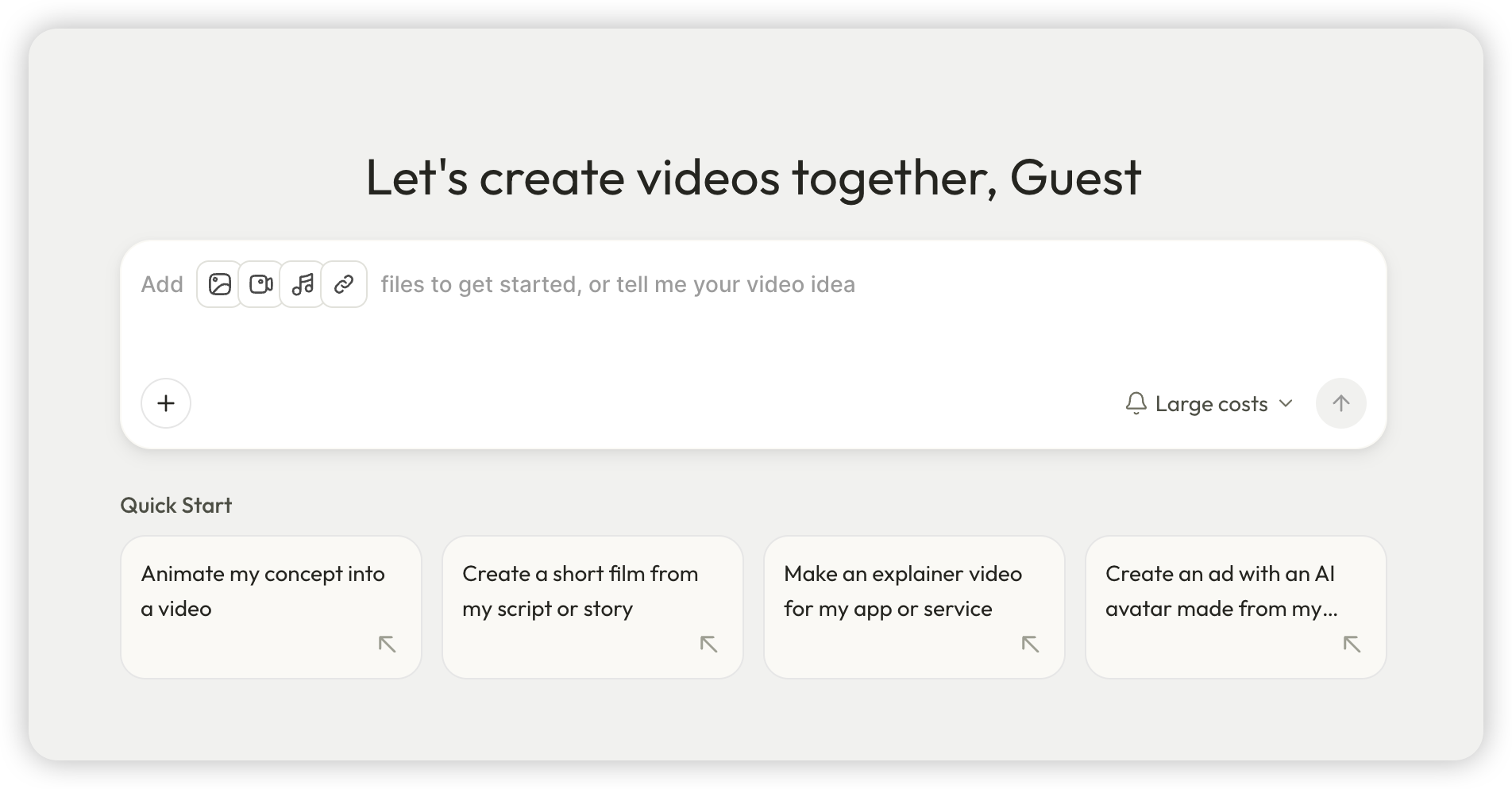
Open Pexo and instantly start creating. Share your idea, script, or key points, and Pexo AI will handle the rest—suggesting visuals, animations, and styles that best fit your message.
2. Customize Your Video
Once the draft is ready, tweak the pacing, animations, and transitions. Pexo lets you make these edits easily to align the video with your brand and message. If you have images or screenshots, Pexo can turn them into video elements.
3. Get Instant Feedback
Make changes in real-time and see the effects immediately. Pexo AI suggests improvements based on best practices, ensuring your video is both engaging and effective at converting viewers.
4. Export and Share
When your explainer video is ready, export it and share it across your website, social media, or email campaigns. Pexo ensures your video is optimized for each platform.
Want the full step-by-step walkthrough? See How to Make an Explainer Video.
Common Mistakes to Avoid in Explainer Videos
1.Overloading with Information
Trying to explain everything in one video can confuse your audience. Fix: Stick to one core message.
2.Lack of a Strong CTA
Without a clear call to action, your video might fail to drive conversions. Fix: Always include a strong, clear CTA at the end.
3.Poor Quality Visuals
Low-quality visuals can harm your brand's reputation. Fix: Invest in high-quality production or use trusted explainer video services. If budget is the constraint, AI production is worth a look — it delivers professional-quality visuals at a fraction of traditional agency or freelancer cost. Curious what it costs compared to hiring an agency or freelancer? See How Much Does an Explainer Video Cost.
Where to Use Explainer Videos
An explainer video is not just a homepage asset. The same 60-to-90-second video earns its place across the funnel: on landing pages near the top to lift conversions, on the homepage as a fast answer to "what does this do?", in social posts and ads as a scroll-stopping hook, in onboarding and product tours to shorten time-to-value for new users, and in sales emails or decks so prospects self-educate before a call.
Conclusion
Explainer videos are a powerful way to engage your audience and drive conversions. By focusing on concise messaging, engaging visuals, and a clear CTA, you can create a video that effectively communicates your product's value.
For those looking to take their explainer video to the next level, Pexo AI offers cutting-edge AI-powered video creation tools to make the process smoother and more effective.