

 ChatGPT
 Perplexity
 Claude
 Gemini
 Grok
Grok



A lot of people say they want to post YouTube Shorts. Then they sit down to make one and realize the idea was the easy part. Video size, length limits, captions, editing, music, voiceover — there are a lot of small decisions between having an idea and actually publishing it.
This guide walks through how to make a YouTube Short in five steps. I'm using Pexo as the main example throughout because it brings visuals, voiceover, captions, music, and scene structure into one AI video creation experience, so you can spend your time on the content instead of the production.
What Is a YouTube Short?
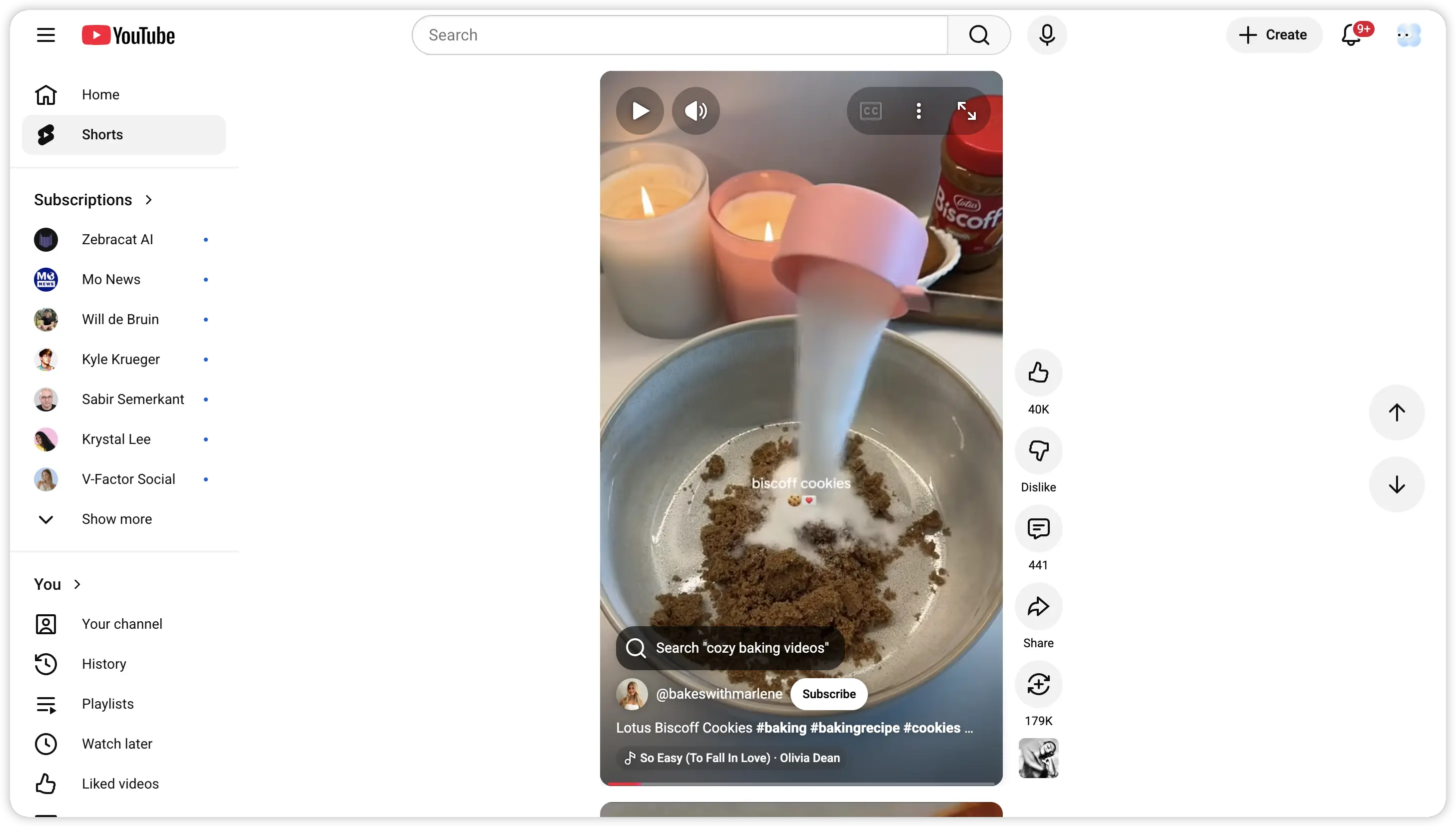
Vertical video. 60 seconds max. Lives in YouTube's Shorts feed. If you've scrolled TikTok or Instagram Reels, you already know the format.
Here's why it matters: the Shorts feed generates over 70 billion daily views globally. A surprising chunk of that goes to small channels and brand-new creators. The algorithm actively surfaces fresh content, which means even a first-time poster can land real reach.
Quick specs worth bookmarking:
| Spec | Requirement |
|---|---|
| Aspect ratio | 9:16 vertical |
| Resolution | 1080 x 1920 px |
| Max length | 60 seconds |
| File format | MP4 |
| Title limit | 100 characters |
You don't need #Shorts in the title anymore. YouTube auto-detects vertical uploads. Topical hashtags still help with discovery though, so keep using them.
How to Make a YouTube Short: The Quick Version
The fastest path is inside the YouTube app: tap the + and choose Create a Short, record vertical footage (or upload from your gallery), set the length up to 60 seconds, then add music, captions, and a strong hook before you upload with a clear title and #Shorts. Shorts can run up to 3 minutes, but 60 seconds or less usually performs best, and faceless Shorts are extremely popular. If you would rather skip filming, you can generate a faceless YouTube Short from a chat with Pexo, or start from the vibe-creating workflow for YouTube, which the rest of this guide covers.
Why Pexo Changes the Game for Shorts Creators
 The traditional workflow for a single YouTube Short involves a lot of moving parts: record footage, import into an editor, cut the clips, add captions manually, find music, layer voiceover, export. Even for someone efficient, that's close to an hour per video.
Pexo simplifies the entire process into a conversation. You tell it what you want. It handles the visuals, voiceover, captions, music, and scene structure automatically.
| Traditional Workflow | With Pexo | |
|---|---|---|
| Time per Short | 45-60 min | Under 10 min |
| Equipment needed | Phone, tripod, lighting, editing app | Any device with a browser |
| Editing | Manual everything | Handled by AI |
| Scaling to 5/week | Time-intensive | Easy to batch-produce |
This makes Pexo especially useful for product demos, SaaS explainers, tutorials, faceless videos, social ads, and any content that needs a clear message paired with polished visuals. When each Short takes minutes instead of an hour, producing consistently stops being a grind.
How to Make a YouTube Short with Pexo, Step by Step
Step 1: Start with Your Content
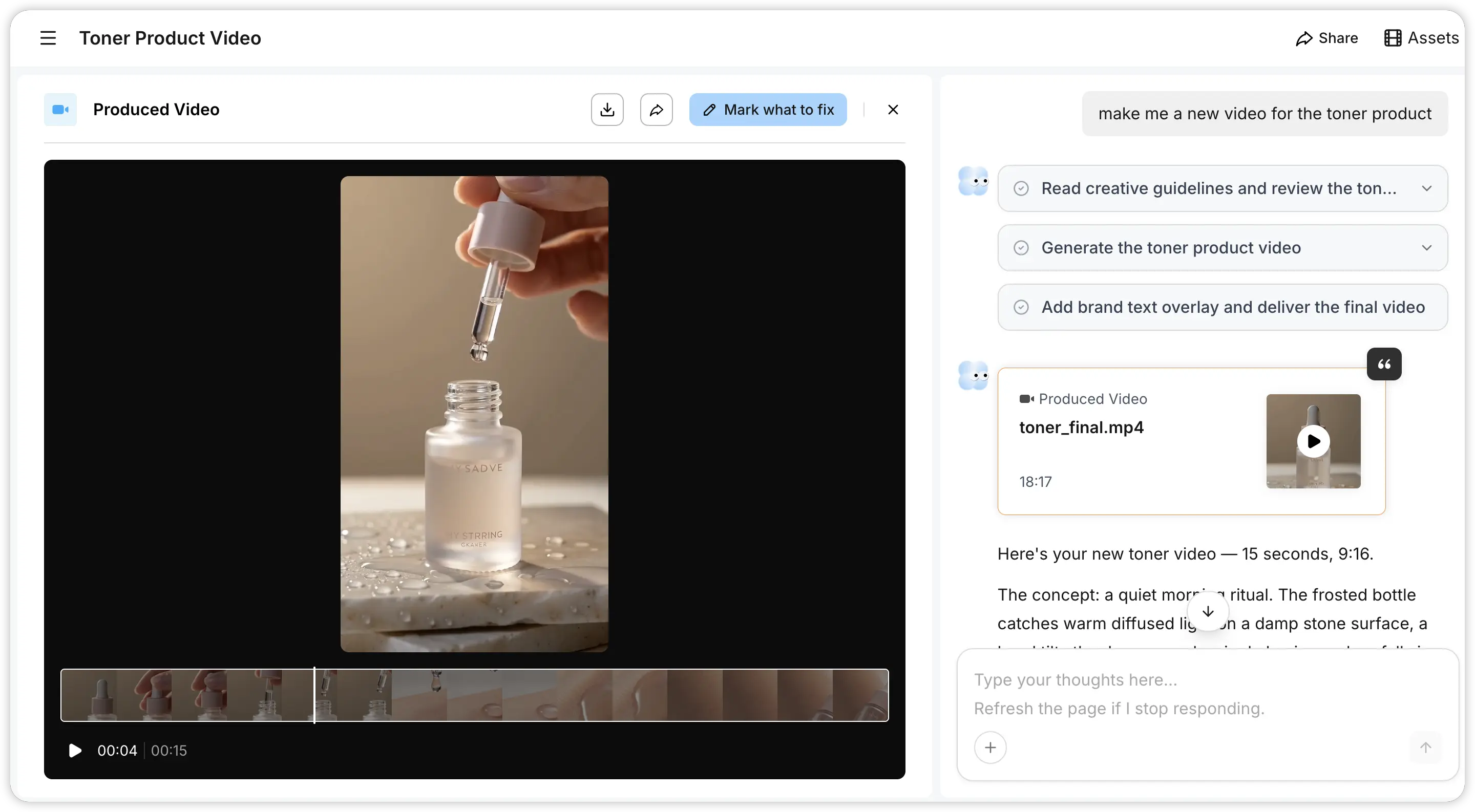 The first step is choosing what to turn into a Short. Pexo is flexible about starting points. You can begin with a rough idea described in a few sentences, a finished script, a blog article URL, a product page link, a tutorial outline, or a marketing message.
For a product video, you might provide the product name, the main benefit, and who it's for. For an educational Short, just the topic and a few key points. The point is you don't need a polished brief. Pexo works with whatever you've got.
Step 2: Build the Video Structure
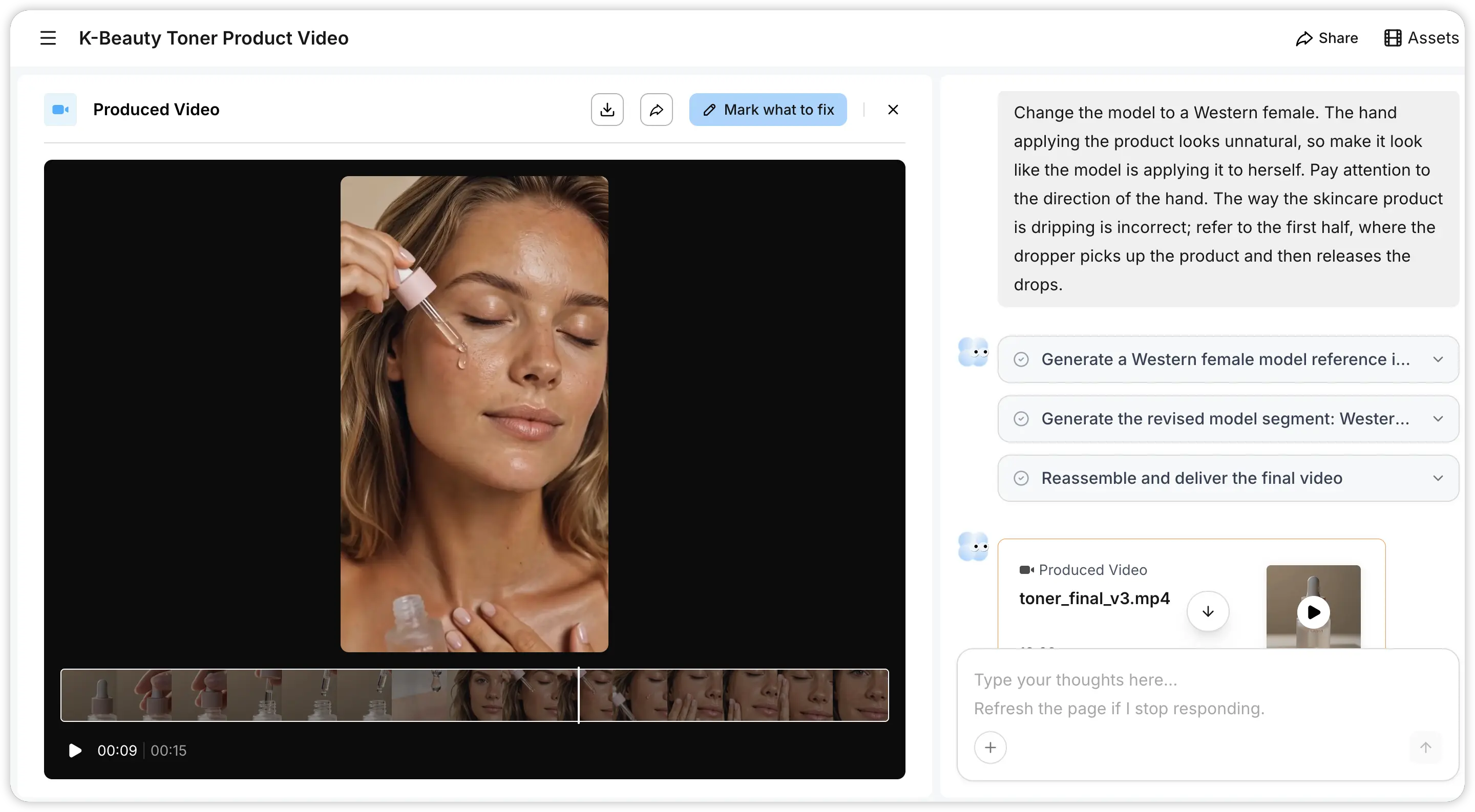 A YouTube Short that holds attention usually follows a simple pattern: open with a clear hook, explain one idea, close with a next step. That's it. Pexo helps shape your content into this kind of structure.
When you describe your idea in the chat, Pexo organizes the message into scenes, matches each section with AI-generated visuals, and prepares everything for vertical viewing. Say you're making a Short about an app feature. Pexo might structure it as: introduce the problem, show how the feature works, end with a reason to try it. Clean, focused, easy to follow.
Step 3: Generate the Video
This is where Pexo really pulls ahead.
Describe what you want in the chat. Could be a polished script, bullet points, or a one-liner like "cozy candle product showcase, warm tones, 30 seconds, vertical." Pexo selects the right model for the job (Seedance 2.0, Sora, Kling, among others), generates visuals, layers voiceover, adds captions, drops in background music, and exports a complete video.
Already have a script? Even faster. Pexo can turn a script into a video by splitting it into scenes, matching visuals to each section, and generating audio. A few minutes from paste to finished Short.
Got a blog post or product page sitting online? Pexo can also turn a URL into a video. It reads the page, pulls out the key points, and builds a Short around the content. One article can become multiple videos. A landing page becomes a product demo. A help doc becomes a quick tutorial.
Pexo works on web, Telegram, WhatsApp, and Discord. I've kicked off a Short from my phone while waiting in line for coffee and had it done before my order came up. Still feels a little absurd, but that's where we are in 2026.
Step 4: Review and Refine
 Your Short comes out of Step 3 with transitions, captions, music, and voiceover already in place. You're reviewing a near-finished video from the start.
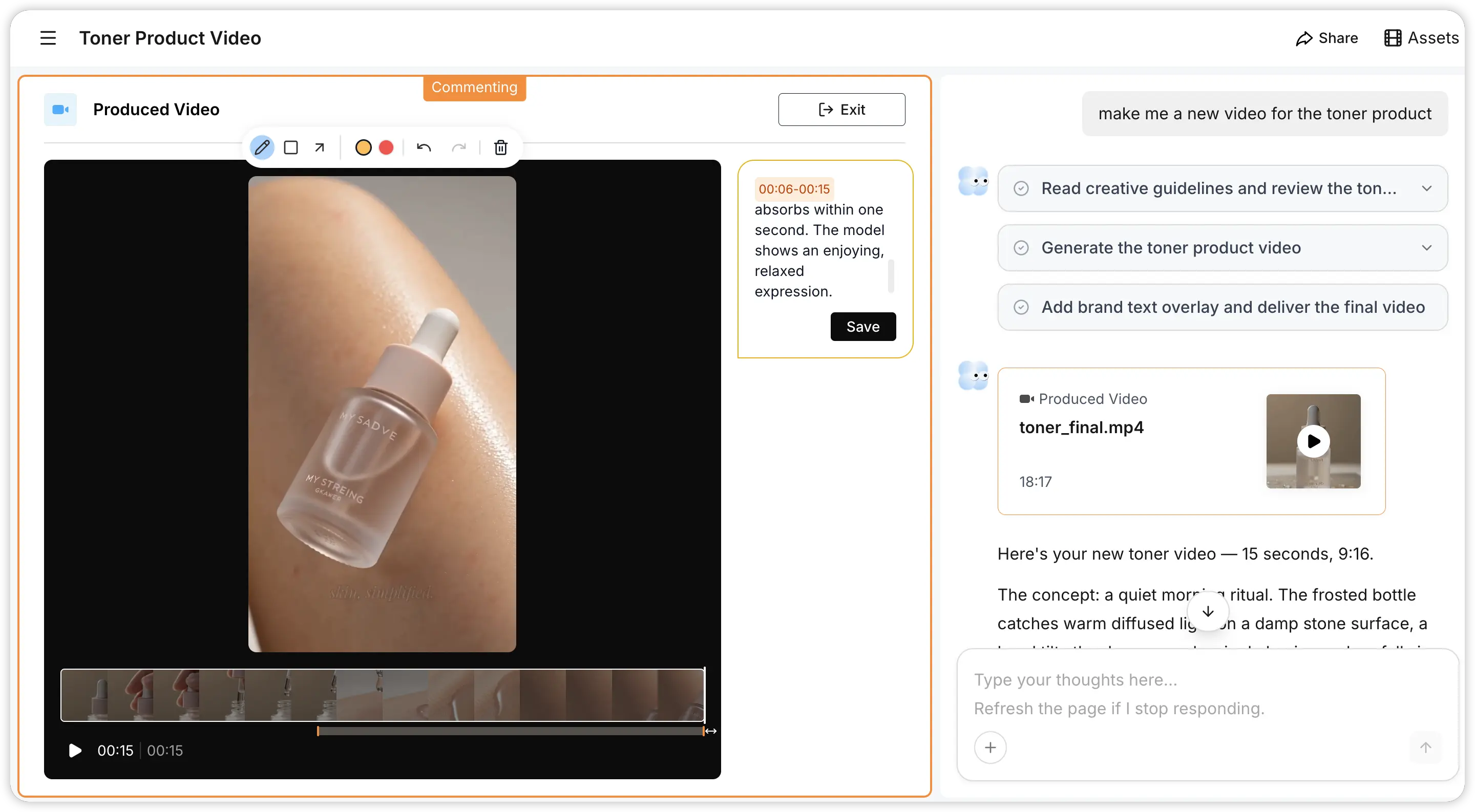
Want to adjust something? You've got a few ways to do it. The simplest is just telling Pexo in the chat: "Make the opening faster." "Switch to a warmer color palette." "Try a different voiceover tone." Pexo remembers the full context of your conversation, so every tweak builds on what's already there.
For more precise edits, you can circle or mark the exact frame you want changed and leave your feedback right next to it. You can also select a specific segment of the video, describe what you'd like done differently, and Pexo will rework that section for you. This is especially useful when the overall video feels right but one particular scene needs a different visual or a tighter cut.
A few things worth checking every time: the first two seconds need to grab attention immediately. Captions should be large, centered, and easy to read on mobile. The overall pacing should feel tight, with every second earning its place. And if you can end with something that invites a response ("Drop your answer below," "Part 2 tomorrow"), even better.
Step 5: Export Your YouTube-Ready Short
When you're happy with the video, export it. Pexo outputs at 1080 x 1920 resolution in MP4 by default, which is exactly what YouTube Shorts wants.
Once exported, the same video works across platforms. Upload it to YouTube Shorts, push it to Instagram Reels, TikTok, or LinkedIn. One production run, multiple channels.
Wrapping Up
Making a YouTube Short with Pexo is simple. Bring your content (an idea, a script, a URL, whatever you've got), let Pexo build the structure, visuals, voiceover, captions, and music, then review, refine, and export.
For creators, marketers, SaaS teams, ecommerce brands, and agencies, Pexo turns what used to be an hour-long production cycle into a conversation that takes minutes. The fastest-growing Shorts creators in 2026 aren't necessarily the ones with the best cameras. They're the ones with a repeatable workflow they can stick to week after week.





