
 ChatGPT
 Perplexity
 Claude
 Gemini
 Grok



video-use is worth considering when the presenter's recorded explanation is usable and your team can direct a coding agent. Pexo fits when you need to reshape existing footage around a clearer buyer question, including the narration and scene order.
The useful distinction in video use vs Pexo is how you direct the edit and approve the explanation. Both routes still need someone who knows what the product actually does.
What Existing Footage Does the Brief Provide?
Give both workflows the same source video, approved product facts, and delivery brief. Keep the original available for comparison with every draft.
Use Nemi, a fictional folding laptop stand, as the example. One narrated recording shows height adjustment and folding. Its approved instruction is: “Remove the laptop before changing the height.” These are planning assumptions to replace with your verified facts.
The brief asks for a product-page explainer answering: “How do I adjust it and put it away?” Keep the laptop-removal instruction and the visible release action. Remove repeated introductions. End with a link to the setup guide.
Record the source version and the passages worth preserving. A transcript helps find them; the picture confirms what the hands actually show.
How Does video-use Work from a Transcript?
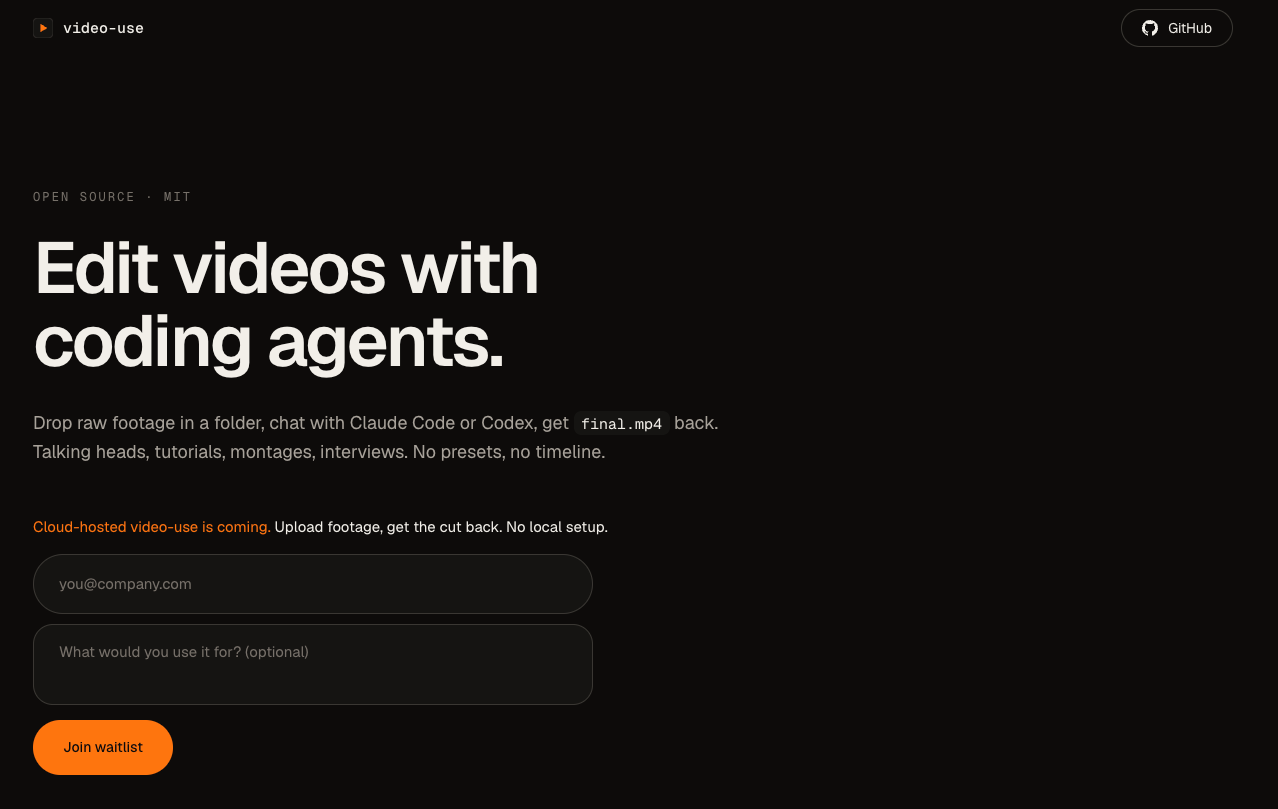
video-use equips a coding agent to edit existing footage using timed text and rendering helpers. It is an editing workflow, rather than a new video-generation model.
The current video-use repository describes transcription, a packed text view, edit decisions, rendering, and output checks. The agent uses word timestamps to plan cuts and requests visual composites when needed. The workflow includes subtitles and a rendered video, with strategy approval before execution.
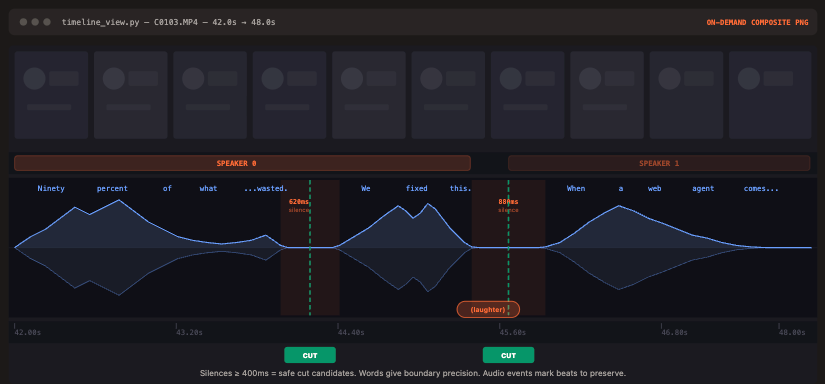
For Nemi, ask the agent to preserve the removal instruction and the complete release movement while trimming repeated speech. Review caption wording against the recording, especially the product name and any safety instruction.
A pause in the transcript may be the moment the presenter demonstrates the release. Inspect that section before accepting its removal. Speech boundaries alone cannot tell you whether a product action is complete.
How Does Pexo Use the Same Footage in a Directed Brief?
Pexo is an AI video agent that accepts existing video and supports conversational planning and revision. You can ask it to develop the explanation around the footage, including changes to pacing, voiceover, and scene order.
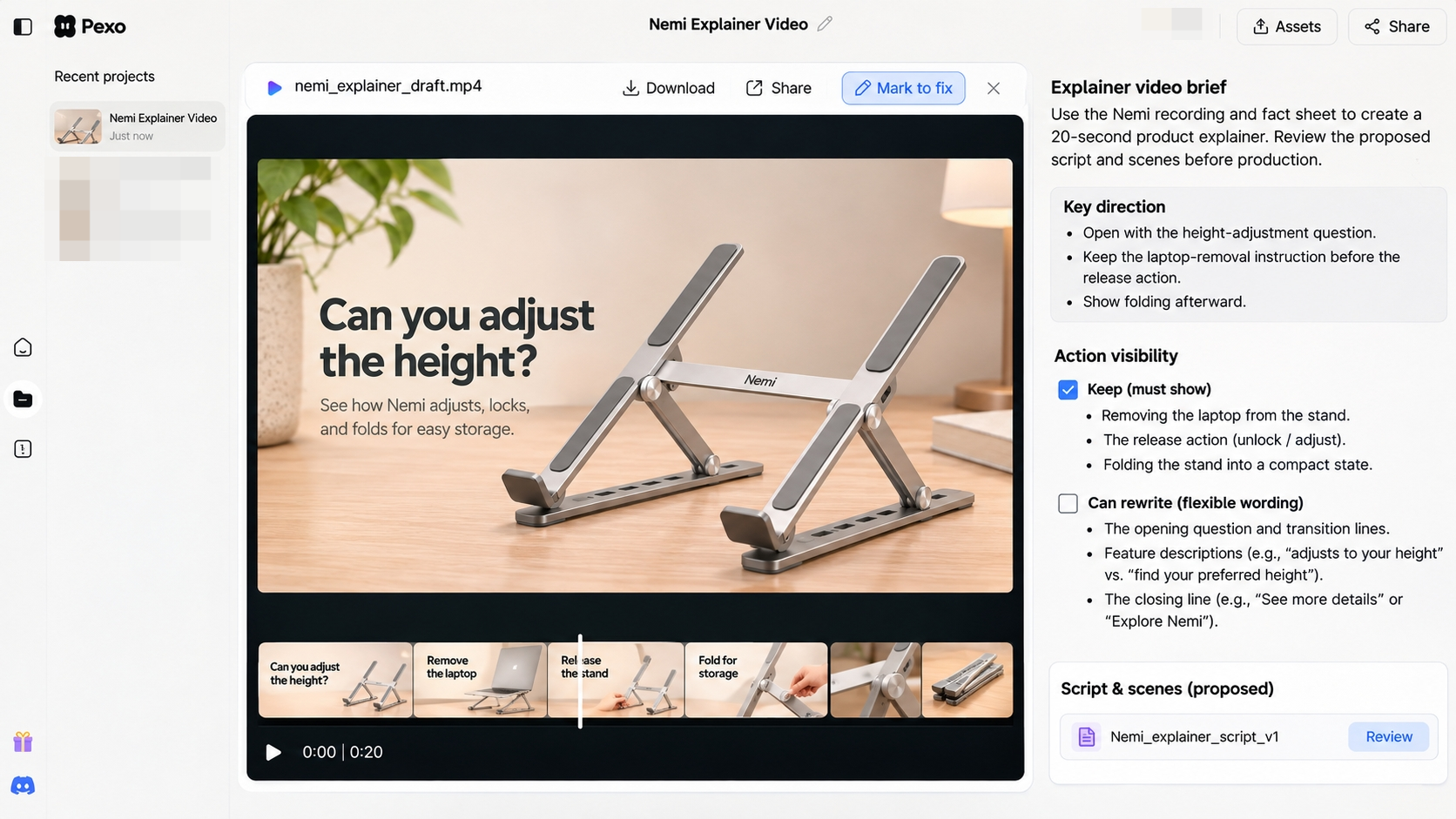
Bring the same Nemi recording and fact sheet to the explainer workflow. Ask to review the proposed script and scenes before production. Specify which recorded actions must remain visible and which words can be rewritten.
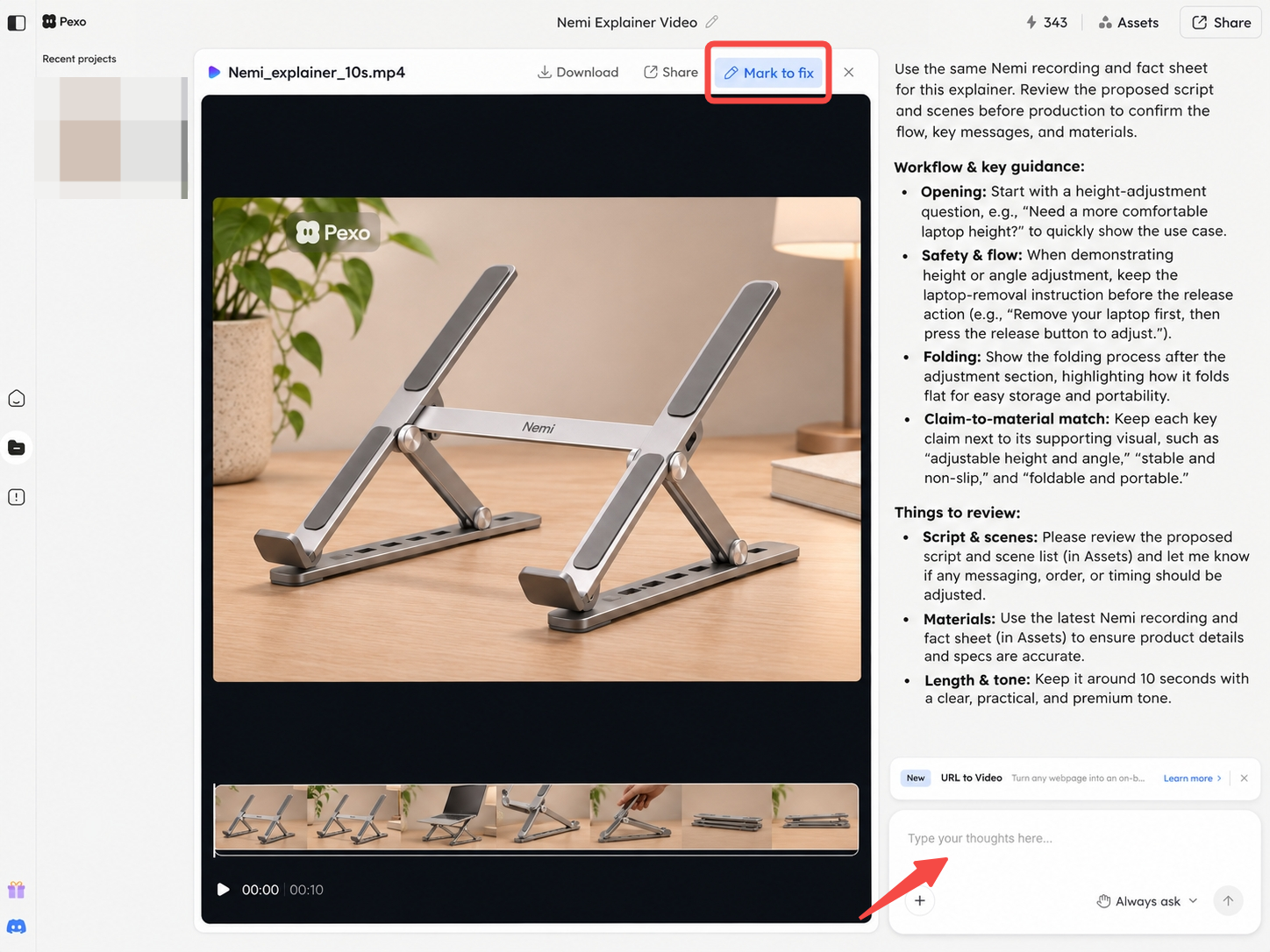
A useful direction would be: “Open with the height-adjustment question. Keep the laptop-removal instruction before the release action. Show folding afterward.” The product-explainer brief offers a way to keep each claim beside its supporting material.
Judge the preview against those requirements. Do not assume a polished new sequence preserves every source detail or that a requested change leaves all approved scenes untouched.
Compare Two Approval Tasks
Cut Accuracy and Product Claims
For a transcript-led edit, compare every important cut with the original. Can viewers still see the hand find the release? Does a trimmed sentence retain “remove the laptop”? Check subtitles after clips have been rearranged.
For a revised explanation, check new narration and visuals against the same source. “Adjusts with one hand” would need separate evidence; it cannot be inferred from a shorter demonstration.
Both routes need product review. Automated output checks can help identify technical problems, but they do not approve the meaning of a product claim.
Story Structure and Revision Handoff
Watch the draft without the original beside it. Can a buyer follow the adjustment and folding steps in order?
Keep feedback specific: “Retain the release close-up; restore the removal instruction before it.” In video-use, retain the edit decisions with the source references. For Pexo, use the preview and conversational revision notes to identify the moment to change. Review the returned cut again, including neighboring scenes.
Which Route Fits This Explainer Brief?
Choose video-use when the recorded explanation is already sound and the team wants to direct cuts, captions, and rendering through a coding agent. Choose Pexo when the brief requires help reorganizing that material into a complete explanation and reviewing revisions through conversation.
For Nemi, first decide whether the presenter's wording should survive. If it clearly explains the action, trimming may be enough. If it wanders between features, approve a revised story before making more cuts. No matched production test supports a speed, cost, or quality winner here.
Before either upload, verify footage, voice, music, and presenter permissions for the actual processing and intended publication. video-use's transcription helper sends extracted audio to ElevenLabs; local editing does not make that step offline. Review the applicable transcription agreement, data policies, and retention settings. For Pexo, verify upload rights and any promotional-use written consent required by its current terms. Check the destination's current publishing policies too. This article does not provide legal advice.