
 ChatGPT
 Perplexity
 Claude
 Gemini
 Grok




You find a kitchen clip that fits your lunch-container ad, then spot another brand's logo in the background. Worse, the footage may suggest a product benefit your own video hasn't proved. A good stock clip needs to fit the edit without misleading the viewer. This review looks at Adobe Stock video, from footage selection and continuity to licensing and handoff.
We'll use Pine & Fold, an invented lunch-container brand, to see how stock footage can support a product ad without replacing real product evidence.
When does Adobe Stock footage help a product ad?
Stock footage is useful when it supplies context around a real product demonstration. It can establish a kitchen, commute, workspace, or customer routine while the brand’s own footage proves what the product does.
The fictional brand Pine & Fold sells a collapsible lunch container. Its brief needs:
-
a real close-up of the container divider
-
a stock clip of someone preparing lunch
-
a short transition from kitchen to work bag
-
one approved claim about separating food
-
a 9:16 social cut and a 16:9 website cut
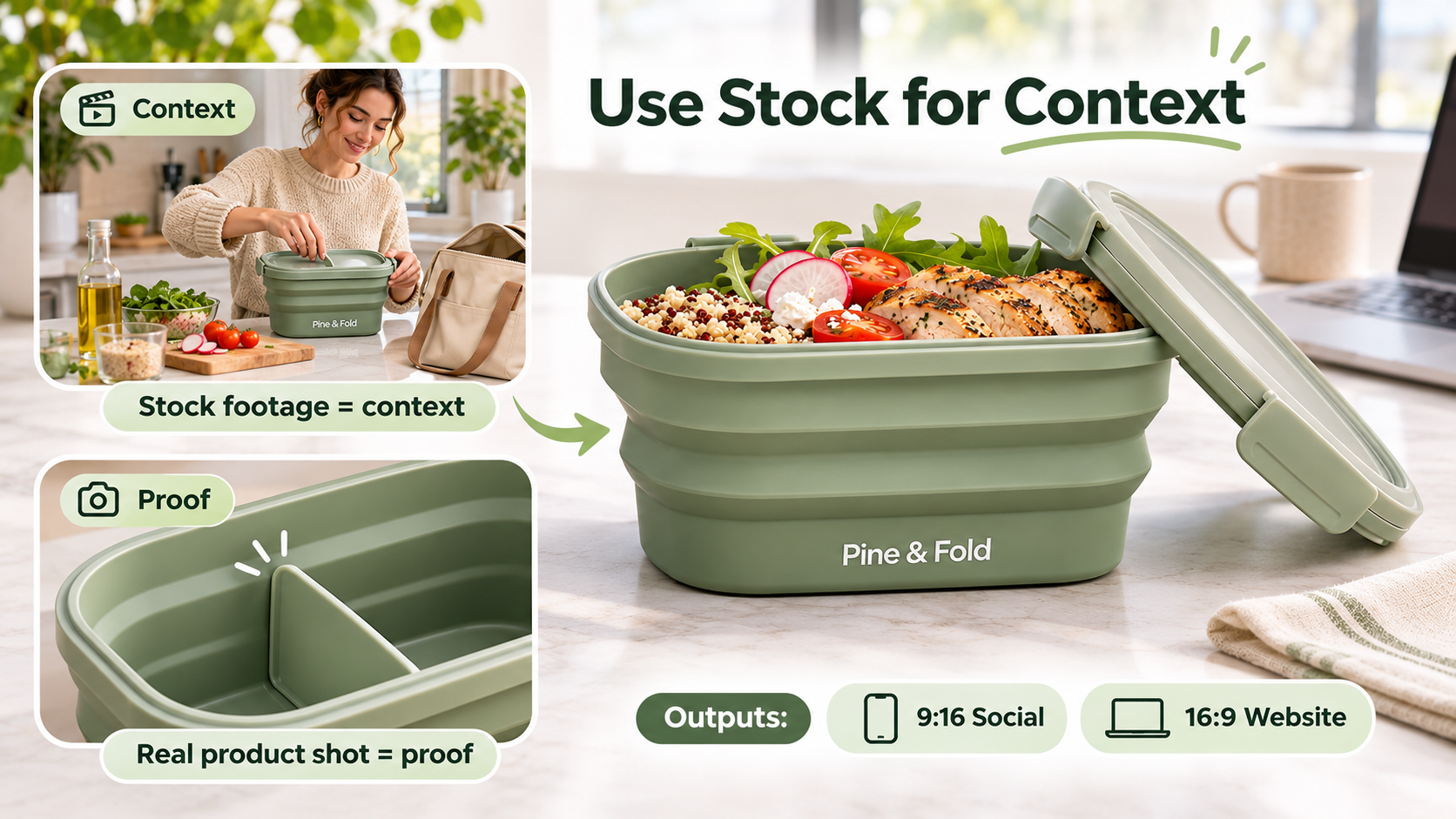
The stock clip sets the scene. It does not prove that Pine & Fold’s container holds food, prevents leaks, or fits a particular bag. That evidence must come from the product photo, real footage, product documentation, or another approved source.
Adobe Stock works best when the team knows which visual job it is buying. A lifestyle clip can give the ad a setting. A detail clip can supply texture or movement. A transition shot can connect two real product scenes. The team should decide the job before searching so it does not choose attractive footage that competes with the product.
How do you find footage that matches the product claim?
Search for setting, action and shot continuity
Search by the scene and the action together. For Pine & Fold, try combinations such as:
-
person preparing lunch in a bright kitchen
-
hands packing food into a container
-
lunch bag on office desk
-
close-up of hands closing a food container
-
commuter placing lunch bag in tote
Then narrow by orientation, duration, camera movement, and visible details. A vertical clip may fit the social cut while a wide clip gives the website edit more room for text.
Look for continuity across three points:
-
the opening composition
-
the action the viewer must understand
-
the exit frame that leads into the product shot
A person reaching toward the right edge can cut naturally into a product close-up positioned on the same side. A person moving toward the camera may require a different bridge. Download previews and place them beside the real product footage before licensing. Adobe’s Stock workflow guidance explains how to search, preview, license, save to a library, and retrieve licensed assets.
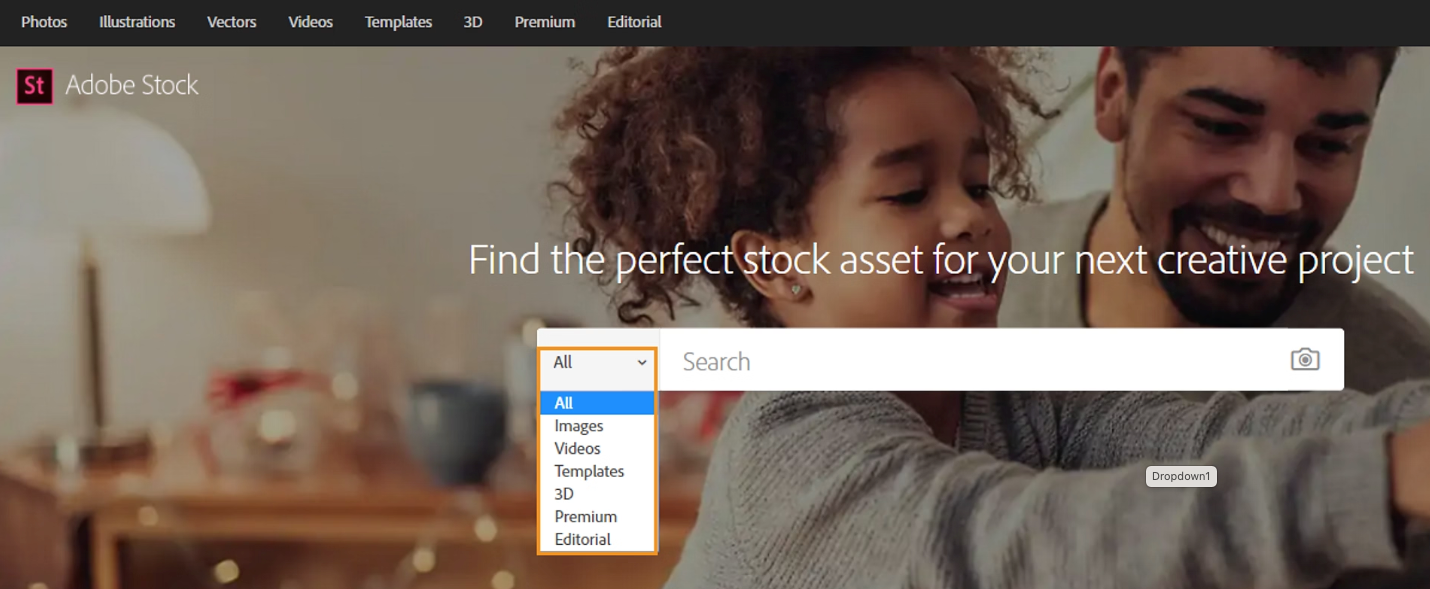
Search effort is part of the cost. Record the search term, asset ID, orientation, duration, and reason for rejection. This prevents the team from revisiting the same near-matches when the first choice fails review.
Check whether the clip leaves room for product evidence
A stock clip can fill the frame so completely that the product has nowhere to appear. Check negative space for the product close-up, headline, subtitle, or CTA. Watch for fast camera movement that makes a cut to the real product feel abrupt.
The clip should also match the product’s visual world. A premium kitchen with marble counters may make a budget storage product feel misrepresented. A hand holding an object in a way the product cannot support can create a false demonstration even if the stock file itself is licensed.
What must you verify before using a clip commercially?
License scope and asset-specific restrictions
Open the asset detail page and record its license type, restrictions, asset ID, download date, and account that licensed it. Adobe’s licensing guidance states that editorial assets cannot be used in commercial advertising, and that video assets have their own license conditions. The Adobe Stock licensing FAQ is the reference point for those distinctions.
A watermarked preview can help the creative team compare options. It is not the file to publish. Once the team licenses the chosen asset, save the licensed file and the license history record together.
Check whether the campaign needs:
-
online advertising
-
paid social
-
product-page placement
-
broadcast or connected TV
-
multiple ratios
-
translations or regional versions
-
internal review before publication
The intended use affects the license decision and the record the brand should keep. Do not assume that a subscription, a downloaded file, or a previous project automatically covers a new use.
People, property and brand elements in frame
Inspect every person and recognizable location. Look for faces, tattoos, uniforms, homes, interiors, artwork, vehicles, packaging, storefronts, and visible trademarks. The clip may include releases or restrictions that affect advertising use.
Editorial-only footage is a particular stop sign for an ad. It may contain a recognizable brand or public event that works in a news context, but it should not be placed in a product promotion. If the clip’s restriction is unclear, keep searching for a commercially cleared alternative.
The claim also matters. A stock shot of someone smiling after lunch should not be edited to imply that Pine & Fold’s container caused a measurable health or performance result. Use the clip for atmosphere and reserve product claims for approved evidence.
What are the trade-offs of stock footage in an ad?
Stock footage saves production time when the team needs context that would be expensive to capture. It also limits the brand’s control over the exact person, location, lighting, props, and action.
The main trade-offs are:
-
Search time: A close match may take longer to find than a simple original shoot.
-
Continuity: The clip may not match the product’s lens, light, movement, or color.
-
Distinctiveness: Another advertiser may use the same footage.
-
Rights tracking: The team must connect each asset to its license and intended use.
-
Edit flexibility: A clip may leave no clean frame for the product or CTA.
-
Claim risk: The surrounding action can imply a result the product evidence does not support.
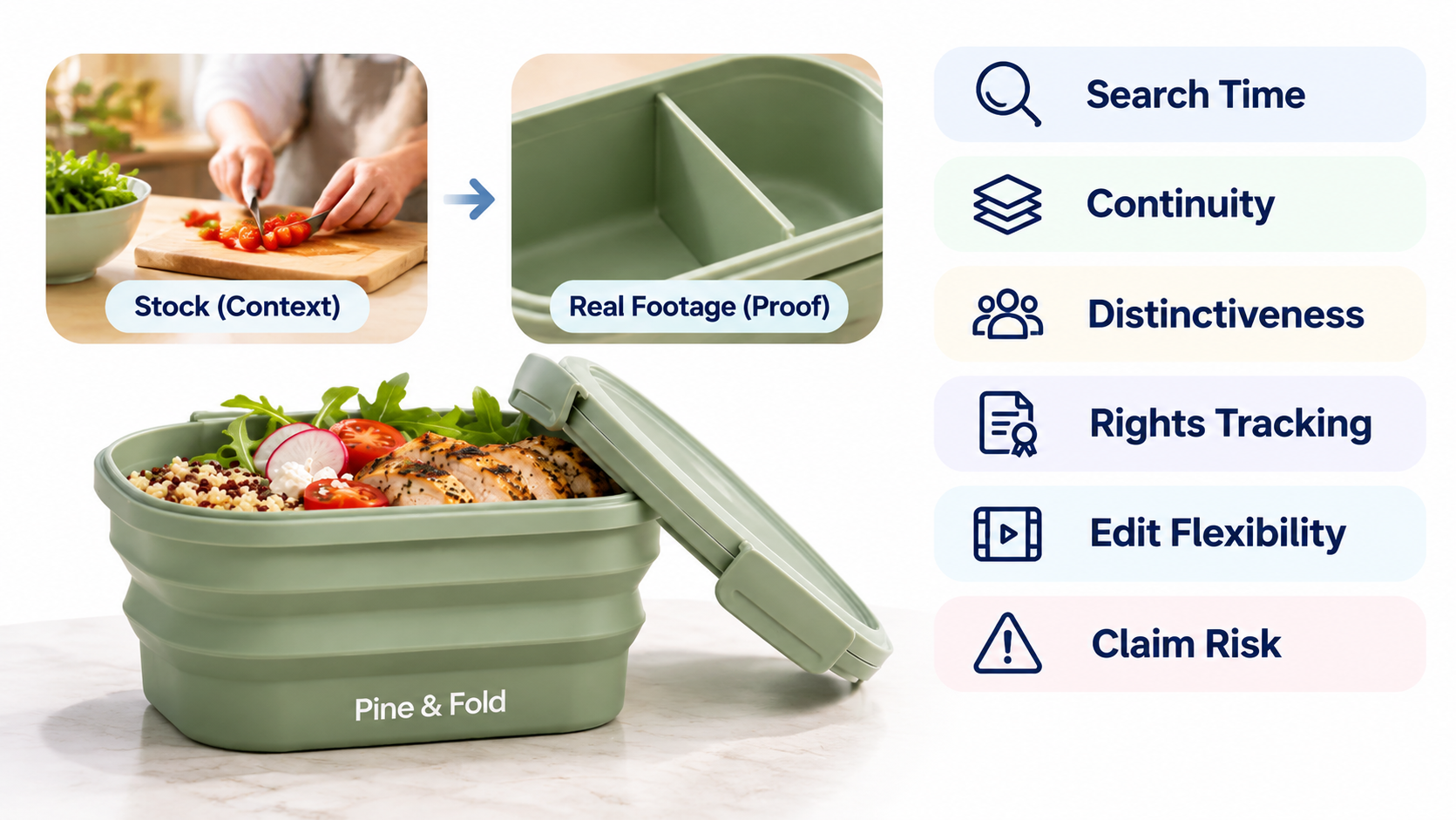
For Pine & Fold, a stock kitchen scene can work well if it leads into real footage of the divider. A stock clip showing a hand using a similar container may create confusion about which product the viewer is seeing. Keep the action general when the product must remain the only source of proof.
How should you brief the final video after licensing footage?
Send the editor the licensed file, asset ID, license record, and the reason the clip was selected. Add the real product footage, approved claims, logo, music record, target ratios, and the exact cut where the stock clip should appear.
A useful handoff note includes:
| Field | Example |
|---|---|
| Stock asset | Asset ID and licensed filename |
| Scene role | Kitchen setup before product demo |
| Allowed use | Paid social and website |
| Territory | Campaign market |
| Term | Campaign dates for internal tracking |
| Product evidence | Real divider close-up |
| Edit instruction | Cut from hand movement into product top shot |
| Review check | No stock packaging mistaken for Pine & Fold |
Pexo can organize licensed stock and approved product material into a complete video direction. The Pexo AI video agent can hold the brief and revision context, while the Pexo gallery can help teams compare product-ad and explainer treatments before selecting a visual direction. Pexo does not grant Adobe Stock rights or decide whether an asset is cleared for a particular campaign.

Decision checklist for a stock-footage purchase
-
The clip has a clear scene role.
-
The product evidence comes from an approved brand source.
-
The clip matches the required ratio and movement.
-
The asset is commercially eligible for the campaign.
-
Editorial-only restrictions are excluded.
-
People, property, logos, and visible brands have been reviewed.
-
The license scope matches the channels, territory, and term.
-
The licensed file and asset record are archived.
-
The editor receives the stock asset beside the product proof.
-
The final cut does not imply a product result the stock clip cannot prove.
This article does not provide legal advice. Verify the current Adobe Stock terms, asset-specific restrictions, and campaign permissions before commercial use.