
 ChatGPT
 Perplexity
 Claude
 Gemini
 Grok




You add a track to the product demo, play it back, and the voiceover gets buried. The opening feels crowded, and by the time the CTA appears, the music has already lost its energy. A track can sound good on its own and still get in the way of the edit. I'll look at whether SOUNDRAW makes it easy to adjust music as the edit changes, and what teams should check before using it in ads.
Take Pine & Fold, an invented home-goods brand launching a collapsible lunch container. Its 20-second ad needs music that carries the kitchen opening, leaves room for the divider demonstration, and ends cleanly under the CTA.
Is SOUNDRAW suitable for a repeat video soundtrack?
SOUNDRAW fits a team that wants to create instrumental music around a visual brief and adjust the track as the edit changes. Its music editor exposes controls for genre, mood, theme, tempo, length, and instruments. The current editor also presents bar-level adjustments and track exports, including stems on the plans that support them.

The fictional brief is for Pine & Fold, an invented home-goods brand launching a collapsible lunch container. The 20-second ad has four beats:
-
A quick kitchen setup.
-
The divider separating two foods.
-
The container closing and entering a work bag.
-
A product end card with the CTA.
The team wants music that feels warm and practical. It needs enough movement for the opening, room for a short voiceover, and a clean ending under the CTA. It also expects four more product videos using the same brand tone.
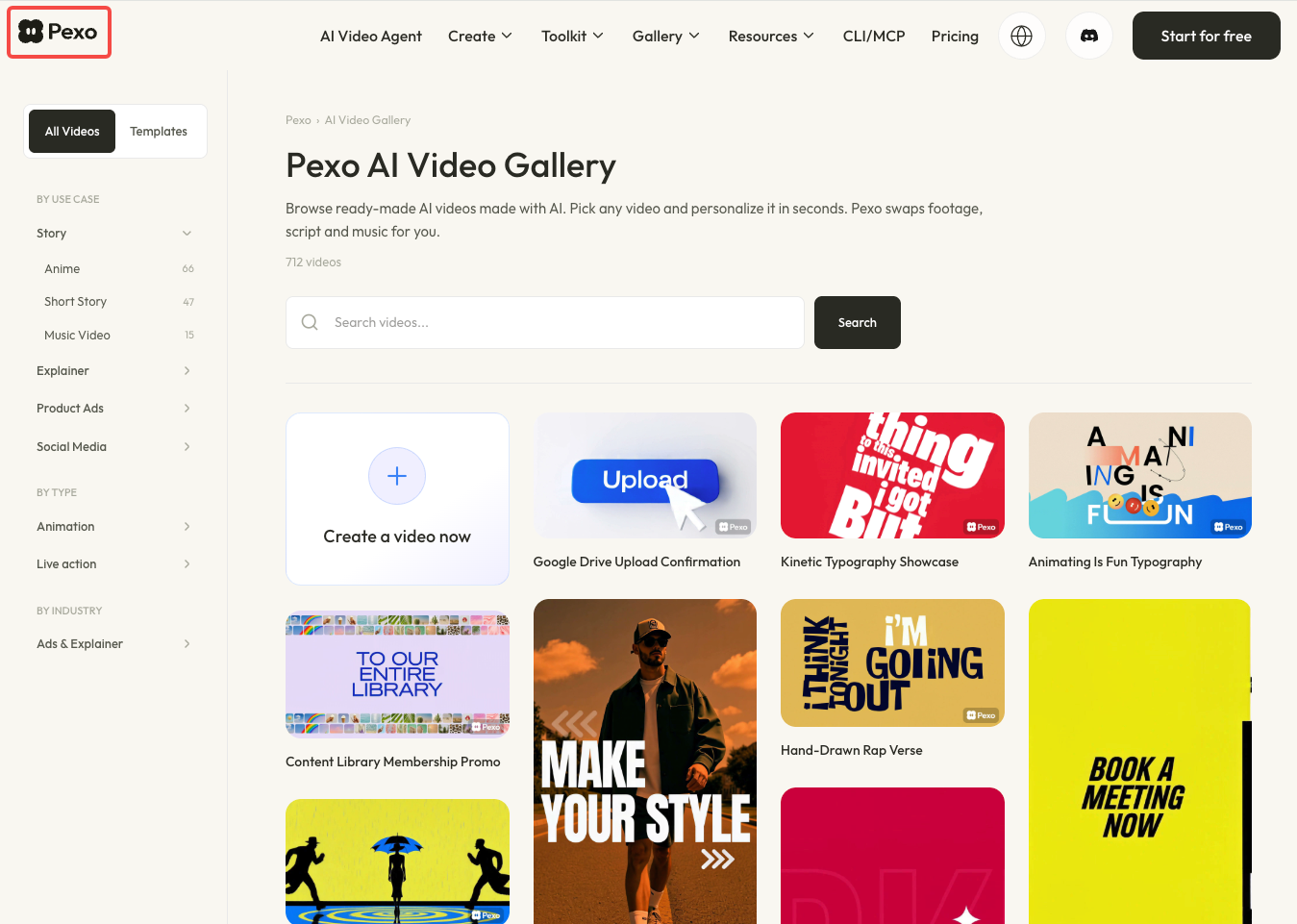
SOUNDRAW is relevant to that job because the team can start with the visual purpose of the track. It does not produce the product video, write the ad claim, or decide when the divider must be visible. The soundtrack still has to follow the edit. The Pexo video gallery can help the team compare product-ad pacing and visual treatments before it settles on a musical direction.
How much control does the music workflow offer?
Match mood and pacing to a product brief
Start with the moment the music needs to support. Pine & Fold does not need a dramatic reveal. It needs a light pulse that helps the edit move from preparation to product proof.
Use the brief to choose the musical direction:
-
relaxed or hopeful mood for the kitchen setup
-
moderate tempo while the divider is shown
-
reduced intensity under the voiceover
-
a clear ending for the CTA
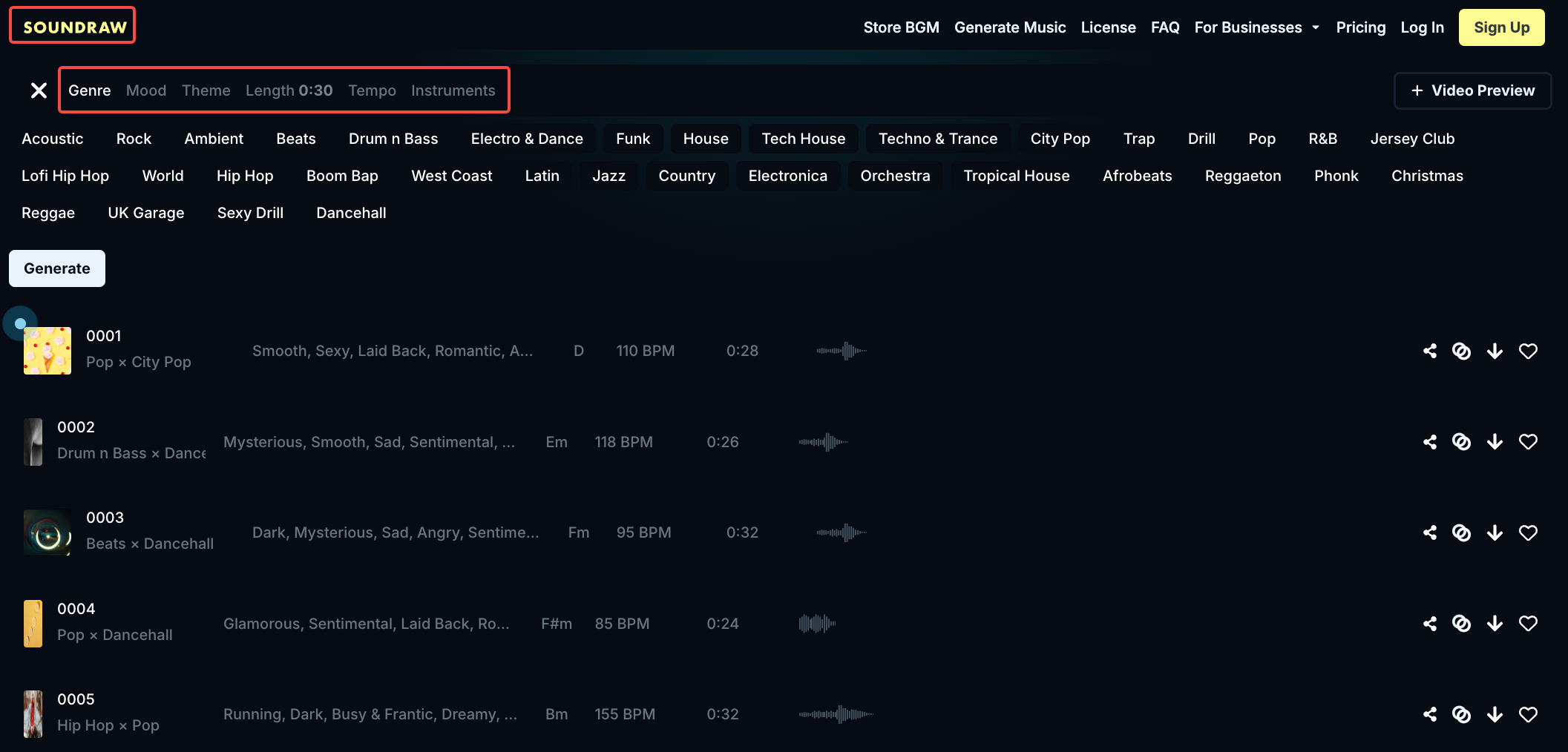
SOUNDRAW’s current editor exposes length options from short clips through several minutes, along with tempo ranges, genres, moods, themes, and instrument choices. That gives the editor useful starting points for a short ad. The team can compare a calm acoustic direction with a lighter electronic one before deciding which leaves more space for the product claim.
A track can match the brand mood and still fail the cut. The opening may peak before the first product shot, or the busiest instrument may sit under the key line. Place a temporary voiceover over the track before approval. That review reveals whether the music supports the message.
Revise a cue without losing voiceover clarity
The useful revision is often small. Lower the intensity under one sentence, mute a busy element, shorten the ending, or leave more space before the CTA.
SOUNDRAW’s editing controls let users adjust musical elements and shape the track’s length and energy. Whether those controls are enough for a particular edit depends on the account and export options. Treat the result as an adjustable source for the video editor, then review the mixed track inside the actual cut.
Keep three versions in the project record:
-
the first selected track
-
the revised music-only file
-
the final mix with voiceover and effects
This makes it easier to tell whether a problem comes from the music, the narration, or the edit timing.
What should teams check before using music in ads?
Export and reuse permissions
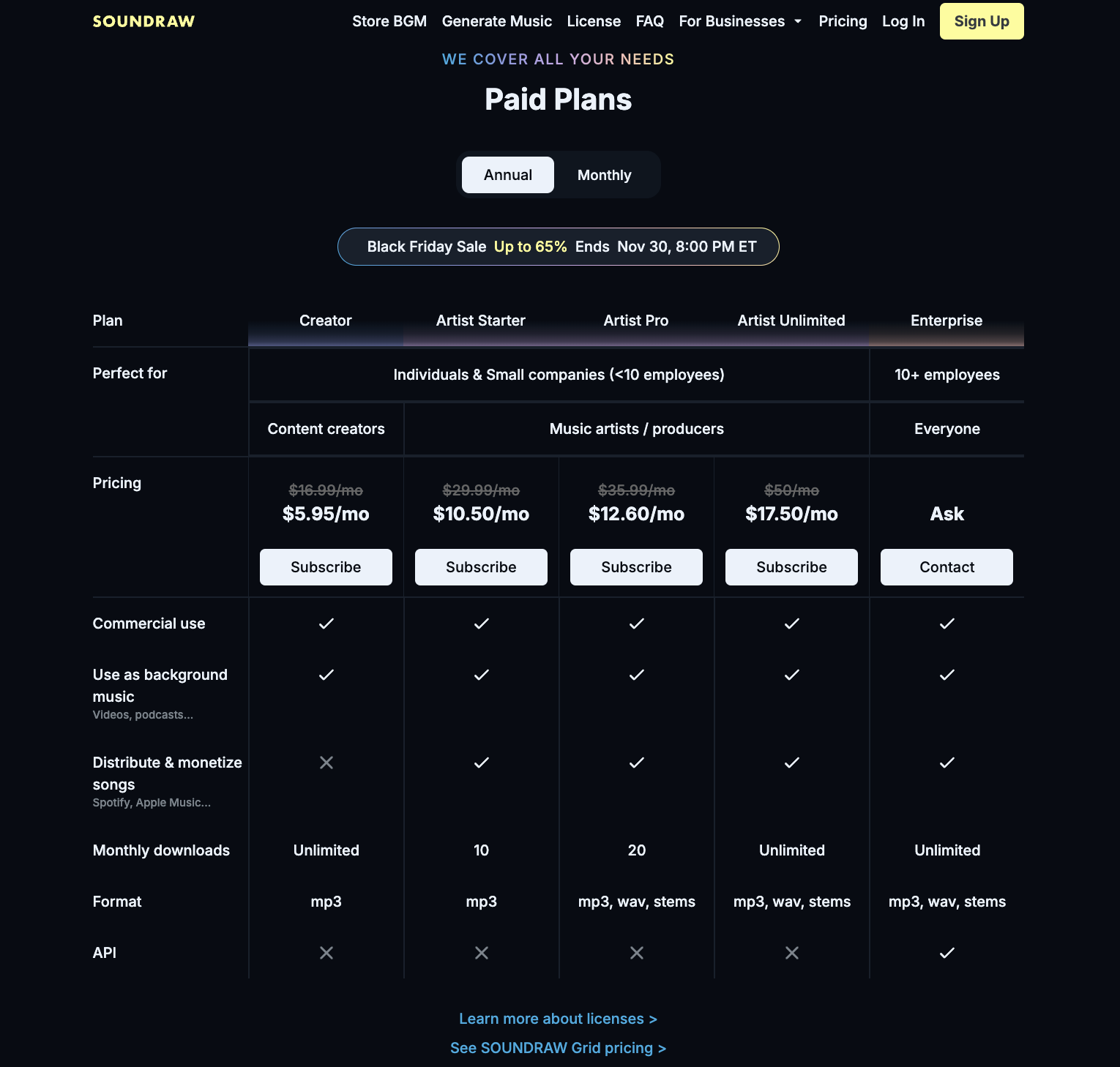
The current SOUNDRAW pricing page lists a Creator plan for content creators and small companies with commercial use for background music and unlimited monthly track downloads. Its Artist plans add different download and stem options. Current prices and discounts can change, so use the account checkout and the latest license terms for the final decision.
For Pine & Fold, record:
-
plan name and billing period
-
track or project identifier
-
download date
-
export format
-
intended video versions
-
channels and territories
-
whether stems were downloaded
-
the license terms attached to the account
A downloaded file is not the same as a project record. Keep the license evidence beside the final ad and its source files.
Platform and paid-promotion license terms
The team should match the license to the use. A soundtrack in an online product ad may have different conditions from a track distributed as a standalone song, used in broadcast, or placed in a client campaign managed by an agency.
SOUNDRAW’s public enterprise information describes commercial use, worldwide licensing, stems, and continued use for content downloaded during an active subscription. The exact rights for a smaller plan and a multi-client workflow still need a current license check. The SOUNDRAW pricing page is the starting point for the plan comparison.
Do not treat “royalty-free” as a substitute for reading the license. It describes the payment structure, while the license determines where and how the music may be used.
Where might a different music source work better?
SOUNDRAW is a good fit when the team wants to shape instrumental background music around an edit. Another source may be better when the brief needs a known song, a human composer, a distinctive vocal performance, or a tightly negotiated client buyout.
A stock-music library may be easier for a team that wants a broad catalog and an established license record. A composer may be the better choice when the music carries the brand identity and needs an original theme across a campaign. A voice-and-music production service may suit a team that wants narration, music, and picture assembled in one workflow.
Pexo can be useful when the team already has approved product material and wants the soundtrack considered alongside scenes, narration, captions, and revisions. Its AI video agent can support the complete video direction, while SOUNDRAW remains a separate music source. Pexo offers its own Music Generation workflow; its public product pages do not identify a SOUNDRAW license or subscription as included. Treat the applicable rights as dependent on the specific music source and its terms.

How does a soundtrack fit the finished video?
Choose the music after the edit has a clear structure, even if the team uses a temporary track earlier. For Pine & Fold, the soundtrack should leave room for the divider demonstration and end without competing with the CTA.
The handoff should include:
| Item | What to provide |
|---|---|
| Music file | Final download and format |
| Alternate file | Shorter or quieter version if approved |
| Voiceover | Final narration and script |
| Cue notes | Opening, product proof, CTA timing |
| License record | Plan, download date, use scope |
| Mix instruction | Voice level, music level, required fade |
| Versions | Ratios, languages, and destinations |
When the finished video changes, revisit the cue rather than stretching the track blindly. The Pexo AI video agent can hold the brief and revision context when the music change belongs to the larger edit. A new opening may need a different intro. A shorter CTA may need a new ending. The music should follow the edit’s information, not make the editor protect a fixed track.

Verdict for ongoing marketing videos
SOUNDRAW is worth considering when a marketing team needs adjustable instrumental music for repeated product videos. Its controls can help match mood, length, tempo, and instrument balance to a visual brief, while the licensing decision still depends on the current plan and intended use.
This article does not provide legal advice. Verify the current SOUNDRAW plan, license, export conditions, and campaign permissions before commercial use.