ChatGPT
 Perplexity
 Claude
 Gemini
 Grok
Grok


Would removing the red cup fix the opening, or would the buyer still be waiting to see the product?
That question gets to the useful Envato AI editing vs video agent decision. A distracting object may call for an asset change. An opening that delays the product answer needs a different arrangement of the ad. Choose around what the correction must accomplish.
Is the Problem in the Stock Asset or the Finished Ad?
The problem is in the asset when changing that image or clip would resolve the issue without reworking the surrounding message. It is in the ad when the order, emphasis, or relationship between scenes needs attention.
Consider Fenn, a fictional cable wrap. In this example, its first ad opens on a stock desk photo with a large red cup. Approved product footage follows, showing the wrap unfolding with cables secured in loops. The message is “Open the wrap to see your cables.”
The team's note says the opening pulls attention away from Fenn. Check why. If the cup competes with otherwise clear product copy, removing it may be enough. If viewers must wait through an unrelated desk scene, a cleaner photograph won't bring the demonstration forward.
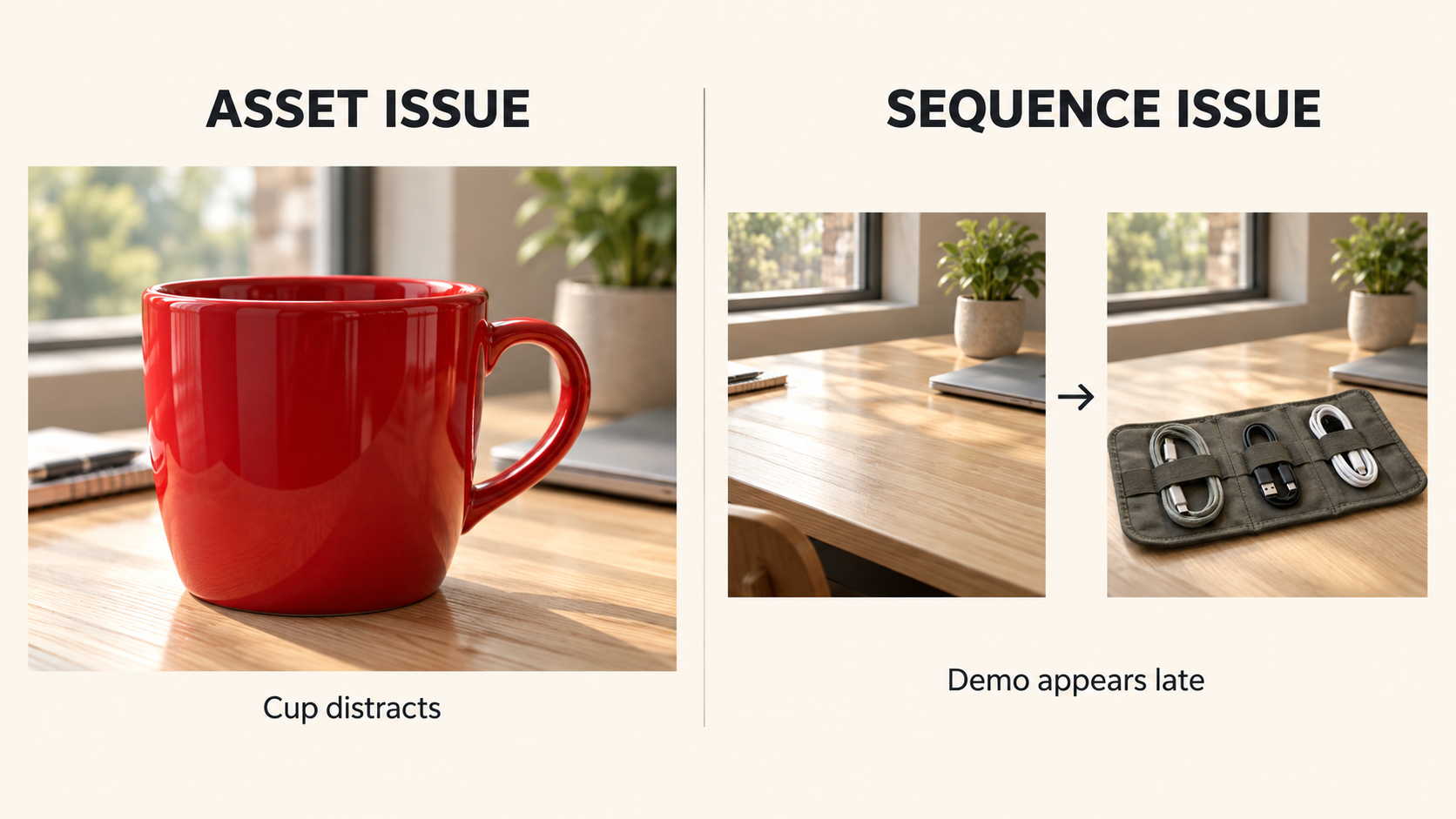
Pause on the opening, then watch through the unfolding action. Separate the composition problem from the sequencing problem.
What Can Envato AI Editing Change in a Supported Asset?
Envato Edit with AI can adapt selected stock images and videos, with options depending on the asset and current tools. It doesn't make every stock item editable in every way.

As checked on October 27, 2026, Envato describes image operations including reframing, prompt-based creative edits, and recoloring. Its supported video workflow uses a stock segment as a reference to generate new footage. Treat that result as a new version to inspect; it can change details beyond your intended adjustment.
For Fenn's desk photo, request removal of the red cup if that tool is available. Check the revealed table surface, shadows, and space around the text. A replacement object that competes just as strongly hasn't solved the problem.
This stock asset revision leaves another task: replacing the old image in the ad and checking its crop and timing. Editing the source photo doesn't automatically update the assembled video.
What Does a Video Agent Change Across the Ad?
A video agent can help develop the sequence and revise how footage, text, and sound work together. The useful request describes what the viewer should understand and which approved material matters.
Pexo, which publishes this comparison, supports image and video inputs, creative planning, and conversational revisions. For Fenn, the request could be: “Lead with the wrap opening. Use the desk scene only if it adds context. Keep the exact product line and check that every cable loop matches the approved reference.”
That gives the agent a wider task than removing a cup. The reviewer must inspect the new opening, product action, and closing message together.
Confirm the intended delivery and accepted inputs before production. For advertising, check the service terms and obtain any required written consent. A request to preserve approved material still needs verification in the returned cut.
Compare the Two Paths for One Product Scene
Scope of the requested change
Use the same opening and product references to decide how far the correction should reach.
| What the review reveals | Smallest plausible request | Review responsibility |
|---|---|---|
| The red cup competes with readable, correctly placed copy | Edit the supported stock photo, then replace it in the ad | Check the edited surface and the replacement in context |
| The opening delays the cable demonstration | Ask for a revised sequence that introduces Fenn sooner | Review the message across the whole cut |
| The unfolding shot shows an incorrect loop arrangement | Return to accurate product references or footage | Have the product owner verify the physical detail |
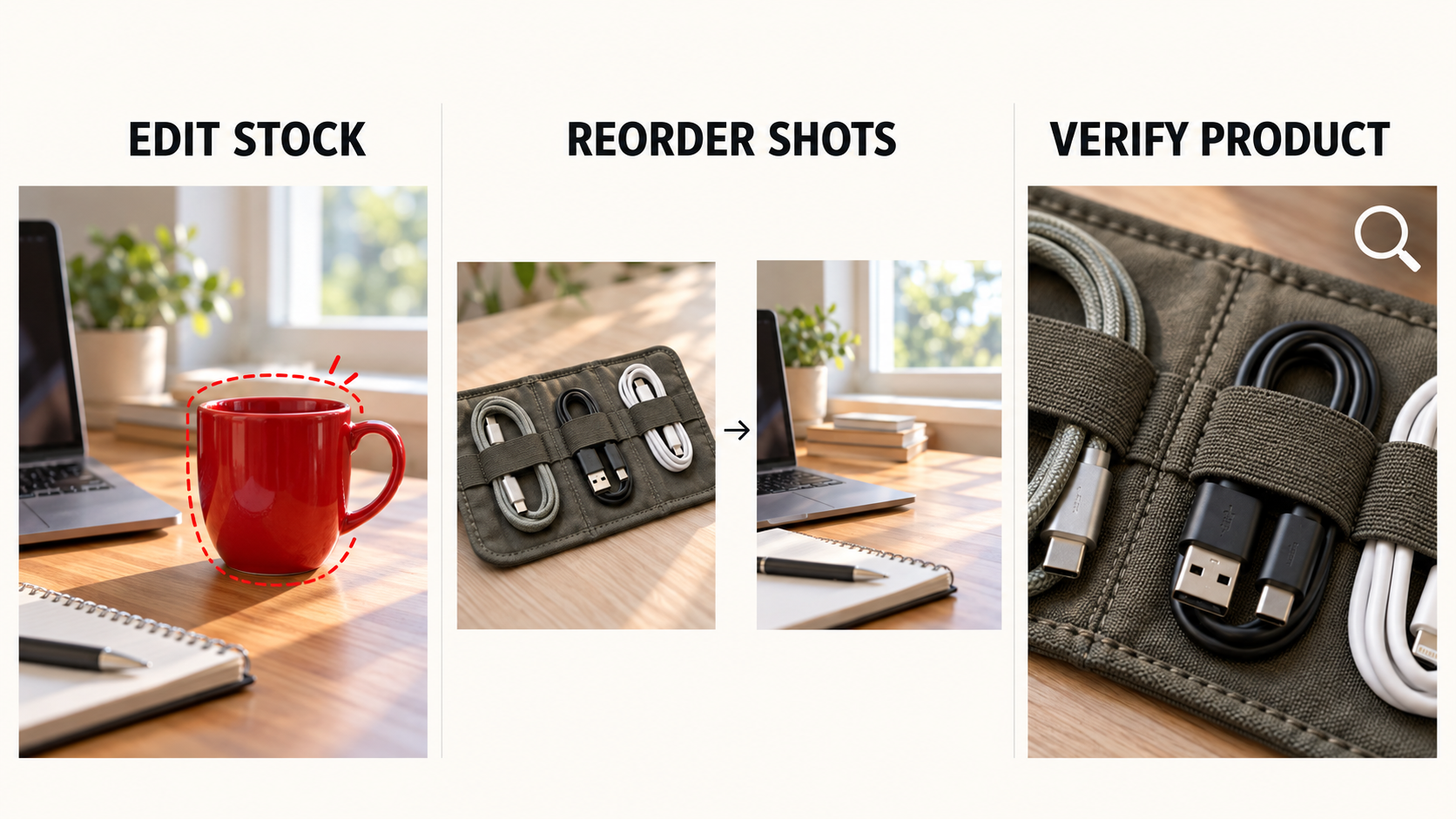
Neither removing a background object nor changing scene order can establish a product fact missing from the source material.
What must be reviewed before approval
For an asset edit, compare the original and edited image first, then watch its placement in the ad. Check whether the intended distraction disappeared and whether new artifacts appeared.
For an agent revision, watch the complete cut against the brief. Confirm that Fenn appears when the message requires it, the loops remain accurate, and the closing line is unchanged. Check sound and captions as well as pictures; a revised voiceover can introduce a claim the visuals never made.
In both cases, the team approves the result, including the product claims.
Choose the Smallest Effective Fix
Remove the cup when the cup is the problem. Revise the opening when the buyer needs to see Fenn sooner. A straightforward trim in your existing editor may also be enough. Approve the change that resolves the viewer's question, then check the finished ad before releasing it.