ChatGPT
 Perplexity
 Claude
 Gemini
 Grok
Grok


In a Luma Shot Coverage vs video agent decision, look at what your existing take leaves the buyer unsure about. A closer angle may settle it. Sometimes the missing work is the explanation around the action.
What Does the Explainer Need Beyond One Take?
It needs enough context for the buyer to understand the feature, an accurate demonstration, and a useful next step. One take may already provide most of that.
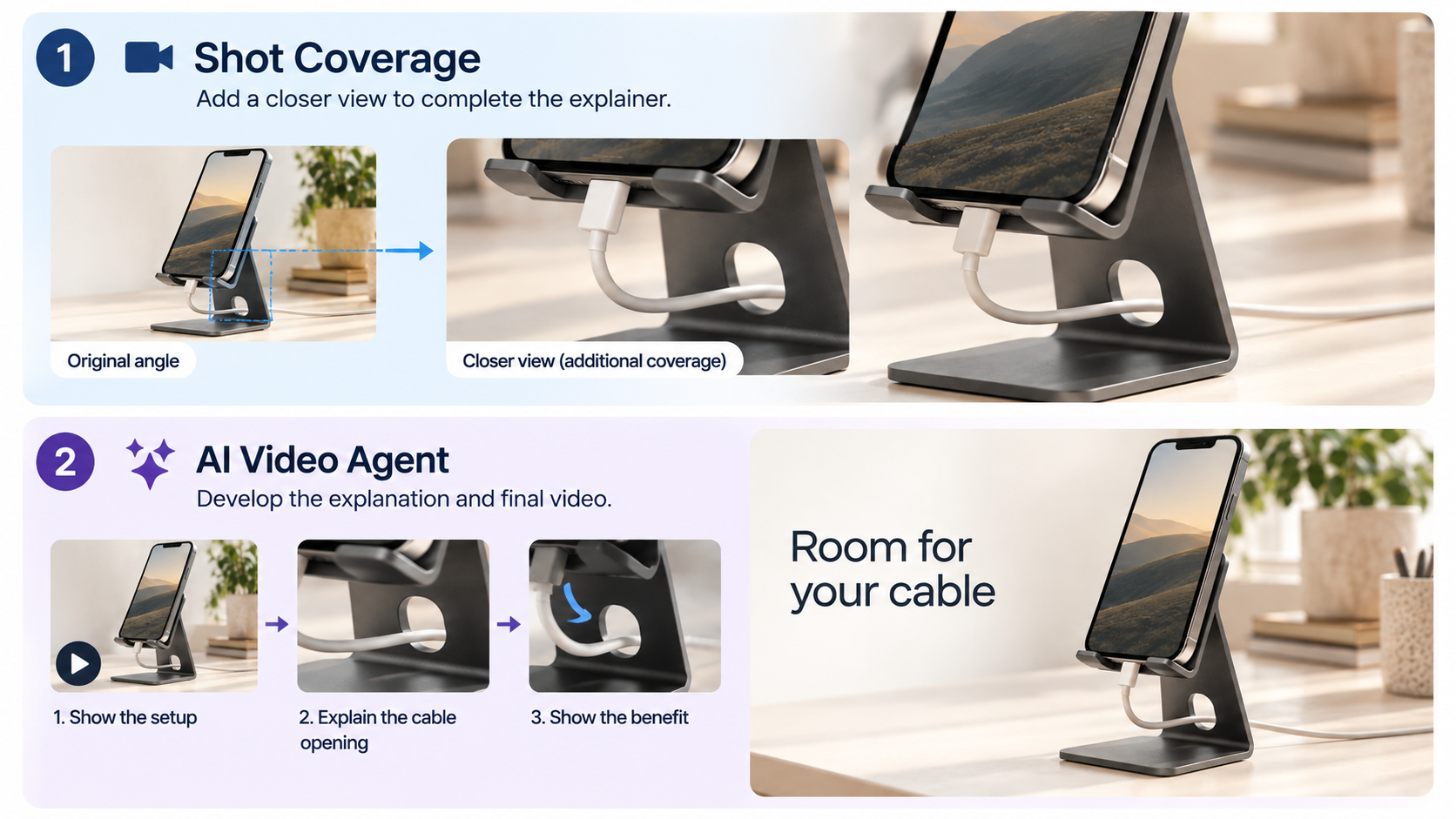
Use Noll, a fictional desktop phone stand, for the shared brief. The existing take shows a phone on the stand with a cable passing through its opening. The proposed explainer answers: “Where does the cable go when the phone is on the stand?” The example message is “Room for your cable”; verify the equivalent statement against your actual product.
If the answer is clear but the opening looks small, another view may help. If the take never establishes where the cable passes, decide whether you need clearer source footage before adding generated material.
Where Does Shot Coverage Help?
It helps when an existing action needs another view that an editor can use. Luma's Shot Coverage task returns a take for each selected coverage type. Action-led coverage emphasizes hands, objects, and movement detail, making it relevant to Noll's cable opening.
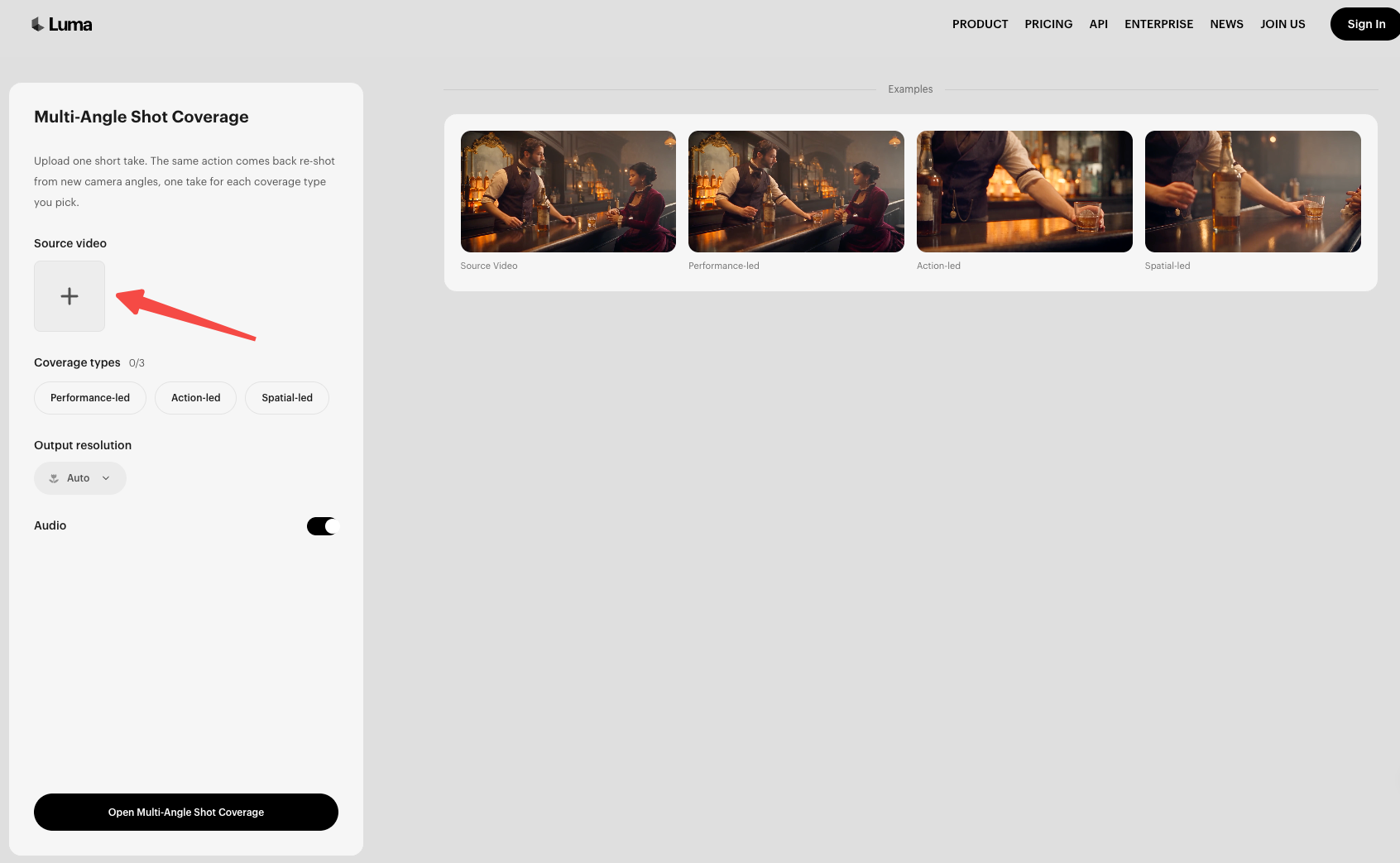
Treat the returned view as a generated interpretation. Check that it preserves the stand's shape and the cable's route. A viewpoint that invents a larger opening cannot substantiate an easier fit.
Your team still decides how that material belongs in the explainer and completes the edit. Our guide to planning a product story from one take covers that assembly task separately.
Where Does a Video Agent Help?
A video agent can help plan and assemble the explanation around existing footage. Pexo accepts video clips as source material and supports developing a script and storyboard before production.
For Noll, the request could identify the buyer's cable-routing question, the approved product point, and the original demonstration. The team then reviews whether the proposed explanation answers that question without introducing an unsupported feature.
Conversation can guide revisions to the story, pacing, captions, or ending. That still requires product review. A complete cut can contain an incorrect stand, just as an individual generated angle can.
Compare Both Routes on One Product Brief
Keep Noll's source take and cable-space message unchanged while considering two decisions:
| Decision | Shot Coverage task | Video-agent task |
|---|---|---|
| Story completeness | Adds a view of the existing action; your team completes the explanation | Can develop the explanation and assembled cut from the brief and references |
| Product fact revision | Review returned views against the approved source; replace obsolete references before another generation | Give the corrected fact and reference, then inspect the resulting scenes and copy |
This comparison applies the public workflow descriptions to the same proposed Noll brief.
New camera angles versus new story beats
A closer view of the cable opening shows the same event more clearly. A new explanation of why the opening matters is a different editorial task. It might need a written label or another approved demonstration.
Choose coverage if your editor already knows how to complete the message and needs that additional view. Choose an agent when developing the surrounding explanation is the work you need help with. Neither route can turn an unseen mechanism into verified product evidence.
Product fact changes and final assembly
Suppose the product team changes Noll's cable opening after approving the take. Supply a current reference or new demonstration before continuing with either route.
For coverage, inspect the new view before your editor incorporates it. For an agent, name the changed detail and ask for the affected scenes and wording to be reconsidered. Review the full cut afterward; a correct caption cannot repair a picture of the old stand.
Which Route Fits the Starting Footage?
Choose Shot Coverage when the source already contains the right action and your team can finish the explainer. Choose an agent when the action is usable but the structure, wording, and assembled result still need development.
If the source shows the wrong SKU or hides the feature, correct the source first. Keeping a clear original is also sensible when another angle adds little.
Before starting, confirm the quote for the work you'll actually approve. The reviewed Luma pricing page doesn't establish a standalone Shot Coverage fee. For Pexo, check credits for production and revisions in your account.
Choose the Route for This Explainer
Name the next deliverable in the request: an additional take for your editor, or a complete explainer for review.
For the agent route, bring the original take and verified product point to Pexo. Judge the preview by whether the buyer can understand Noll's cable path and whether the stand still matches the approved reference.