ChatGPT
 Perplexity
 Claude
 Gemini
 Grok



Before committing $2,000–$3,000 to a launch demo, decide what the team must receive when the producer finishes. A website video, a vertical cutdown and an editable project each bring work that should appear in the quote.
The allocation below gives those decisions a place in a fixed budget. It is a planning example, not a supplier offer or evidence that every producer can deliver the scope at that price.
What Does a $2,000–$3,000 Launch Budget Need to Cover?
It needs to cover preparation, production, review and usable delivery, with room for taxes and agreed changes. First clarify whether the ceiling covers cash spending alone or also includes staff time.
For a professional demo video production budget of $2,000–$3,000, keep the product launch assignment specific. One audience, one demonstrated workflow and a defined version list give suppliers something concrete to price.
For example, request a 60-second website demo and a 15-second vertical cutdown using the same approved footage. Specify captions, narration, exports and project handoff separately. These are proposed deliverables, not a package this budget automatically buys.
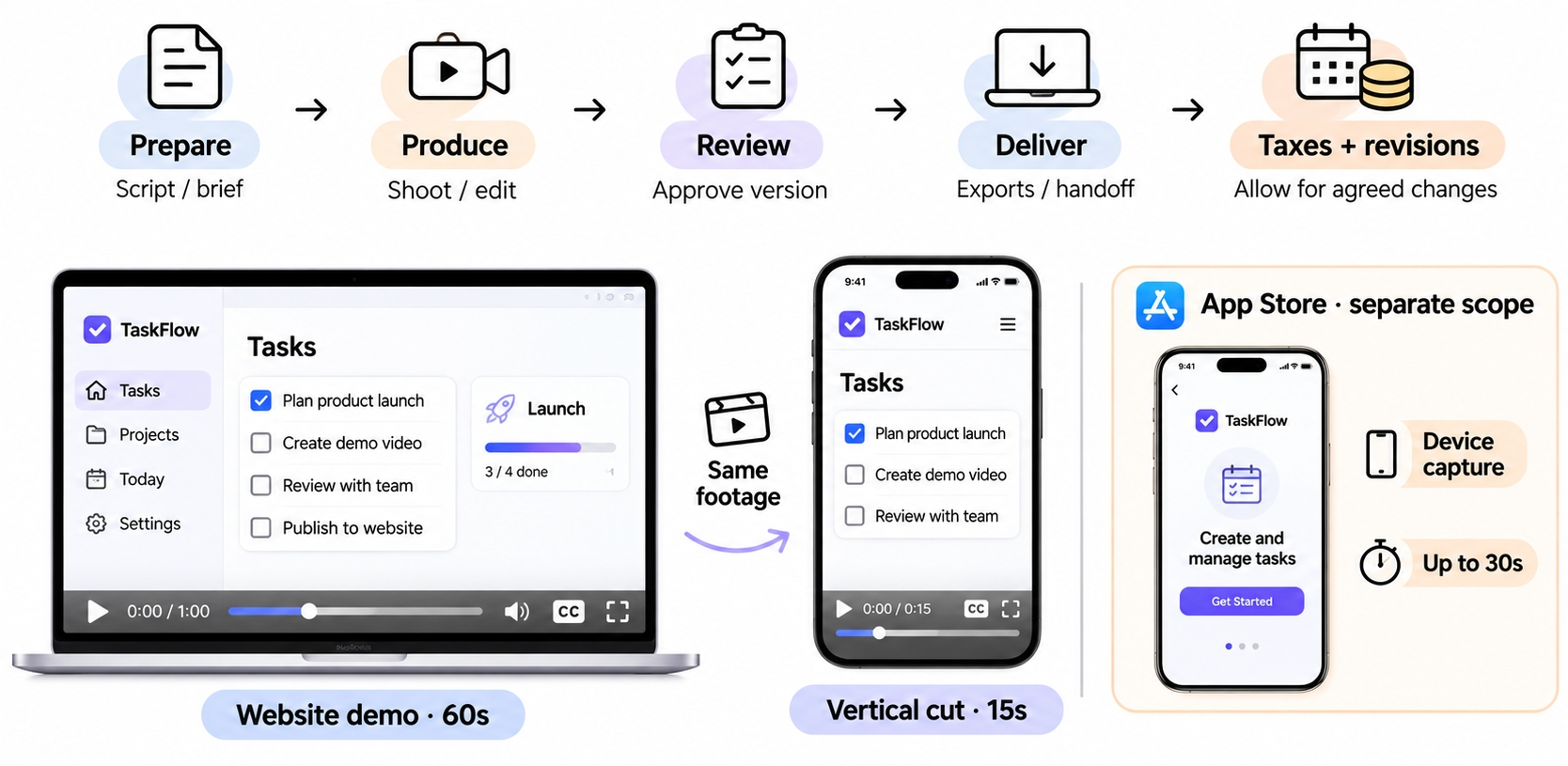
An app-store preview deserves its own scope. Apple's app preview guidance specifies footage captured on device and device-specific previews, each up to 30 seconds. Those requirements were checked on November 6, 2026; recheck before commissioning a store version.
Build a Quote From Real Production Tasks
A useful SaaS demo video quote assigns each task to someone and states what their fee includes. “Launch video production” alone leaves too much room for different interpretations.
UI Capture, Script, Edit, Audio, and Cutdowns
Ask who prepares the demo account, removes customer information and records the real interface. Include failed takes, loading states and the capture resolution needed for readable zooms.
The script should identify the action viewers must understand. The editor then needs footage showing that action, rather than a sequence of attractive screens.
Price narration by script, language, usage and pickup terms. Include music permissions, mixing and caption correction. A shorter version may need a different opening and new framing; it is not necessarily a simple export.
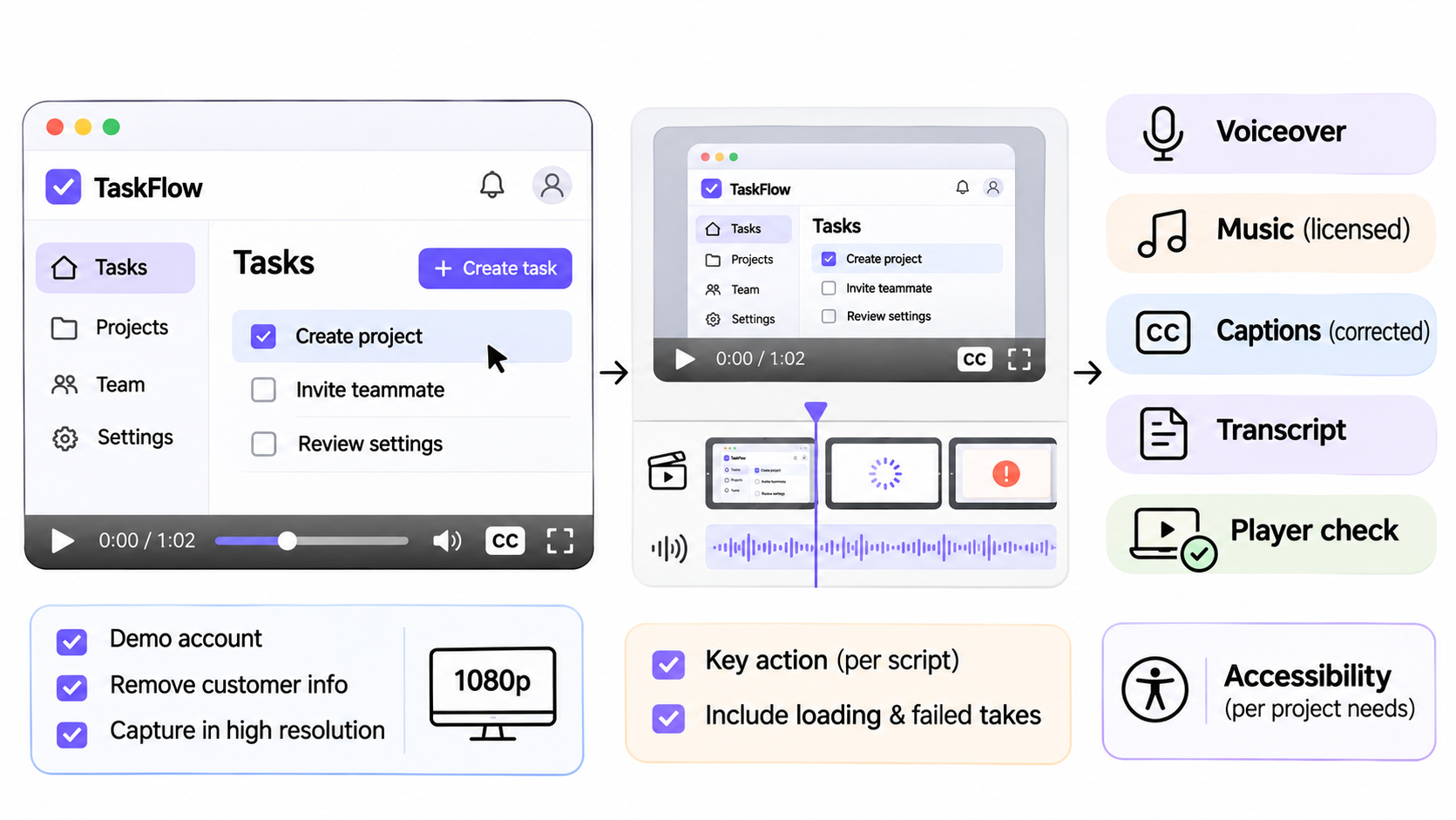
W3C's accessible media planning guidance puts accessibility requirements in project briefs and contracts. Budget for the captions, description, transcript and player checks your actual delivery needs.
Revisions, Source Files, Rights, and Future UI Changes
Define a revision round as one consolidated set of notes from the named reviewer. Specify how many rounds are included and what happens when an approved script changes.
Separate corrections to agreed work from new scope. A misspelled approved product name and a newly designed dashboard should not enter the same undifferentiated “revision” category.
For source handoff, list the project format, linked media, caption files and audio stems required. Fonts, plugins and stock assets may need separate permissions or recipient licenses. Request an opening check in the receiving editor's environment.
Ask for the rate or quoting method for replacing one UI scene later. An editable project can help, but it does not make recording and reviewing a changed workflow free.
A Fillable Product Demo Budget Worksheet
Copy this table into the quote request. Enter an actual supplier quote or internal estimate on every applicable line; mark exclusions explicitly.
| Work item | Quantity or scope to fill | Cash estimate | Internal hours / owner |
|---|---|---|---|
| Brief and script | Audience, workflow, runtime, approval | ___ | ___ |
| Real UI capture | Build, scenes, takes, recording owner | ___ | ___ |
| Edit and graphics | Master, callouts, readable UI | ___ | ___ |
| Narration and music | Language, usage, pickups, licenses | ___ | ___ |
| Accessibility | Captions, transcript, description, review | ___ | ___ |
| Cutdowns | Runtime, ratio, reframing, captions | ___ | ___ |
| Revisions | Included rounds; extra-work terms | ___ | ___ |
| Source handoff | Project, media, fonts, opening check | ___ | ___ |
| Taxes and fees | Currency, applicable tax, payment fees | ___ | ___ |
| Uncommitted reserve | Permitted changes; approval owner | ___ | ___ |
Cash requirement = quoted production + separate purchases + applicable taxes/fees + reserve.
Add staff hours multiplied by your chosen loaded hourly cost to compare the full resource commitment. Avoid counting bundled music, revisions or software twice.
A Hypothetical Allocation Within the Budget
The following US$2,500 allocation is entirely hypothetical. The amounts are planning allowances, not market rates or verified quotes.
Alder is a fictional SaaS handover tool. Its proposed demo shows a manager assigning an owner and due date to a handover action. The scope is one 60-second website master, one 15-second vertical cutdown and two consolidated revision rounds.
| Task | Illustrative allowance, USD |
|---|---|
| Brief and script | $250 |
| Demo setup and real UI capture | $300 |
| Master edit and simple callouts | $600 |
| Narration and agreed pickups | $180 |
| Music license | $80 |
| Corrected captions, transcript and accessibility review | $140 |
| One vertical cutdown | $150 |
| Two defined revision rounds | $200 |
| Editable source package and opening check | $100 |
| Production subtotal | $2,000 |
| Tax/payment allowance | $150 |
| Uncommitted change reserve | $350 |
| Budget ceiling | $2,500 |
The $150 is a placeholder, not an assumed tax rate. Replace it with the actual amount. The $350 remains unspent unless an approved change requires it; it does not purchase unlimited UI updates.
At a $2,000 ceiling, this unchanged allocation fails. One hypothetical adjustment removes the $150 cutdown and transfers $350 of scripting/capture work to staff. Cash allowances then total $2,000, while internal hours rise. Confirm actual quotes before accepting that trade.
At $3,000, the extra $500 can remain available until quotes and review needs are known. There is no need to fill it with another deliverable immediately.
Compare a Contractor Quote With an Internal Route
Compare the same outputs and review obligations. A contractor's production fee and an internal team's software subscription do not describe equivalent work.
Here is a second hypothetical comparison for Alder's original two-version scope. Every amount and hour count is illustrative, including the $50 loaded hourly cost.
| Resource | Contractor route | Internal route |
|---|---|---|
| Production/purchases | $2,000 | $650 |
| Tax/payment allowance | $150 | $150 |
| Uncommitted reserve | $350 | $350 |
| Cash budget including reserve | $2,500 | $1,150 |
| Staff preparation, production and review | 6 hours | 24 hours |
| Staff cost at $50/hour | $300 | $1,200 |
| Total planned resources | $2,800 | $2,350 |
These totals include reserve, so they are not invoices or spending forecasts. Neither route has a demonstrated productivity advantage. Replace the estimates with your team's capacity and supplier terms.
Once Alder's real recordings and script are approved, a Pexo video production workflow is another way to develop the cut and request changes through conversation. Keep UI capture assigned to your team or contractor. Confirm the requested outputs and budget the service's actual charges alongside human review.
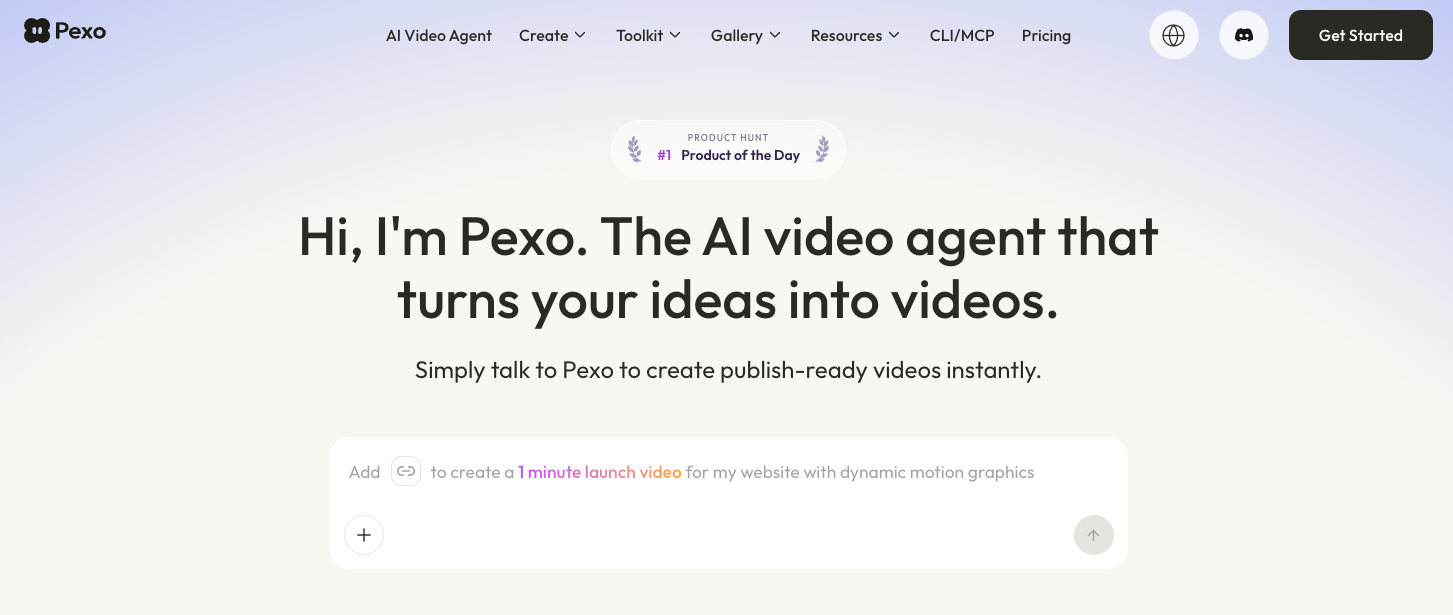
Before uploading, check Pexo's upload and promotional-use terms, including applicable written-consent requirements. Product approval alone does not settle processing permissions.
What Should Be Confirmed Before Commissioning?
Confirm the scope, approval schedule, payment milestones and change terms in writing. The producer needs an approved product build and a date when recording can safely begin.
Agree who can authorize extra spending and what happens if the UI changes after capture. Identify which files the final payment covers, including source materials and any license evidence.
Check customer logos, voices, music and third-party content against the intended channels and territories. Keep confidential data out of recordings and confirm processing permissions before sharing files. This article does not provide legal advice.
If the quote exceeds the ceiling, reduce a named task or change who does it. Do not leave caption review or product accuracy as unpaid work someone will somehow absorb.
Conclusion
Commission the launch demo your team can describe, review and maintain. Keep capture, revisions, usable files and the change reserve visible in the budget. When a quote runs high, make the scope decision before recording begins.