 ChatGPT
 Perplexity
 Claude
 Gemini
 Grok



Before paying for a plan, list the versions your team needs to review. One product ad might involve an initial draft, two alternative openings, and a correction to the product demonstration. Each completed generation belongs in the budget, including versions you reject.
For Runway Ads pricing, keep the subscription, generation credits, and advertising spend separate. The useful estimate is what the team may consume before accepting one ad.
What Does a Paid Runway Plan Give You Access To?
A paid plan includes Runway Ads access, with generation using the workspace's existing credits. The Runway Ads FAQ confirms paid-plan availability; the general Free plan does not unlock Ads.
On October 30, 2026, the annual-billing view of Runway's pricing page displayed this snapshot:
| Individual plan | Monthly equivalent, billed annually (USD) | Monthly credits |
|---|---|---|
| Standard | $12 | 625 |
| Pro | $28 | 2,250 |
| Max | $76 | 9,500 |
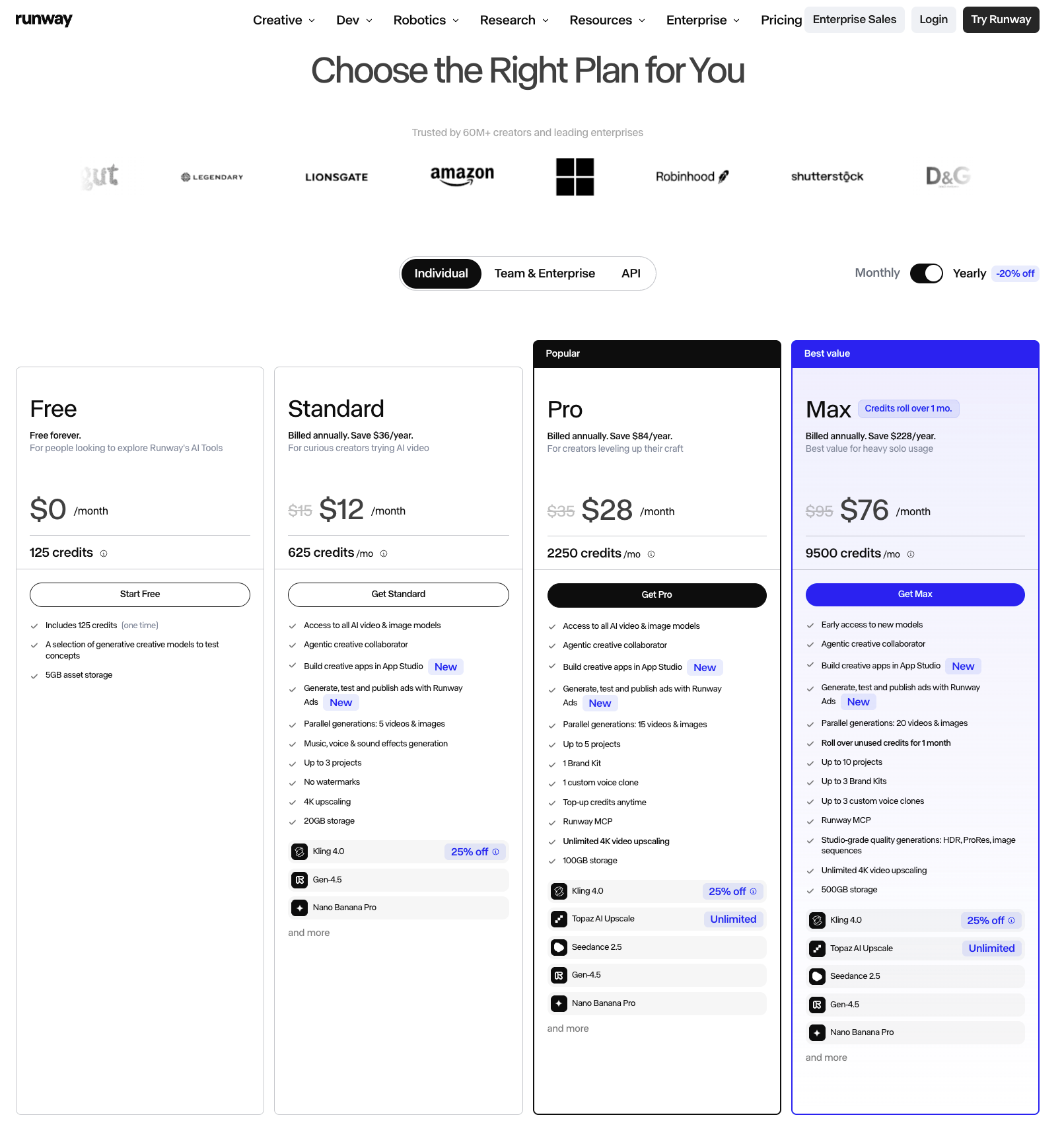
Annual billing charges for the year while credits arrive monthly. Confirm the checkout total, taxes, and current terms. Team uses seat-based pricing; Enterprise requires a quote. Access alone does not establish how many acceptable ads your allowance will produce.
Which Parts of One Ad Task Use Credits?
Generation uses credits. The task total depends on the models, settings, and attempts needed to complete the ad.
Generate and Revise a Product Ad
Use Senn, the fictional desk organizer from our companion workflow brief. The requested ad shows its removable pen cup. Assume the team supplies approved product references and a genuine demonstration clip.
Count generated footage, images, or audio needed for the first draft. Include priced upscaling or assembly steps when used. Add variants and any revision that triggers more generation. A completed output with the wrong cup still represents processing consumed.
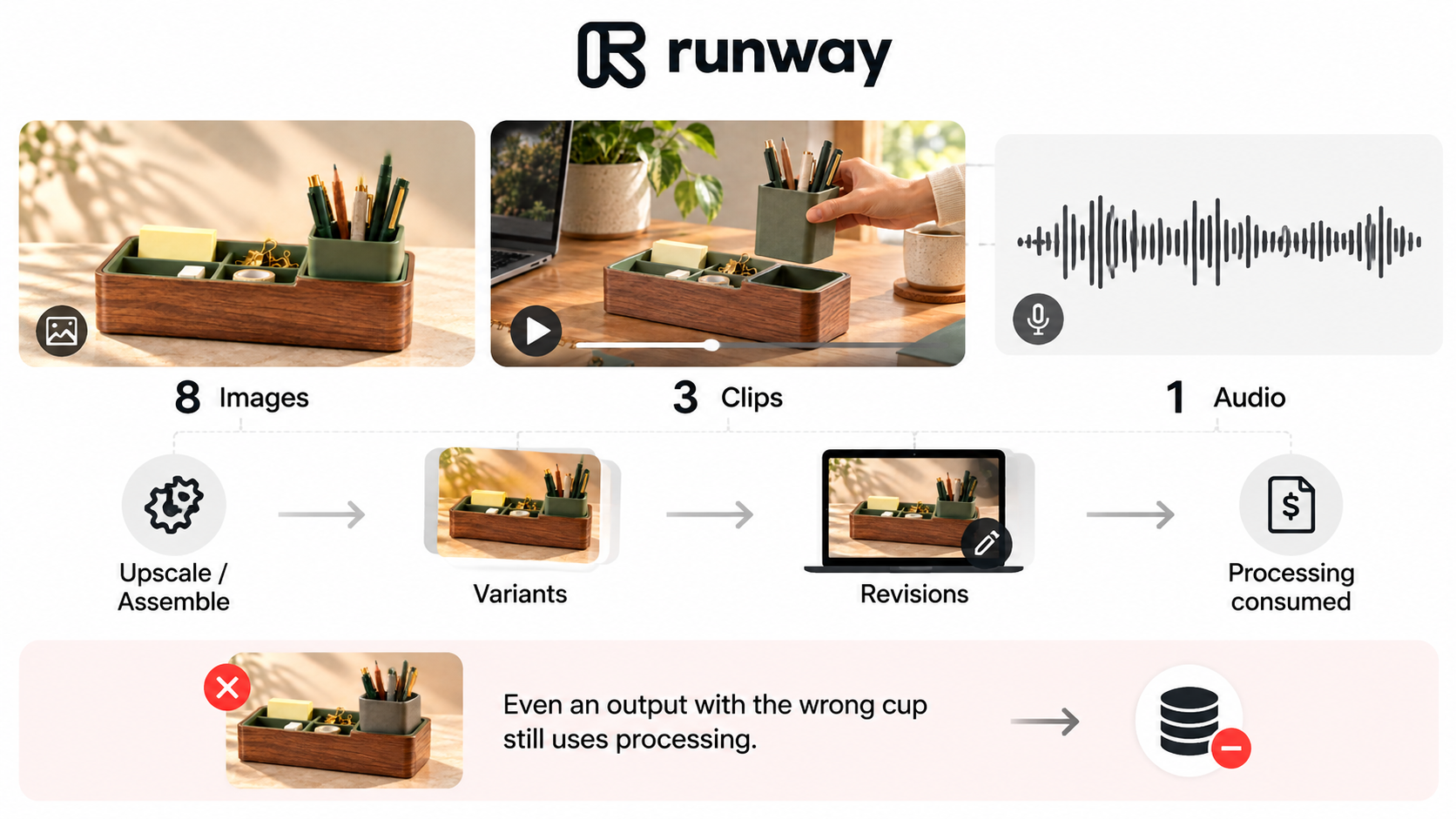
The Ads FAQ does not publish a flat fee per revision or retry. Check the actual generation work each request starts.
Account Connection, Review, and Publication
The FAQ explicitly says account connection, syncing, the dashboard, and approvals do not consume credits. It does not separately itemize a publication charge, so confirm any applicable fees before launch.
Record Meta, Google, or TikTok media spend in the advertising budget. A generation allowance does not fund impressions or clicks.
How Can You Estimate the Cost of One Ad Task?
Multiply each generation type by its current charge, then add the planned variants and revisions. Break the task into separately priced actions whenever models or settings differ.
A Reusable Credits Worksheet
Copy this worksheet for Senn's ad. Fill in the actual model, duration, resolution, and official rate before generation.
| Action | Planned attempts | Model / settings | Quoted credits per action | Planned subtotal | Actual net credits |
|---|---|---|---|---|---|
| Initial draft components | D = ___ | ___ | qD = ___ | D × qD | ___ |
| New variants | V = ___ | ___ | qV = ___ | V × qV | ___ |
| Regenerated revisions | R = ___ | ___ | qR = ___ | R × qR | ___ |
| Other media / processing | ___ | ___ | ___ | O = ___ | ___ |
Planned credits = D × qD + V × qV + R × qR + O. Use separate rows for different charges. If a rate is per second, calculate the action charge from its billable duration first. An unknown quote stays blank. If a quote already bundles audio, don't add it again separately.
For example, the published Gen-4.5 rate at the check date was 12 credits per second: one five-second generation equals 60 credits. Four completed generations at those settings would consume 240 credits. Those credits cover those components; images, audio, other models, and further corrections can add more.
Assumptions That Can Change the Total
The final ad's runtime is not the number of seconds generated across rejected versions. Include every completed attempt in the usage record.
Some Auto-duration and video-editing generations reserve a maximum charge, then return the unused credits. Record the settled charge minus its matching credit return. For generation errors covered by Runway's current help, credits return automatically. A completed result rejected for quality is charged. Verify the task status and settled balance before retrying.
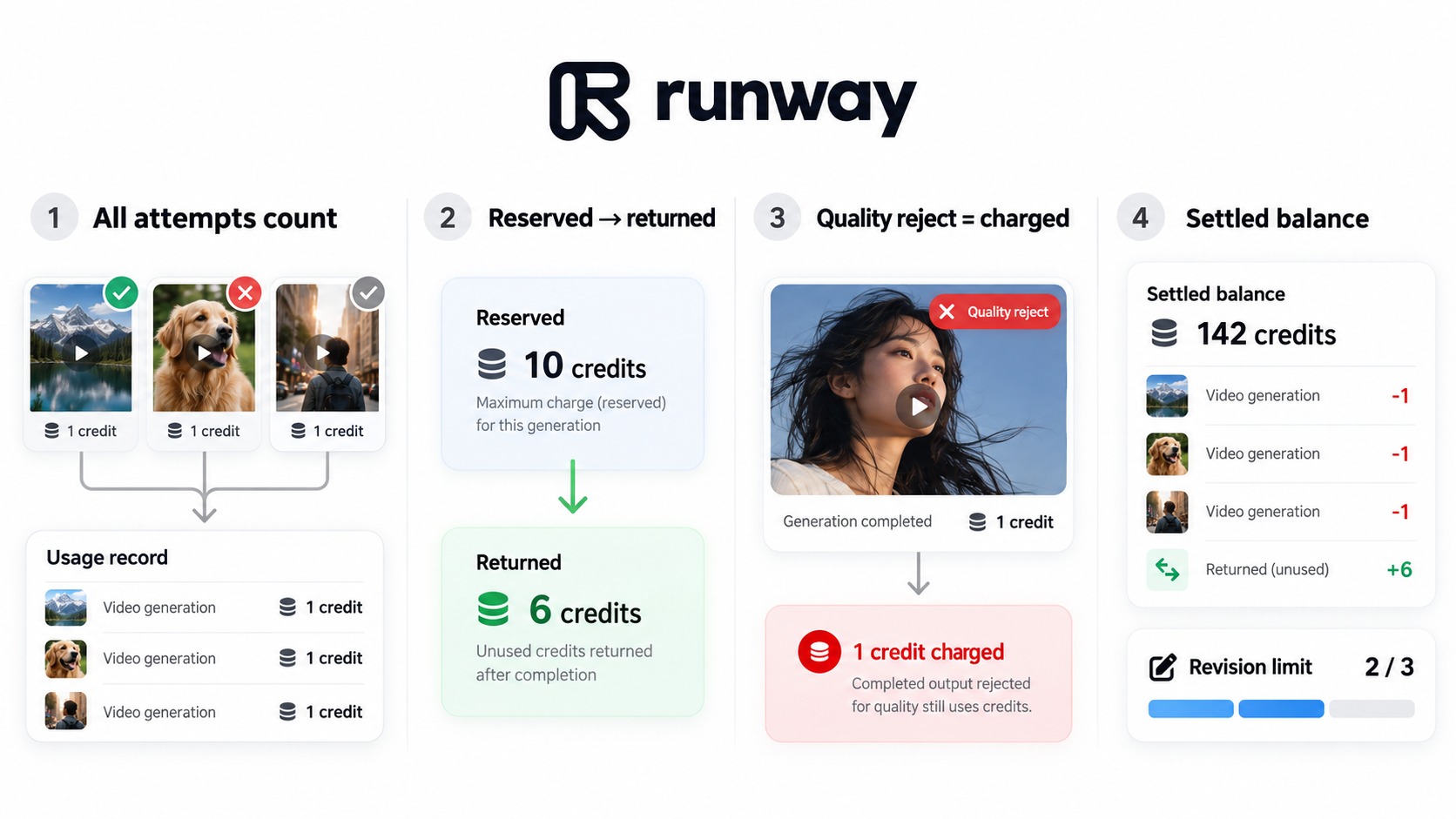
Set a revision allowance before starting. If Senn's cup keeps changing shape, revisit the reference or production method before buying another round.
What Should You Verify Before Choosing a Plan?
Check the live plan, billing cadence, available balance, and other projects drawing from the same workspace. Confirm the requested models, generation settings, and final delivery requirements.
Use Runway's workspace rates; its API credits are a separate balance.
Keep two calculations: task credits and cash payable. Subscription charges, purchased credits, seats, and taxes affect the invoice. Avoid counting included credits as another cash charge on top of the subscription.
An unlimited label elsewhere in a plan does not establish unlimited Runway Ads generation. Confirm the applicable mode and terms. Retain the task's settings and settled usage so the next estimate starts from your own record.
Conclusion
Before the next Senn generation, fill in its settings, action charge, and revision allowance. Afterward, reconcile the settled usage with the worksheet. Choose the plan around the work required to reach an accepted ad, keeping its production budget separate from campaign spend.