 ChatGPT
 Perplexity
 Claude
 Gemini
 Grok




For an editor working with one client, Frame.io or Wipster can be a sensible starting point. When product, brand and regional teams need separate approval steps, look more closely at Filestage or Ziflow.
Choosing video collaboration tools gets easier when you follow one ad through a specific revision request. Can the client find the changed words, compare the cuts and approve the version your team will actually deliver?
What Must a Marketing Review Tool Record?
It should connect feedback to the correct moment and version, identify who made the decision, and preserve enough context for production. A reviewer can close a comment without authorizing publication.
For a product ad, keep these distinctions visible:
-
Picture: which frame, product detail or stretch of action needs attention?
-
Words: is the problem in narration, captions, packaging or the end card?
-
Version: which cut did the reviewer see, and which cut replaced it?
-
Decision: who can request changes, and who can approve delivery?
-
Access: who can view, comment, download or forward the preview?
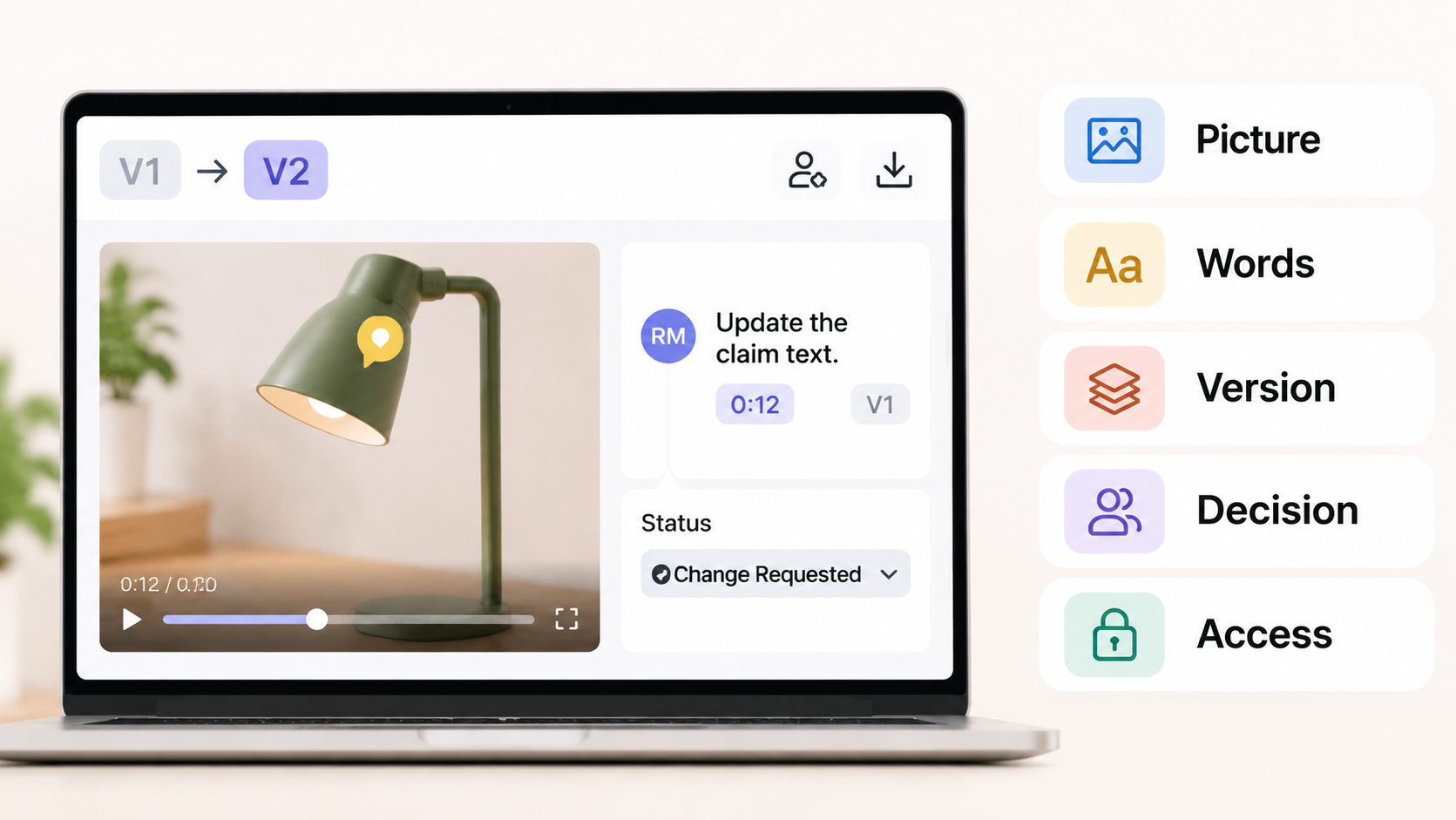
The software should help your editor find the correction without interpreting a vague email. Your team still decides whether the claim is supported.
How the Tools Were Compared
Each tool below faces the same five questions: feedback precision, version comparison, guest access, approval rules and final handoff. The comparison uses official product, plan and help pages reviewed on November 11, 2026.
Our illustrative ad promotes Venn, a fictional clip light. Its hypothetical approved SKU sheet says a USB-C cable is included. The draft says “charger included,” so production must correct the narration, captions and end card.
That change gives the comparison a concrete purpose: help the reviewer verify all three corrections in the revised cut. Before uploading actual client footage, confirm the client's permission and the vendor's processing, confidentiality and deletion terms. This article does not provide legal advice.
1. Frame.io for Frame-Level Feedback
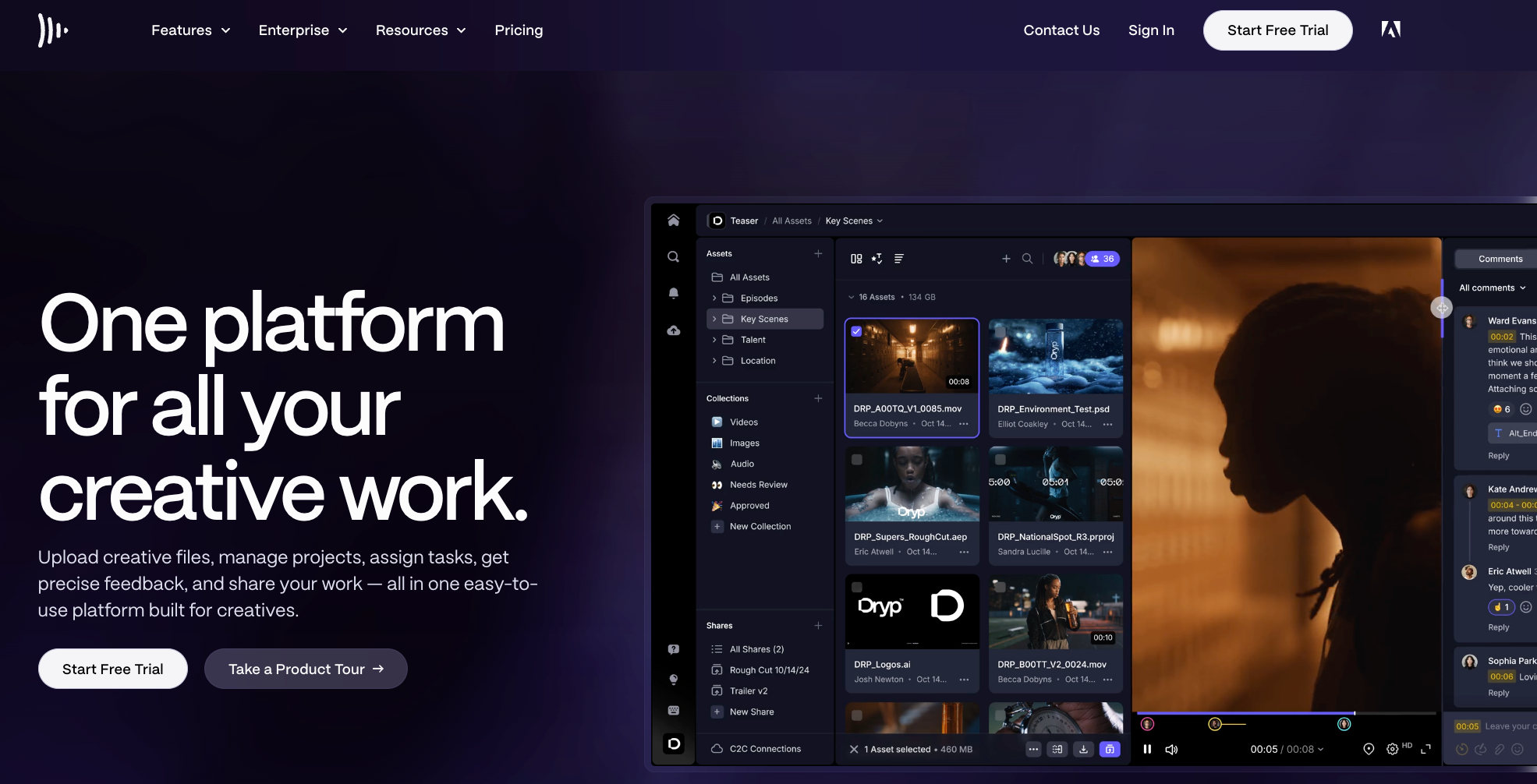
Frame.io fits teams whose editor needs precise notes beside the media. Anchored comments and frame navigation help identify a small product detail; version stacks and the Comparison Viewer help examine two cuts together. Comments can attach to either asset in the comparison, so the reviewer needs to select the intended side.
For Venn, the editor could compare the replacement end card with the earlier cut. Keep the narration correction as a separate note: fixing visible text doesn't establish that the spoken line changed.
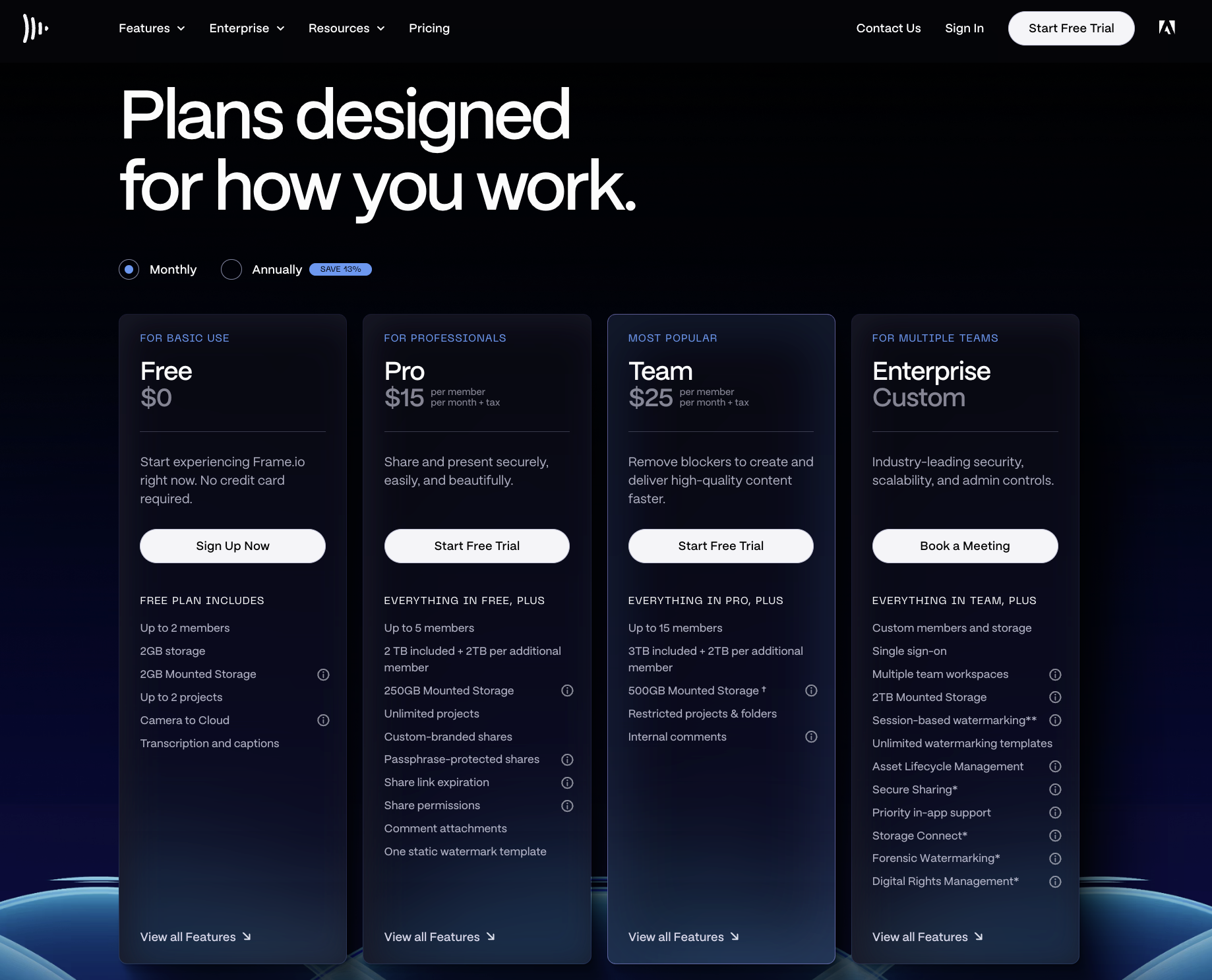
External Share reviewers can comment without buying a member seat or creating an account. However, the sharing controls vary by plan. Pro adds passphrases, expiration dates and download controls; Team adds internal comments and restricted projects and folders. Invite-only Secure Sharing belongs to the relevant Enterprise offering.
The approval setup deserves its own check. Frame.io distinguishes its ordinary Status field from the Approval Status used by its Workfront integration. Don't purchase a basic review plan assuming it includes that separate approval system.
For handoff, comments can be exported as CSV or plain text, or printed to PDF. Check comment filters first: the export follows the visible selection. This is a useful fit when the editor will act on detailed notes and a producer will manage release authorization.
2. Wipster for Client Review
Wipster suits a small production team that wants clients to respond directly on the video. It offers frame-accurate annotations, side-by-side comparison and comments that become production tasks. Reviewers use shared links without needing a team login; paid team members manage the media.
Its Reviews tab lets the producer choose which version appears on an existing link. For Venn, that means replacing the client's draft view with the corrected cut, then explicitly telling the client another review is due. Keeping the same URL doesn't mean the reviewer has watched the replacement.
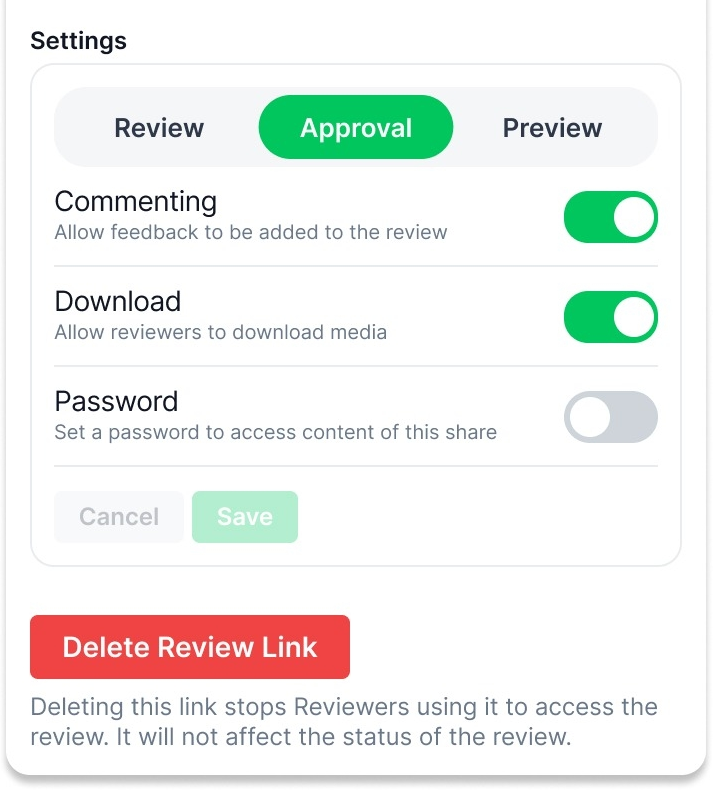
Wipster separates Review, Approval and Preview modes. Review gathers notes, Approval presents a sign-off action, and Preview provides view-only presentation with optional downloads. I would use that separation to make the final request unambiguous: check the corrected claim, then approve this version.
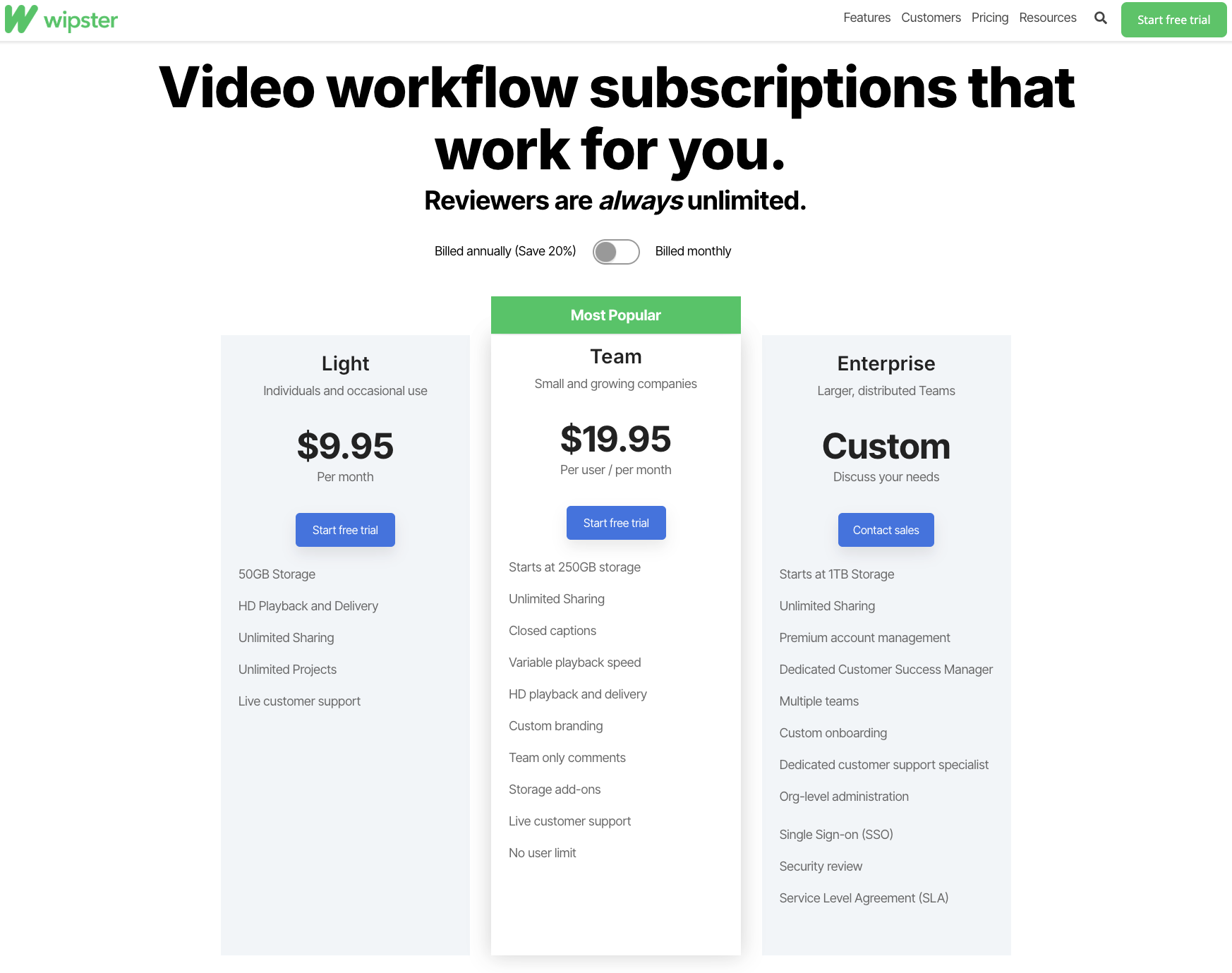
Light targets individual use; Team adds features including team-only comments, branding and caption uploads. Enterprise adds broader administration and security. Confirm that password and download controls are included in your quoted plan before sharing an unreleased ad.
For confidential launches, have the client review Wipster's media-use license. Its public terms include uses such as product development and market research. At completion, download the accepted media and PDF or CSV comments; Wipster recommends keeping long-term archives elsewhere.
3. Filestage for Approval Stages
Filestage fits marketing teams that need different people to review the same asset in separate groups. Video comments attach feedback to specific frames, while reviewer decisions show who approved or requested changes. Reviewers don't need accounts for ordinary link-based feedback.
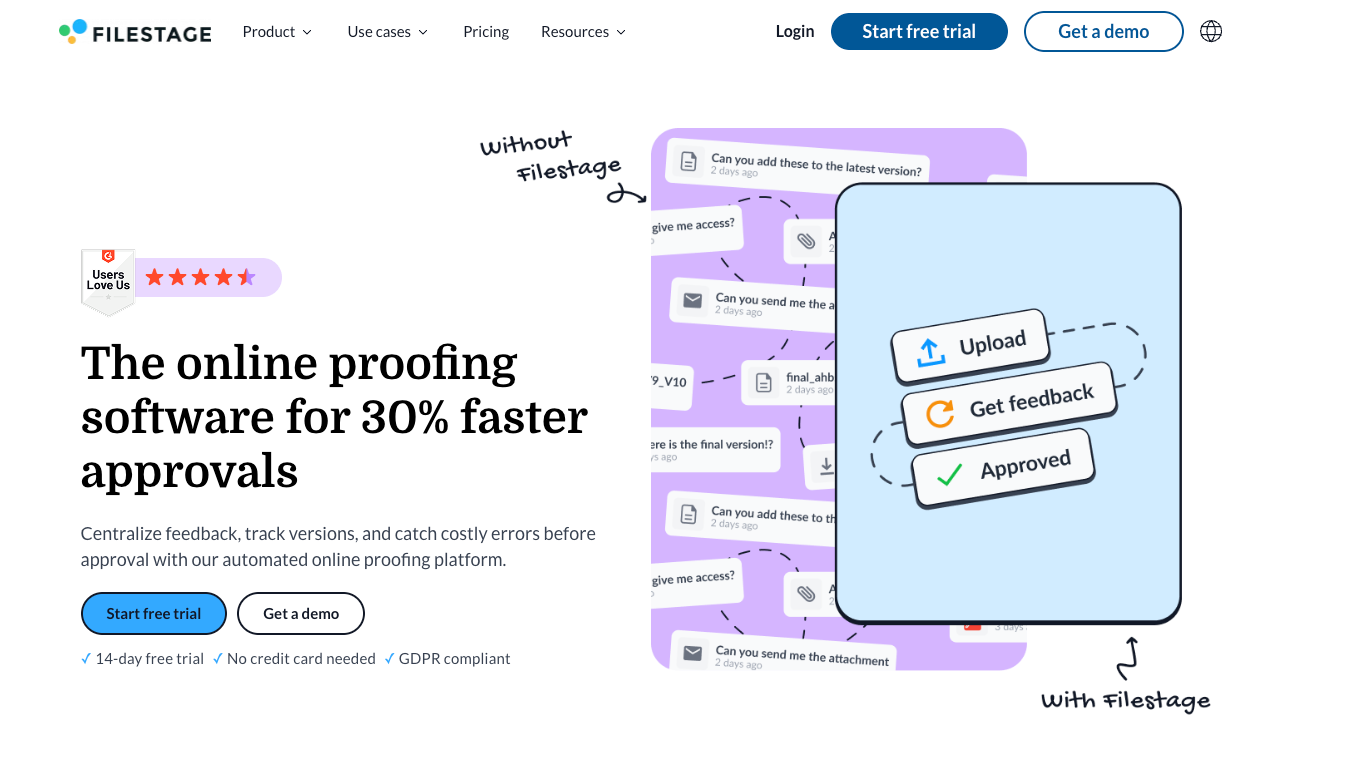
Venn's product group could verify the cable claim before the client reviews its presentation. The producer can set download and commenting permissions separately for files in review, needing changes or approved. This lets a team reserve delivery downloads until approval.
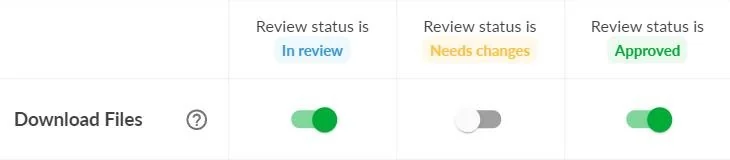
The plan affects that arrangement. Free and Starter include two reviewer groups; Business includes three, automations and review reports. Starter adds side-by-side version comparison, while Business adds advanced comparison modes. Free's one active project and five new files per month may constrain recurring campaign work.
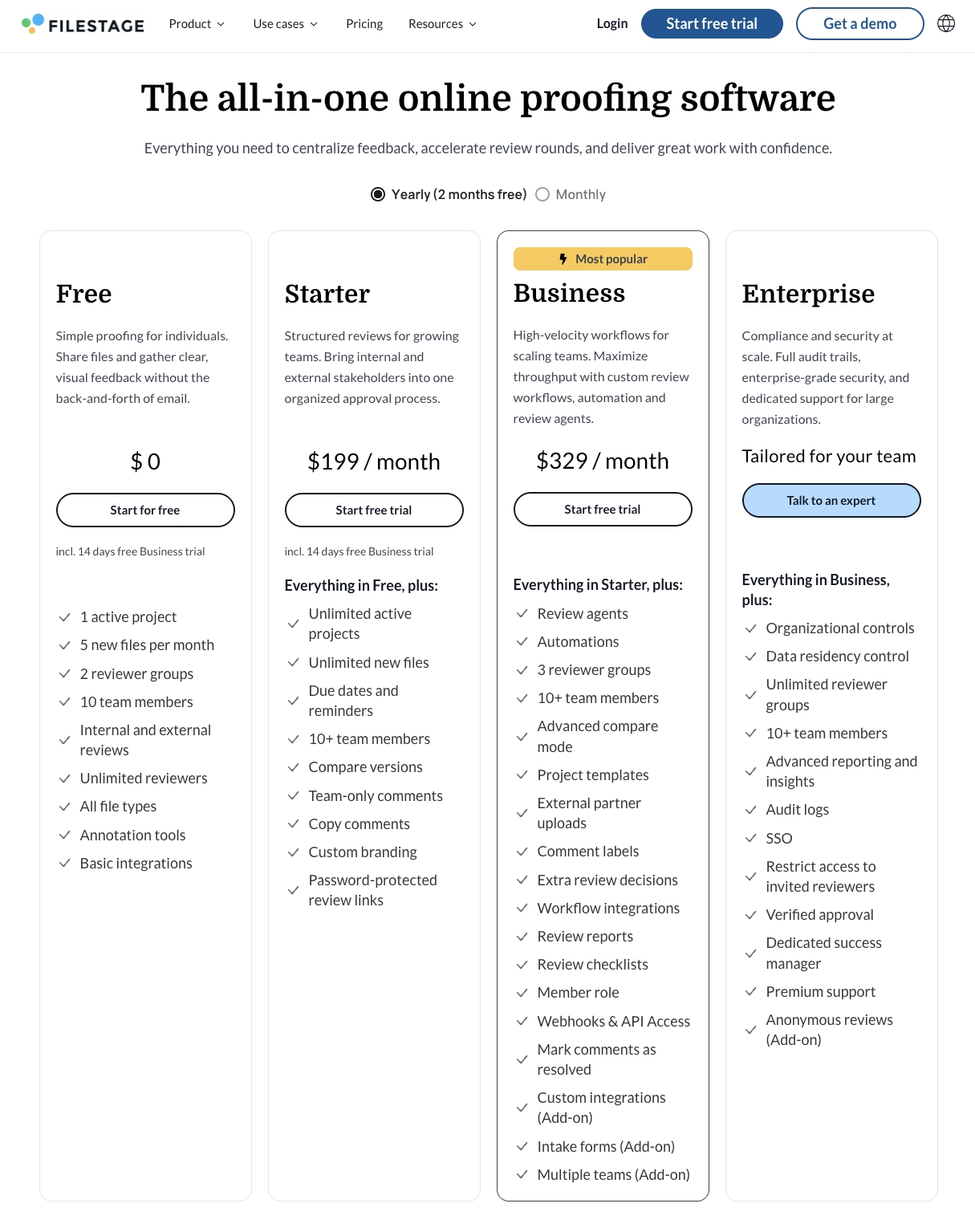
Password protection starts on Starter. Restricting access to invited reviewers through login or email authentication is an Enterprise feature in the reviewed help page. A password shared by several people and an invitation checked against an email address offer different access controls.
For client handoff, Business review reports can preserve comments and decisions from a reviewer group. Save the accepted video alongside the report. A record from one group may cover product accuracy while another group's decision remains outstanding.
Custom metadata exports outside standard downloads may cost extra and require a request at least 30 days before the subscription ends.
4. Ziflow for Multi-Team Proofing

Ziflow is worth considering when the difficult part is coordinating decisions across departments. It supports timecoded video feedback, version comparison and reviewers with different commenting or decision permissions. Guest reviewers can participate without becoming licensed proof managers, but cannot receive Manage permissions.
For Venn, the agency could route the corrected ad through product and client stages. Ziflow distinguishes finishing a review from submitting a decision; its final decision calculation depends on completed workflow stages. Configure that calculation around the people whose approval the campaign needs.
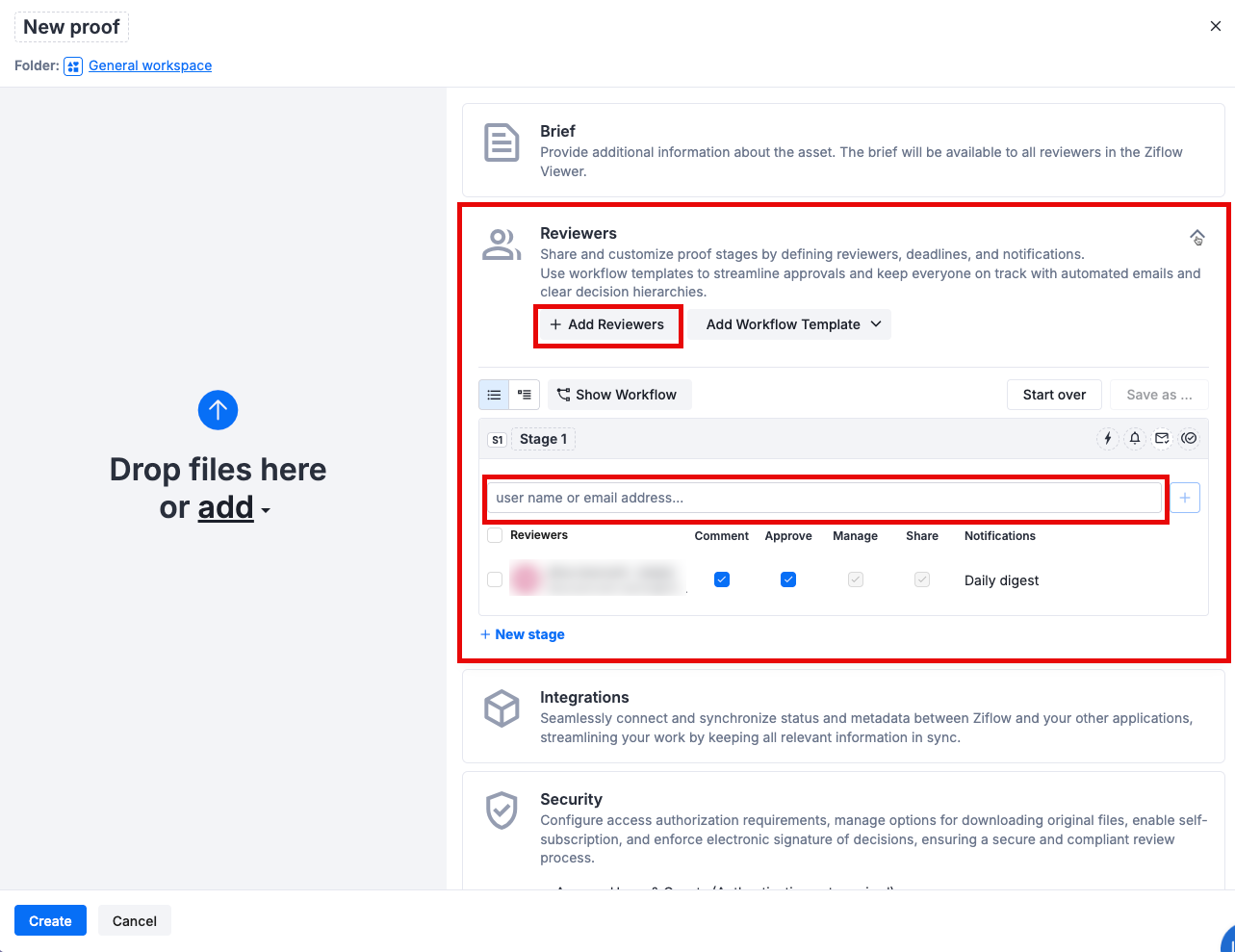
Free includes one stage and 60-day review access. Standard includes two stages, Pro three, and Enterprise unlimited stages. Pro also adds minor versions for internal revisions. Don't confuse those internal version labels with approval of a new client-facing export.
Guest authentication is another purchase condition. The reviewed security guide places authenticated access for both users and guests on Enterprise. Original-file downloading is a separate proof setting. Ask the vendor to demonstrate the intended guest experience with those controls applied.
There is also a material contract question for footage showing people. Ziflow's public data processing addendum excludes personal data within uploaded Customer Content from its defined Protected Data. Have your privacy owner confirm coverage for identifiable footage before uploading it.
Proof reports and PDF comments support handoff. Check what the client needs to retain before ending the subscription: paid review access and the audit-history allowance are separate plan terms.
A Video Review Checklist for a Product Ad
Use one permitted sample ad to check the actual plan and guest experience before committing. The Venn correction provides a repeatable purchase exercise without requiring a full campaign upload.
| Check | What the team should verify |
|---|---|
| Locate the issue | A guest can identify the end-card wording and the spoken line without guessing the moment. |
| Compare versions | The producer and client can each see the comparison they need; confirm their permissions separately. |
| Check captions | The revised caption file or burned-in text matches the new narration and timing. |
| Separate decisions | Product approval and client approval remain identifiable on the correct cut. |
| Protect access | Downloads, earlier versions and forwarded-link access behave as intended. |
| Preserve delivery | The accepted export and relevant comments or decision reports can be retained outside the account. |
Ask the client to reopen the link after the version changes. Their original approval should remain traceable to the earlier cut, while the replacement receives the checks affected by its changes.
If production happens in Pexo, consolidate the agreed notes into a clear revision request. For Venn: replace “charger included” across narration, captions and end card while preserving the demonstration. Review the resulting preview, then return the identified cut to the team's approval process.

Check Pexo's upload and use terms before sending client material onward. Pexo provides video production and conversational changes; the team maintains approval routing and release records separately.
Which Tool Fits a Small Team or Agency?
Choose around the approval your team needs to obtain. Team size alone won't tell you whether a second stage or authenticated guest access is necessary.
| Situation | Shortlist | Purchase condition |
|---|---|---|
| Editor and one client | Frame.io, Wipster | Precise notes, accessible versions and a clear final decision |
| Internal feedback must stay private | Frame.io Team, Wipster Team | Verify what the external reviewer can see |
| Product and client groups review separately | Filestage | Enough groups, required comparison mode and retained decisions |
| Several departments approve in sequence or parallel | Ziflow | Enough stages, correct decision calculation and guest security |
Count people managing uploads separately from occasional reviewers. Then compare storage, annual commitment and the paid tier required for confidentiality. A lower entry price helps little if your launch needs an access restriction reserved for a higher tier.
Conclusion
Buy the plan that lets the right people inspect the changed ad and record the decision you need. For Venn, delivery waits until the cable claim agrees across picture, voice and captions, and the client has approved that corrected cut.