ChatGPT
 Perplexity
 Claude
 Gemini
 Grok
Grok


Can you still trust the bottle label after a soft product clip becomes sharp? That is the question I would put ahead of an export-resolution comparison. A cleaner image helps only if the cap, printed words, and action remain true to the item a customer will receive.
Using a fictional product scenario, this review examines Vmake’s documented features, pricing, terms, and privacy policies, checked on October 16, 2026.
What Product-Video Tasks Does Vmake AI Address?
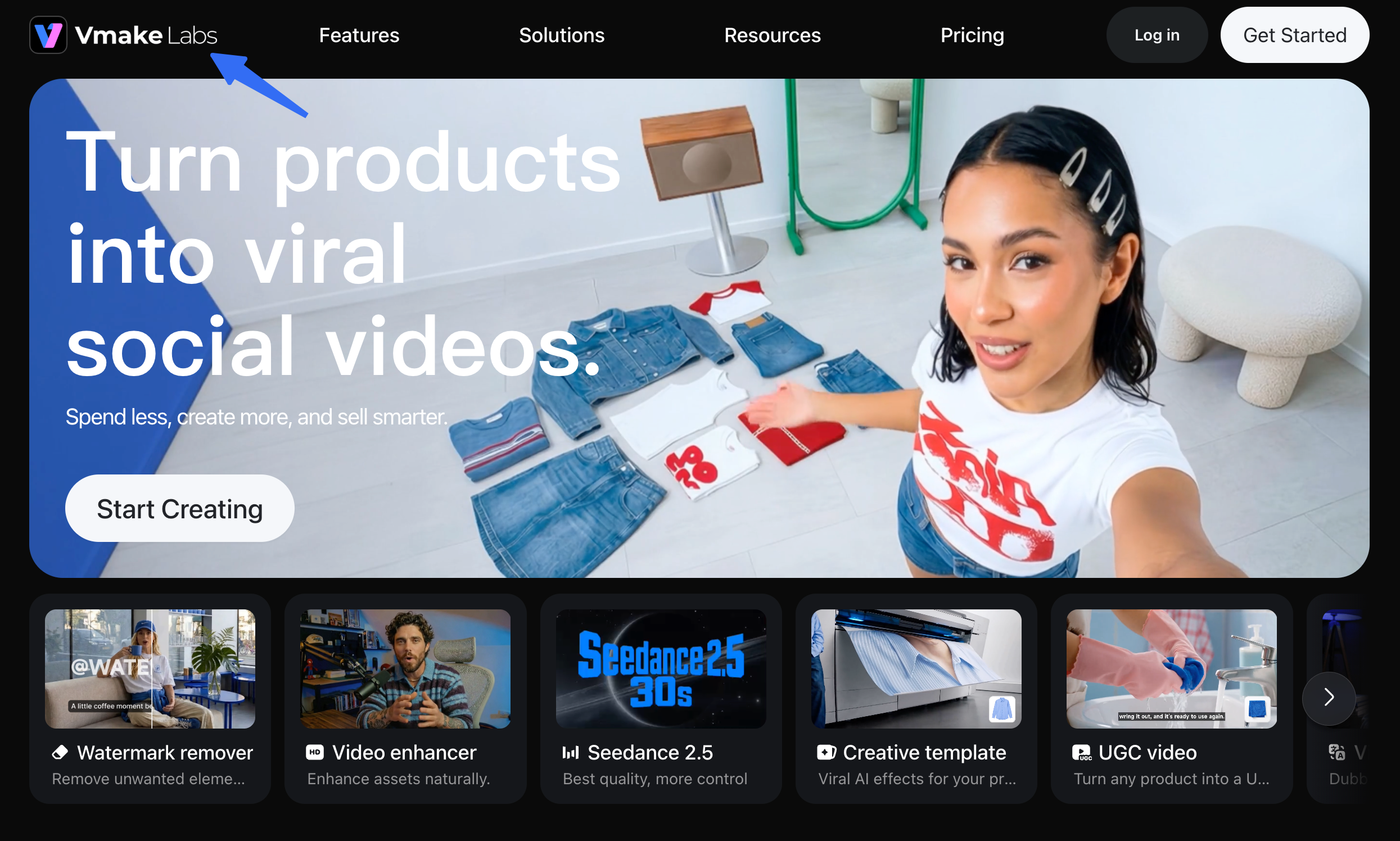
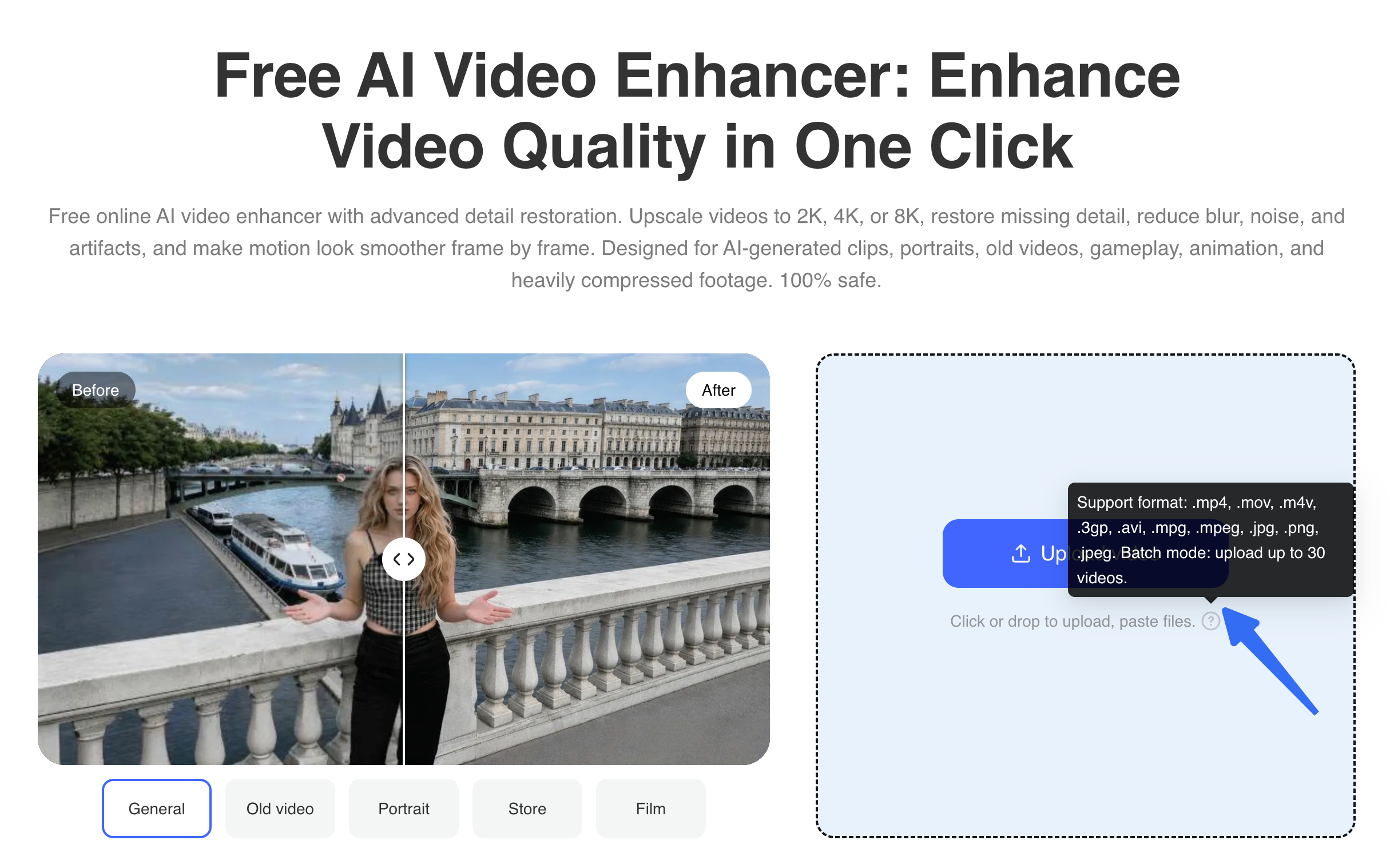
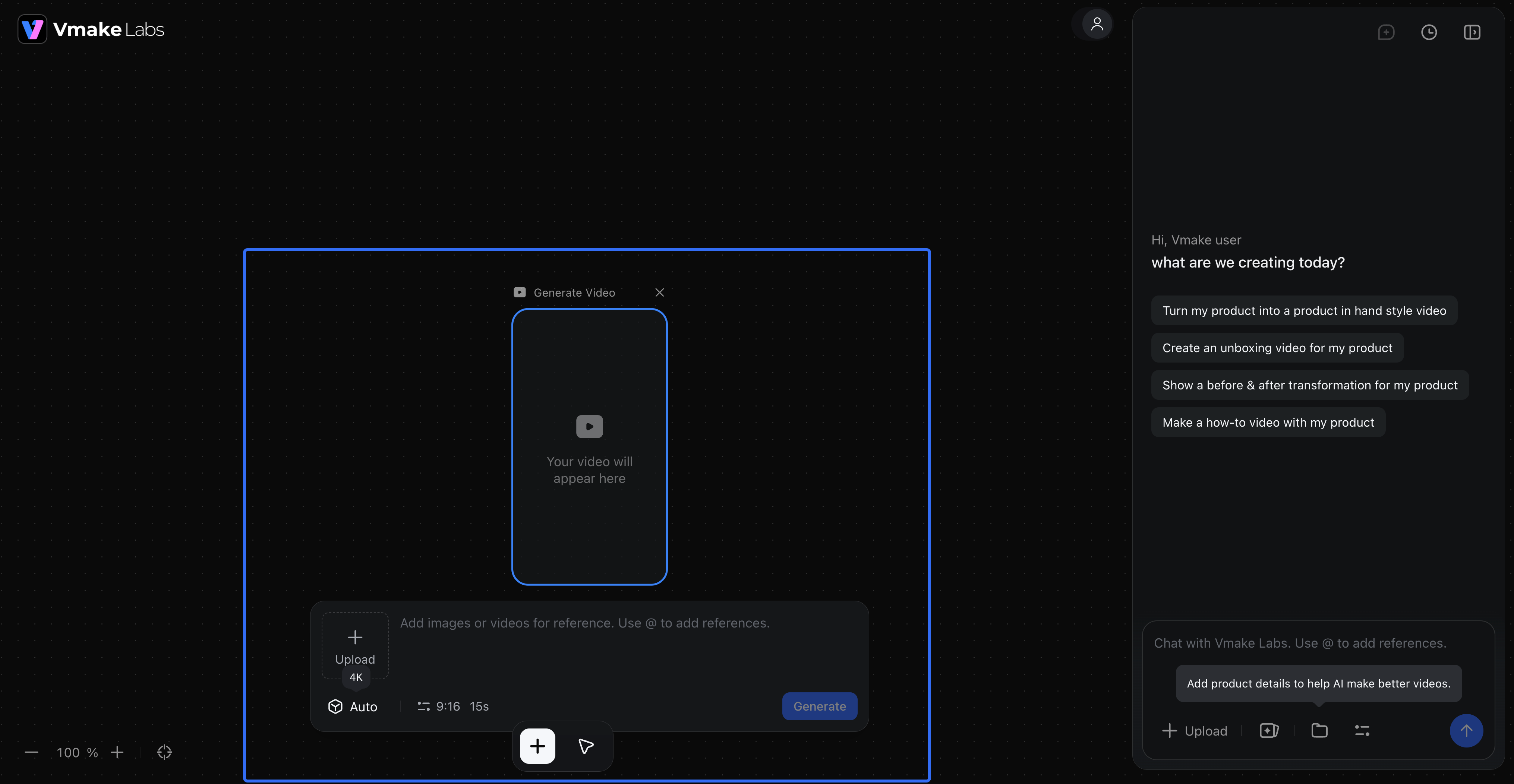
Vmake AI can help a team clean up and reuse existing product footage, while its broader Vmake Labs site also offers video generation and UGC-style product showcases. The video enhancer takes uploaded footage, offers automatic or selected enhancement models, then lets the user check and download a result. Its published aims include reducing blur, noise, and compression artifacts and improving fine detail. The same site lists background removal, upscaling, captions, and other tools; these are separate tasks with their own plan conditions.
Imagine an approved clip of a fictional Rill bottle. A hand flips its hinged cap open, and the camera turns toward a small printed Rill mark. The action works for an ad; the mark looks muddy on a phone. Enhancing this clip differs from inventing a new opener, voice line, or offer.
Vmake also advertises Product Showcase and other UGC generation paths from an image or product URL. Those make new video; they cannot establish how faithfully enhancement preserves an existing shot.
What Source Footage Does the Workflow Need?
The workflow needs a source clip that already contains the product fact the team intends to show. If the cap action is hidden, enhancement cannot establish how it opens. Higher resolution cannot recover an authentic label that was never legible. Vmake lists common upload formats including MP4 and MOV on its enhancer page, but actual limits and output choices should be checked in the selected tool and plan.
Keep Rill's original clip, an approved close photo, and the product page beside the preview. If the ad claims “opens with one hand,” an obscured or jump-cut opening is weak evidence before and after enhancement.
Before uploading, sort the source material:
| Source condition | What enhancement may help | Better next move |
|---|---|---|
| Mild softness around the bottle mark | Test whether the mark becomes readable without changing its letters | Compare each frame with the approved package photo |
| Low-light grain over a visible cap action | Test cleanup while watching the hinge and fingers in motion | Keep the original if smoothing hides the mechanism |
| Cap action outside the frame | Nothing in the source proves the action | Film the opening again |
| Old label or discontinued color | Sharpening may make the error more obvious | Replace the footage before processing |
This sorting avoids polishing a clip that cannot support the current story.
Review Product Detail and Visual Changes
Review an enhanced clip against the original, the current product, and the intended ad crop. Vmake describes product-oriented enhancement for labels, graphics, and small surface details. It also describes generative detail reconstruction. That combination is why sharper cannot automatically mean more accurate: the system may create plausible texture where the recording lacked information. Whether it does so on Rill's footage is a question for the actual trial, not a conclusion from a marketing example.
Compare each letter of the mark, its position, and its distance to the hinge. A readable but misspelled mark fails. Watch the opening at normal speed, then freeze the thumbnail frame and the cap-opening frame. A clean still can hide a moving error; a smooth sequence can still change the printed mark.
Compare color with the approved SKU image, then view the intended crop on a phone. A brighter bottle may look appealing while misrepresenting the item on the landing page.
Also check the downloaded file's sound, timing, and sync. An export that looks better while losing a spoken line is not ready to hand off. Save original and enhanced files under distinct names.
Where Enhancement Ends and Story Production Begins
Enhancement ends when the existing shot is clear enough to use—or when its missing information calls for a reshoot. It does not decide what the viewer should understand first. Rill's flip-cap shot might be usable, yet a complete ad still needs an opening, a supported message, and a next action. A clean source clip is an ingredient, not an approved campaign story.
Vmake's wider site offers AI video generation from text, images, or video. Evaluate that path separately for new scenes. The buyer then checks generated product shape, words, audio, and scene order, rather than comparing an enhanced clip with its original.
Pexo, the publisher of this guide, is a different route for a team that wants to direct a complete video. Its start guide describes beginning with a website, assets, or a script and storyboard; its revision guide covers conversational and marked-frame feedback on a cut. That may fit a team deciding how Rill's cap demonstration should lead into a product page CTA. It does not make Vmake's enhancement unnecessary, and Pexo's public guidance does not prove it will repair the same soft source shot better. Judge those as separate jobs, with separate input and credit checks.
Strengths, Limits, and Best-Fit Teams
Vmake's clearest fit is a library of basically correct product clips needing cleanup. Its enhancer offers upload, automatic or selected model, preview, and download. Its product-focused mode and batch option may suit repeated social assets; neither proves fidelity or time saved.
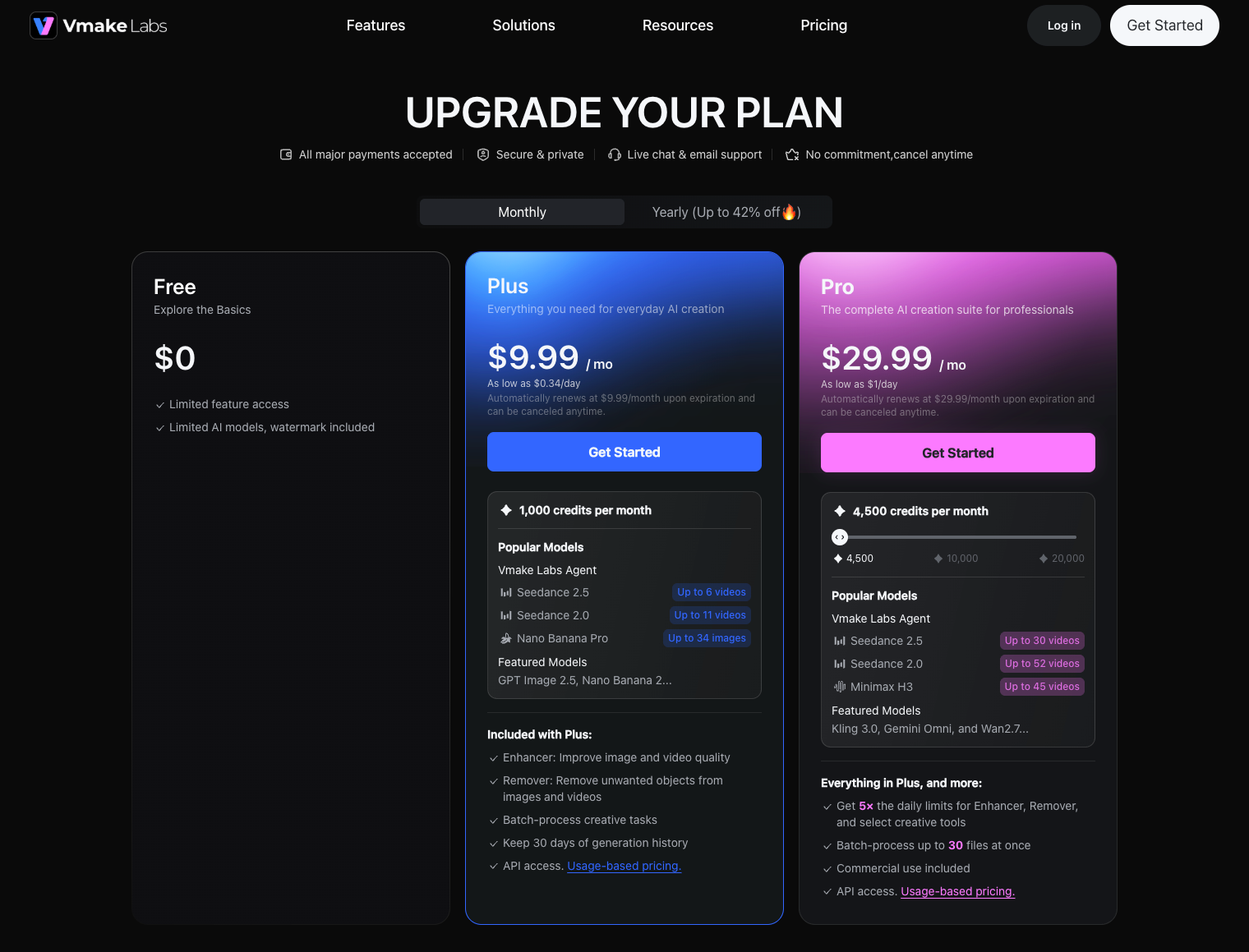
The principal limit is source truth. If the product mark is illegible in the original, any reconstructed letters require inspection; if the hinge is absent, no enhancement can film it. Budget the relevant tool, not an undifferentiated “Vmake credit.” The current pricing table separates enhancement allowances, agent credits, and export limits for editing and generation. It lists different commercial-use conditions by plan. The page cannot predict Rill's cost per accepted clip.
I would shortlist Vmake for footage cleanup when the original tells the right story and an owner can inspect each frame. A weak brief, outdated SKU, or missing proof action calls for other work. For new storytelling, evaluate its generation path or a complete-video workflow separately.
A Source-Footage Trial Before Buying
Use a representative clip that shows both the mark and cap action. Save an untouched copy. Record the Vmake tool, mode, plan, output setting, and allowance before processing. The enhancer page presents 2K, 4K, and 8K choices, while the plan table sets tool-specific conditions. Confirm what the account actually offers.
Inspect the preview and exported file against these acceptance questions:
| Check | Pass condition | If it fails |
|---|---|---|
| Mark and packaging | Letters, placement, cap shape, and bottle color match approved product references | Reject or use another source; do not redraw a claim into the footage |
| Motion | Hinge and fingers remain coherent during the opening | Try another mode or use the original; reshoot if the action was poorly captured |
| Ad crop | The mark and cap are still visible on the target phone placement | Choose a different crop or source shot |
| Sound and file | Audio, duration, and format meet the handoff brief | Check export settings and inspect the full downloaded file |
| Effort | The accepted result justifies processing and review time | Keep the original, reshoot, or choose another production route |
Judge the export, not only the preview. Record both improvements and new errors after any retry. Then decide whether daily limits, export choices, and review load fit the team's repeat schedule.
If the source passes but the campaign still lacks a coherent sequence, bring the approved clips and message to Pexo to plan and review a complete video. Keep the same product-reference check when those clips enter the finished cut.