 ChatGPT
 Perplexity
 Claude
 Gemini
 Grok




You generate a product ad in CapCut, then hit a watermark, a Pro-only model, or an empty credit balance. The video exists, but it may not be ready to use. Free to generate isn't the same as free to deliver. This guide compares CapCut's free access, credits, trials, and export limits to help you decide when free is enough and when it's time to pay.
Take Tern & Loom, an invented home-goods brand testing a 15-second ad for a collapsible laundry basket. The team needs one draft today and three variations next week. Can CapCut's free workflow handle both?
What Does CapCut's Free AI Video Access Include?
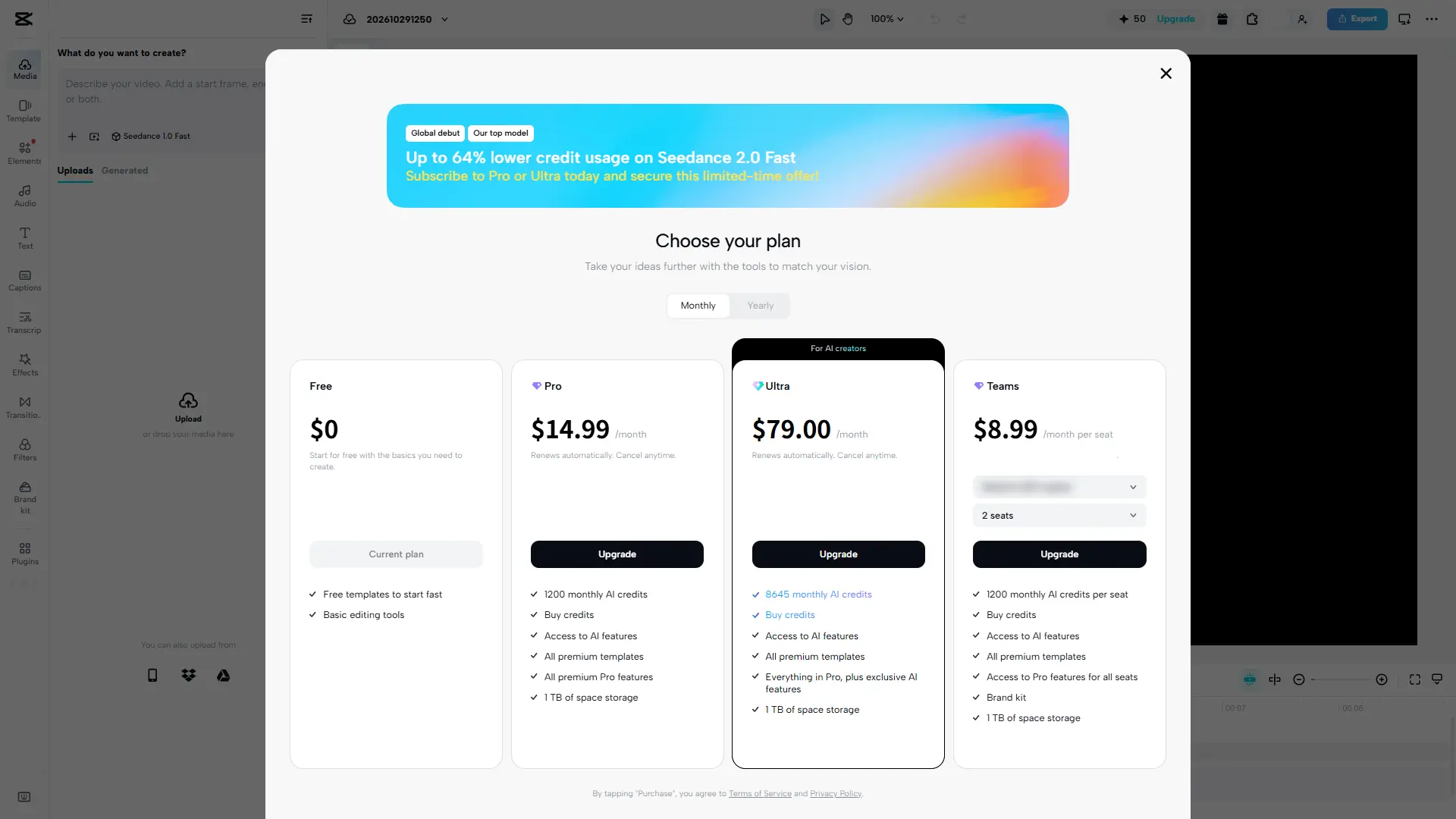
CapCut’s current free AI pages describe a free-to-start workflow with basic editing, free templates, and AI video entry points. The CapCut free AI video guide also separates the Free plan, a short trial path, and daily credits. Those labels describe different ways to reach the same tool.
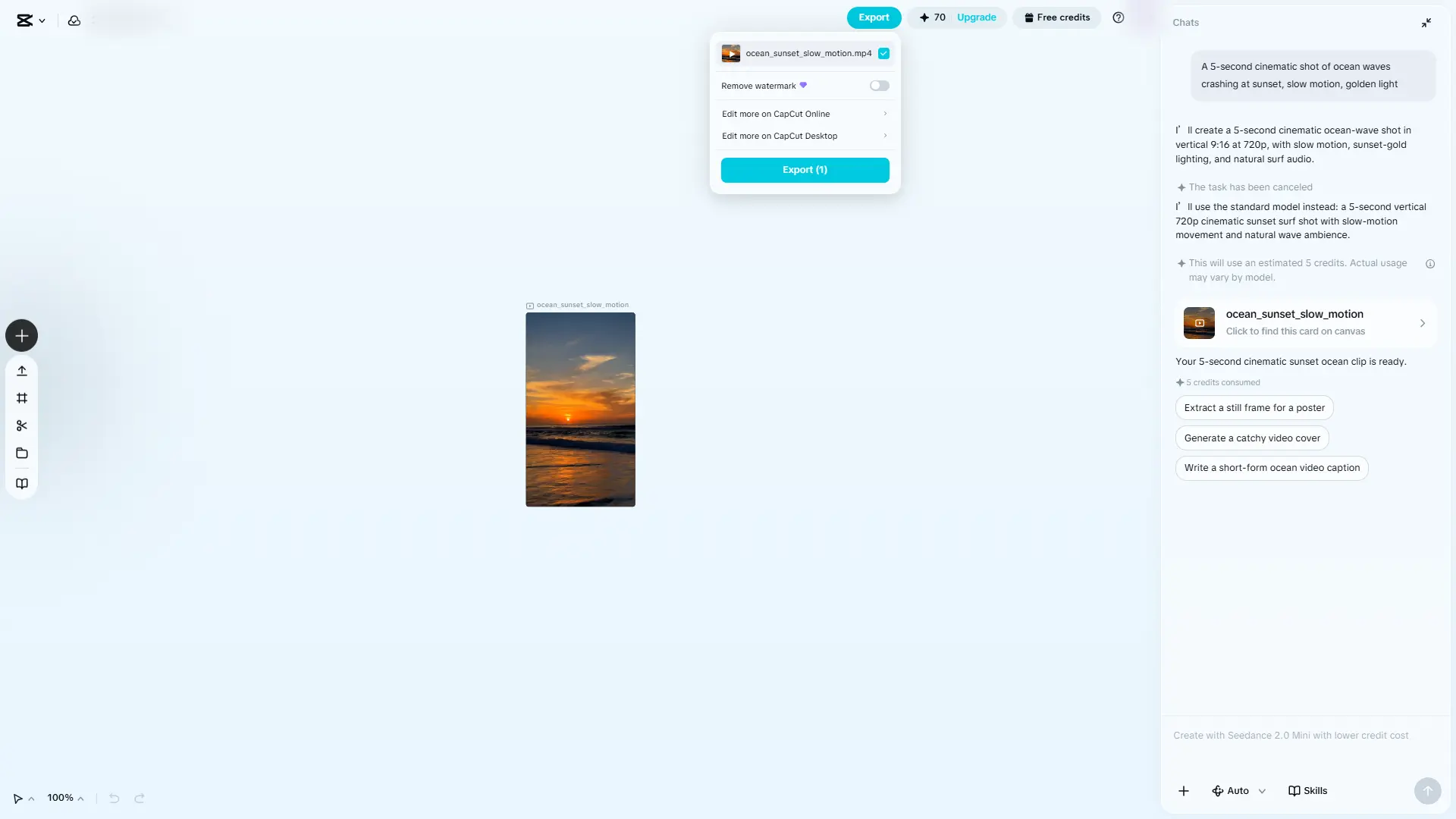
A free account may let a team open the AI video maker, create a short draft, edit captions and media, and export within the account’s current rules. Access depends on the account, region, device, app version, and selected feature. A draft that cannot be downloaded, contains a watermark, or uses a premium asset is an internal concept, not a finished ad deliverable.
How Do Free Plan, Trial, and Credits Differ?
The Free plan is the account tier. A trial temporarily unlocks paid features. Credits are usage units for specific AI actions, and subscription, purchased, or promotional credits may follow different expiry rules.
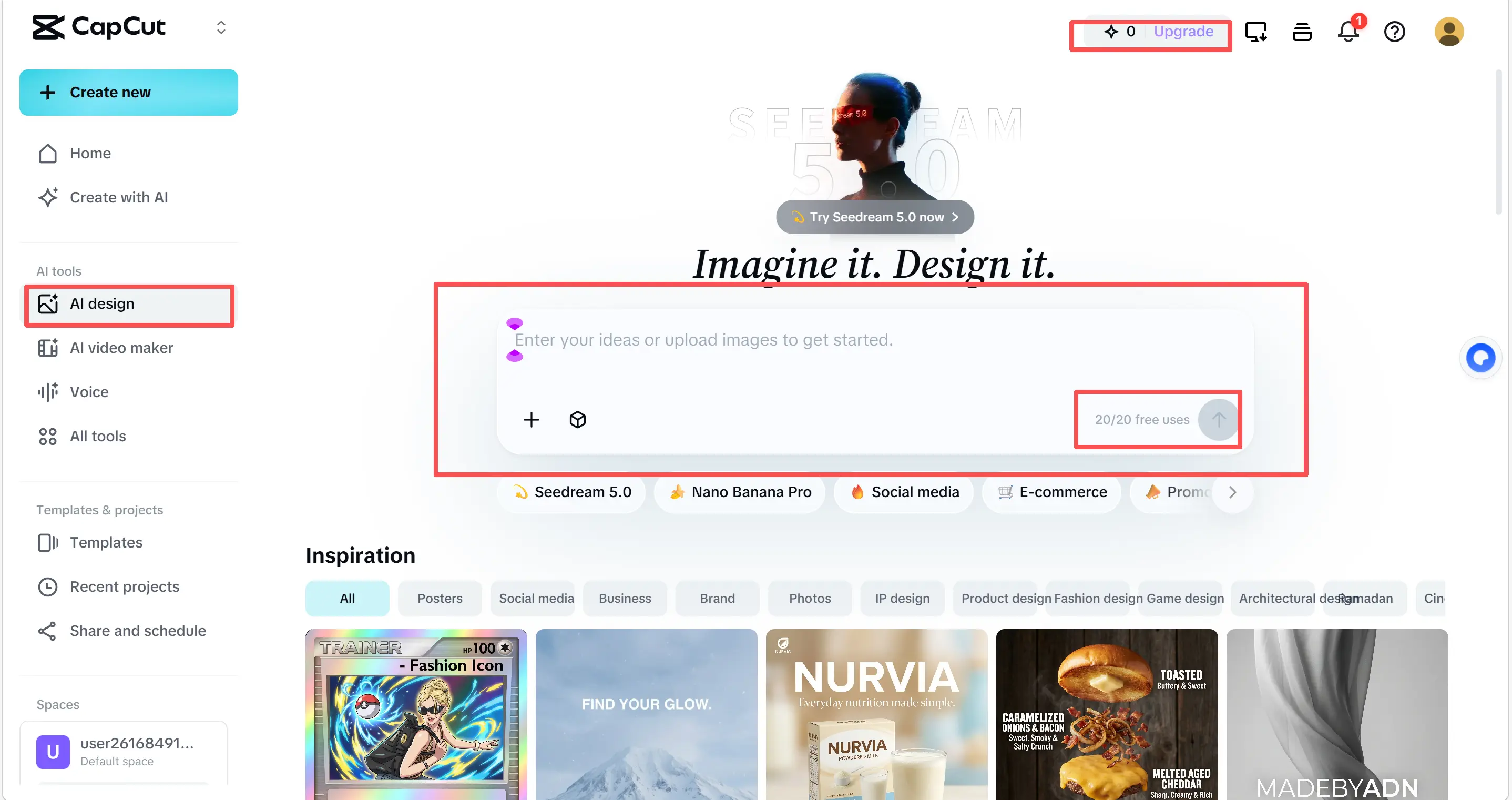
CapCut’s help documentation shows that credit behavior can vary by surface. Web displays credit information before a credit-consuming action. Desktop may show a confirmation without the same balance detail. On mobile, credit-consuming AI actions check the available balance and deduct credits when processed; the app does not show a detailed breakdown. Check the account’s own credit panel before planning a batch.
The CapCut credits help page explains that credits can apply to features such as AI image generation, script-to-video, smart cutout, and premium voiceovers. That list is more useful than a single “AI video cost” because one product ad may trigger several separate AI actions.
Before generating, record the region, platform, feature, credit type, displayed cost, trial end date, plan requirement, and whether the action can be repeated.
If the web page shows one credit rule and the mobile app shows another, use the surface that performs the action as the source for that run. A balance seen in one place is not a universal CapCut allowance.
Which Export Limits Affect a Product Ad?
A product ad needs more than a preview. Check resolution, frame rate, aspect ratio, watermark, premium assets, and project handoff.
For the fictional campaign, Tern & Loom, an invented home-goods brand, wants a 15-second vertical ad for a collapsible laundry basket. The team has an approved product photo, a logo, two product claims, and a short voiceover. It wants one draft today and three variations next week.
The free-path export questions are:
-
Can the selected AI feature generate the required duration?
-
Does the account show a watermark on the downloaded file?
-
Is the output resolution sufficient for the intended placement?
-
Does the project contain Pro-only music, fonts, effects, or templates?
-
Can the team replace the generated shot with the approved product photo?
-
Can the file be reopened on the web or desktop surface used by the editor?
-
Does the music and generated content have the rights needed for paid advertising?
A clean export can still contain a changed product shape, altered claim, or premium end element. Review the full file on the target device.
Export options and AI access can differ by account and platform. Save the export settings with the approved version.
A Small Campaign Credit Worksheet
Use assumptions instead of treating one account’s balance as a market-wide price.
| Tern & Loom task | Planned attempts | Assumed credit cost | Working total |
|---|---|---|---|
| Product-motion opening | 2 | Account display | 2 × displayed cost |
| Generated replacement shot | 2 | Account display | 2 × displayed cost |
| Caption or script AI action | 3 | Account display | 3 × displayed cost |
| Voice or premium audio action | 1 | Account display | 1 × displayed cost |
| Final variation rerender | 3 | Account display | 3 × displayed cost |
Record actual values after each confirmation. Keep failed, discarded, and accepted attempts separate.
Also record Pro or trial status, paid assets, storage, export upgrades, reviewer access, and any rebuilding time.
This turns “free” into a production estimate. The team can decide whether to spend credits on more motion tests or move the approved brief to another production route. If that route needs a broader production brief, the Pexo AI video agent gives the team a separate starting point to review.

When Does a Paid Plan Become Necessary?
A paid plan becomes relevant when the campaign depends on a feature that the Free path does not consistently provide. Typical triggers include repeated AI generations, a model marked Pro-only, a clean export that depends on Pro-only assets or settings, premium templates or music, larger storage, or a weekly publishing schedule.A watermark-free export may also be possible on the Free path when using standard editing and free assets.
For Tern & Loom, upgrading may make sense when:
-
the first draft is approved but three new hooks are needed
-
the ad must export at the required resolution
-
the team needs a shared workspace or additional storage
-
a premium asset is part of the approved design
-
the free trial ends before the second variation is ready
-
the displayed credit balance cannot cover planned rerenders
A subscription may unlock the feature while credits pay for generation. Confirm both before comparing costs.
Pexo can be considered when the team already has approved product images, direction, and claims and wants a complete video produced from that context. The Pexo's AI Video Agent supports a broader production brief, while the product-ad workflow starts from approved product material. Pexo does not provide a fixed free CapCut credit balance or represent a free-equivalent CapCut plan. The Pexo blog is useful when the team needs to compare adjacent production questions before choosing a route.

What Should a Brand Check Before Publishing?
Review the product, claims, captions, music, logo, CTA, export, and placement against the approved brief. Keep the account platform, plan state, displayed charge, export settings, version approval, and commercial-use conditions.
A product photo must be authorized for upload and advertising. A creator’s face, customer footage, brand logo, and licensed music each carry their own usage conditions. CapCut’s output terms do not replace the rights attached to the input image or audio. For visual references before a new brief, the Pexo video gallery shows different product-ad and explainer treatments.
Conclusion
CapCut can be free to start without being an unlimited production plan. The Free account, trial period, AI credits, premium assets, watermark rules, and export settings each affect whether a product ad is ready to deliver.
Test one complete campaign task, record the displayed credit charge, inspect the downloaded file, and price the rerenders before choosing a paid plan. This article does not provide legal advice.