
 ChatGPT
 Perplexity
 Claude
 Gemini
 Grok



The client clicks the video. Nothing plays. The editor asks for the original master, while the ad platform rejects the version that worked in review. One video, three handoffs. I'd choose the format for the next person in the chain, not just the extension on the filename.
This guide separates an editing master, a review copy, and a distribution export, then explains which containers, codecs, and settings each one needs.
What Is the Difference Between a Container and a Codec?
A container is the file wrapper. It usually determines the extension, such as .mp4, .mov, or .webm, and can hold video, audio, captions, metadata, and other tracks.
A codec compresses and decompresses the media inside that wrapper. H.264, HEVC/H.265, ProRes, VP9, and AV1 are codecs. AAC and Opus are common audio codecs.
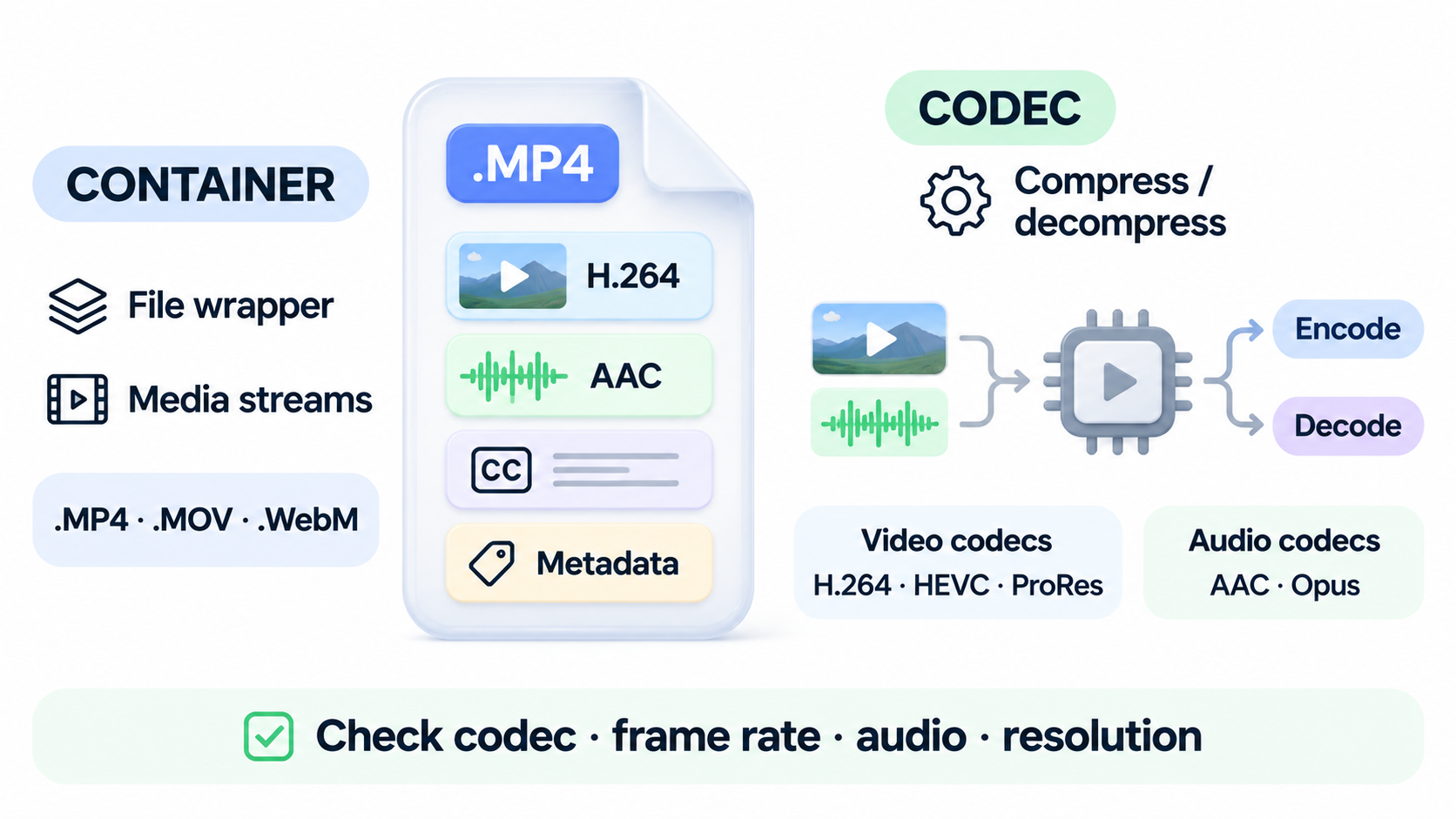
The extension does not tell you which codecs sit inside the file. The MDN container and codec guide explains the difference.
Ask which codec, frame rate, audio format, and resolution the recipient needs.
Which Format Fits an Editing Master?
An editing master should preserve enough image and audio information for another correction, crop, grade, caption pass, or version. It does not need to be the smallest file.
For the fictional product video, the master might be:
-
Container: MOV or MP4, depending on the editing system
-
Video codec: ProRes for an edit-friendly master, or the camera’s original codec when the editor wants the untouched source
-
Resolution: the recorded or approved delivery resolution
-
Frame rate: the source frame rate unless the project brief specifies a conversion
-
Audio: separate production audio or a high-quality PCM track where available
-
Captions: separate caption file or editable text inside the project
MOV commonly holds ProRes editing masters. H.264 MP4 is usually a delivery file rather than a long-term editing master.
Keep the original camera files beside the master, along with the project file, graphics, fonts, audio stems, and caption file.
Renaming .mov to .mp4 does not convert the media. Use a real export or transcode when the recipient needs a different format.
Which Format Fits a Review Link or Client Download?
A review copy should open easily, upload quickly, and remain clear enough for feedback on product details, captions, timing, and audio. It usually does not need the size or data rate of the editing master.
A practical review copy is often:
-
Container: MP4
-
Video codec: H.264
-
Audio codec: AAC
-
Resolution: the intended delivery size or a review-sized version
-
Frame rate: the project frame rate
-
Captions: burned in if the reviewer must check their appearance, plus a separate caption file when text edits remain possible
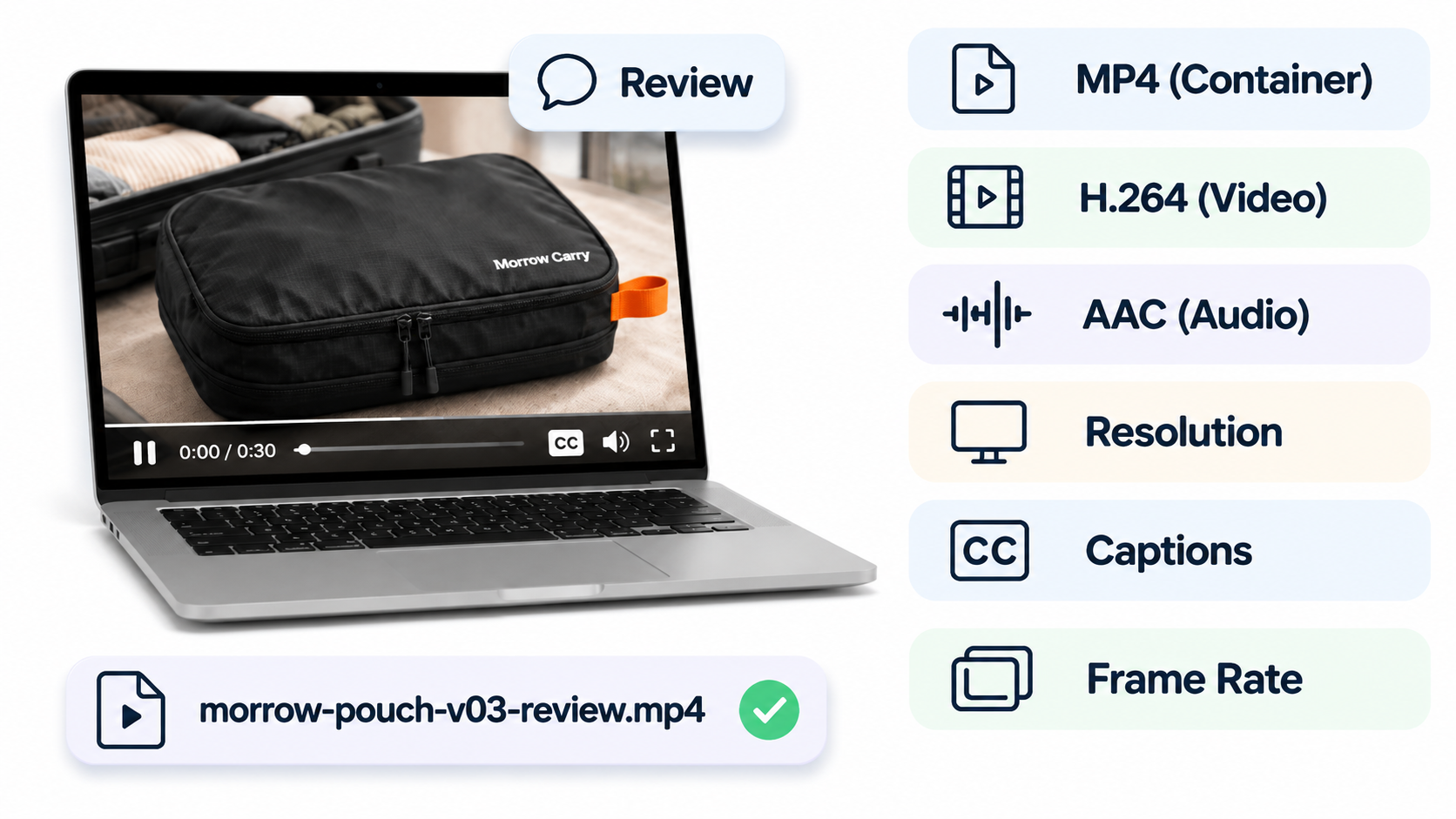
H.264 in an MP4 container is a common compatibility choice for browser playback and client downloads. Keep the review copy visibly labeled with its version, such as morrow-pouch-v03-review.mp4. A reviewer should know which file they are commenting on without opening the project.
If the review platform re-encodes uploads, inspect the hosted version for labels, captions, audio, and first and last frames.
Compare MP4, MOV, WebM, and Common Codecs
| Format or codec | Typical role | Strength | Common issue |
|---|---|---|---|
| MP4 with H.264 and AAC | Review and broad delivery | Plays on many devices and services | Less suitable for repeated heavy editing |
| MP4 with HEVC/H.265 | Smaller high-quality delivery | Efficient file size | Some Windows systems and older software need extra support |
| MOV with ProRes | Editing master | Easier for many post-production workflows | Large files and slower transfers |
| MOV with HEVC | Camera or Apple workflow | Preserves an efficient source file | Compatibility varies by receiving system |
| WebM with VP9 or AV1 and Opus | Browser and web playback | Open web-oriented format | Some editing tools and delivery portals do not accept it |
| ProRes with PCM audio | High-quality master | Holds up through multiple finishing steps | Requires substantial storage |
Choose the format for the next person or platform. Browsers favor broadly supported compressed files, while editors may prefer larger intraframe masters.
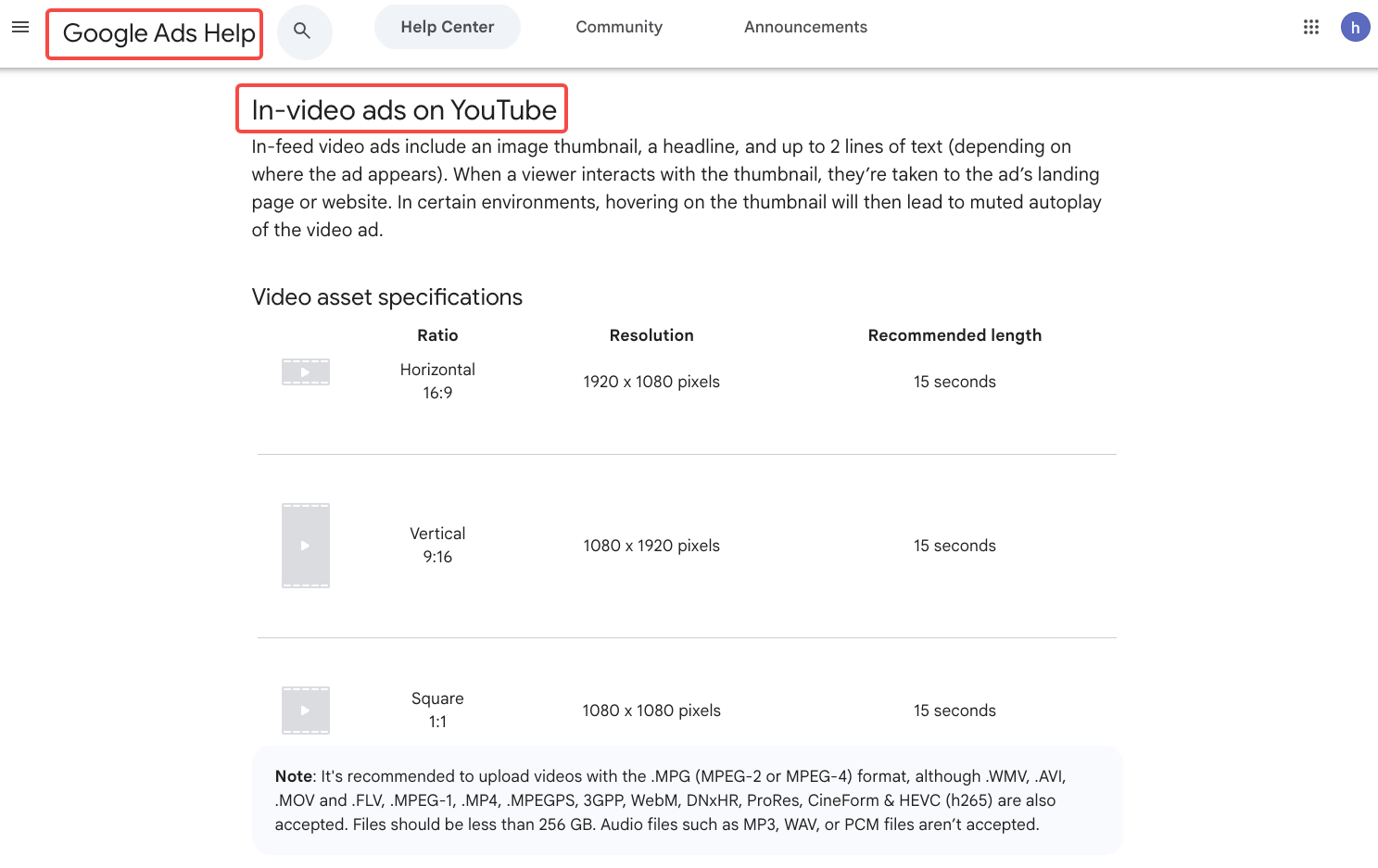
For distribution, use the destination’s current specification. Google Ads publishes format and technical requirements for video ads, and those requirements vary by campaign type and placement. The Google Ads video specification page should be treated as the source for the final upload decision.
A Delivery Worksheet for One Product Video
Use three rows for the same asset instead of one vague “final file” label.
| File role | Container | Video codec | Audio | Resolution and frame rate | Recipient |
|---|---|---|---|---|---|
| Editing master | MOV | ProRes 422 or approved source codec | PCM or production mix | Project resolution and source frame rate | Editor and archive |
| Review copy | MP4 | H.264 | AAC | Review or delivery resolution and project frame rate<br> | Client and reviewers |
| Distribution export | MP4 or platform-specific format | H.264, HEVC, or destination requirement | AAC or destination requirement | Placement-specific settings | Ad, social, web, or marketplace platform |
Add the filename, version, language, caption status, HDR or SDR status, and storage location.
What Should Be Checked Before Sending the File?
Open the file, then verify:
-
the file extension matches the actual export
-
the video plays from start to finish
-
audio is present on the receiving device
-
captions stay within safe areas
-
the file has the correct version and language
-
no review watermark remains on the distribution export
-
the destination accepts the codec and dimensions
-
the upload has finished before the local file is archived
For HDR footage, confirm that the reviewer and destination expect HDR.
Conclusion
Use the editing master to preserve quality and flexibility, the review copy to make feedback easy, and the distribution export to meet the destination’s current requirements. MP4, MOV, and WebM describe containers. H.264, HEVC, ProRes, VP9, and AV1 describe codecs inside those containers.
Pexo can deliver approved video assets, but its supported export specifications should be confirmed for the specific project. The Pexo AI video agent workspace can support the production brief, while the product-ad workflow can use approved product material for a finished ad.

Name each file by role, version, language, and destination. That small record keeps the editor, reviewer, and publisher working from the same file.