ChatGPT
 Perplexity
 Claude
 Gemini
 Grok
Grok



Keep the original submission on screen long enough for the buyer to recognize it when it appears again in the history. That return is the point of this demo: someone can ask for a change and still see what came before.
For B2B video marketing, the buying stage helps you decide which detail deserves that attention. An evaluator checking a workflow needs to see the relevant product behavior. A security reviewer will need different evidence.
The example below uses Tallis, a fictional request-review product, to build one evaluation-stage demo brief and a fact-checking table.
Choose One Buyer Question for the Video
Choose a question that a visible product action can answer. For Tallis: “Can a reviewer request a change and still see the original submission?”
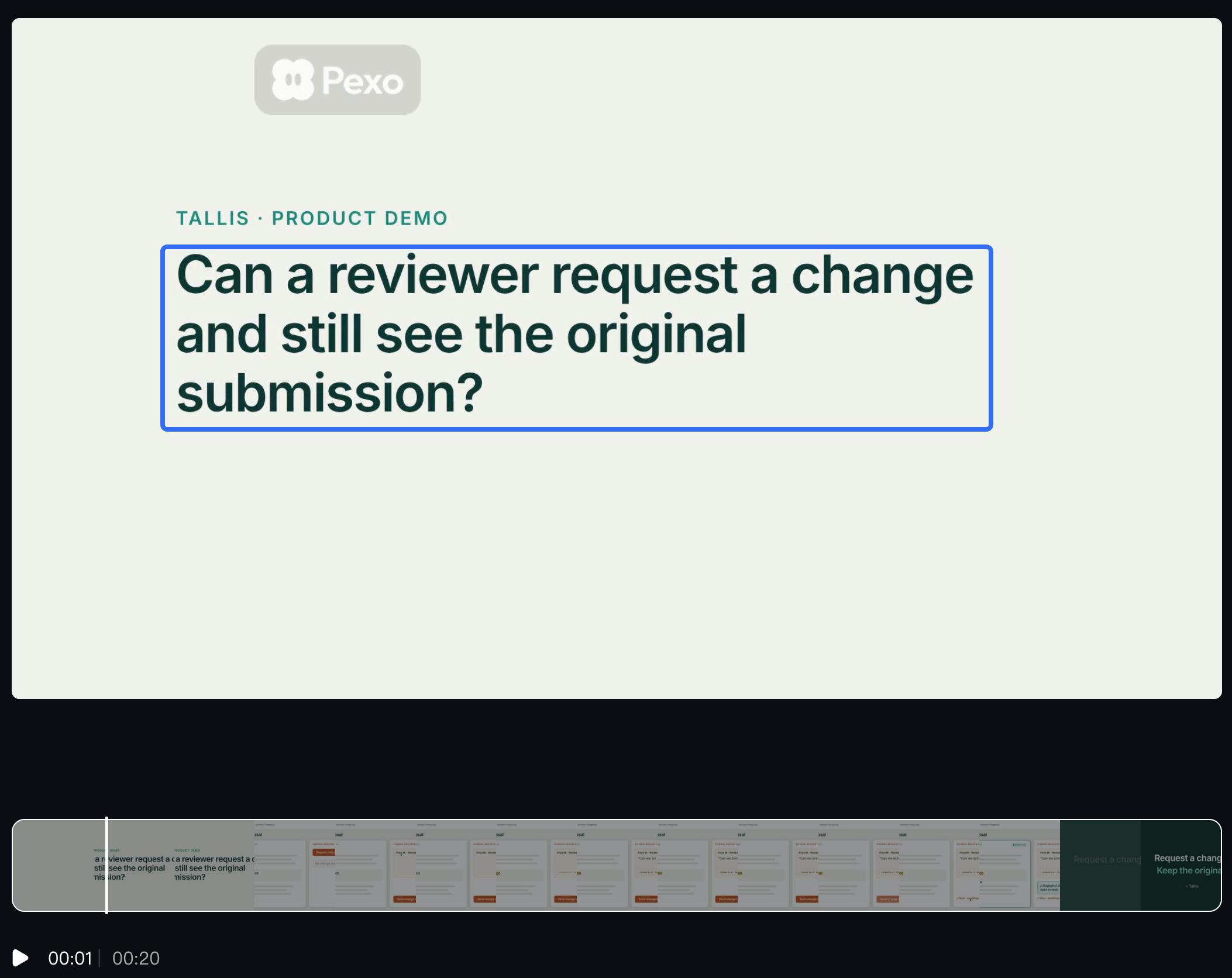
This is narrower than “How does Tallis improve collaboration?” It gives the producer something to show: the submitted request, the reviewer's change request, and the original record in the history. Every screen has a reason to stay in the cut.
In your own project, take the question from an approved sales note or product discussion. Remove identifying account details. Then ask the product owner to confirm which role, plan, and configuration can perform the action.
If the answer depends on an administrator enabling history, that condition belongs in the explanation. A demo made in an administrator account could otherwise suggest that every reviewer has the same access.
Map Product Proof to the Buying Stage
Use the stage to choose the depth of the answer. These three questions can concern the same feature while calling for different material:
| Buyer task | Question | Evidence worth showing |
|---|---|---|
| Understand the approach | How would reviews work here? | A short explanation of the submission and review process |
| Evaluate the workflow | Can a reviewer request a change and see the original? | Approved screens showing that exact action and record |
| Validate a requirement | Will this meet our retention requirements? | Verified retention settings, applicable documentation, and specialist review |
We'll stay with evaluation. Seeing an original entry in the history supports a claim about that demonstrated workflow. It cannot establish indefinite retention, tamper resistance, or regulatory compliance.
A buying stage video should follow the question the buyer is asking now. Several people in one account may need different answers; the account's CRM stage alone cannot choose the demo for them.
Build a Demo Brief From Approved Screens and Claims
Give the producer a brief that connects each spoken claim to its source screen. For this fictional exercise, assume the product owner has verified the behavior described below. Replace those assumptions with actual approvals before production.
| Brief field | Tallis example to adapt |
|---|---|
| Viewer and stage | Operations lead evaluating the review workflow |
| Buyer question | Can a reviewer request a change and still see the original submission? |
| Approved claim | “A reviewer can request a change and view the original submission in the request history.” Use only after verification. |
| Source set | A: submitted request; B: reviewer comment and resulting status; C: history showing the original. Record UI version, capture date, account role, and approval owner. |
| Exact screen text | Copy the real button, status, and history labels into the script. Do not invent shorter UI labels. |
| Opening | Identify the submitted request and the reviewer role. Keep the request title visible. |
| Action and return | Show the reviewer requesting a change, then opening the same request's history. If screenshots supply the sequence, label it as an illustrated walkthrough. |
| Spoken explanation | “The reviewer asks for a change. The original submission remains visible in this request's history.” Attach any verified access condition. |
| Outside this demo | Retention guarantees, compliance, integrations, and performance claims |
| Next step | Invite the evaluator to check the workflow with their own roles and settings in an agreed demo session. |
| Approval | Product owner verifies behavior; marketing checks the explanation; the person responsible for customer data clears the source material. |
Keep A, B, and C visibly connected through the same synthetic request title. A cut between unrelated requests could make the history look more capable than the source material establishes.
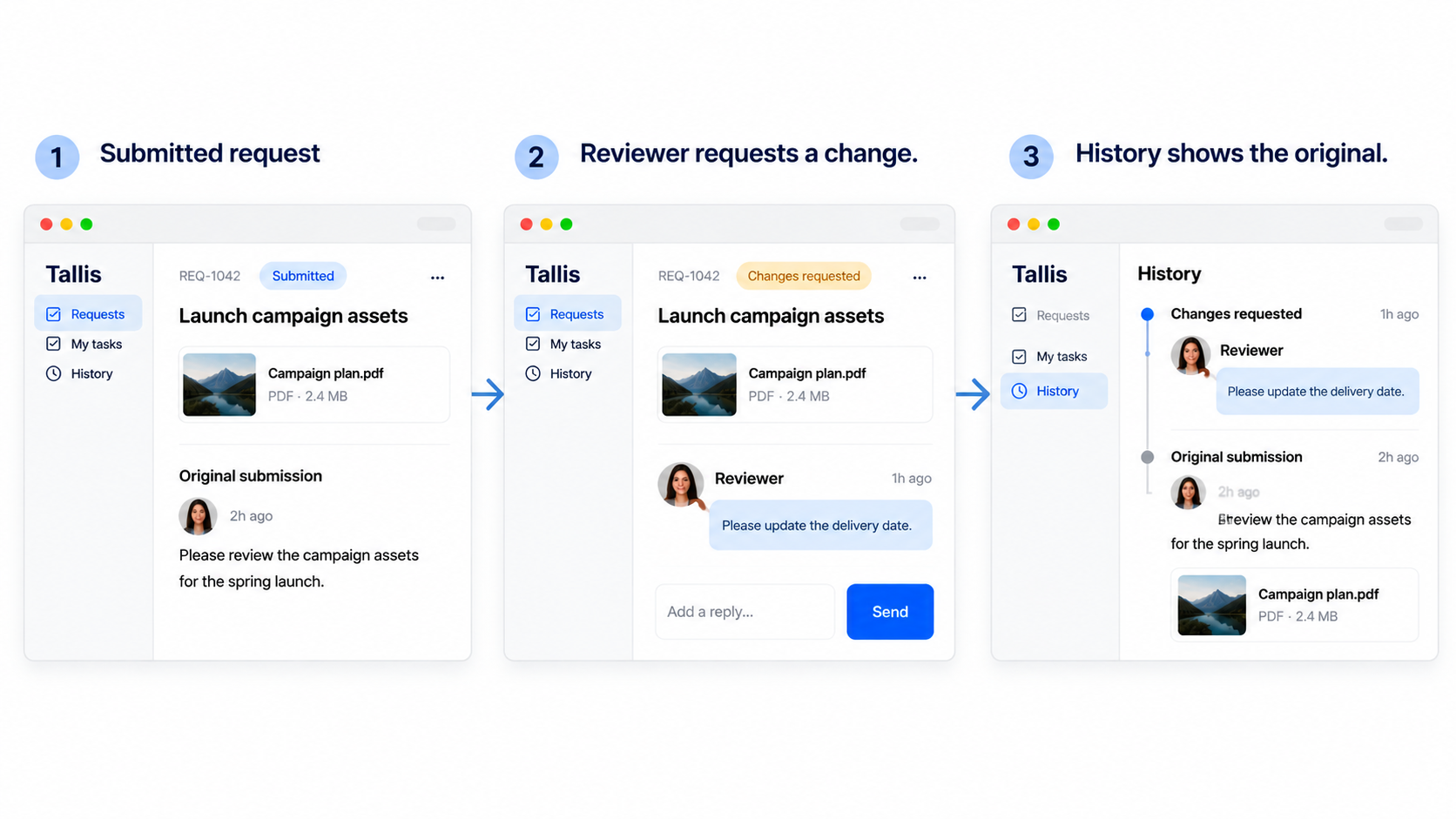
For Tallis, the production note can be simple: “Keep the reviewer's comment readable before opening the history. Show which original submission we're returning to.” If you use Pexo, share that note with the approved screens and script. Compare the preview with those sources, then describe any changes needed to make the sequence clear.
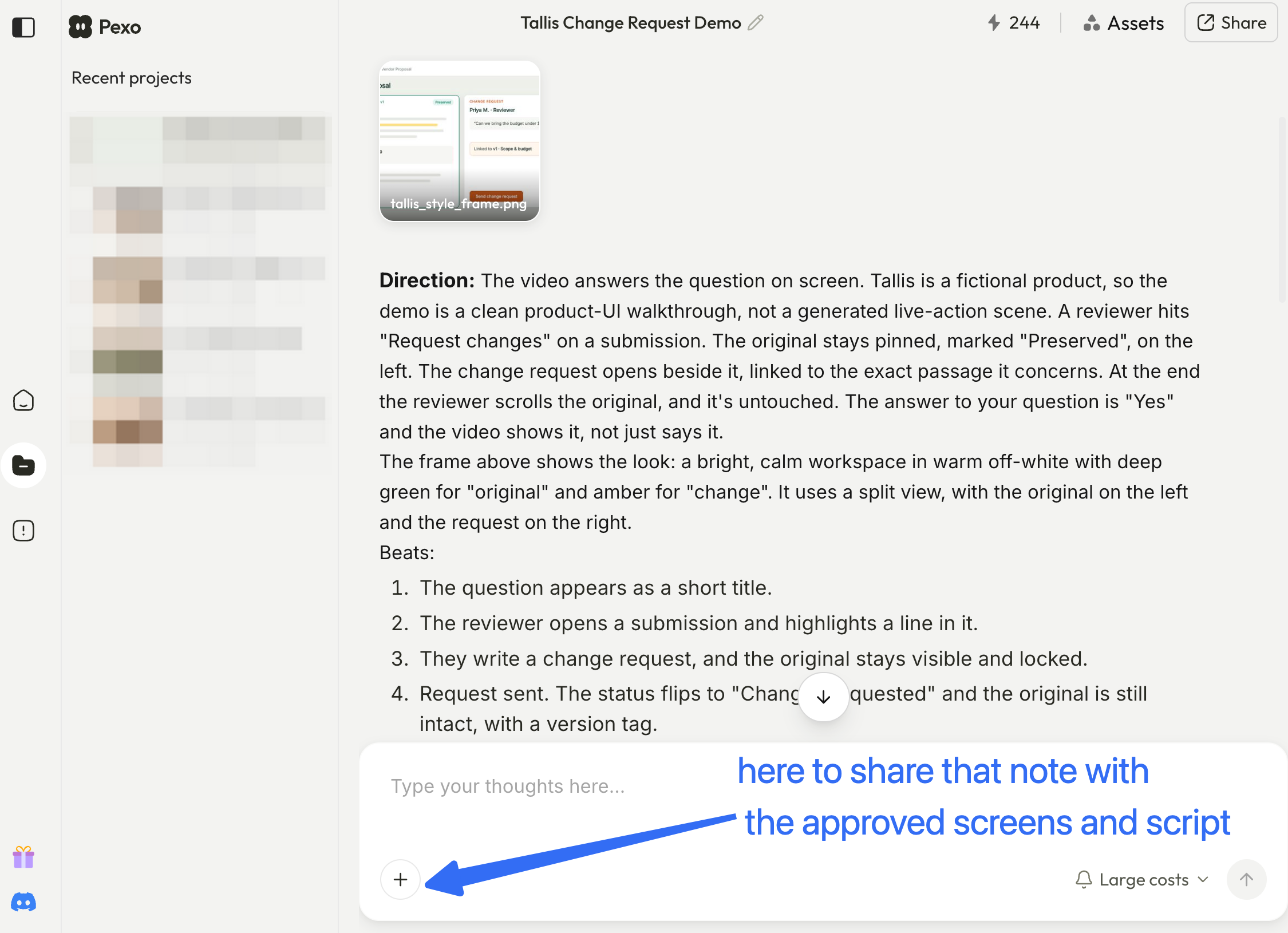
Use synthetic names and records, and clear the screens for upload and processing under your company's data rules. Before using the demo in marketing, check the applicable written-consent requirements in Pexo's current terms.
Review UI, Text, and Product Accuracy
Watch the preview beside the approved source captures. Start with whether the buyer can follow the same request through the sequence, then inspect the details that make the explanation true.
| Check | Compare against | Approval condition |
|---|---|---|
| Request identity | A, B, and C | The title and original content refer to the same synthetic request. |
| Role and access | Verified account setup | The displayed role can perform the shown actions; required settings are explained. |
| Labels and statuses | Exact-copy script and source UI | Buttons, comments, and status wording match, including captions and narration. |
| Action continuity | Approved recording or documented steps | No cut invents an automatic transition or hides a required manual action. |
| Claim scope | Product owner's approved wording | The history scene makes no unsupported retention or compliance promise. |
| Readability and data | Intended player size and cleared captures | The comment and history entry are readable; customer information and notifications are absent. |
UI and text may need more than one revision. If a generated shot redraws a button, invents a status, or changes the submission, replace it with an approved capture. A polished imitation of the interface cannot verify product behavior.
For a SaaS demo video, zoom toward the relevant control while keeping enough context to identify the request. Let the viewer read the change request before moving on. Narration should identify the original entry, so understanding the return does not depend entirely on seeing a small label.
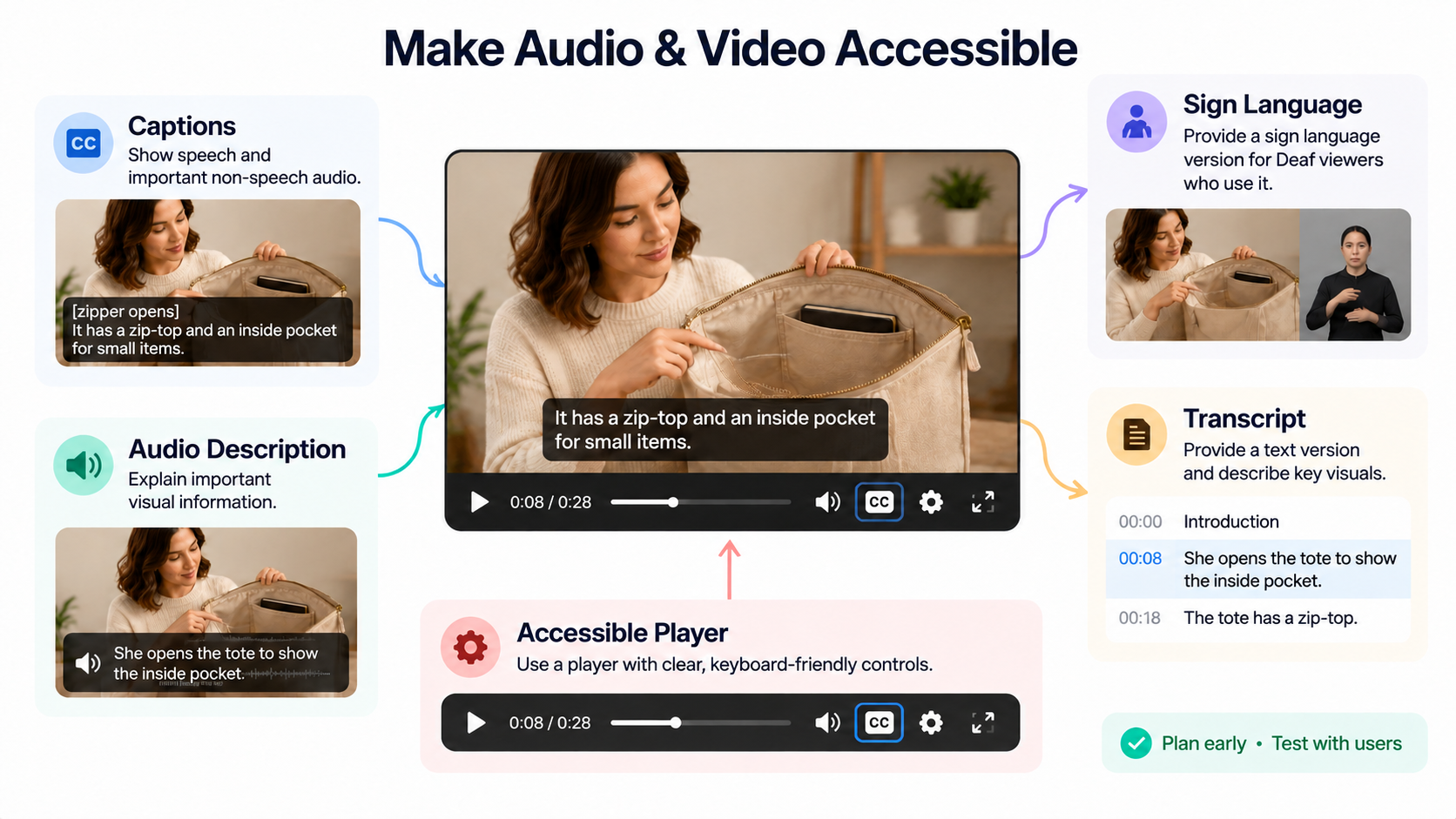
Accurate captions, a descriptive transcript, and accessible player controls help buyers follow the demonstration in different ways. These address different needs in accessible audio and video; captions alone cannot convey every important visual detail.
Reuse the Approved Story for the Next Stage
The verified sequence can carry into the next demo when it still answers part of the buyer's question. Its source version, approval record, and audience restrictions should stay with the working files.
Suppose the evaluator now asks who can change the retention settings. The history scene gives context, but the answer needs new evidence about configuration and access. Ask the product owner for that material before extending the script. Changing the ending to “Meet your compliance requirements” would outrun the original approval.
A sales rep can introduce the existing B2B product video as: “This shows how a reviewer requests a change and returns to the original submission.” If the buyer replies with a permissions question, use that to plan the next demonstration. A completed view alone does not establish purchase readiness.
The next cut should make the newly relevant control visible. Keep the original sequence only where it helps the buyer understand that control.