
 ChatGPT
 Perplexity
 Claude
 Gemini
 Grok




You upload an approved product photo, write a motion prompt, and get a clip back. Then the daily allowance runs out, the export carries a watermark, or the terms leave you unsure whether the result can appear in a paid ad. A free generation isn't the same as a usable ad asset. This guide compares Adobe Firefly, Krea, and Runway across credits, model access, clip limits, watermarks, exports, and commercial-use terms, so you can decide whether a free test is enough for your next product video.
Use one approved image to make the comparison concrete. Juniper Fold, an invented home-organization brand, wants a five-second vertical motion test from a product photo of a folded fabric storage box. The team needs a downloadable preview, no visible watermark for internal ad review, and clear usage permission before the clip moves into a paid-social concept.
Is Any Hosted Image-to-Video Plan Truly Unlimited?
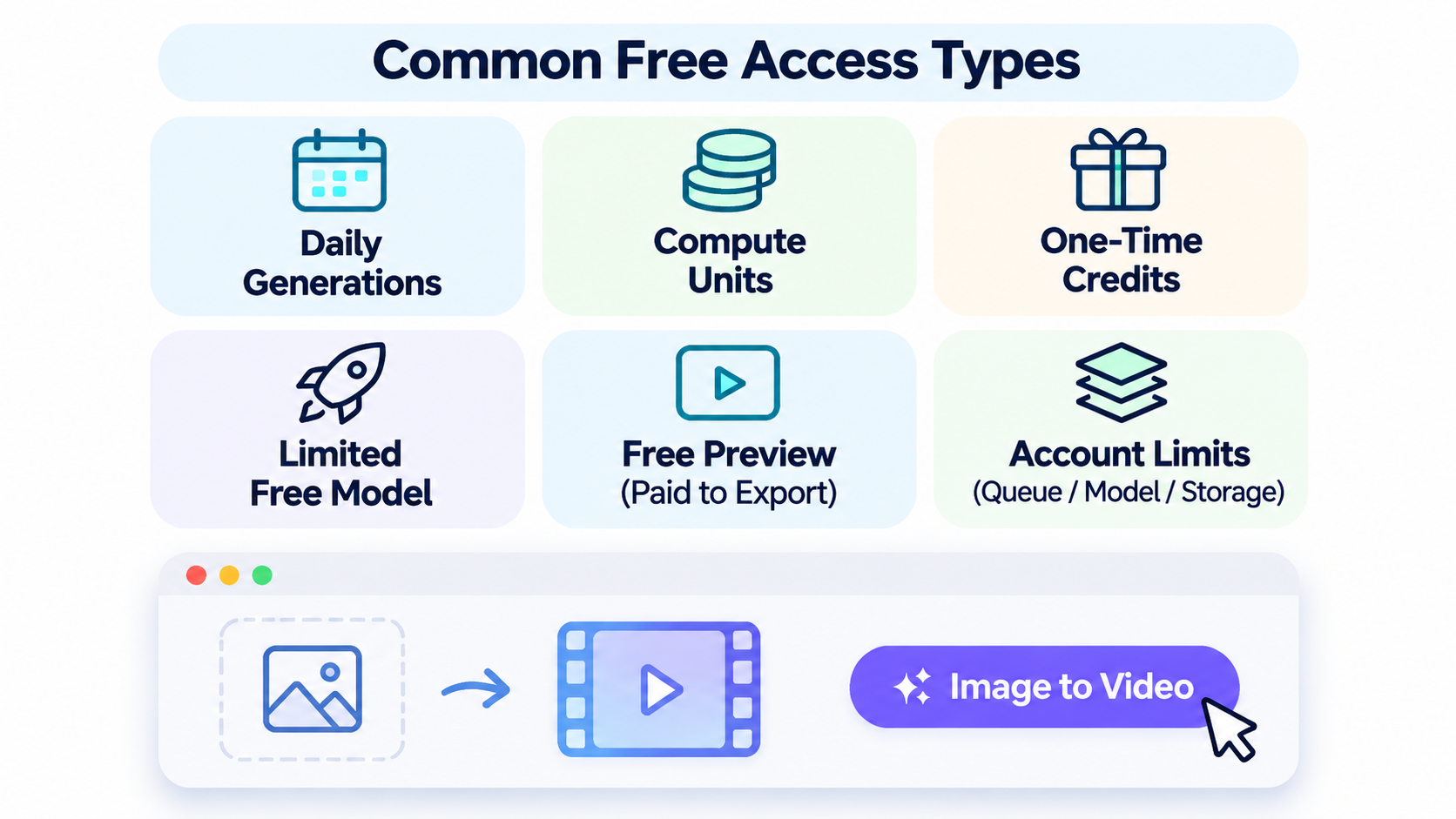
A hosted service can describe its free access in several ways:
-
daily generations that reset
-
compute units that refresh each day
-
a one-time credit grant
-
a limited free model
-
a free preview that requires payment to export
-
an account with no stated generation cap but a queue, model, or storage limit
Those offers are useful, but they do not mean unlimited production. A daily allowance can run out during one afternoon of retries. A one-time credit pool can support a few tests and then stop. A free model may not be the model that preserves the product detail you need.
For a hosted image-to-video service, define “unlimited” before comparing plans:
-
Does the allowance refresh?
-
How many credits or units does one clip use?
-
Is the chosen image-to-video model included?
-
Is there a duration or resolution limit?
-
Does the export carry a watermark?
-
Can the resulting clip be used in a paid product ad?
-
Can the account reopen the project later?
How Were the Free Plans Compared?
Use one approved image so the comparison measures the access conditions around the same task. The fictional brief is for Juniper Fold, an invented home-organization brand. The team has an approved photo of a folded fabric storage box on a pale shelf. It wants a five-second vertical motion test showing a slow camera push and a slight turn of the box.
The team needs:
-
the original JPG
-
a short motion prompt
-
one vertical preview
-
a downloadable file
-
no visible watermark for internal ad review
-
permission to use the output in a paid social concept if the clip is accepted
The free-plan worksheet records the practical result:
| Check | Adobe Firefly | Krea | Runway |
|---|---|---|---|
| Free access | Free account with daily generations | Free account with daily units | One-time free credit grant |
| Refresh pattern | Daily allowance | 100 units per day on the current free plan | Credits do not renew |
| Image-to-video access | Included in the free video tool, model access can vary | Free models and selected video access | Free plan has selected models |
| Watermark | Check the current export and selected model | Current public page says no watermark | Free video exports carry a watermark |
| Export | MP4 | Depends on model and output | Export available within free-plan limits |
| Commercial-use question | Adobe states outputs generated with Adobe Firefly models is designed for commercial use, but input rights still matter | Commercial license is listed with paid plans, so confirm free-plan rights | Confirm current plan and asset terms before paid use |
| Best free use | Quick motion concept | Repeated low-cost experiments | Testing the Runway workflow |
The table is a buying aid. It does not predict how many acceptable clips the image will produce. One clean test can still require several prompt changes.
1. Adobe Firefly for Photo-Based Test Clips
Free Access and Limits to Verify
Adobe Firefly’s current image-to-video page says a free Adobe account can use the tool with free daily generations. The same page describes short MP4 exports and says generative credits manage access and usage across Firefly tools. The Adobe Firefly image-to-video page is the right place to check the current free entry point, model choices, export details, and commercial-use language.
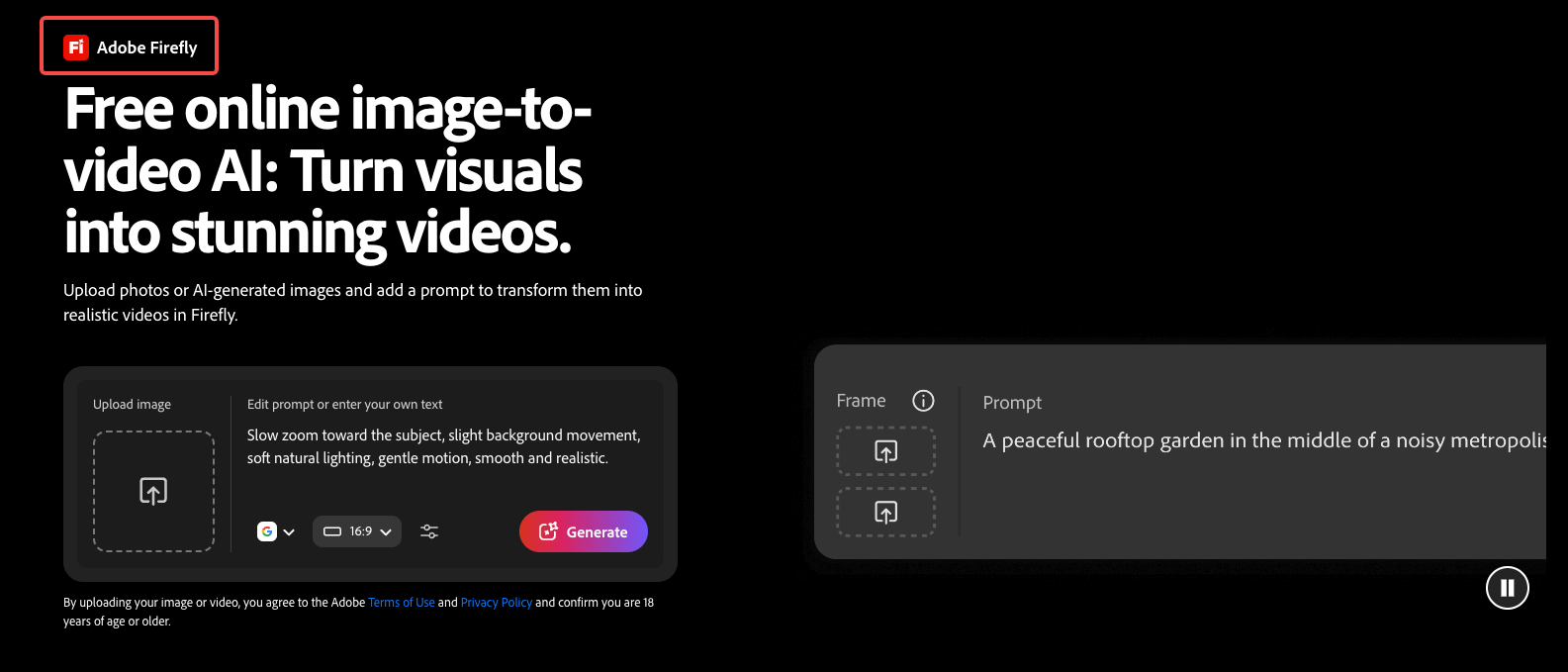
For Juniper Fold, Firefly is a useful first stop when the team already works in Adobe’s ecosystem or wants to continue into Premiere. A five-second motion test can answer a narrow question: does the camera move reveal the product clearly while keeping the box shape and label stable?
Firefly’s commercial-use language does not remove the need to check the input image. The brand needs permission to upload the product photo, logo, packaging, and any person shown in the frame. If the image contains a customer’s home, a recognizable person, or a partner’s product, those permissions belong in the source record.
Firefly is a good free choice when the goal is a quick product-motion concept and the team can work within a daily allowance. It becomes less convenient when the project needs a large batch of retries on the same day or a guaranteed model and output setting on every account.
2. Krea for Image-Led Motion Drafts
Free Access and Limits to Verify
Krea’s current public pages list a free plan with 100 units per day and access to free video generation without a credit card. The free experience is built for exploration, while paid tiers add more compute, selected or full model access, and commercial-use terms. Krea also states that its video generator does not add a watermark to free or paid video outputs.
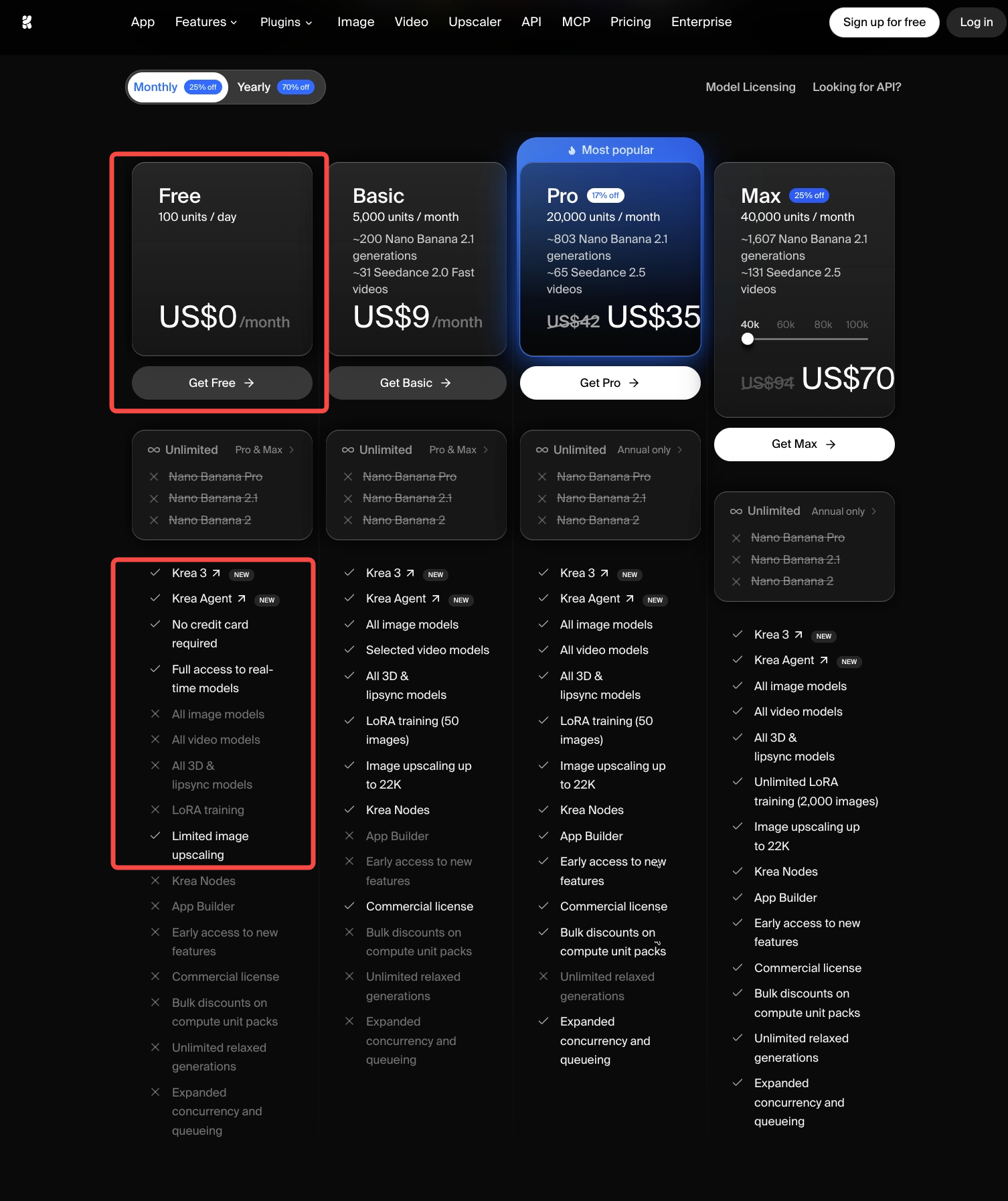
That combination makes Krea useful for a team that wants to test several motion directions from one image. Juniper Fold could try a slow push-in, a side reveal, and a gentle fabric movement, then keep the one that makes the product easiest to recognize.
The unit system still needs a worksheet. A daily 100-unit allowance does not tell you how many clips the Juniper Fold brief can produce until you know the selected model and duration cost. A premium model may be unavailable on free access, or one request may consume enough units to leave little room for a second attempt.
Krea is a good fit for visual exploration when the team values frequent daily experiments and clean-looking previews. It needs a rights check before a concept becomes a public campaign asset.
3. Runway for a Trial Credit Pool
Free Access and Limits to Verify
Runway’s current free-plan documentation describes a one-time allocation of 125 credits, limited model access, and 5GB of asset storage. The Runway free-plan details state that the credits do not renew and that free-plan videos carry a Runway watermark. Free users cannot purchase additional credits without moving to a paid plan.
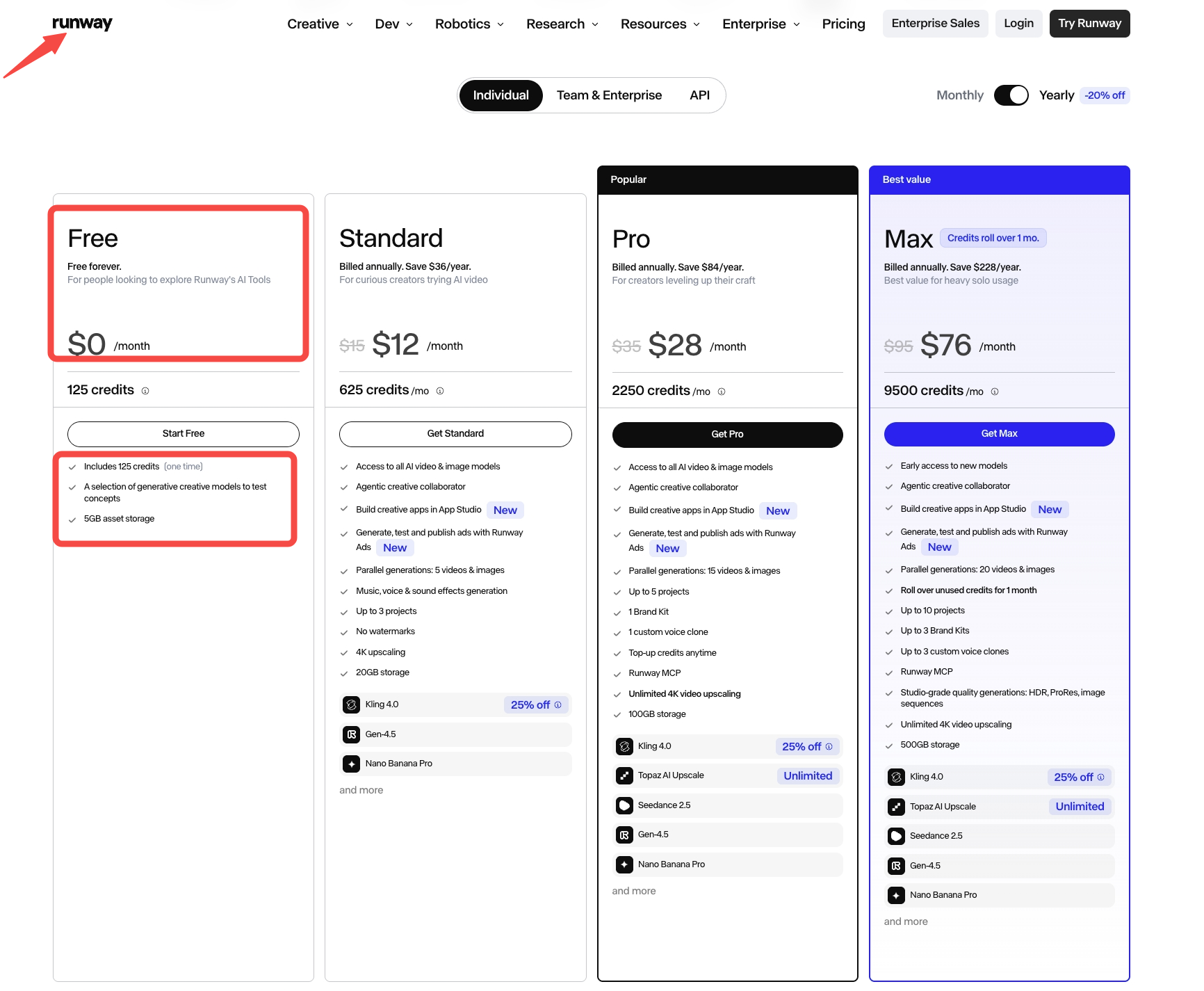
For Juniper Fold, Runway can answer whether the image-to-video workflow fits the team’s prompting habits and review process. It is useful for testing the interface, generation controls, and project organization. The one-time balance makes it less suitable for a recurring free production loop.
The watermark changes the role of the free export. The clip can help a team judge motion and composition, but a watermarked file may not be suitable for a client-facing ad review or final placement. A paid upgrade can change the export conditions, yet the team should check whether the project, source image, and generated draft remain available after the account changes plan.
Runway is a sensible trial route when the team wants to learn the product and spend a one-time credit pool on a few controlled tests. It is a poor match for a brief that depends on many free retries.

A Same-Photo Credit and Watermark Worksheet
Before choosing a free plan, fill in one row for each attempt:
| Attempt | Model | Duration | Units or credits used | Watermark | Export saved | Product detail passed |
|---|---|---|---|---|---|---|
| 1 | ||||||
| 2 | ||||||
| 3 | ||||||
| 4 |
Add these fields beside the table:
-
source image filename and permission owner
-
account tier and date
-
model and resolution
-
prompt version
-
export format
-
commercial-use condition
-
watermark status
-
reviewer decision
-
next action
This makes “free” measurable. The team can see whether the allowance produced one usable motion test, four rough drafts, or only a set of previews that still need a paid export.
When Is a Free Clip Enough for a Product Video?
A free clip is enough when it answers a limited creative question and the team can use the file in the next review step. For Juniper Fold, that might mean confirming that a slow camera move shows the box opening without changing its proportions.
The clip is ready to move forward when the product remains recognizable, the motion supports the intended message, the file opens in the review workflow, and the usage terms cover the planned audience and channel. A free test is still useful when the team decides to discard the visual direction. It has answered the brief before the brand spends on a larger batch.
Pexo can take approved product images, direction, and selected reference material into a complete video workflow. Pexo's AI Video Agent supports the production brief, and the product-ad workflow can organize approved material into a finished ad. Pexo uses a credits-based production path, so it is not an unlimited-free candidate in this comparison.

FAQ
Can an Adobe Firefly free draft be reopened on another device?
Adobe says Firefly creations sync through generation history when the user is signed in. Save the exported MP4 and prompt beside the source image so the team can continue even when the account view or model availability changes.
Can Krea extend an earlier free clip without a new upload?
That depends on the model and the current project controls. Keep the original image and exported clip available because an extension may consume new units or require the clip to be uploaded again.
Can a Runway free draft be handed to another account for revision?
Do not assume that an exported file carries the editable project. A handoff should include the source image, prompt, project or asset link if available, export, and the account permissions required for the recipient to open the work.
Can a free image-to-video clip use a licensed product photo?
Yes, when the license covers uploading the photo to the service and using the generated result for the intended channel. The tool’s output terms do not replace the rights attached to the original product image, logo, person, or location.
What happens to a free draft if the account upgrades later?
The project may remain in the account, but the plan can change available models, credits, watermarks, storage, and export options. Save the approved source and preview before upgrading so the campaign does not depend on one account state.
Conclusion
Hosted image-to-video services rarely provide unlimited free production. Firefly uses daily free generations, Krea uses daily compute units, and Runway provides a one-time credit pool with watermarked free exports.
Use the same photo, prompt, model, duration, and review criteria when comparing them. Record the allowance, output condition, commercial-use terms, and source rights before a free clip becomes part of a paid product video.This article does not provide legal advice.