ChatGPT
 Perplexity
 Claude
 Gemini
 Grok
Grok



If your team has approved product assets and can review generated footage, MindVideo AI is worth shortlisting. It advertises both scene-generation tools and a product-video maker. The buying decision is whether the chosen workflow can explain your product accurately and support the corrections it needs.
This MindVideo AI review follows one product task from its source references to a specific correction and the work before paid distribution.
What Job Can MindVideo AI Take on From a Product Brief?
It can generate and modify product footage, and its advertised product-video workflow extends to assembling an ad draft. The product-video maker describes image, URL or description inputs, followed by changes to text, voiceover, colors and logo. The available controls depend on the selected account and tool, so confirm the steps your team needs before committing.

For a concrete exercise, consider a fictional Selby coffee scoop with a sliding leveler. Its approved claim is simple: “Slide the bar across the rim to level the grounds.” The example assumes the team has packshots, a side view and a recorded demonstration.
| Brief decision | Selby's approved direction |
|---|---|
| Viewer question | “How does this scoop level coffee grounds?” |
| Product facts | Scoop shape, bar position, handle and logo match the current reference photos |
| Story | Show a filled scoop, the bar moving across it, then the level surface |
| Evidence | Use the recorded demonstration to verify the action and result |
| Limits | No claim about an exact gram dose, better flavor or reduced waste without separate evidence |
| Final action | Invite the viewer to inspect the product details |
This review draws on MindVideo's public feature and terms pages, checked on October 22, 2026. Upload limits, credit charges and commercial-use conditions depend on the selected workflow and account; confirm them before production.
How Does the Workflow Use Product References?
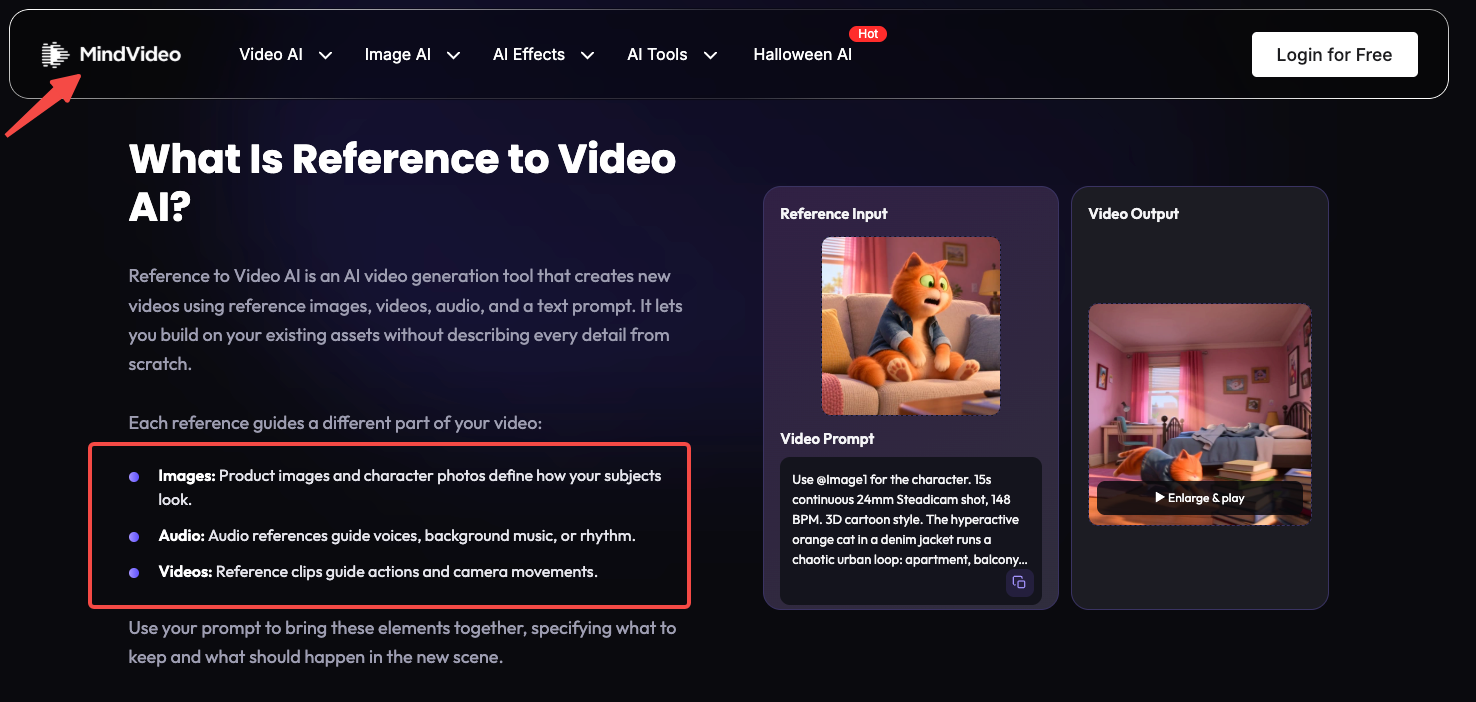
References guide appearance, movement and sound, with input combinations depending on the selected model. MindVideo's reference-to-video page describes image, video and audio inputs and prompts that identify each reference's role. Reference counts, formats, file sizes and clip lengths also vary by model. A limit shown for one tool should not be treated as a platform-wide allowance.
For Selby, the front photo defines the scoop's appearance. The recorded take shows how the leveler actually travels. A separate kitchen photograph may suggest lighting or background, but should not redefine the handle or add a new mechanism.
An illustrative instruction could read:
Use the approved front photo for Selby's shape, handle and sliding bar. Use the demonstration clip to understand the bar's path. Show the scoop on a plain kitchen counter. Preserve the logo and product proportions. Do not add measurement markings or an automatic leveling action.
If the selected mode cannot accept both references, keep the packshot as the visual source and review motion against the recorded take separately. A product URL is useful only after the team checks its current images and claims.
Reference footage used to guide generation may be reinterpreted. When the exact physical action is the ad's evidence, retaining the approved recorded shot may be the better production choice. Generated context can surround it without replacing the proof.
Check the Draft Against the Real Product
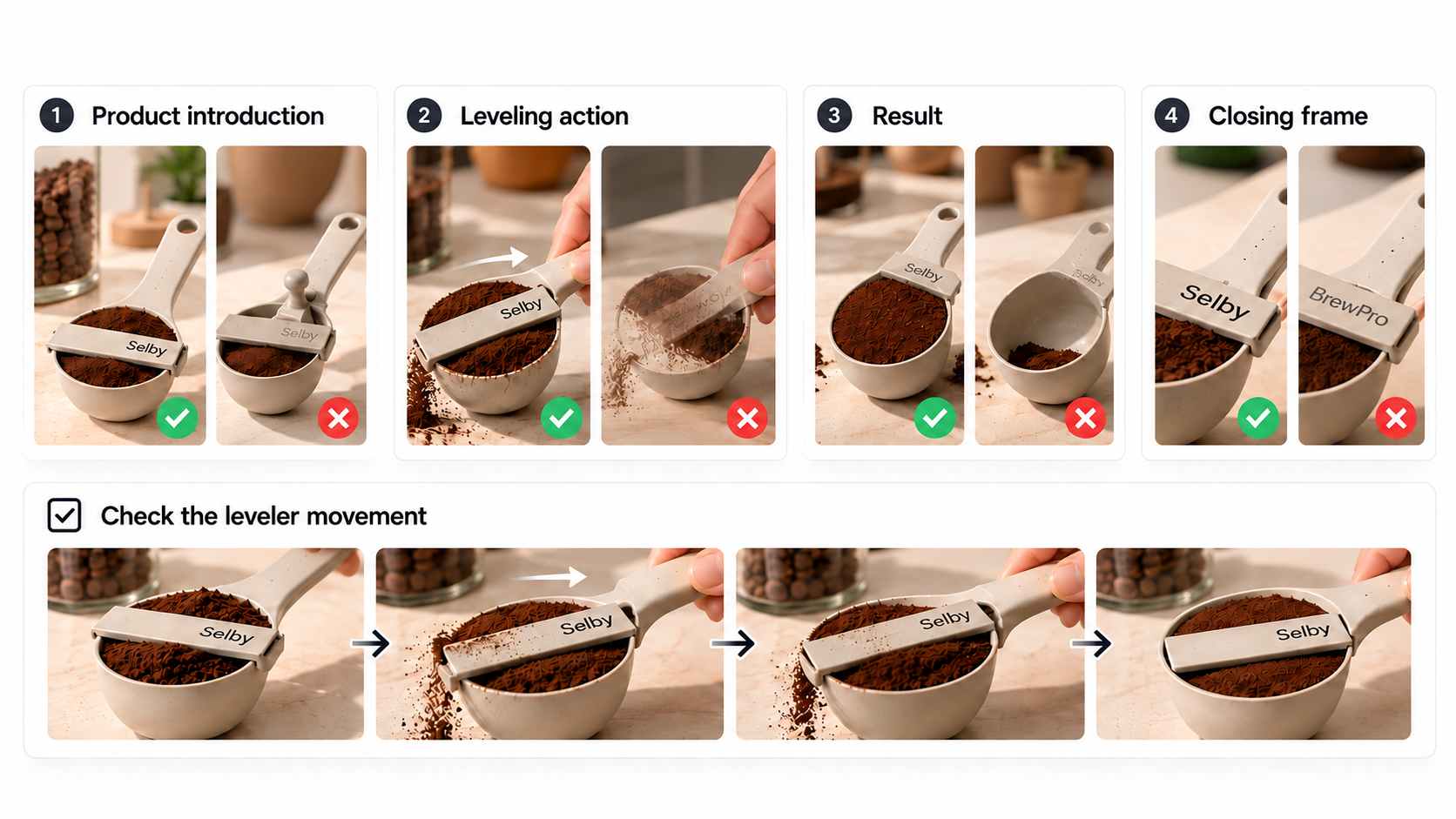
Watch the leveler before judging the kitchen styling. Does it cross the rim on the correct path? Does the scoop remain the same shape? Do the grounds become level because the bar passes over them, or disappear before contact?
The last question matters even if every frame looks plausible on its own. Selby's claim depends on an action and its visible consequence. A cut that skips the contact point can make an invented mechanism look convincing.
| Moment in the draft | Accept when | Return for correction when |
|---|---|---|
| Product introduction | The handle, bar, rim and logo match approved photos | The product gains a lever, different handle or unreadable mark |
| Leveling action | Bar movement matches the recorded demonstration and remains visible | The bar passes through the scoop, moves by itself or is hidden by a hand |
| Result | The grounds are level after the demonstrated pass | Grounds vanish early, or text claims an exact dose the evidence does not support |
| Closing frame | Current product name and next action are readable | A generated label or outdated offer changes what is being sold |
Review once at normal speed for understanding, then inspect the motion where the product changes state. A still frame cannot reveal every failure. Keep the actual product photos and demonstration beside the preview, including after an enhancement or background edit.
If several attempts keep inventing the leveler's movement, return to the recorded shot. The point of this ad is to explain Selby's mechanism. A new camera move is optional.
How Much Control Does a Team Have Over Revisions?
MindVideo offers prompt-based changes to existing footage; review the returned shot to see whether the product and action remain intact. Its AI video editor describes object changes, backgrounds and scene adjustments. The page lists MP4 or MOV inputs of 2–30 seconds, up to 32 MB, with an optional reference image. Confirm those limits in the selected tool before preparing files.
Suppose the approved draft shows the correct leveling action, but the countertop is distracting. Give a focused note:
Replace the patterned countertop with a plain light surface. Preserve Selby's handle, logo, sliding bar and the existing leveling action. Keep the shot length and camera position.
Compare the returned version with the approved take. The background should change; the bar should still follow the same path. If the scoop changes too, the revision needs more work, even if the kitchen looks better.
Pexo publishes this review and offers a product-video workflow for teams delegating the whole cut. Supply the approved demonstration, packshots and closing copy, then ask for a storyboard that keeps the leveling action visible. Review the scene order before generation. If a later revision changes the scoop, mark the affected frame and explain which product detail must match the reference.
Budget for one draft and a specific correction before a larger commitment. MindVideo's reference guide says credits vary with the model and settings. Subscription amounts could not be verified from its publicly readable pricing page during this review. Confirm checkout price, included credits and the cost shown for generation or editing. Pexo's credit guide likewise does not quote a fixed price for this task. Record actual charges and any work needed elsewhere to finish the ad.
What Does a Finished Product Ad Still Need?
It needs a coherent explanation, approved copy and audio, a usable export, and permission for its actual destination. Selby's finished sequence must make the relationship between filling, sliding and leveling clear. If the viewer sees only a stylish scoop on a counter, the ad has missed its intended question.
Check the exported file in the target placement. For a vertical ad, review the product framing on a phone, keeping the leveler and its path visible. Confirm text size, sound, captions and the final click destination. MindVideo advertises download and finishing options, but verify the chosen workflow's actual output. A downloadable video and an editable production project are different deliverables.
Keep the accepted footage, final script, source references and approval note together. Include the version of the scoop shown. A later packaging or mechanism change should trigger a new review, even if the old ad file still plays correctly.
Paid distribution also needs a rights check for product photos, identifiable people, voice, music and any external reference. MindVideo's public commercial-use guidance reserves commercial rights for paid users; the applicable agreement and actual materials still matter. If Pexo is used, obtain written clarification of the advertising-consent condition in section 6.3 of its terms before a campaign. These are general production and purchasing considerations, not legal advice. Resolve uncertain permissions and advertising disclosures with the appropriate reviewer for the target market.
Who Should Shortlist MindVideo AI?
Shortlist it if the team has approved product assets, can direct a scene, and can judge whether the result is accurate. Its documented generation, reference and editing paths give that team several ways to approach Selby. The useful question is whether those paths deliver an acceptable explanation with manageable correction work.
Be more cautious if exact product text, unreleased designs, shared approvals or editable-source delivery are essential purchase conditions. Obtain answers to those requirements before uploading sensitive material or paying for a production batch. An undocumented requirement is a procurement question to resolve, not evidence that a feature is absent.
For Selby, start with the leveling sequence and one background correction. If that small task preserves the mechanism and leaves a clear path to final delivery, the workflow merits further consideration. If the action keeps changing, use the recorded demonstration and spend the remaining effort on the edit around it.
If your team wants to delegate that surrounding edit, bring the approved demonstration and scene plan to Pexo and review how the shots connect.