ChatGPT
 Perplexity
 Claude
 Gemini
 Grok
Grok


Choose the software around the part of an ad you need to change. Creatify is a useful starting point for product-page inputs; Arcads for actor-led scripts; Pexo for directing UGC-style product scenes; and HeyGen for presenter videos with studio editing.
Pexo publishes this comparison and is one of the candidates. The selections below match documented workflows to four production needs. For a small DTC team, the best UGC video software for ad campaign testing should produce comparable variants without repeatedly rebuilding approved scenes.
What Makes UGC Software Useful for Ad Testing?
Useful software lets you make the intended change, see what else changed, and estimate the work needed to correct it. An actor library matters when the speaker is the variable. Scene editing matters when the opening changes but the product demonstration must stay fixed.
Start by asking for one practical operation: change the first spoken line and its matching caption while retaining the approved body. Inspect the second output for a different gesture, camera move, music cue, or product detail. Those differences can change the ad's effect even when its written script is otherwise identical.
The most useful control may be the ability to reuse an approved body rather than generate it again. If a workflow cannot preserve it, finish the two openings against the same body in a permitted editing workflow. Alternatively, treat the outputs as two broader creative executions. A production tool's list of variants does not establish an isolated experiment.
Real customer UGC draws on actual experience. AI UGC-style ads use generated presentation. If the concept needs a genuine customer's account, obtain authorized footage; do not ask a synthetic presenter to invent one. Permission for a person's footage or voice must also cover the processing and campaign use you intend. Our UGC ads brief guide explains how to separate product narration from a customer's own account.
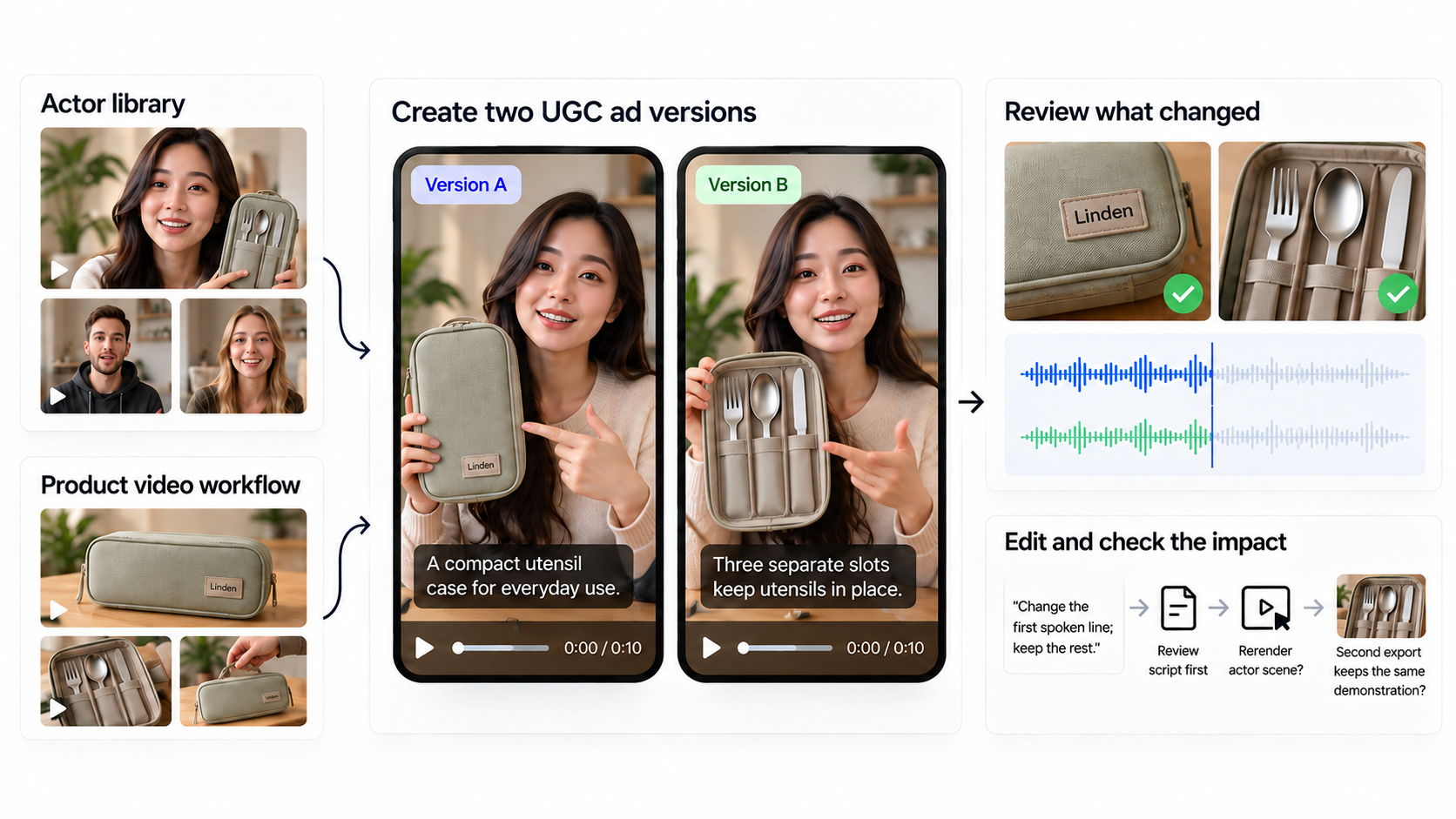
Compare Tools With One Product and One Test Variable
Use one brief to select the production route, then create the campaign variants within that route. Comparing a different actor and edit from each tool is a software evaluation; it cannot isolate the effect of one opening line.
The illustrative product is a fictional Linden utensil case with three separate slots for a fork, spoon, and knife. The campaign compares an opening question with an opening statement.
| Brief field | Fixed instruction |
|---|---|
| Deliverable | Two short vertical ads for one selected placement |
| Variable | Opening message, spoken and captioned; retain the same opening shot and segment duration |
| Version A | “Where do your utensils go when you pack lunch?” |
| Version B | “Give your lunch utensils a place of their own.” |
| Shared body | Show each utensil entering its slot, close the case, then show the approved product name |
| Locked details | Same case, three slots, utensil set, voice or speaker, caption style, music, offer, CTA, and landing page |
| Acceptance | No new claims; both cuts match after the opening segment; disclosure remains visible |
| Measurement | Define the primary metric, decision rule, campaign settings, and conversion event before launch |
Read both lines naturally before setting the opening segment's length. Fit both into that segment without speeding up one voice to force a match. Keep the caption style fixed while the words follow each line. The test concerns the two delivered messages; it does not separate wording from every change in intonation.
Approve the shared body once. Its three-slot demonstration should be the same in both exports, including the music and closing frame. Use the ad platform's experiment setup to control delivery; producing two files alone does not control which audiences see them.
Selection criteria are input preparation, control of the changed segment, review and finishing work, and campaign-use conditions. Public workflow, credit, and license details were checked on October 22, 2026; account rates and campaign permissions still need confirmation before production.
| Tool | Brief control | Variant review | Cost and rights checkpoint |
|---|---|---|---|
| Creatify | Product URL, extracted assets, script, and avatar | Approve the starting assets and check whether the second opening changes the body | Feature/model estimate, billing term, and asset licenses |
| Arcads | Script and chosen actor | Inspect performance changes and the join with the shared demonstration | Model-specific credits and restrictions on outside modifications |
| Pexo | Product URL or photos, AI creator-style direction, and revisions | Review the full cut while retaining approved product scenes | Actual usage and the terms' advertising-consent condition |
| HeyGen | Presenter, script, and editable studio scenes | Review the changed performance and reuse correct scene elements | Account credit rate and commercial-output plan terms |
1. Creatify for Product-URL Variants
Creatify suits a team whose approved product page is the easiest source of photos and copy. Its URL-to-video workflow extracts product material, drafts a script, and supports avatar selection and customization. For Linden, approve the three-slot imagery and shared script before making either opening.
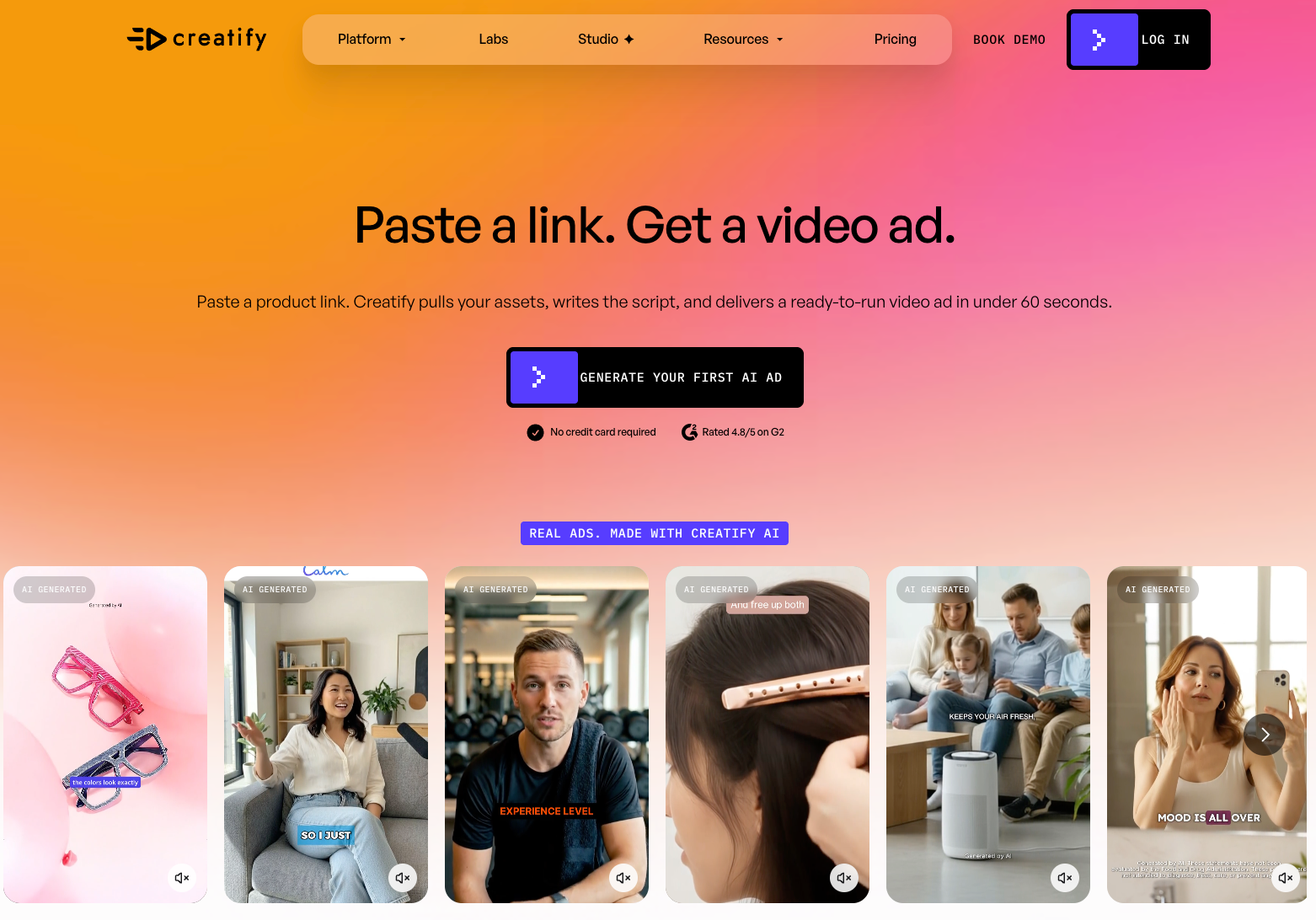
This reduces the work of collecting an initial asset pack. It also creates an editorial job: remove obsolete offers, unrelated product photos, and claims the selected demonstration cannot support. A page can be accurate overall while containing several messages that do not belong in this experiment.
Keep the selected avatar, product views, and body sequence consistent for version B. If the second draft changes the actor or inserts another demonstration, correct those changes before treating the files as an opening-message comparison. Choose Creatify when URL preparation is the recurring burden; if the body is already approved, check that the workflow lets you retain it economically.
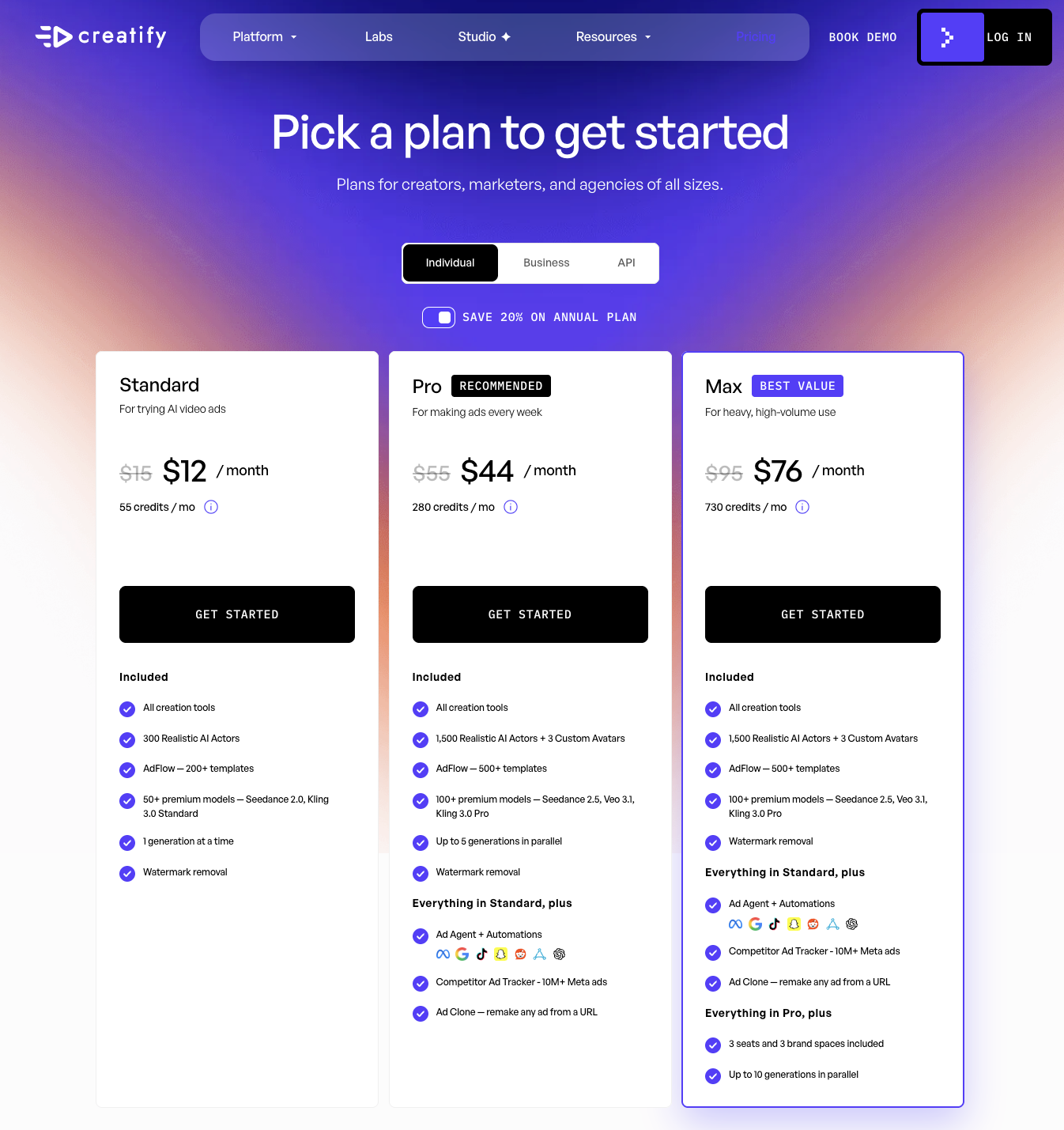
The pricing page lists Standard with 55 monthly credits. Generation costs vary with the feature, model, length, and resolution, so those credits cover different quantities of work. Check the selected billing term and each generation estimate before comparing subscription fees.
Creatify's community-asset license permits personal or commercial use subject to conditions. Uploaded customer clips, photos, and music need their own permissions. Include any finishing work required to obtain the accepted pair in the production cost.
2. Arcads for Actor-Led Scripts
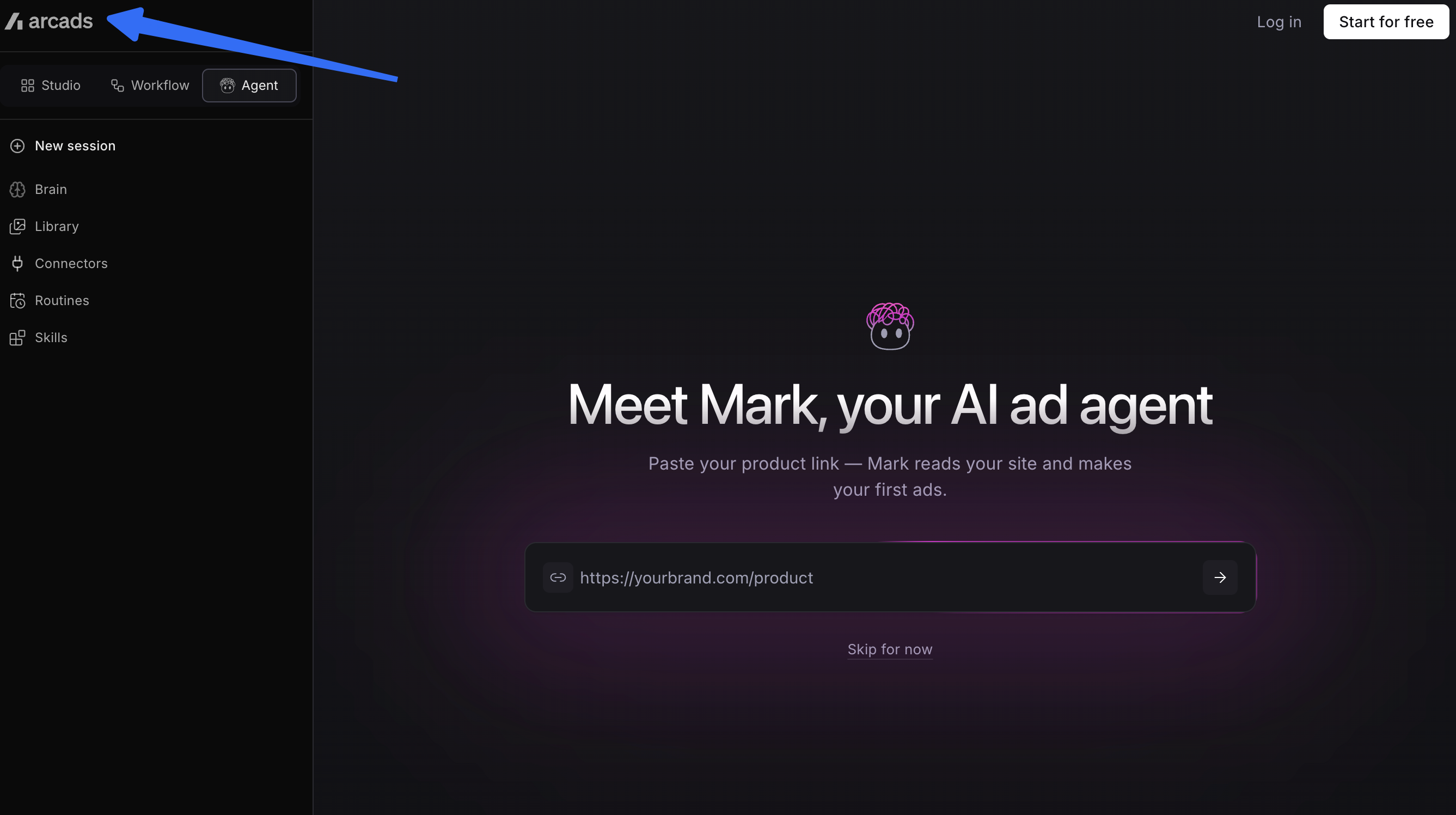
Arcads is a strong shortlist candidate when the spoken performance is central. Its actor workflow starts from a library or a custom avatar. For Linden, keep one actor and voice while generating the question and statement, then review both performances alongside the same product demonstration.
Pay attention to the delivery beyond the changed words. A raised eyebrow, longer pause, or emphatic gesture can make one opening feel more confrontational. If the shared script body is performed differently too, reuse an approved body where permitted or describe the result as a broader performance comparison.
Arcads also has finishing tools. Its credit guide lists trimming, stitching, and text overlays at zero credits. The standard rate for an Arcads 1.0 talking-actor video of up to two minutes is 800 credits. Two fresh generations at that rate total 1,600 credits, before any additional generated take. This is a planning calculation; check the account's displayed charge before generating.
The finishing route needs a license check. Arcads' video terms, section 13.3, specify permitted modifications and restrict using the video in other AI or software to change image, voice, or speech. Do not assume an outside voice replacement is covered just because subtitles or cropping are allowed.
Choose Arcads when you can judge and select performances closely. Confirm the planned finishing steps before committing if your process depends on substantial outside edits.
3. Pexo for Directed Product-Video Variants
Pexo's UGC video workflow accepts a product URL or photo and describes generating creator-style scenes with a script, AI presenter, and voiceover. It belongs on this shortlist for AI UGC production as well as product demonstrations, particularly when the presenter and product scenes need to form one coherent ad.
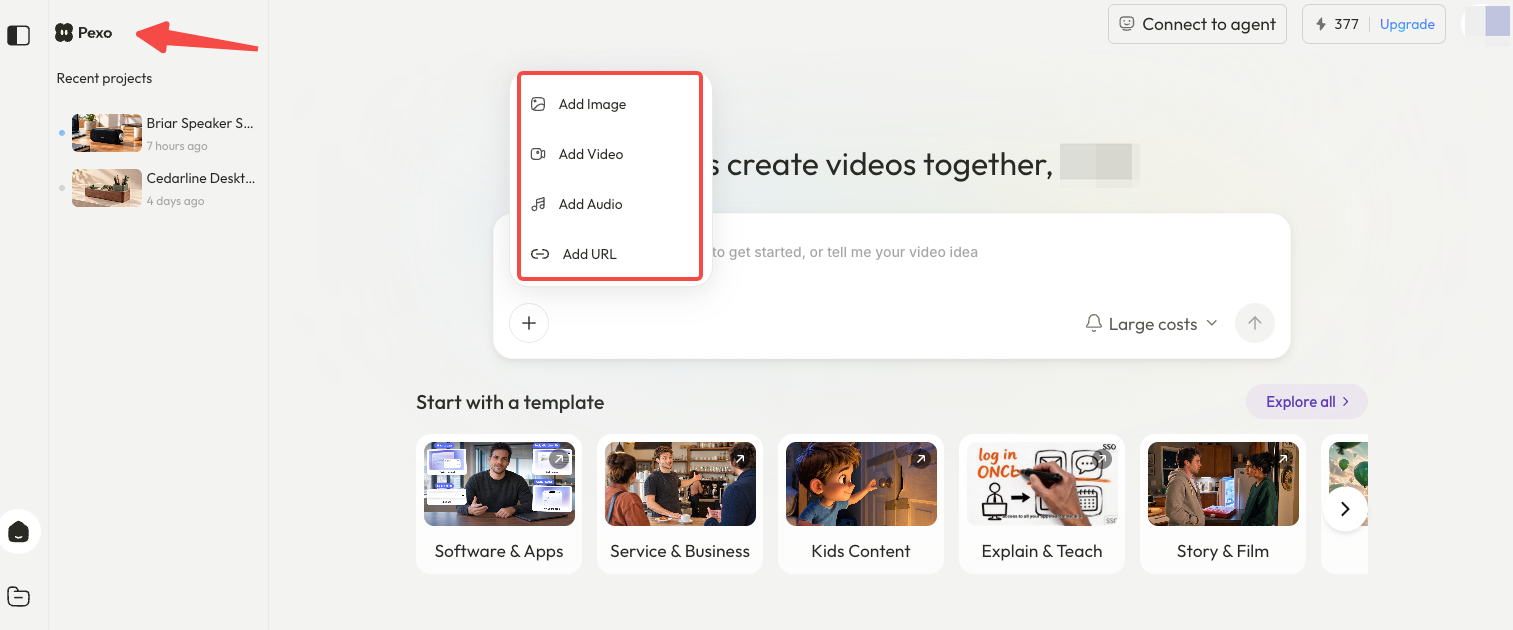
For Linden, supply the current packshot, the approved three-slot demonstration, and the two opening lines. Ask for the script and storyboard before production. Check where the presenter stops and the utensil insertion begins; that join determines how easily the opening can change. If the visual direction is still undecided, use the Pexo gallery to select a reference for framing and delivery.
Once the body works, make the revision request specific: “Use opening B. Keep the utensil insertion shots, product details, music, and closing frame.” Compare the returned cut with the approved version. If unrelated parts change, resolve that difference before using it as this test's second arm.
Choose this route when the team needs help directing the complete product story. If the ad is already assembled and only a new spoken take is needed, regenerating the whole cut would add review work. Confirm that the chosen presenter, voice, and approved body can be retained before commissioning a batch.
Pexo's credit guide explains where to find usage history and when subscription credits expire. Check available estimates before generating, then record the accepted pair's actual charges, including revisions.
For paid campaigns, section 6.3 of Pexo's terms includes a prior-written-consent condition for advertising or commercial User Content. Get written clarification for the intended campaign before distribution.
4. HeyGen for Presenter-Led Variants
HeyGen suits a team that wants a presenter format and direct access to scene editing. For Linden, keep the product demonstration and scene layout fixed, then change the opening script in the affected presenter scene.
Its Video Agent editing guidance describes Edit a Copy in AI Studio for text, timing, visuals, layout, and avatar scenes. Ordinary layout or timing changes do not consume credits on their own, while changed speech, voice, or avatar can require a charged re-render. That distinction matters when a small script change produces another talking performance.
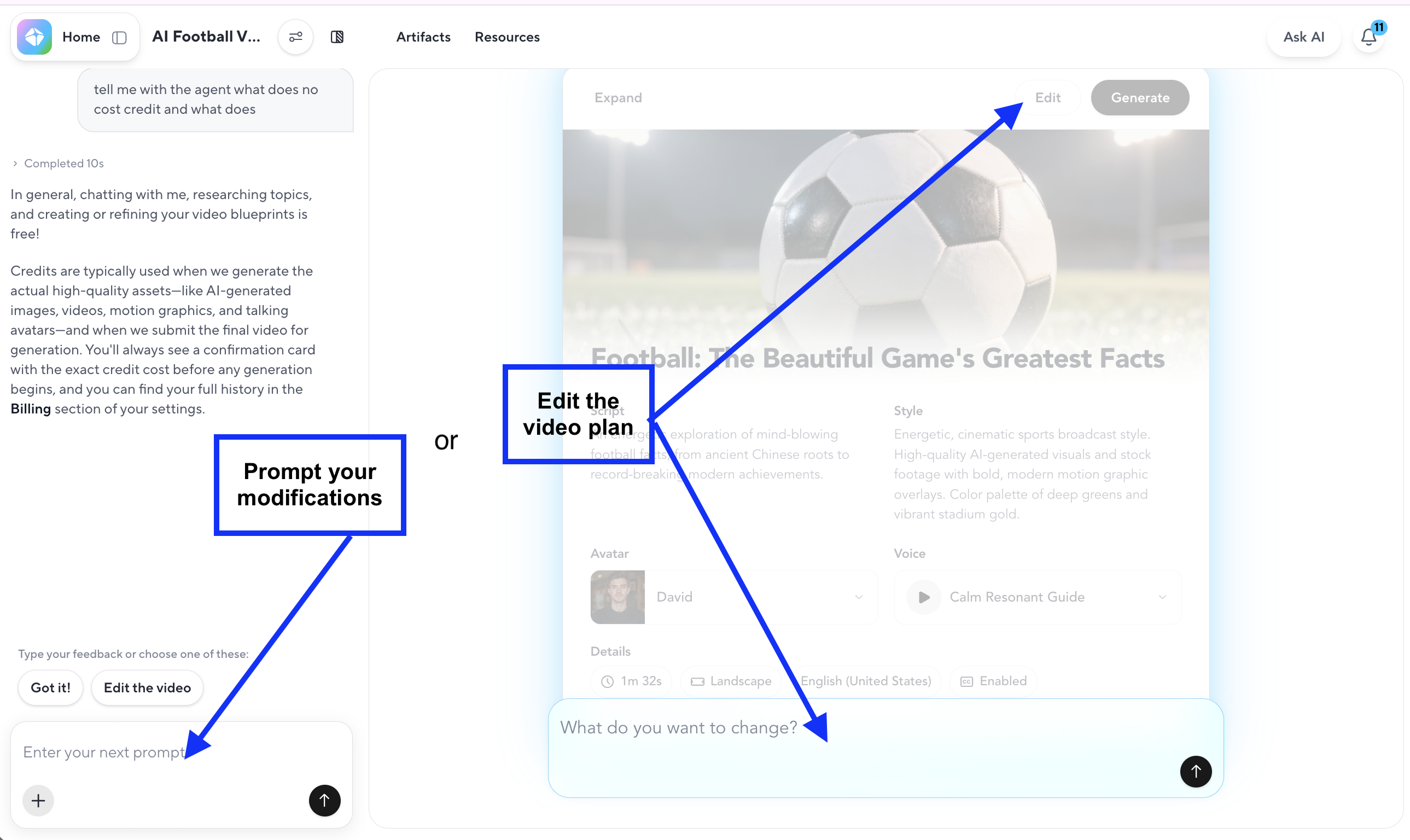
Use the studio to check the transition from the opening to Linden's shared body. An extra pause can delay the utensil demonstration even when every product shot is unchanged. Keep the agreed opening duration and inspect the final export rather than relying only on the script view.
HeyGen's credit guide lists Creator at $29 per month with 600 credits, while noting account-dependent rates and limits. Budget the pair using the selected model's displayed generation cost, including any new speech takes.
Under HeyGen's output terms, Free Plan output is limited to personal, noncommercial, and internal evaluation uses. Paid-plan provisions permit commercial purposes subject to their conditions. Select a plan covering the campaign before generating its assets, and confirm the presenter permissions.
HeyGen is a useful fit when a reviewer wants to adjust the presenter scene and layout directly. Budget for regenerated speech as well as the manual finishing time.
Choose a Workflow Around Your Review Capacity
Choose Creatify when preparing a product page for an ad is the repeated task. Shortlist Arcads when actor delivery needs the closest attention. Choose Pexo when UGC-style presentation and product scenes need direction together, or HeyGen when the presenter format benefits from studio adjustments.
Start with the two Linden openings and one specific correction. Record production charges and hands-on review time for the accepted pair, including discarded attempts and outside finishing. Keep money and time as separate measures unless you state the hourly-cost assumption used to combine them.
Do not expand the batch until the pair meets its brief. If a changing body keeps disrupting the test, narrow the production request or reuse the approved body through a permitted finishing route. Buying more generations will not make those unintended differences disappear.
Before distribution, confirm product claims, actor or customer permissions, music rights, and required disclosures for the placement. TikTok's advertising policy, checked October 22, 2026, requires labeling or a clear disclosure for significantly edited or AI-generated content. These are editorial production checks, not legal advice; seek qualified review for unresolved campaign-use questions.
The next useful deliverable is an approved pair whose intended difference you can name. For the Pexo route, bring the product assets and two opening lines to Pexo and review the storyboard before generation. Launch the accepted pair under the experiment settings and decision rule agreed in the brief.