 ChatGPT
 Perplexity
 Claude
 Gemini
 Grok




Runway pricing becomes easier to plan when the unit is a reviewed clip. The subscription gives you a monthly credit pool. The pool then turns into image, video or audio generations, with a different rate for each model, duration and resolution.
The first render is only one line in a product-video budget. You also need to account for discarded takes, a changed opening, a replacement product detail, and the work of assembling accepted clips into a finished cut. The current Runway pricing page helps estimate plan spend at the time checked, but it is not a quote for producing the complete campaign.
What Do Current Runway Plans Include?
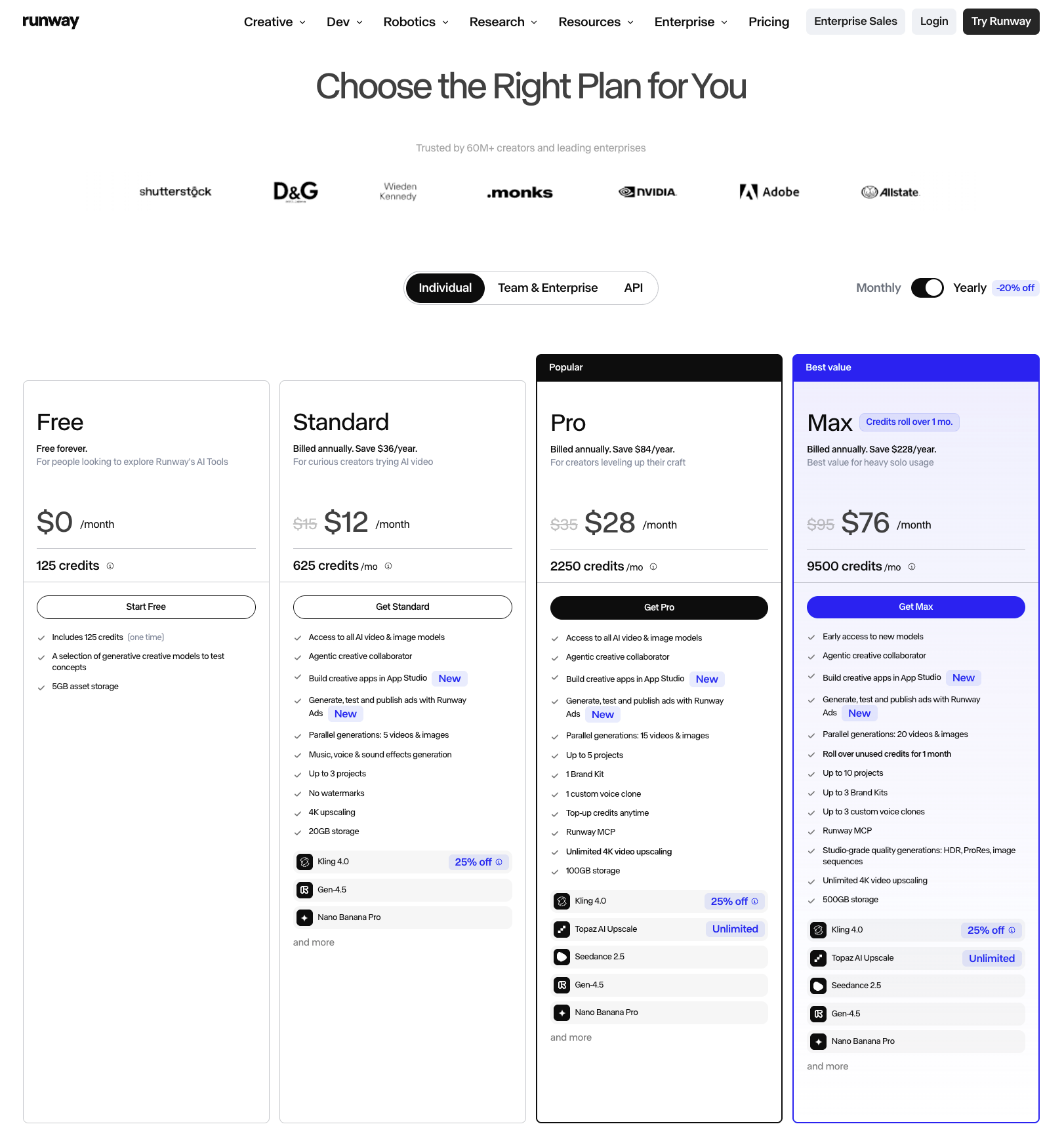
Runway's public individual pricing page currently lists these monthly options. Annual billing shows a lower monthly equivalent.
| Plan | Monthly price | Annual-view monthly equivalent | Monthly or one-time credits | Planning use |
|---|---|---|---|---|
| Free | $0 | — | 125 one-time credits | Try a few concepts |
| Standard | $15 | $12 | 625/month | Light exploratory work |
| Pro | $35 | $28 | 2,250/month | Regular clip production |
| Max | $95 | $76 | 9,500/month | Heavy solo generation and reruns |
The current help documentation also lists Team at 6,900 credits per seat in a shared workspace, with team pricing handled separately from the individual table. Confirm the plan, billing cadence, taxes and account offer before purchase. Prices and model access can change after this check.
Standard and Pro monthly credits reset at the billing date. Max can roll over up to one month of unused credits. Purchased credits do not expire, and current plans use monthly credits before purchased credits. The current credit guide gives the account rules and the latest credit table.
How Do Clip Length, Model, and Resolution Affect Credits?
Runway charges by the model's rate and the requested duration. For example, the current pricing page lists Gen-4.5 at 60 credits for five seconds, which is 12 credits per second. A ten-second request uses 120 credits before any later rerun.
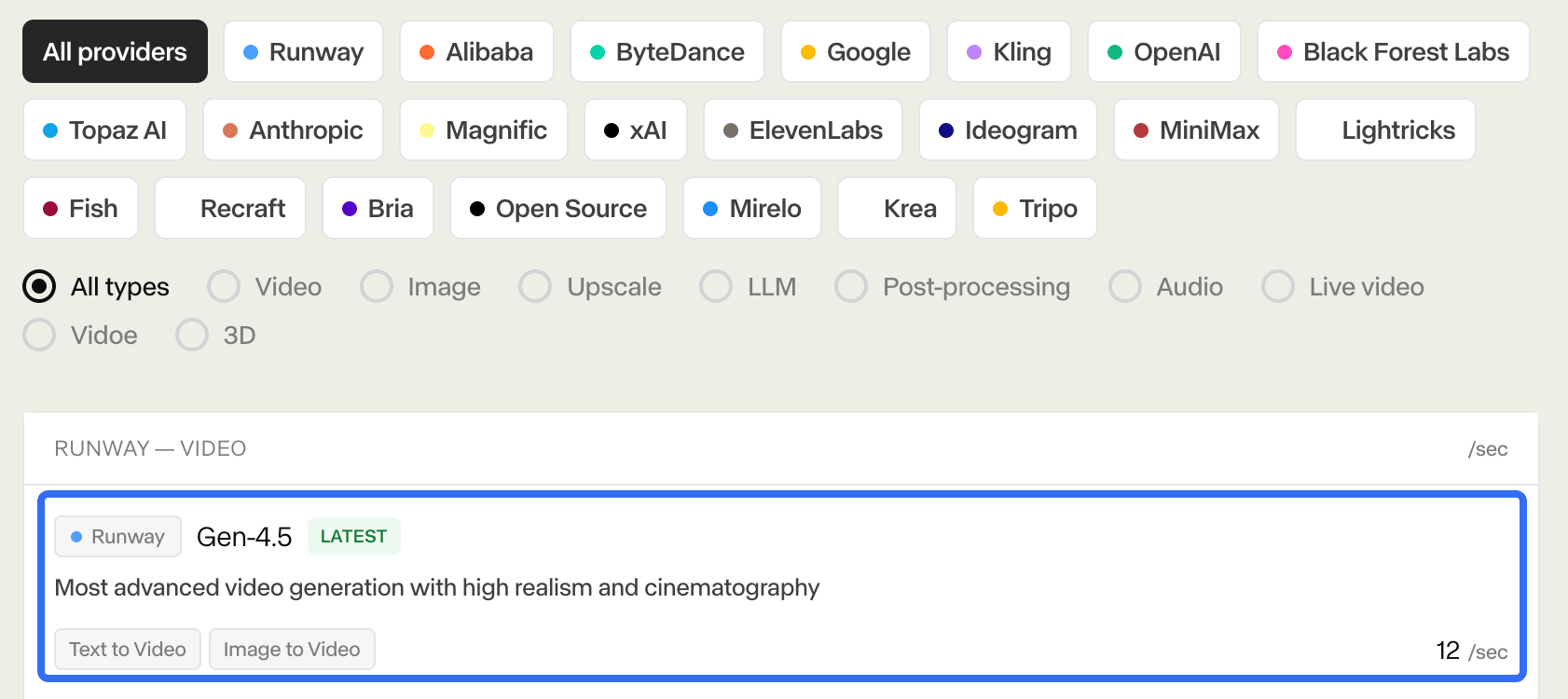
Other models use different rates. The current page lists Aleph 2.0 at 140 credits for five seconds, while some third-party model rates and promotions can change. A rate shown in the account's Generate panel is the working number for that request.
Resolution changes the budget when the selected model prices it differently. A practical workflow is to refine the action at a lower supported resolution, then upscale or regenerate the accepted take when the shot is stable. That keeps a discarded camera move from consuming the same budget as a delivery candidate.
Runway's Agent can show an estimated credit cost before generation when you set it to ask first. The estimate helps you approve a step. It does not promise that the generated clip will match the plan or pass product review.
A Scene Budget for One Product Video
Use this fictional brief for Holloway, an invented insulated travel mug. The team wants a 20-second product video with six possible shots:
-
Five-second packshot with a slow orbit.
-
Five-second lid close-up.
-
Ten-second hand interaction showing the lid opening.
-
Five-second mug on a desk beside a laptop.
-
Five-second condensation detail.
-
Five-second alternate opening for a social cut.
The team chooses Gen-4.5 for the planning model. This is a budget exercise, so every take is marked as an assumption.
Accepted Clips, Discarded Takes, and Assembly Work
| Budget line | Hypothetical calculation | Credits |
|---|---|---|
| Five-second clips | 4 × 60 | 240 |
| Ten-second interaction | 1 × 120 | 120 |
| Alternate opening | 1 × 60 | 60 |
| First-pass generation | — | 420 |
| One rerun of the interaction | 1 × 120 | 120 |
| One rerun of the opening | 1 × 60 | 60 |
| Planning total | 420 + 120 + 60 | 600 |
The team could set aside 600 credits for this fictional attempt. That total covers six first-pass requests and two defined reruns. It does not prove that two reruns will produce an accepted shot, and it does not include editing, sound mix, captions, rights review or delivery exports.
Now add an acceptance assumption for planning. If four of the six first-pass clips are accepted, the initial clip budget is 105 credits per accepted clip. If only three pass, it becomes 140 credits per accepted clip. Those are scenario values for the worksheet, not a Runway success rate.
Keep a second budget line for assembly. The accepted clips still need ordering, trimming, a product claim check, music or voice, captions, aspect-ratio versions and a final export. The generated clip balance cannot be exchanged one-to-one for that post-production work.
Which Plan Fits a Monthly Production Schedule?
Start with the plan's credits and the number of accepted clips your schedule needs. The public page currently maps 625 Standard credits to about 52 seconds of Gen-4.5, 2,250 Pro credits to about 187 seconds and 9,500 Max credits to about 791 seconds. Those comparisons use one model and one duration. A mixed model workflow changes the result.
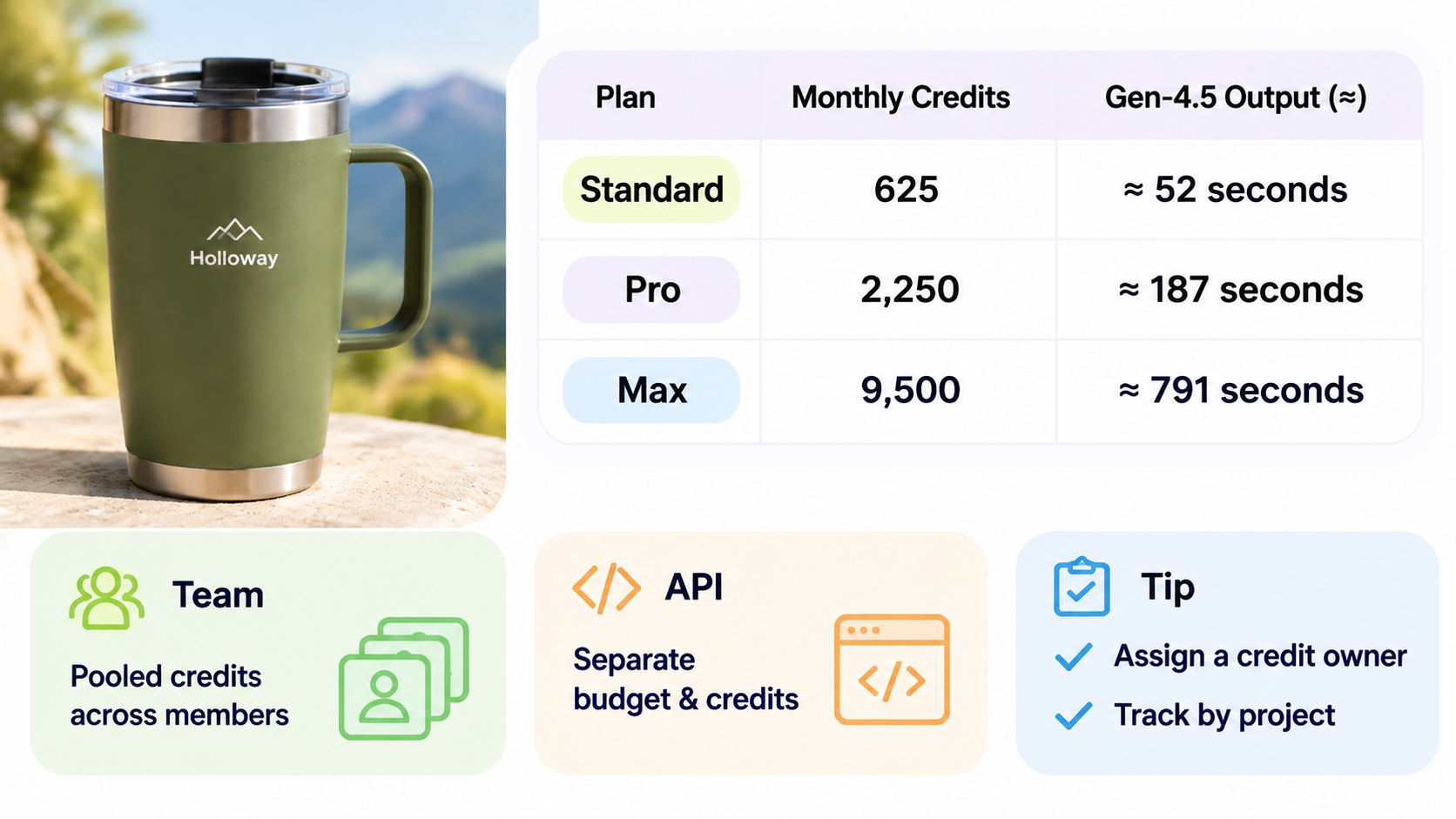
Standard can fit light exploration when the team generates a few concepts and buys additional credits only when needed. Pro gives a recurring producer more room for product clips, image references and reruns. Max fits heavy solo usage when the team generates daily and benefits from one-month credit rollover.
Team is a different decision. Its credits are pooled across the workspace, and team members draw from the same balance. A pooled balance can simplify collaboration, but it also means one person's reruns reduce what remains for everyone else. Assign a monthly credit owner and record which project consumed each batch.
API spending belongs in a separate budget. Runway's API and web app credits are separate balances. An API workflow can be linked to a web workspace, but the endpoint still uses developer credits while a web run uses web credits.
Where Does a Clip Generator Stop in the Workflow?
Runway can supply a useful shot, a product detail or an alternate opening. The team still has to decide whether the clip preserves the product, supports the claim and belongs in the final sequence.
For a finished product ad assembled from approved assets, Pexo's product-ad workflow is a separate production path to evaluate. Its video-production cost guide gives another way to frame production assumptions. Do not convert a Runway credit balance into a Pexo price. They measure different work.

Conclusion
Budget Runway around accepted clips, not prompts. Start with the current plan balance, price each model-duration pair, reserve credits for reruns and keep assembly in a separate production line. The resulting sheet can tell you whether the next monthly plan fits the work you actually need to finish.