ChatGPT
 Perplexity
 Claude
 Gemini
 Grok
Grok



Brief UGC ads around one product moment the buyer needs to see. For a cable pouch, show where the cables go, keep the interior visible, and give the speaker a line the picture can support. Then decide whether the ad needs a real person's experience or an AI-generated product demonstration.
The example below uses a fictional Kestrel cable pouch with two elastic loops inside a zippered case. The task is a short ad about packing charging cables for a commute. The brief follows that feature from the opening through the packing shot, review, and another placement.
What Counts as a UGC Ad?
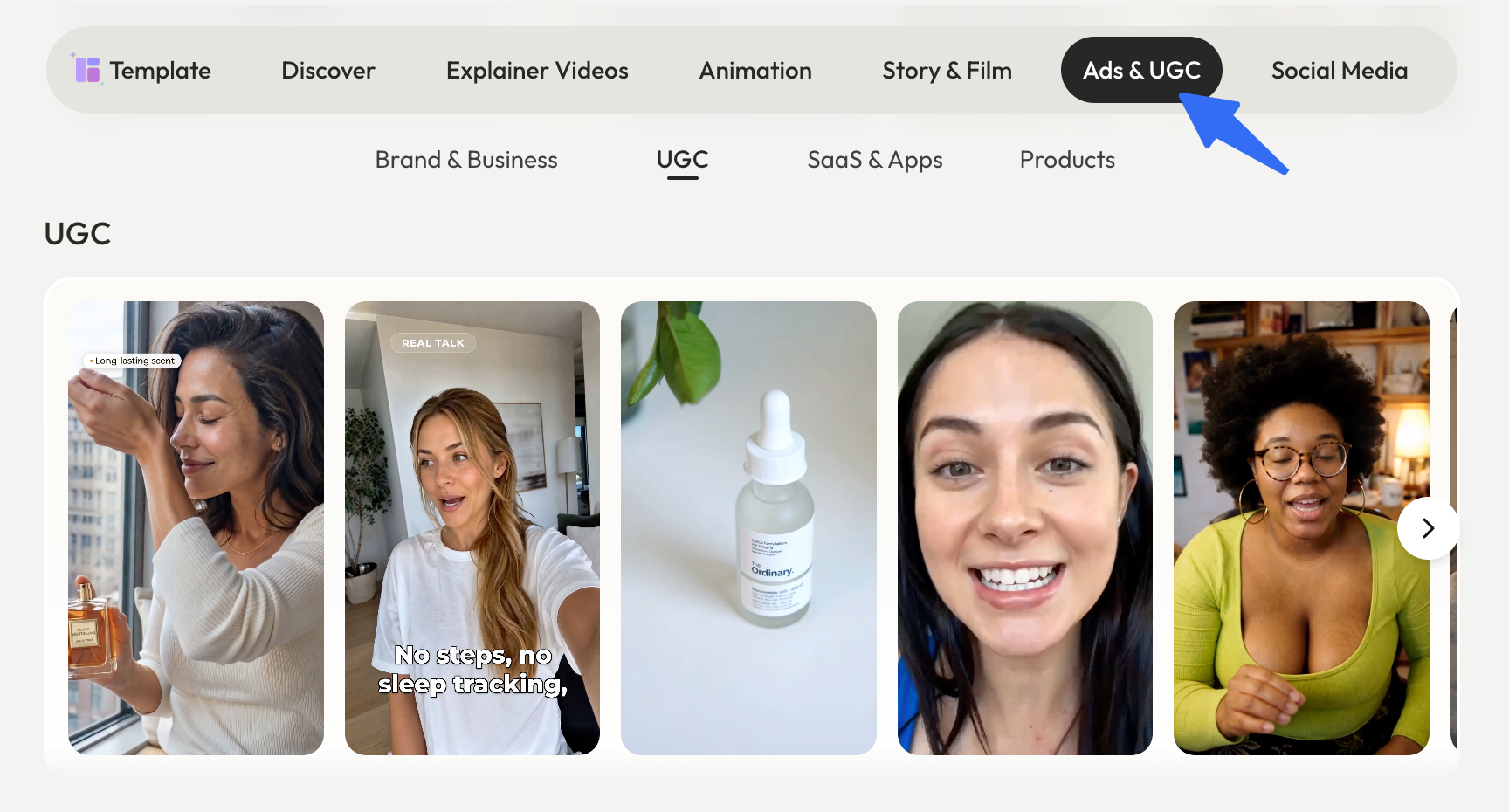
In advertising briefs, the term UGC ads often refers to paid creative made to resemble everyday creator content. That can mean a familiar setting, conversational delivery, and a clear use moment. The footage may come from a customer or a commissioned creator. Describe generated versions as AI UGC-style ads so the production source stays clear.
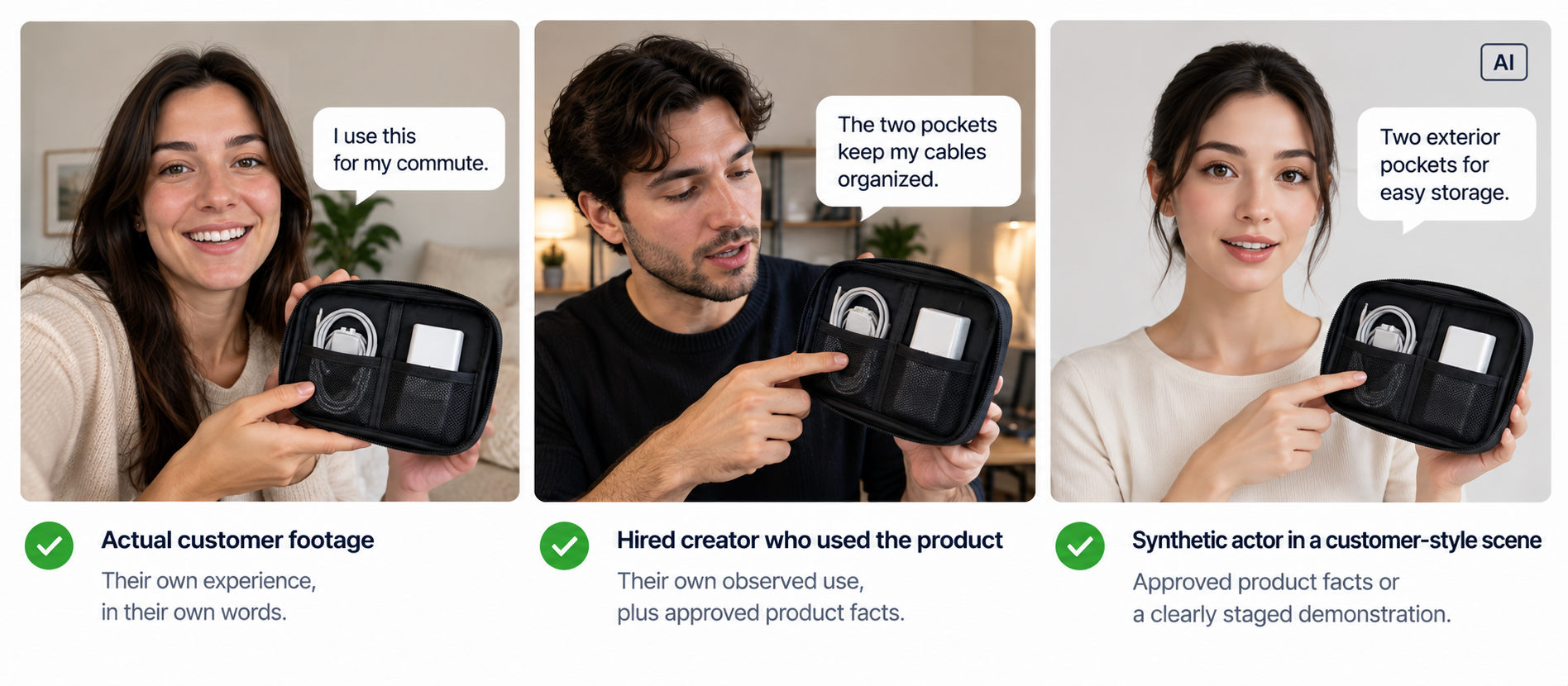
The style does not establish who used the product. A real user can describe their own experience. A hired creator can demonstrate a feature without claiming a purchase history. An AI presenter can deliver product narration or a staged scene; a customer story needs a genuine underlying account. The FTC's testimonial Q&A addresses actors and AI avatars in U.S. advertising.
| Source of the ad | What the speaker can truthfully say | What the team must check |
|---|---|---|
| Actual customer footage | Their own experience, within the limits of what happened | Product use, any incentive, permission for this placement, and claims implied by the edit |
| Hired creator who used the product | Their own observed use and supported product facts | What they actually tried, the brand relationship, and the agreed deliverables and usage rights |
| Synthetic actor in a customer-style scene | Supported product narration or a clearly staged demonstration | No invented personal history; applicable AI labeling, likeness and voice permissions, and the impression left with viewers |
These are common production situations, and they can overlap: a customer may also be paid to make the ad. Keep the source, commercial relationship, and script distinct. A phone-camera look answers none of those questions by itself.
Pick a Product Use Case and a Truthful Claim
For Kestrel, the useful moment is packing two charging cables before leaving home. Open on the pouch and cables beside a commuter bag. Move to a clear interior view, place one cable under each loop, then show the pouch zipped and ready to pack.
The line can stay simple: “Two elastic loops inside, one for each cable.” Let the open-pouch view establish what the words refer to. Keep both loops visible before cutting to the closing shot.
“No more tangled cables, ever” promises more than that sequence shows. “I haven't had a tangle since I bought it” adds a purchase and use history. Neither line belongs in the Kestrel brief without evidence for the claim and, where relevant, the speaker's experience.
Keep the current product sheet and interior photos with the approved line. For a filmed ad, use a sample matching the version for sale. For an AI version, compare the generated pouch with those references. A convincing packing scene illustrates the feature; it does not test cable retention or prove a long-term result.
Write a Creator Brief With Clear Boundaries
Give a creator room to choose an opening and natural wording, while specifying the product detail the ad must show. For an AI version, turn the same decisions into scene and narration instructions. Replace Kestrel's fictional details with the actual product records before production.
| Brief field | Kestrel example |
|---|---|
| Audience question | “How do the two cables fit inside this pouch?” |
| One deliverable | One short vertical ad showing the pouch closed, opened, packed, and zipped; specify the target length and destination |
| Must-show detail | Both elastic loops, with one cable placed under each; match the current pouch color and label |
| Approved factual line | “Two elastic loops inside, one for each cable.” A real creator can adapt the wording to their truthful demonstration |
| Experience boundary | Invite a real user to describe what they did and thought. Do not invent a purchase story, daily-use history, or satisfaction quote |
| Leave to the creator | Opening, pacing, hand movements, and ordinary wording, while keeping the feature and claim accurate |
| Submission pack | Original footage where filmed, the proposed cut, spoken and on-screen text, asset sources, speaker or AI-production details, and disclosure treatment |
| Review owners | Product owner checks the feature; marketing checks the cut and placement; the appropriate reviewer checks rights and disclosures |
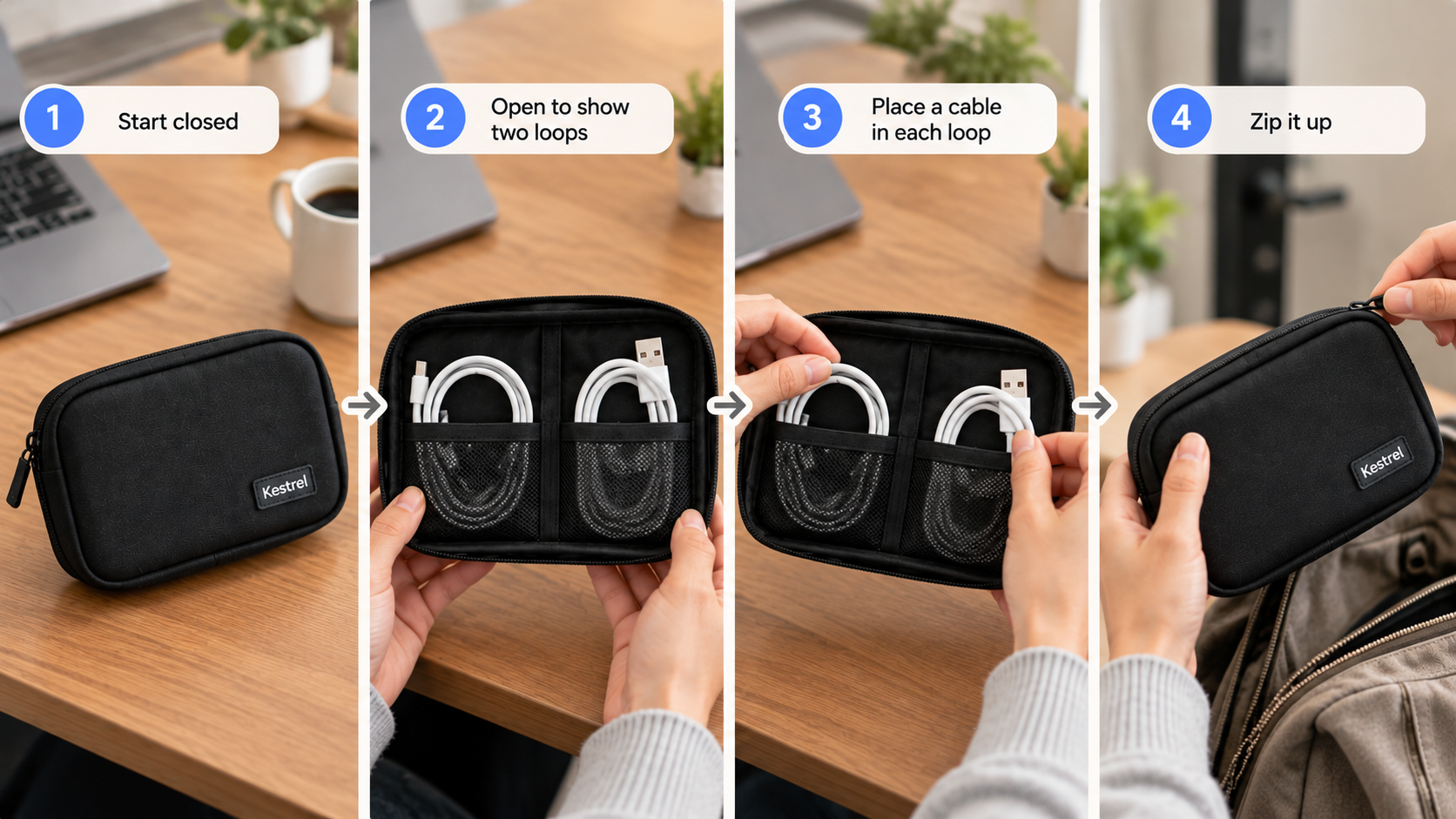
Send the product sheet and interior reference, not just a mood board. When working with a real creator, request the raw take alongside the edit. A reviewer can then hear whether a shortened sentence changed the meaning and see whether a graphic covered the second loop.
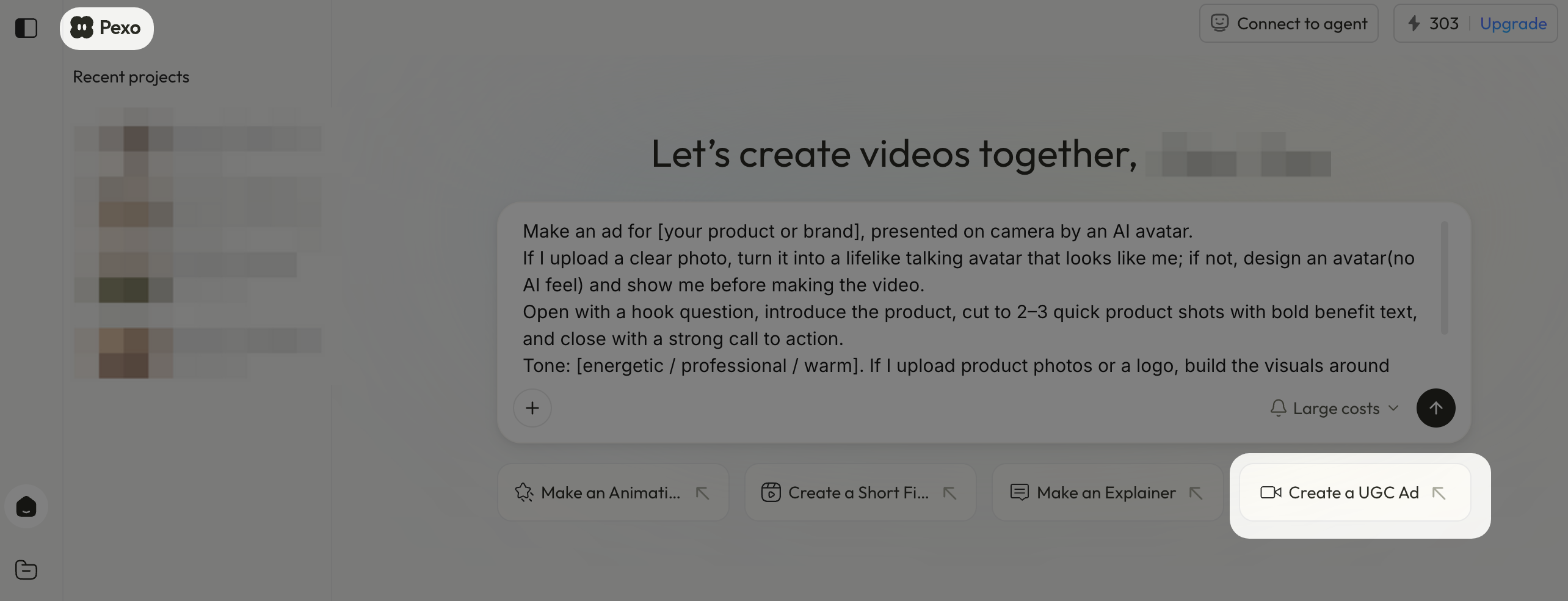
For the AI route, our UGC video maker at Pexo starts with a product URL or photo, an audience, and a tone. It generates creator-style video with a script, AI presenter, and voiceover. For Kestrel, supply the interior reference and a brief such as:
Create a vertical, casual creator-style product demonstration for [target length and placement]. Show the Kestrel pouch beside a commuter bag, then an overhead view of its two interior elastic loops. Show one cable under each loop before the pouch closes. Use the supplied product photos for the color, label, and interior. Narration: “Two elastic loops inside, one for each cable.” Do not add a purchase story or personal review. End with [approved next step]. Flag any packing action the references cannot establish.
Ask for a script and storyboard before production. Check that the interior view comes before the pouch closes. If generated hands hide or alter the loops, use an approved close-up or simplify the scene. The ad needs to explain where the cables go; an elaborate hand movement adds little if the feature disappears.
Review Footage, Disclosure, and Product Detail
Watch the first cut without the brief. Can you see both loops and understand the packing sequence? Does the speaker sound like a customer describing an experience, or like someone demonstrating the product? Then compare the wording and imagery with the approved sources.
| Review point | Pass when | Send back when |
|---|---|---|
| Product identity | Pouch, label, color, and two loops match the approved item | A shot changes the version, invents a pocket, or hides the claimed feature |
| Speaker and claim | Wording reflects the real person's experience or is clearly product narration | An invented “my daily pouch” story appears, or the edit changes a customer's meaning |
| Visual proof | The view clearly shows both cables in separate loops before the pouch closes | Quick cuts conceal the detail needed to understand the claim |
| Disclosure | Brand relationships and applicable AI labeling are handled for the intended placement | A required notice is missing, obscured by interface controls, or left in an unseen caption |
| Rights | Person, footage, voice, music, and supplied assets are cleared for the intended use | Permission for paid distribution or reuse remains unresolved |
Make revision notes about the failed moment. For example: “Keep the opening and narration. Hold the overhead view until both loops are visible, then show the pouch closing.” Review the replacement with the whole ad so the fix does not leave the line attached to the wrong shot.
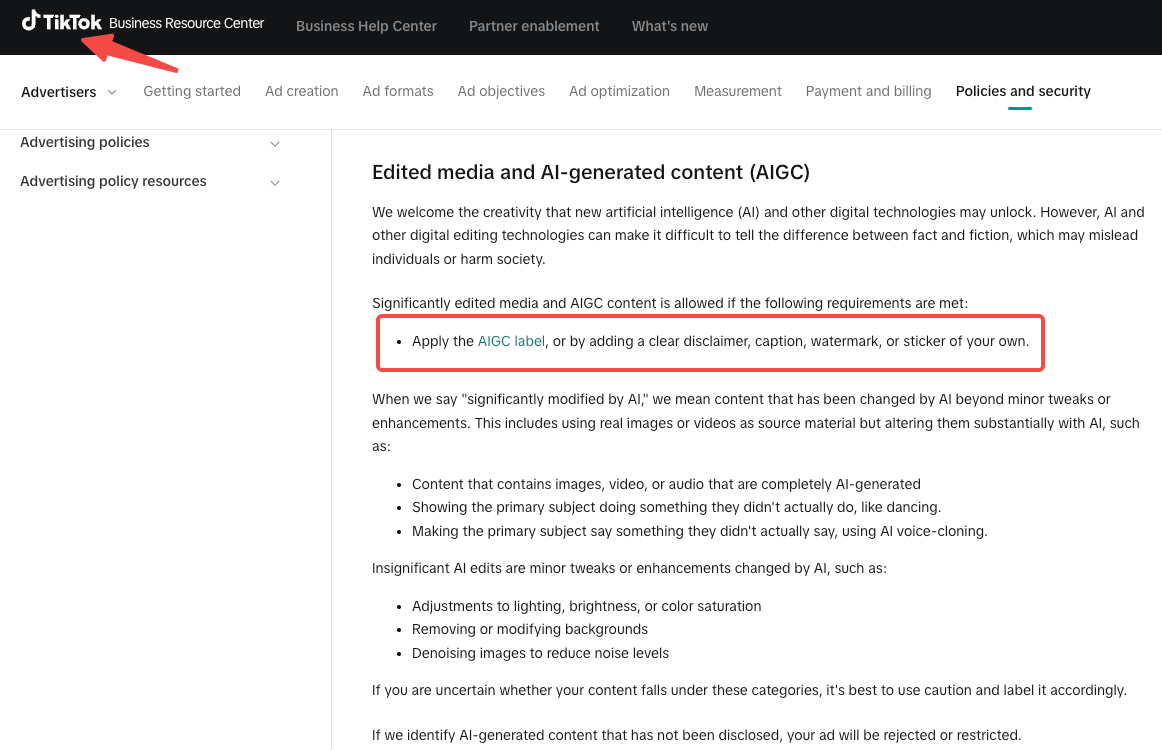
Disclosure depends on the relationship and placement. For U.S. campaigns, the FTC's endorsement guidance explains material connections such as payment or gifts. TikTok's advertising policy on edited media and AIGC, checked October 21, 2026, requires labeling or a clear disclosure for significantly edited or AI-generated ad content. Check the intended market, channel, agreement, and asset permissions. This is production guidance, not legal advice; refer uncertain cases to the appropriate legal reviewer.
Adapt Approved Creative for Another Placement
Keep the product demonstration intact while changing the part the new placement needs. A tighter crop can remove one loop. A shorter opening can cut the packing moment. A new voiceover can turn the feature into an unsupported promise that cables never tangle.
For a shorter Kestrel cut, trim the approach to the pouch before trimming the interior view. For another shape of frame, position the two loops and captions where both remain visible. Watch the result with sound on and off, including any notices beneath the destination's interface overlays.
Save the source version, approved line, permission scope, disclosure treatment, destination, and reviewer with each cut. Reusing an organic creator post in paid media also requires checking the agreement and the channel's paid-use process.
If you are making the product demonstration with AI, bring the approved images and feature brief to Pexo's product video workflow. Review the packing sequence and final wording before adapting it for another placement.