


AI Animated Music Video
Make an animated music video with Pexo. Use one visual motif that follows the music to tell a clear story. Organize your material and review the finished video.
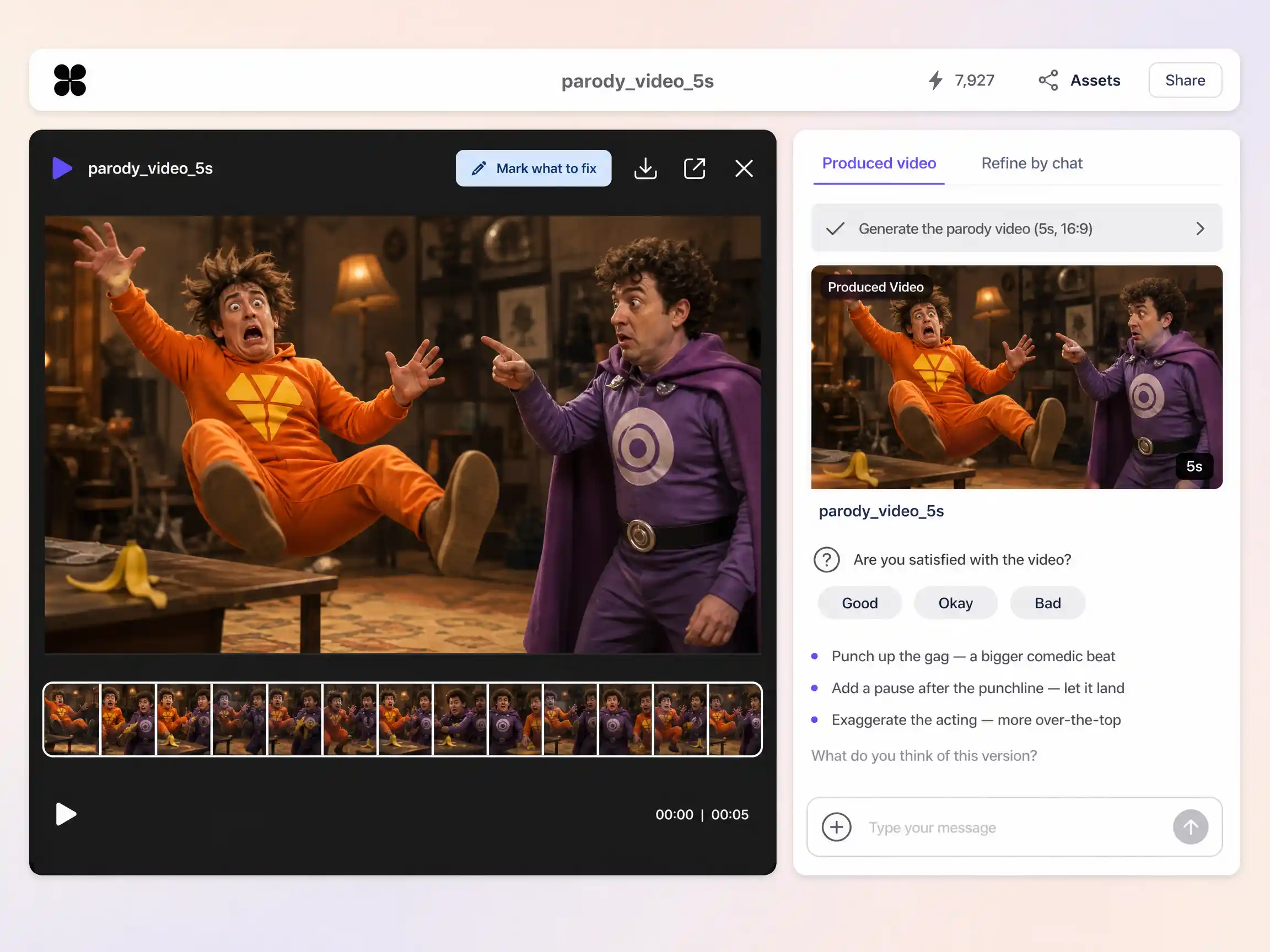
Describe the trailer, song, or trend you want to spoof, pick a style, and Pexo's AI parody video maker writes the bit, generates every scene, and syncs the lips into a sharp, punchline tight cut in minutes.
Start from a single line of text or a product photo. Pexo writes the script, generates every shot, and stitches them into one continuous, edited video. You can mix text to video, image to video, and script to video inside the same project, and stay in plain language the whole way. No timelines, no keyframes, no editor to open.
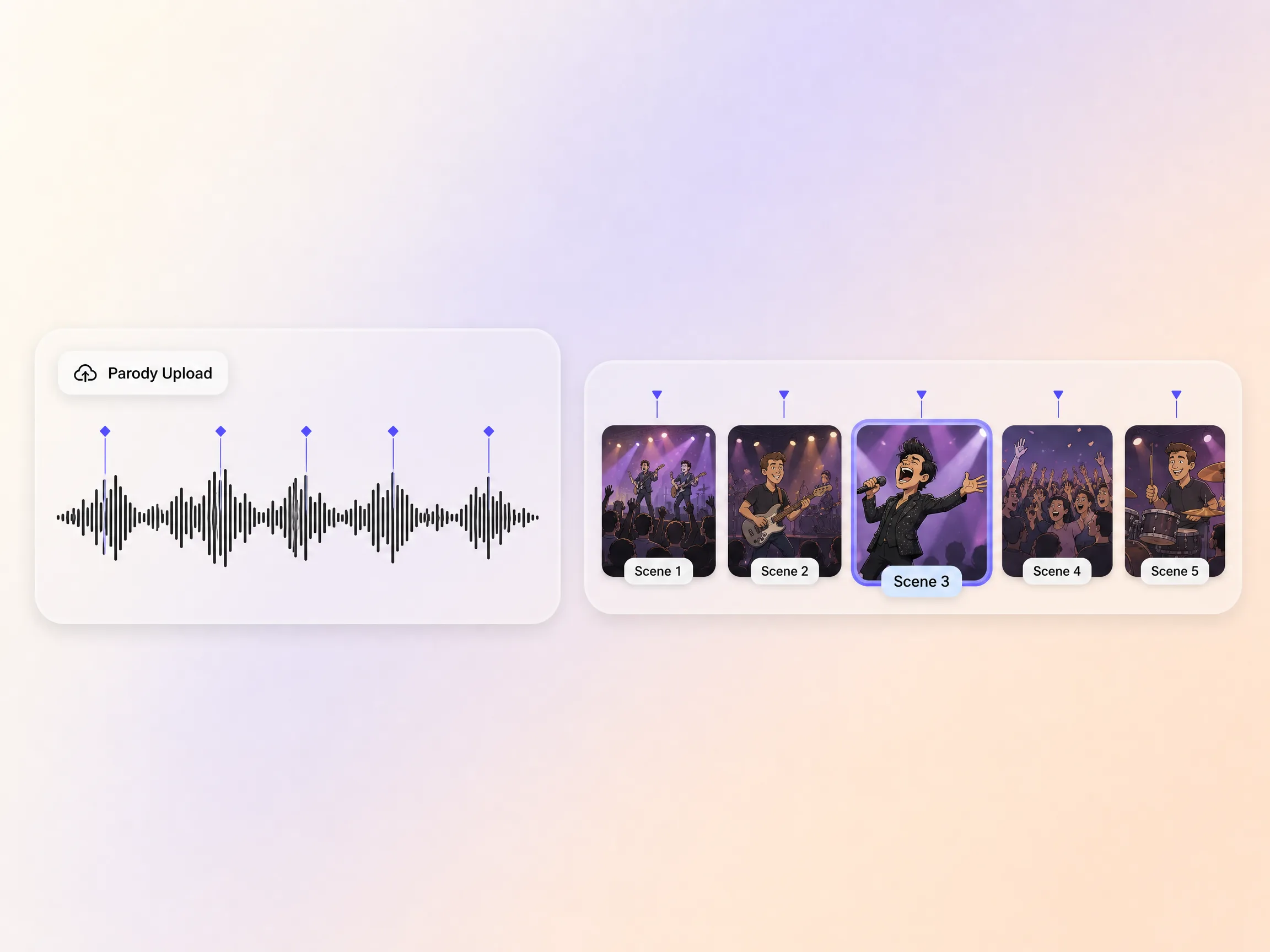
Wrote new lyrics over a famous melody? Pexo's audio to video turns your recorded parody track into a complete music video. Upload the audio and the AI reads its rhythm and mood, then generates scenes that cut on the beat, with characters that ham it up exactly where the punchlines land. Add lip sync so your singer actually mouths the joke lyrics. It is the fastest route from a voice memo to a music parody that belongs on YouTube.
Pexo runs across more than ten video engines, including Seedance 2.5, Kling AI 3.0, MiniMax H3, and Happy Horse 1.0, and routes each shot to the model that handles it best. Photoreal trailer spoofs, stylized motion, fast camera moves, each goes to its strongest engine automatically. You can name a specific model when you want fine control, but most of the time you never think about it. You get the best quality available without comparing tools yourself.
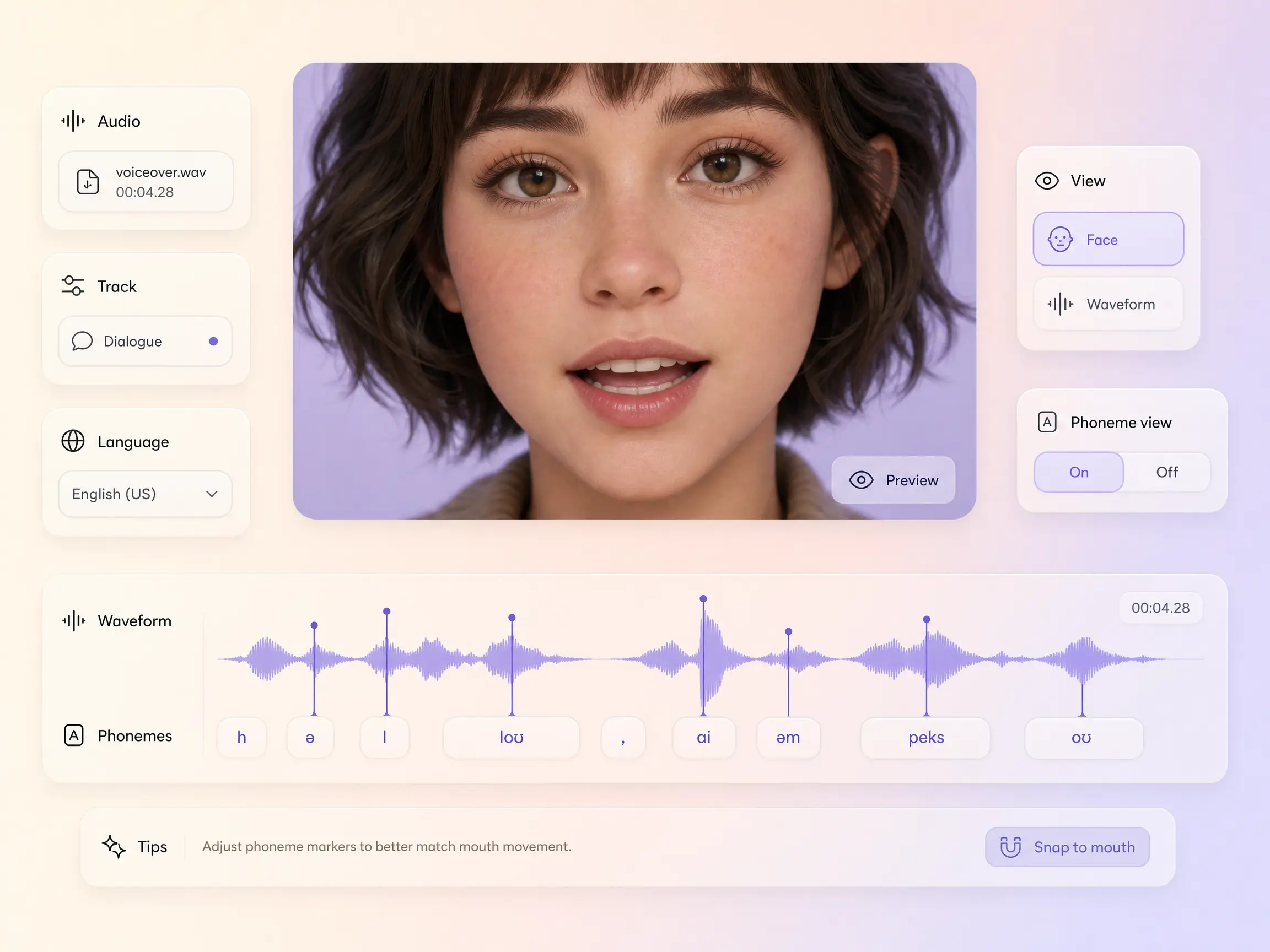
Whether it is an avatar, a character, or a real person you uploaded, Pexo syncs the lips frame by frame to the audio in your parody video. Speech lands on the right syllables, so dialogue and narration read as real rather than dubbed. Change the script or the language and the mouth movement re-renders to match.
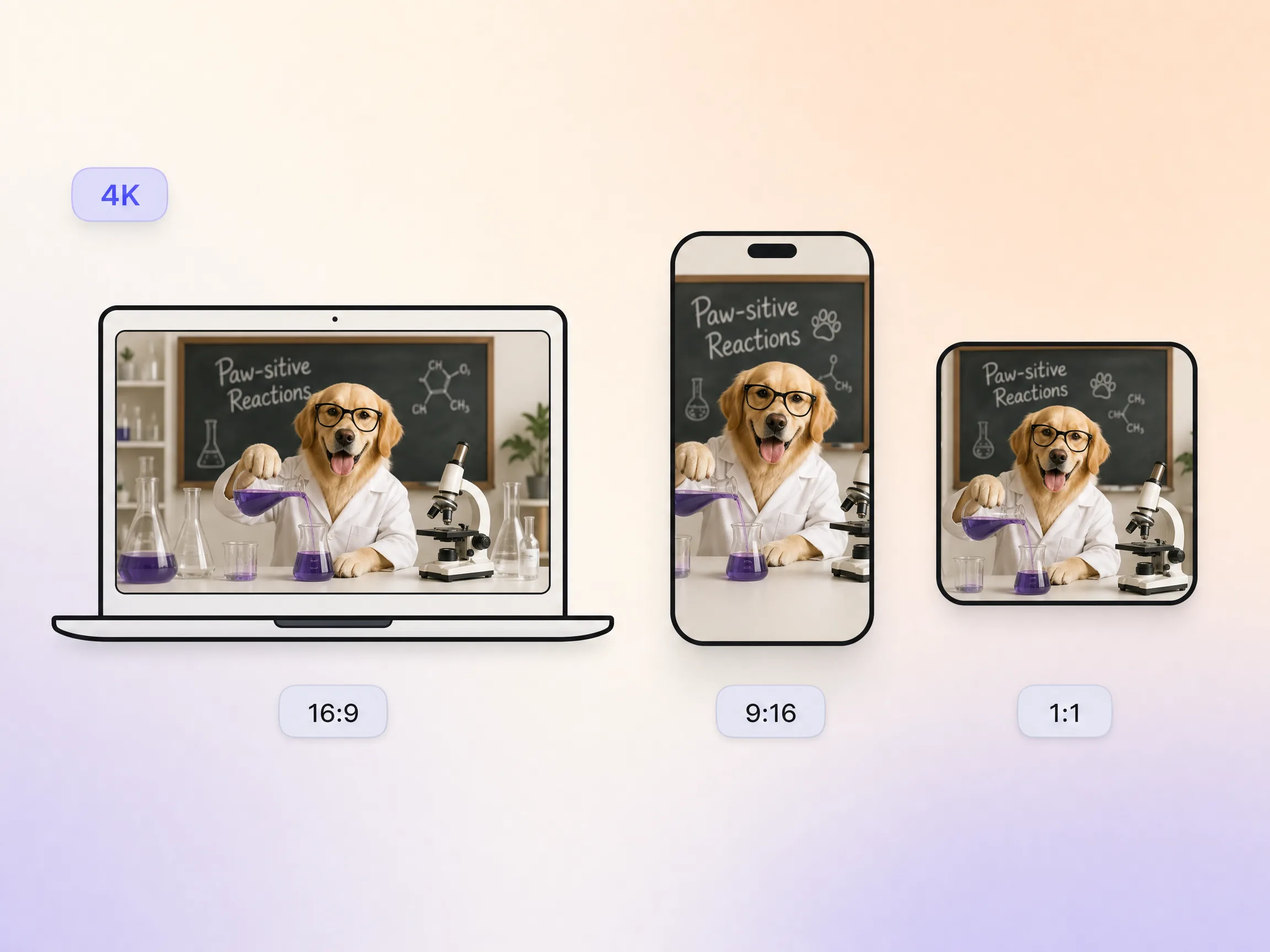
Pexo delivers your parody video natively in 16:9 for YouTube, 9:16 for TikTok and Reels, and 1:1 for feeds, up to 4K and anywhere from 5 to 120 seconds. Each aspect ratio is generated fresh for that screen, with the composition framed for it rather than cropped down from one master. Ask for several formats at once and post the right version to every channel. It looks intentional everywhere it lands.
Name the trailer, ad, song, or trend you are mocking in a single line. Pexo turns it into a shot list with the gag structure already in place, no script doc and no storyboard.
Choose an aspect ratio, a length between 5 and 120 seconds, and a delivery style. Add an avatar when the bit needs a presenter, or upload your rewritten track when it needs a singer.
Pexo routes every shot to its strongest model, syncs the mouths to the punchline, and hands back a finished cut in 16:9, 9:16, or 1:1 up to 4K, ready to upload.
I spoofed a superhero trailer in an afternoon, deep movie-trailer voice and all. It out-performed my real uploads.

I pasted my parody lyrics and Pexo cut the whole video on the beat. The lip sync sold every punchline.

Vertical spoofs of ad cliches, one a day, no filming, no crew. Two of them cracked a million views.

A parody video is a comedic imitation of a recognizable original, such as a movie trailer, a music video, an ad, or a social trend, exaggerated until the imitation itself becomes the joke. With Pexo you describe the spoof in plain language and the AI writes the bit, generates the characters and cinematography, and returns a finished cut.
No. Pexo generates the characters, sets, and camera work from your description, so a blockbuster spoof or a fake news desk needs no camera and no crew. Every parody video renders natively in 16:9, 9:16, or 1:1, up to 4K, anywhere from 5 to 120 seconds, so one gag ships to YouTube and TikTok at once.
In many countries parody that genuinely comments on or transforms the original is protected under fair use style rules, which is why parody thrives on YouTube. Pexo generates original footage with models such as Seedance 2.5 and Kling AI 3.0 rather than copying source material, but review your platform policies and local law before commercial use.
Pexo. It routes every shot across more than ten video models, including Seedance 2.5, Kling AI 3.0, MiniMax H3, and Happy Horse 1.0, so photoreal trailer spoofs and stylized gags each land on the engine that handles them best. Frame accurate lip sync mouths the punchline, and exports run up to 4K.
A parody imitates a specific, recognizable source, while a sketch is original comedy written from scratch. Both run through the same generator, but the spoof leans on references the audience already carries. If your idea is an original scene rather than an imitation, the sketch video page is the better fit.
Use this formula: subject + action + camera movement + setting + style. Name the genre you are mocking so the model copies its visual grammar. Example: a stone faced hero walking in slow motion away from a burning toaster, slow dolly out, suburban kitchen at dusk, blockbuster trailer style with a heavy teal and orange grade.
Describe the thing you want to parody and Pexo's AI parody video generator writes the gag, builds the scenes, and delivers a cut ready for YouTube or TikTok.
Make an animated music video with Pexo. Use one visual motif that follows the music to tell a clear story. Organize your material and review the finished video.
Make a corporate mini-documentary with Pexo. Organize your own material and edit a focused review cut. Check the details before you share it.
Make an animated story video for kids with Pexo. Organize your own material and edit a focused review cut. Check the details before you share it.
Make an animated nursery rhyme video with Pexo. Organize your own material and edit a focused review cut. Check the details before you share it.
Make an opening title sequence with Pexo. Use the image that introduces your film to tell a clear story. Organize your material and review the finished video.
Make an educational animated video for kids with Pexo. Organize your own material and edit a focused review cut. Check the details before you share it.
Make an illustrated animated explainer video with Pexo. Use a paper-cut water cycle to tell a clear story. Organize your material and review the finished video.
Make a gameplay cinematic video with Pexo. Make a short scene from recorded gameplay with a clear setting, one character choice, and a memorable ending.