



Create Bible Videos from Scripture
Create Bible videos from reviewed verses, lesson notes, book overviews, timelines, and character studies with clear scenes, narration, captions, and human review.
Describe the task, pick a look, and this ai tutorial video maker writes the script, generates every step, and narrates a polished walkthrough in minutes. No screen recorder, no editor, no reshoots.
Start from a single line of text, a screenshot, or a finished script. The tutorial video maker writes the steps, generates every shot across Sora 2, Kling 3.0, Veo 3.1 and Seedance 2.0, and stitches them into one continuous edited cut. Mix text to video, image to video, and script to video inside the same project. No timelines, no keyframes, no editor to open.
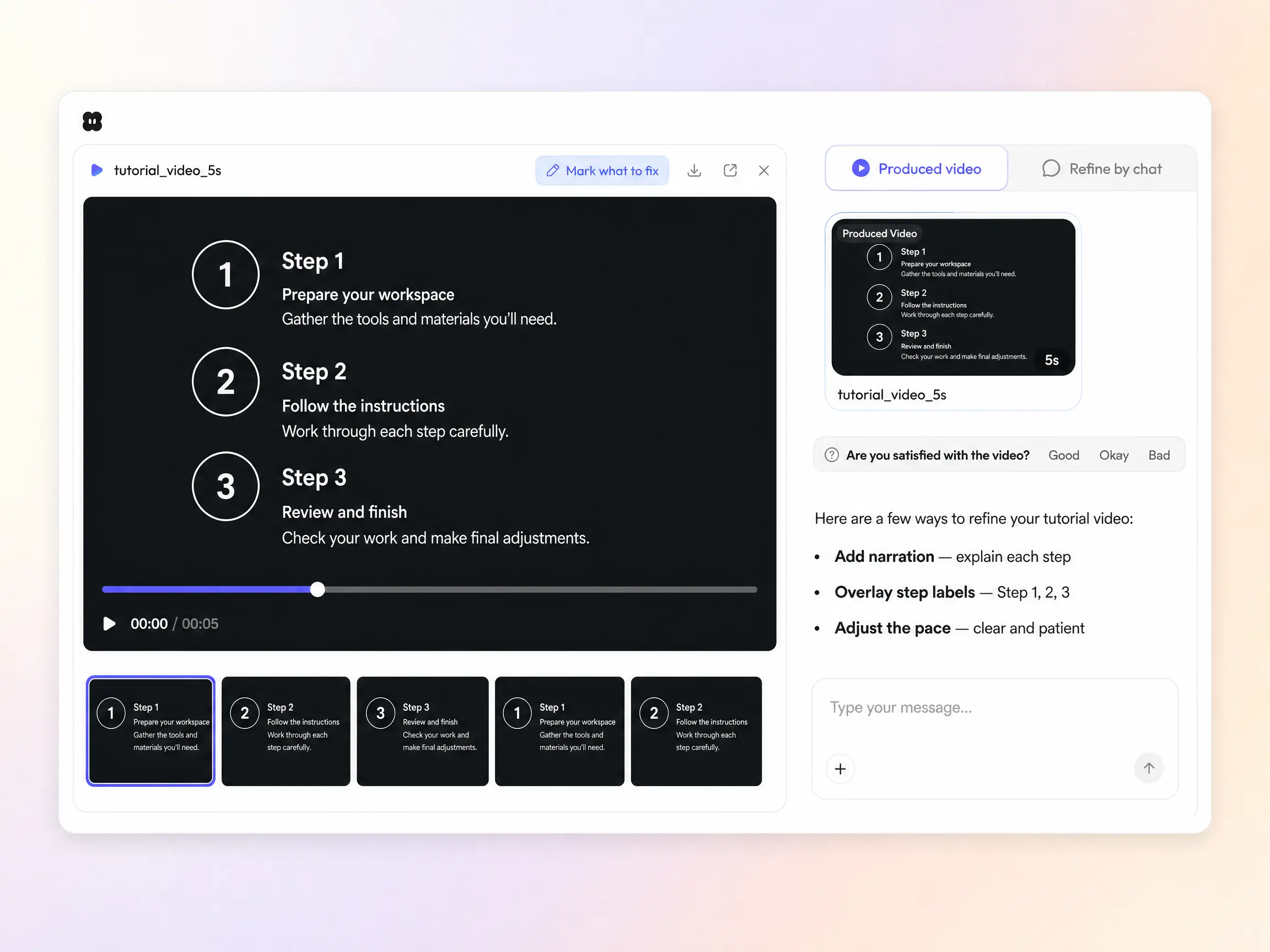
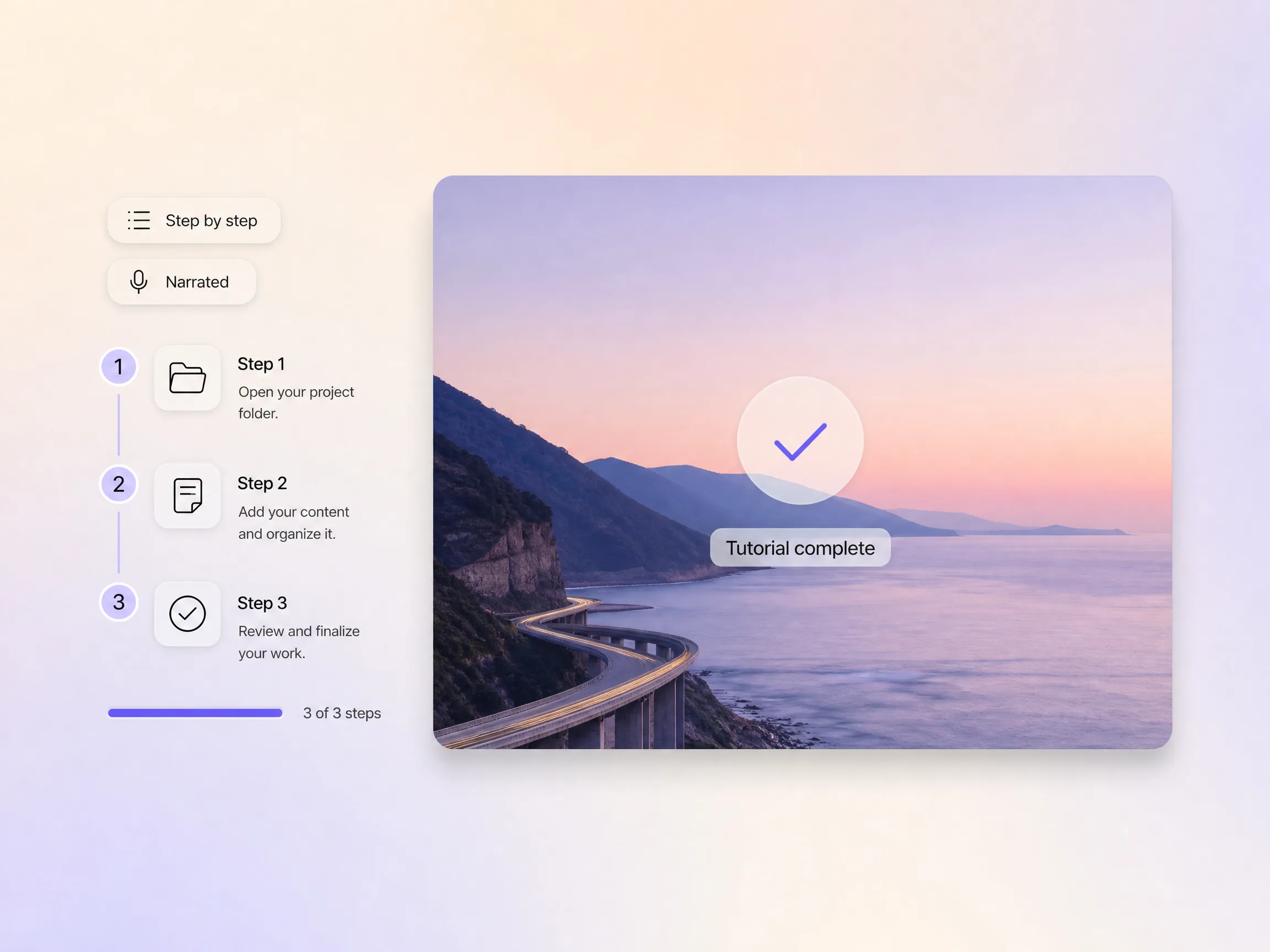
Pexo breaks the task into numbered steps, shows each one, and narrates in plain language so nobody gets lost. The pace stays patient but tight, and every line is captioned. A wall of instructions becomes a lesson video people follow to the last step.
Pexo turns your process into an e-learning video that actually shows the work. It highlights the right control on screen, numbers the steps, and paces each one so viewers follow along without pausing. Instead of a wall of narration, they see exactly where to click and what happens next. Teaching designed to be watched, not just heard.
Pexo splits a long course video into labelled chapters so viewers jump straight to the section that matters to them. Each part gets a plain title and a clean handoff into the next, which keeps completion high and repeat questions low. One video that serves the first-timer and the person who only needs step four.
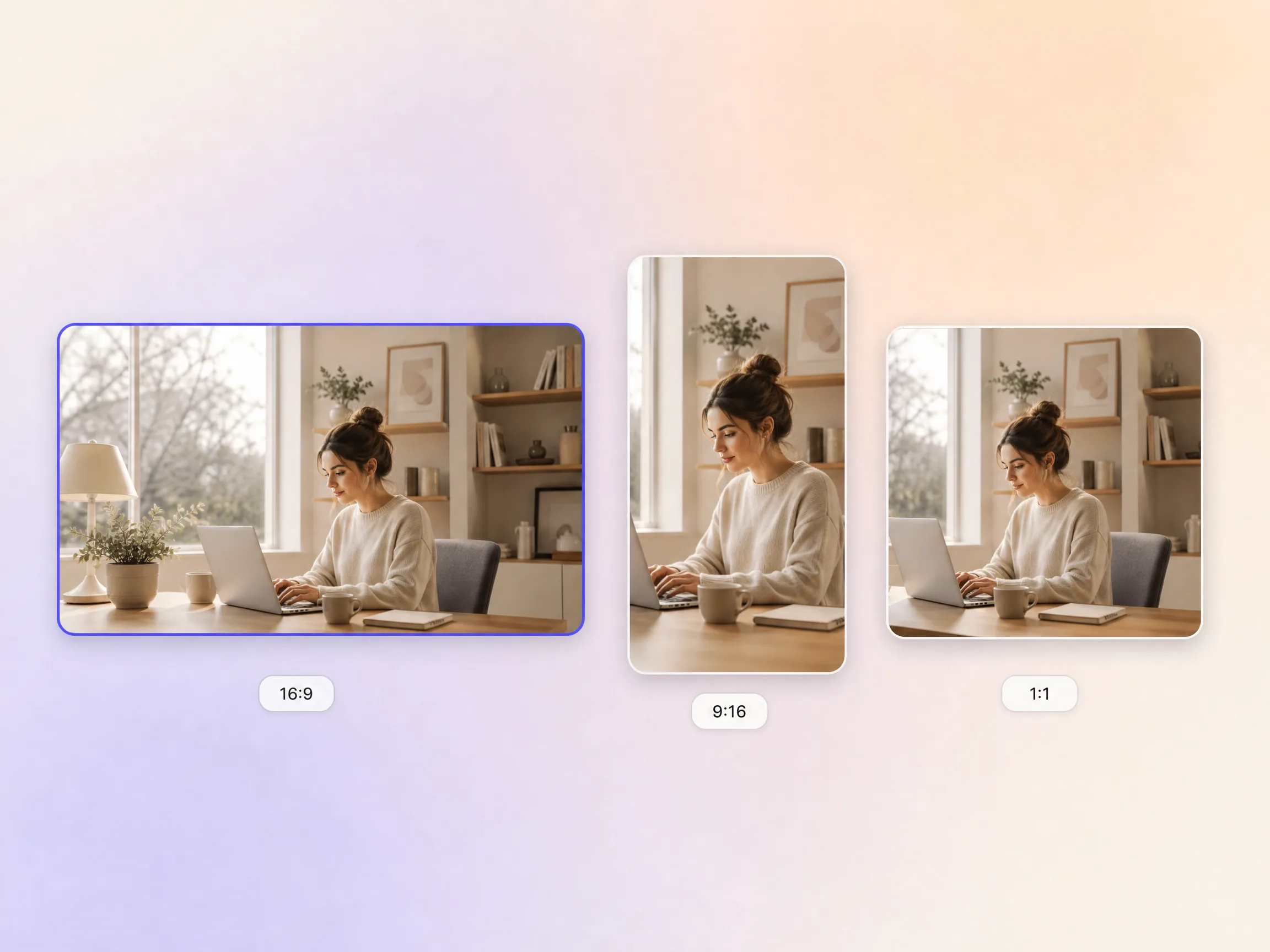
Pexo delivers your tutorial video natively in 16:9 for YouTube, 9:16 for TikTok and Reels, and 1:1 for feeds, up to 4K and anywhere from 5 to 120 seconds. Each aspect ratio is generated fresh for that screen, with the composition framed for it rather than cropped down from one master. Ask for several formats at once and post the right version to every channel. It looks intentional everywhere it lands.
I described the steps once and Pexo returned a course video my students actually finish. Completion went up 19 points.

We turned our top help article into a tutorial video the same afternoon. Repeat tickets dropped by a third.

No studio and no screen recorder. Pexo narrated and captioned all 14 steps in one pass.

Related teaching formats, built the same way and ready in minutes.
Turn a complex idea into a clear, watchable story
Show how your product works, step by step
Get new users to their first win without a call
Turn slides and talking points into a narrated presentation
Turn lessons into polished educational videos
Turn SOPs into training your team can actually use
Sketch-style animation for teaching and pitching
Show your product in action, feature by feature
A tutorial video is a short instructional video that walks one viewer through one task from start to finish, showing each action on screen while narration explains it. Pexo builds one from a plain description, writing the script, generating every step with Sora 2 and Kling 3.0, then adding voiceover and captions. Most tutorial video projects land between 5 and 120 seconds.
Minutes, not days. Pexo drafts the script, generates every step and returns a finished cut in one pass, with clips from 5 to 120 seconds and export up to 4K across Sora 2, Kling 3.0, Veo 3.1 and Seedance 2.0. Regenerate a single step without rebuilding the whole tutorial video, so revisions stay cheap.
Yes. Drop in screenshots or a recording and Pexo animates them into numbered steps with on-screen highlights, narration and captions, or start from image to video. The same tutorial video generator exports 16:9 for YouTube, 9:16 for Shorts and Reels, and 1:1 for feeds, each framed for that screen rather than cropped, up to 4K.
Pexo is a strong pick because it runs Sora 2, Kling 3.0, Veo 3.1 and Seedance 2.0 behind one prompt box and routes each step to the model that suits it, so you are never locked to one engine. It writes the script, narrates it, captions it, and exports every ratio up to 4K. That works equally well for a support walkthrough or a course video.
A tutorial video teaches one specific task end to end. A training video covers a whole role or policy for staff, and an explainer video sells the idea before anyone touches the product. Stay here for step by step how-to, and use an onboarding video when the goal is a new user reaching their first win.
Use subject + action + camera movement + setting + style. Name who is doing what, how the shot moves, where it happens, and the look you want. Example: a laptop screen showing a checkout page, cursor clicking the pay button, slow push in, bright modern office, clean e-learning video style. Add step numbers and Pexo paces each one for you.
Hand Pexo your steps and the tutorial video maker scripts it, narrates it, and exports every ratio.
Create Bible videos from reviewed verses, lesson notes, book overviews, timelines, and character studies with clear scenes, narration, captions, and human review.
Create Islamic videos from reviewed sources and lesson notes, covering history, culture, ethics, and education with respectful visuals and narration.
Create Christian videos from reviewed Scripture, lesson notes, and historical sources with clear visuals, narration, captions, and human review.
Create a medical video from your script or images with Pexo. Generate scenes, narration and captions for patient education, medical explainers and staff training.
Make an onboarding video that walks new users to their first win. Pexo scripts, narrates and edits it with Seedance 2.5, Kling AI 3.0 and MiniMax H3.
Make a how it works video that walks viewers through your product step by step. Pexo scripts, narrates, and captions it with Seedance 2.5 and Kling AI 3.0.
Turn any product into a finished demo in minutes with Pexo. The AI product demos generator scripts, voices, and animates every scene with Sora 2, Kling and Veo, up to 4K.
Create a character-led 2D explainer video with Pexo. The AI 2D explainer video generator turns your script into animated scenes with voiceover and captions, up to 4K.