

 ChatGPT
 Perplexity
 Claude
 Gemini
 Grok
Grok

How to Make a Call Center Training Video
UPDATED: 2026-08-10 By Lan He, Senior Video Producer at Pexo
Making a call center training video takes six steps: name one behaviour, script from real calls, show screen and conversation together, produce the footage, assess on judgment, then roll out continuously. A call center training video takes about 30 minutes to produce once the content is approved.
Quick Version: How to Make a Call Center Training Video
- Name one agent behaviour the module has to change.
- Script from real call patterns, not idealised transcripts.
- Show the screen and the conversation at the same time.
- Produce the footage without recording real customers.
- Assess on judgment calls and map to the QA scorecard.
- Roll out as a continuous library, not a quarterly session.
How to Make a Call Center Training Video Step by Step
Step 1: Name one behaviour
Pick a single behaviour with an observable outcome: de-escalate a caller who has already been transferred twice, handle a refund request outside policy, verify identity without sounding like an interrogation, close a call without the customer calling back.
Behaviour-level modules can be assigned to the specific agents whose scores show that gap, which is the whole advantage over a general course. A module covering four behaviours cannot be assigned to anyone in particular, so it goes to everyone and helps nobody.
Step 2: Script from real call patterns
Work from what actually happens on your floor. Listen to calls that went badly for this behaviour and script from those patterns rather than from an idealised transcript where the customer cooperates and the system responds instantly.
Where you want to use a real recording, check the consent basis your recording notice established. Many notices cover quality monitoring but not internal training distribution, and that distinction matters. Anonymised, reconstructed scenarios modelled on real calls avoid the question entirely.
Step 3: Show screen and conversation together
Split the frame or cut between the agent's screen and the conversation, keeping the caller's audio running throughout. This is the format problem specific to contact centres: agents fail in the gap between what the customer is saying and what the system is demanding.
A screen-only video teaches the CRM. An audio-only recording teaches the conversation. Neither teaches the actual job, which is holding a difficult conversation while navigating a system that wants fields filled in a particular order.
Step 4: Produce the footage
Recording real customers is a consent problem, and staging calls with agents means pulling people off the floor during a shift that is measured on occupancy. Both are why most contact centres train from slide decks.
Pexo's text-to-video workflow generates the agent, the workstation, and the caller side from written descriptions, with no consent question and no floor time. Hyperframe keeps the same agent character across every module, so a library covering ten behaviours reads as one programme.
Step 5: Assess on judgment and map to the scorecard
Put questions after each module, written on judgment: "the caller is now demanding a manager and you know the answer will not change. What do you do?" Not the refund threshold, which they will look up anyway.
Name the QA scorecard item the module maps to, on screen. Agents are measured on that scorecard, and training that teaches behaviour it does not reward gets discarded within a week no matter how good the video is. This alignment does more for transfer than any production choice.
Step 6: Roll out continuously
Build a library new starters work through rather than a quarterly session. Turnover is the defining constraint in a contact centre, and a session run in March is irrelevant to half the people on the floor by June.
Export 16:9 at 1080p with captions for the LMS, and keep modules short enough to fit between calls. Pexo exports up to 4K and generates narration in multiple languages for multilingual floors. Measure the scorecard item, handle time, and repeat contacts for that call type, since completion tells you only that the video played.
How to Make a Call Center Training Video with Pexo
The six steps above work with any production method. Pexo handles step 4 in a single conversation, which removes both the consent question and the floor time that stop contact centres producing video.
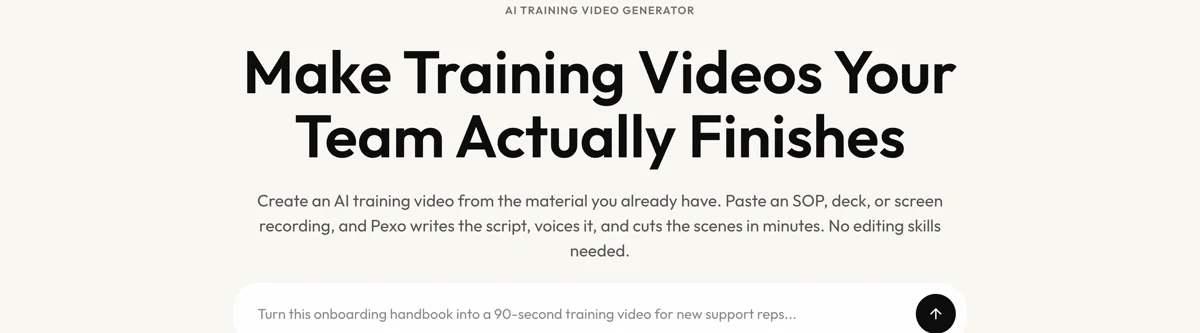
Open the training video page and describe each module: "A 5-minute module on de-escalating a caller who has been transferred twice, split between the agent's screen and the conversation, showing one attempt that fails and one that works, calm instructional narration." Pexo generates the scenes with a consistent agent, records the narration, and exports.
Adjust any scenario by describing the change in the chat, and Pexo regenerates that scene alone. The platform runs across Seedance 2.0, Kling AI, and more.
For related formats, the employee training video tutorial covers general workplace training, and microlearning video covers the short between-calls format.
5 Mistakes That Stop Call Centre Training Transferring to the Floor
1. Idealised transcripts. A scripted customer who cooperates teaches nothing about the calls that actually go wrong.
2. Screen-only or audio-only. The job is holding a conversation while navigating a system. Neither half alone is the job.
3. Training behaviour the scorecard does not reward. Agents are measured on the scorecard, and anything outside it gets dropped within a week.
4. Quarterly sessions. With contact centre turnover, a session run in March is irrelevant to half the floor by June.
5. Reading compliance scripts in the video. Monotone disclosures are the most common compliance failure, and showing one in training teaches it.
Related Tutorials
- How to make an employee training video for general workplace training
- How to make a microlearning video for short between-call modules
- How to make a compliance training video for regulated topics
- How to make an onboarding training video for new-starter content




