

 ChatGPT
 Perplexity
 Claude
 Gemini
 Grok
Grok



How to Make a Short Video
UPDATED: 2026-08-04 By Lan He, Senior Video Producer at Pexo
Making a short video takes six steps: define your story, write a script under 60 seconds, choose a visual style, generate or record the footage, add music and captions, then export for the target platform. A single short video takes 15 to 30 minutes from idea to published post.
Quick Version: How to Make a Short Video
- Define the one story, tip, or message the video will deliver.
- Write a script that fits within 60 seconds of spoken narration.
- Choose a visual style that matches the platform and audience.
- Generate the video with AI or record it manually.
- Add background music and burned-in captions.
- Export in 9:16 vertical for TikTok, Reels, or Shorts, or 1:1 for feed posts.
How to Make a Short Video Step by Step
Step 1: Define your story or message
Pick one specific idea the viewer will take away after watching. A short video that tries to cover three topics loses the viewer before any of them lands. Strong short video concepts take one of these shapes: a single tip or hack, a before-and-after transformation, a product reveal, a 30-second tutorial, or a brand story told in one scene.
Write the idea as a single sentence: "Show how a product photo turns into a 15-second video ad." If the sentence needs the word "and," the concept is too broad for one short video. Split it.
Step 2: Write a script under 60 seconds
Write the narration or on-screen text before creating any visuals. A 60-second short video uses about 120 to 150 spoken words. Open with a hook in the first two seconds: a question, a bold claim, or immediate motion. Deliver the main point in the middle. Close with a one-sentence payoff or call to action.
Read the script aloud and time it. Cut every sentence that does not move the story forward. For short videos built with Pexo, the script doubles as the generation prompt, so a clean script produces a cleaner first draft.
Step 3: Choose a visual style
Match the visual style to the platform and audience. Cinematic motion with camera movements and transitions works for brand stories and product launches. Fast-cut montage works for tips and hacks. Animated text overlays on a single background work for educational content. AI-generated scenes with consistent characters work for narrative shorts.
Decide before production, not during. Changing styles mid-edit wastes more time than planning. Pexo supports cinematic, anime, and realistic visual styles, and maintains character consistency across scenes so a face stays recognizable throughout the video.
Step 4: Generate or record the video
Two production paths work for short videos. The manual path records footage with a phone or camera, then imports the clips into an editor for trimming and sequencing. The AI path describes the video in a text prompt and lets the platform generate the visuals, transitions, and pacing automatically.
Pexo's text-to-video workflow handles the AI path: type or paste the script, select a visual style, and Pexo produces true motion video with camera movements and environmental animation. For product-based shorts, upload a product photo and Pexo creates the scene around it using image-to-video conversion. The output is cinematic motion, not a slideshow of stills.
Step 5: Add music and captions
Add background music that matches the energy and pacing of the video. Use royalty-free tracks from a music library or the platform's built-in selector (TikTok and Instagram both offer licensed music). Match cuts to beat drops when possible.
Add burned-in captions so the video works on mute. Over half of mobile video is watched without sound, and a short video without captions loses those viewers entirely. Pexo generates captions from the narration automatically, so no separate captioning step is needed. For manual workflows, tools like CapCut auto-generate captions from audio.
Step 6: Export for your target platform
Export in the aspect ratio the platform requires. Use 9:16 vertical at 1080x1920 for TikTok, Instagram Reels, and YouTube Shorts. Use 1:1 at 1080x1080 for LinkedIn and Facebook feed posts. Use 16:9 at 1920x1080 for YouTube long-form or embedded players.
Pexo exports all three ratios from a single project. Before uploading, watch the exported file on a phone screen to confirm text readability, caption placement, and safe-zone compliance. Most platforms crop differently, so text within the center 80% of the frame stays visible across all of them.

How to Make a Short Video with Pexo
The six steps above work with any tool. Pexo compresses steps 2 through 6 into a single conversation.
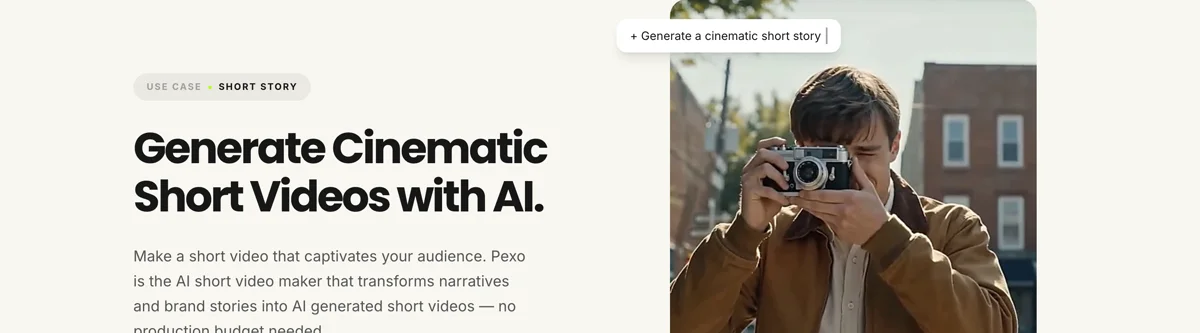
Open the short video page and describe what the video should show: "A 30-second brand story showing a coffee shop from morning opening to the first customer, cinematic style." Pexo generates a storyboard with scenes, dialogue, and visual direction, then produces cinematic video with camera movements and transitions.
Review the preview. Adjust any scene by describing the change in the chat. Pexo revises the specific section without regenerating the entire video. The platform works with Seedance 2.0, Kling AI, and more, selecting the model automatically based on the content.
For product-based shorts, upload a product photo and Pexo builds the video around it. For script-to-video shorts, paste the full narration and Pexo handles visuals, pacing, and music. The output includes captions and is ready to post in 9:16, 16:9, or 1:1.
5 Common Mistakes That Kill Short Video Engagement
1. Burying the hook. Viewers decide to stay or scroll in the first 2 seconds. Opening with a logo, intro animation, or throat-clearing sentence loses them before the content starts. Put the most striking visual or boldest claim first.
2. Cramming too much into one video. A 30-second short has room for one idea, not three. Each additional point dilutes the message and reduces the chance of a rewatch. One idea, one video.
3. Ignoring captions. A short video without captions is invisible to the majority of mobile viewers who watch on mute. Always burn in captions, even when the audio is music-only (in that case, use text overlays for the message).
4. Using the wrong aspect ratio. A 16:9 video posted as a Reel or TikTok appears letterboxed with black bars, signaling to viewers that the creator did not make the content for the platform. Shoot or export in 9:16 for vertical platforms.
5. Making the video too long for the platform. A 3-minute video posted as a Reel or TikTok gets lower distribution than a 30-second version of the same content. Match the length to the platform's sweet spot: 15 to 45 seconds for Reels and TikTok, under 60 seconds for YouTube Shorts.
Related Tutorials
- How to make YouTube Shorts for YouTube-specific formatting and optimization
- How to make a tutorial video for step-by-step instructional content
- How to make explainer videos for concept-driven educational content
- How to make a video collage with music for multi-clip montage formats




