

 ChatGPT
 Perplexity
 Claude
 Gemini
 Grok
Grok



You open Instagram, see three creators in your niche posting daily Reels, and do the math: filming, cutting, captioning, and exporting one good clip eats an afternoon you do not have. That is the real reason you are looking for the best AI video generator for Instagram. You want the output without the production day.
The good news is that the 2026 crop of tools can take a sentence, a photo, or a product link and hand you a finished vertical clip. The catch is that they solve very different problems. Some generate from scratch, some animate stock footage, some clone a presenter, and some just speed up editing. Pick the wrong category and you will fight the tool instead of posting.
This guide compares six AI video generators for Instagram Reels on the things that actually decide your workflow: how you start a video, output quality and aspect ratio, free tier, speed, and price. We opened each tool's interface and judged it against one common job, a 30-second skincare-routine Reel, drawing on its documented Instagram workflow and published specs as of June 2026, so you can weigh them like for like.
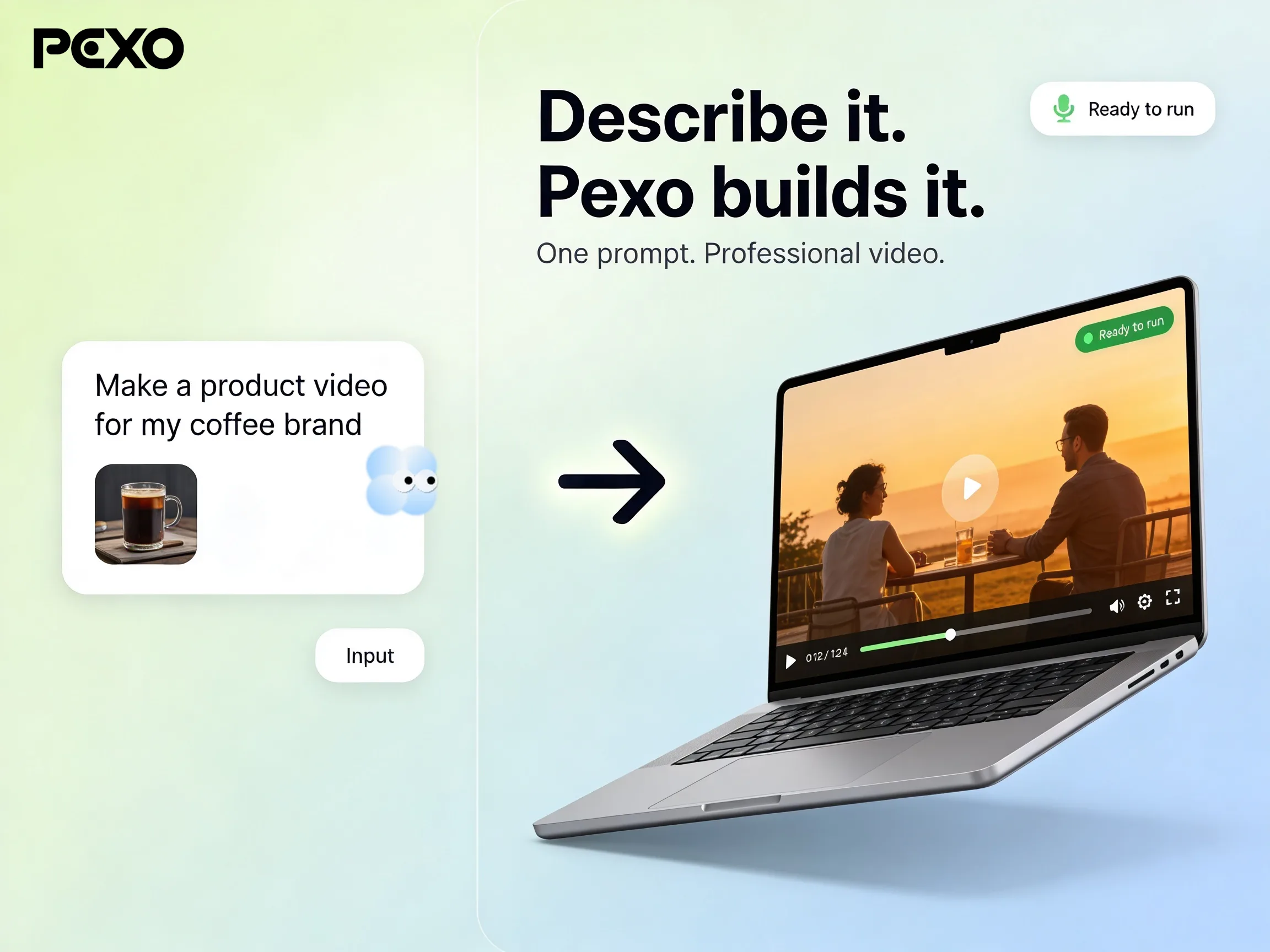 Pexo's conversational workflow: you describe the Reel you want, and Pexo builds the finished video.
What Is an AI Video Generator for Instagram?
An AI video generator for Instagram is software that produces a ready-to-post vertical video from a text, image, audio, or URL input, instead of you shooting and editing footage by hand. For Instagram specifically, that means native support for the 9:16 Reels frame and the 1:1 square post, captions burned in for sound-off viewing, and music or voiceover added automatically.
It matters because of where attention now lives. Short-form video now drives a large share of social engagement, and Instagram keeps pushing Reels as a growth surface, as Sprout Social's 2026 Instagram report tracks in detail. Posting volume is the lever most creators can actually pull, and an AI workflow is what makes daily posting survivable.
The key limitation that sends people comparing tools is fit. A generator built for talking-head avatars is wrong for a faceless aesthetic page, and a stock-footage assembler cannot invent a scene that does not exist in its library. The six tools below split cleanly along those lines, so match the tool to your content type, not to a generic "best" label.
The 6 Best AI Video Generators for Instagram at a Glance
Here is the short version before the detail. Prices are starting paid tiers as of June 2026; check each tool's page for the latest, since plans change often.
| Tool | Best for | How you start | Instagram output | Free tier | Starting paid price |
|---|---|---|---|---|---|
| Pexo | Describing a Reel instead of building it | Plain-language chat (text, image, URL, audio) | 9:16, 1:1, 16:9, captions, music | Free to start (credit-based) | Credit packs, pay per generation |
| InVideo AI | Stock-footage Reels from a script | Text prompt to template | 9:16 + 1:1, 16M+ stock clips | Yes, weekly cap + watermark | ~$20/month |
| HeyGen | Talking-head and avatar Reels | Script to AI avatar | 9:16, 230+ avatars, 175+ languages | 3 videos/month, watermark | ~$29/month |
| CapCut | Editing-heavy creators | Prompt or manual timeline | 9:16, 54+ styles, auto-captions | Generous free editor | ~$9.99/month |
| Canva | Free all-in-one casual posting | Templates + Magic Studio | 9:16 + 1:1 templates, 1080p | Yes, broad free plan | ~$15/month |
| Runway | Cinematic, stylized clips | Text or image to video | 9:16 export, Gen-4 model | 125 one-time credits | ~$15/month |
How We Compared Them
We judged each tool on five Instagram-specific factors, weighted for how creators actually work rather than for spec-sheet bragging rights.
- Starting friction (30%): how fast you go from idea to first draft. A blank prompt box you do not know how to fill is friction, not freedom.
- Output fit for Instagram (25%): native 9:16 and 1:1, caption quality, and whether music and pacing feel post-ready.
- Free tier (15%): what you can actually ship before paying, and whether a watermark blocks posting.
- Speed (15%): time from brief to a usable 30-second Reel.
- Price transparency (15%): clear plans, no surprise per-export charges.
We weighed each tool against one common job, a 30-second 9:16 skincare-routine Reel, looking at how its workflow gets you there rather than crowning a single output as "best." Screenshots below are real product UI we captured in June 2026, not marketing renders, and the specs we cite come from each tool's own site as of June 2026, so confirm the latest before you buy.
The 6 Best AI Video Generators for Instagram, Reviewed
1. Pexo: Best for Describing a Reel Instead of Building It
Pexo is an AI video partner you direct in plain language. Its interface is a single chat thread, not a prompt box wrapped in a wall of settings: you describe the Reel the way you would text a friend ("make a 30-second skincare routine Reel, soft morning light, calm music"), hand over a photo or a product link if you have one, and Pexo plans it, shows a preview you can redirect mid-stream, and returns a finished clip with pacing, captions, and a soundtrack. There is no syntax to engineer and no timeline to learn; you bring the idea and the assets, and adjust the result by saying what to change. For a brief like the skincare Reel the flow is one description in, a captioned 9:16 draft back, with no editing step between. For Instagram the bottleneck is rarely the rendering, it is knowing what to type and then stitching the pieces together, and that is the step Pexo removes.
Its core differentiator is twofold. First, the conversational workflow means there is no prompt syntax to learn: you direct, Pexo produces, and you redirect mid-stream by just saying what to change. Second, Pexo does not lock you to one model. It works with Seedance, Sora, Kling, and more and routes your scene to whichever model fits the style, so you are not betting your feed on a single engine's weak spots. It also takes text, an image, audio, or a product URL as a starting point, which suits Instagram's range from a quick selfie Reel to a polished product ad. Need a still or a thumbnail too? Pexo generates those in-app via image generation, so you do not leave the conversation.
You are the target user if you post often and value speed over manual control: a solo creator, a social manager running several accounts, or a DTC seller turning a product URL into a Reel without a studio. The text-to-video workflow covers the most common Instagram job, turning a sentence into a finished vertical clip.
Where it falls short: Pexo is built for generating from scratch, not for trimming footage you already shot. If your workflow is "I have a 20-minute vlog, cut it into clips," a timeline editor or a clip-extraction tool fits better. Pexo is also credit-based, so very high-volume batch users should plan credits around their posting cadence. And because it picks the model for you, hardcore users who want to hand-tune one specific engine have less manual override than a single-model tool gives.
Pricing: Pexo runs on credits rather than a flat monthly seat. You start free with an allotment to test the workflow, then buy credit packs and pay for what you generate, so the cost tracks your posting volume instead of a fixed subscription. That makes a direct "~$X/month" comparison unfair in either direction; it is not the cheapest option here, and the trade is workflow speed over a low sticker price.
Pros: No prompt syntax or editing; multi-model routing; text, image, audio, or URL input; a finished captioned Reel in one pass. Cons: Not built for cutting footage you already shot; credit costs scale with volume; less manual control over which model runs.
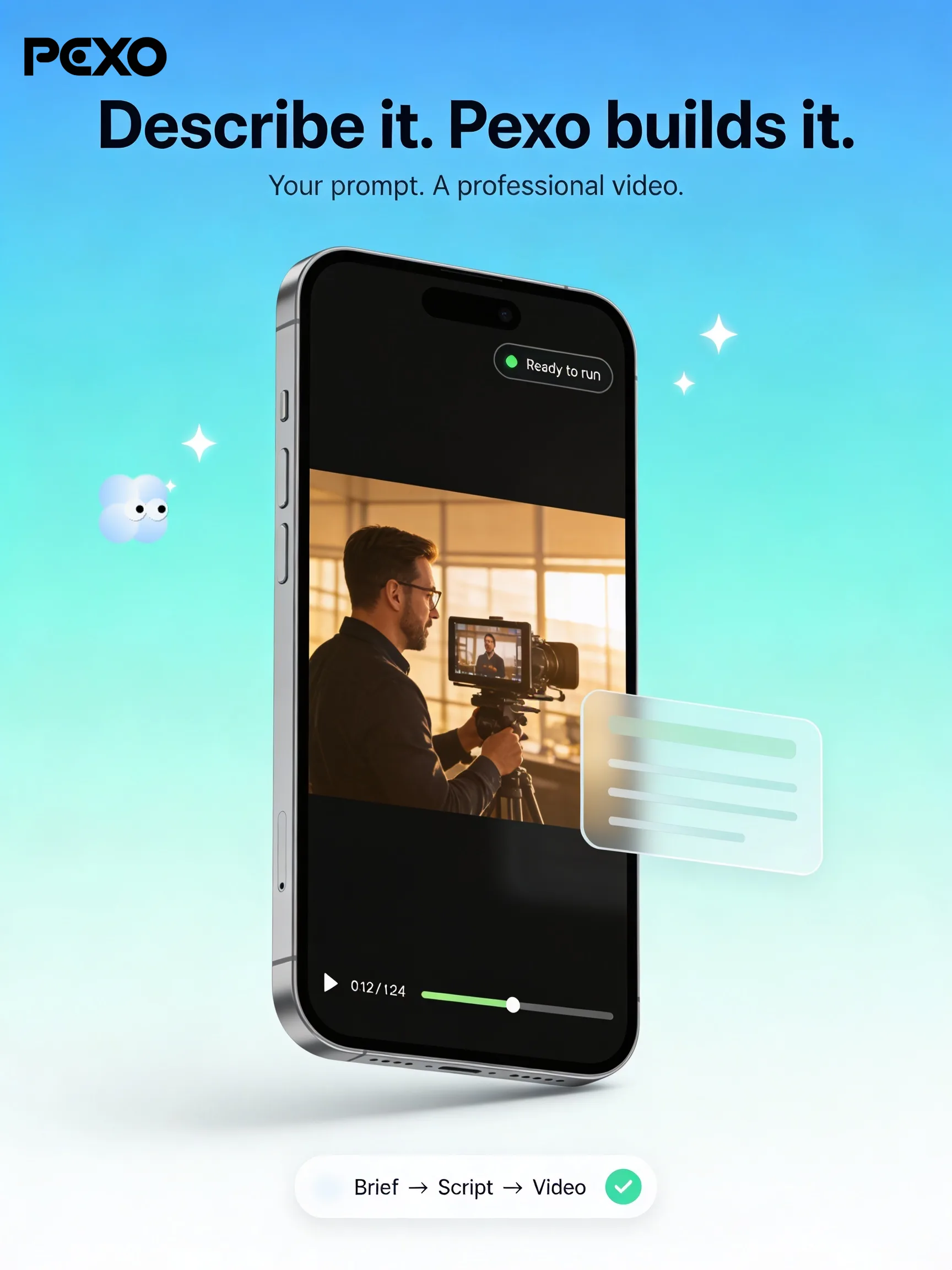 Pexo handles a 9:16 Reel end to end from one plain-language brief, no prompt engineering required.
2. InVideo AI: Best for Stock-Footage Reels From a Script
InVideo AI is the strongest pick when you want a narrated Reel built from stock footage rather than generated imagery. You type a prompt like "30-second Reel on morning routines," and InVideo writes a script, pulls B-roll from a library of more than 16 million iStock clips, adds an AI voiceover in one of 50-plus languages, drops in music, and animates captions. Its landing page is literally an "Instagram Reel Maker" built around that prompt-to-Reel flow, and InVideo reports a complete first draft in roughly four minutes.
Its differentiator is the script-to-stock pipeline at scale. For talking-over-footage content (listicles, tips, news-style Reels), few tools assemble a coherent narrated video this fast, and the text-based editing ("change the third clip to a city street") is genuinely quick. It is best for faceless niche pages and affiliate creators who narrate over visuals and post several Reels a week.
Where it falls short: because it leans on a stock library, InVideo struggles to show something specific that does not already exist as a clip, like your actual product. The free plan caps weekly export minutes and stamps a watermark, so you will pay before you post seriously. See our full InVideo breakdown for the workflow in depth.
Pricing: Free plan with weekly export limits and a watermark; Plus starts around $20/month and lifts the watermark with more AI generation minutes.
Pros: 16M+ stock clips; a narrated draft in about four minutes; 50+ languages; fast text-based re-edits. Cons: Limited to stock, so it cannot show your actual product; the free plan is watermarked with weekly export caps.
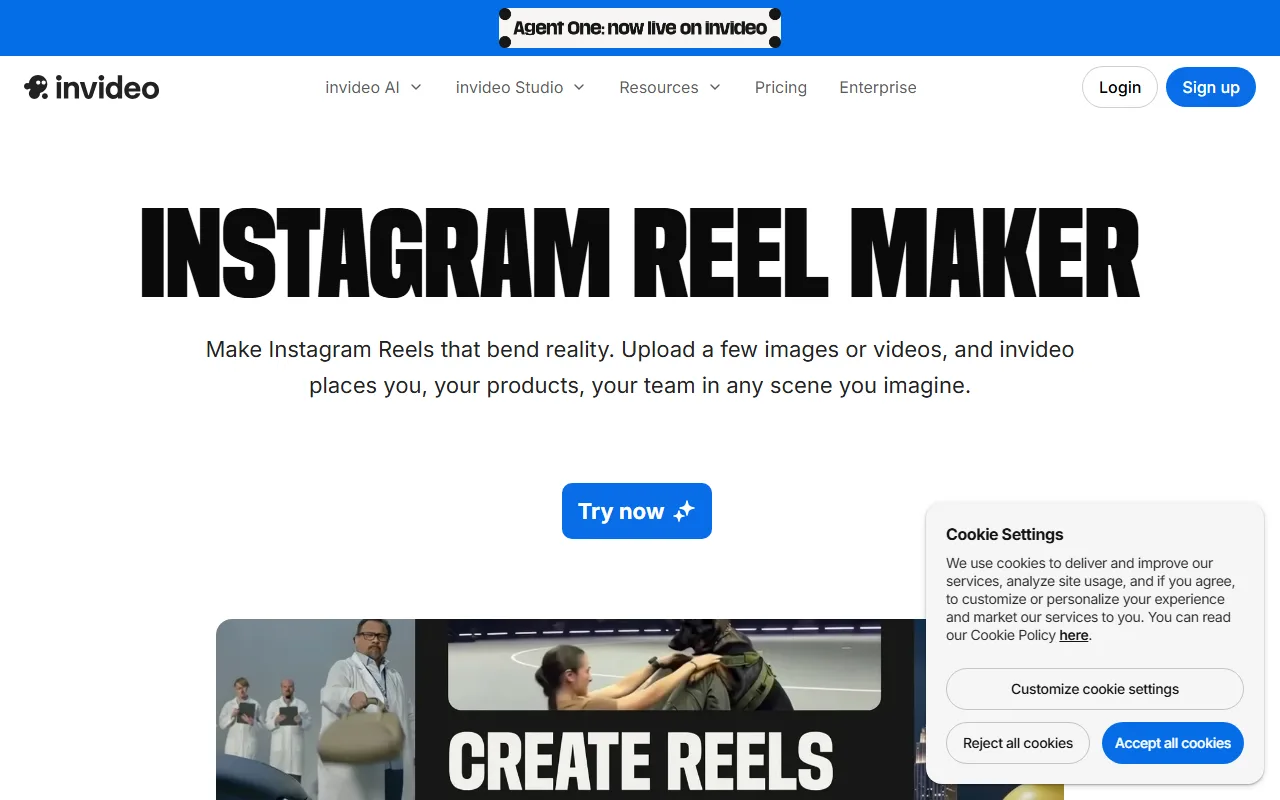 InVideo's Instagram Reel Maker turns a script prompt into a stock-footage video with captions.
3. HeyGen: Best for Talking-Head and Avatar Reels
HeyGen specializes in one thing and does it better than anyone: realistic AI presenters. Its site leads with turning a script into a video in minutes, and the flow matches: you write a script, pick from 230-plus avatars (or clone yourself), choose from 175-plus languages, and HeyGen renders a talking-head Reel where the presenter looks filmed rather than generated. For tips, tutorials, and brand commentary, it lets you skip the ring light and the teleprompter entirely.
The differentiator is avatar realism and multilingual reach. With its Avatar IV engine, lip-sync and expression hold up at the close crops Instagram favors, and the multilingual feature lets you repost one Reel in five languages to widen reach. It is the go-to for faceless educational channels and for solo founders who want a consistent on-camera presence without being on camera.
Where it falls short: it is narrow. If your content is not a person talking to the lens (aesthetic montages, product motion, B-roll), the avatar format is the wrong shape. The free tier allows three videos a month up to three minutes with a watermark, which is enough to test but not to run an account. Our Pexo versus HeyGen comparison covers where each one wins.
Pricing: Free plan with 3 videos/month and a watermark; Creator starts around $29/month for watermark-free HD exports.
Pros: 230+ realistic avatars; 175+ languages for multilingual reposts; lip-sync that holds up at close crops. Cons: Only fits talking-head content; the free tier caps at 3 watermarked videos a month.
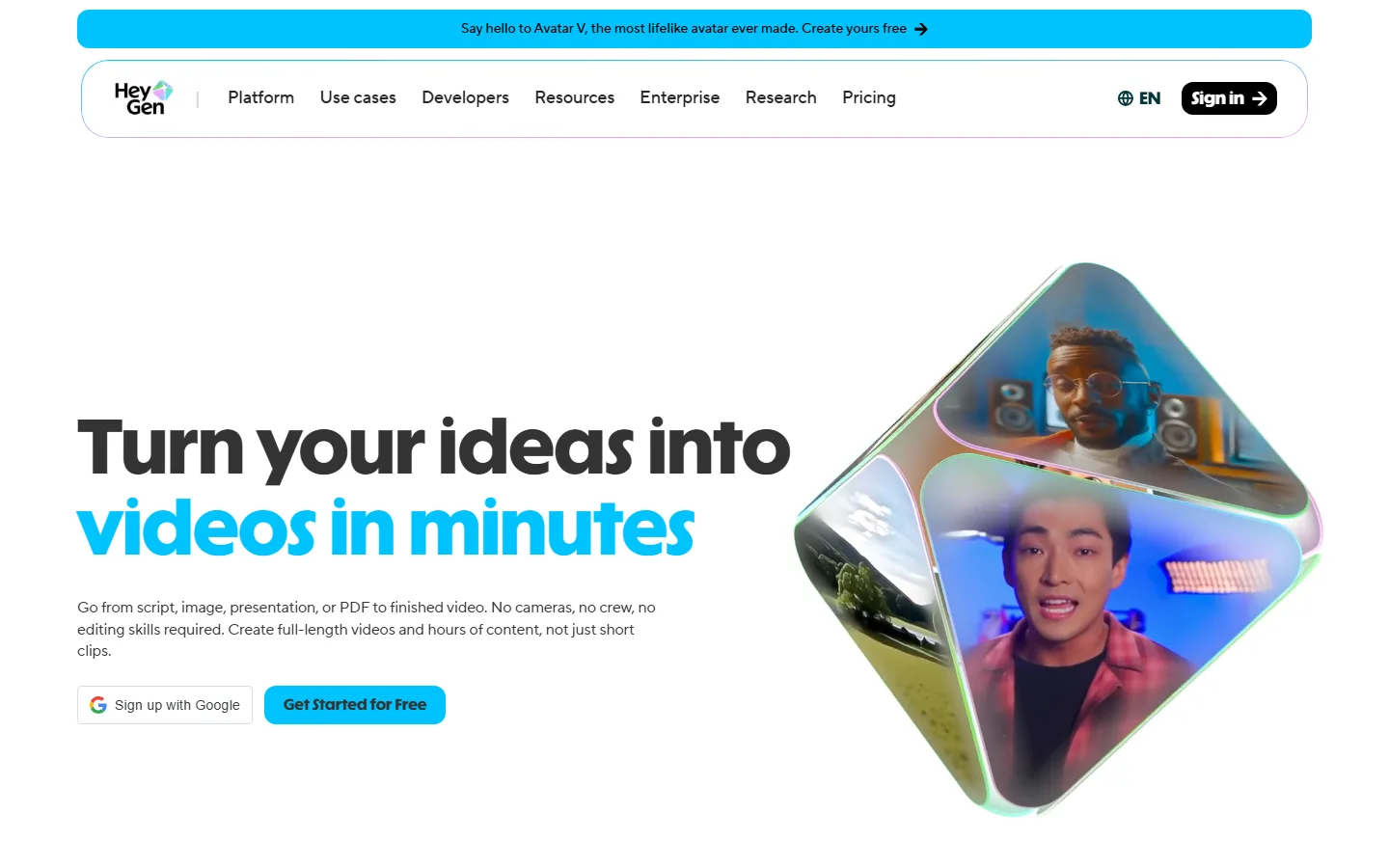 HeyGen converts a script into a realistic AI-presenter Reel, with 175-plus language options.
4. CapCut: Best for Editing-Heavy Creators
CapCut sits between a generator and an editor, which is exactly what some creators want. Its AI video generator opens with a prompt box, Upload image and Video buttons, and one-click example prompts, turning a text-to-video request into a draft using avatars and templates; you can then drop into a full timeline to fine-tune cuts, effects, and 54-plus visual styles. Auto-captions are fast and accurate, and it runs on desktop, mobile, and web, so you can finish a Reel on your phone.
The differentiator is range: generate a rough draft, then hand-polish it without switching apps. It is best for hands-on creators who like generative speed for the first pass but want manual control over the final 20 percent, and for anyone editing on mobile between other tasks.
Where it falls short: the depth is also the cost. Compared with a pure conversational tool, CapCut still asks you to learn a timeline if you want the polished result, so the "AI does it for you" promise is partial. Some AI features and stock assets are gated behind Pro. Our CapCut free versus paid guide breaks down what the free tier actually includes.
Pricing: Generous free tier with watermark-free basic editing; Pro starts around $9.99/month for premium AI features and assets.
Pros: Generate then hand-edit in one app; 54+ styles; fast, accurate auto-captions; works on desktop, mobile, and web. Cons: Still asks you to learn a timeline for the polished result; some AI features and assets are gated behind Pro.
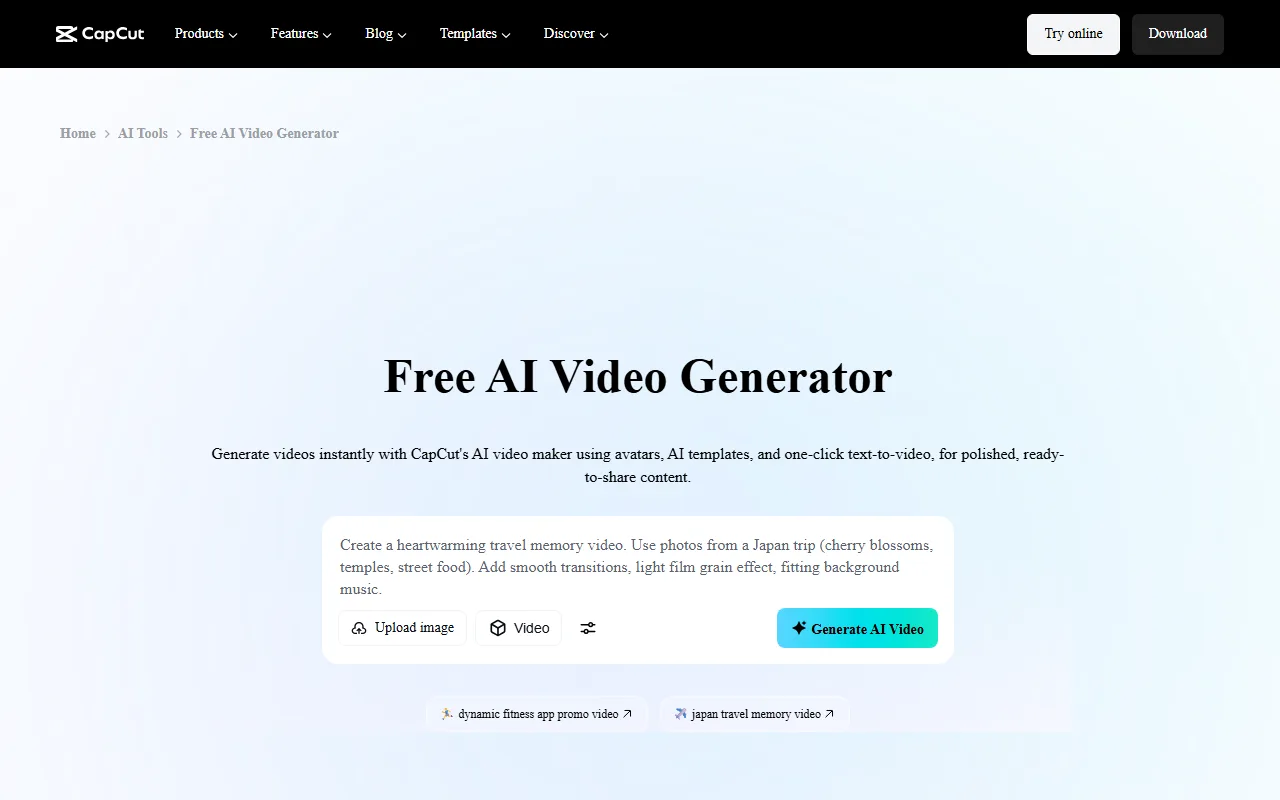 CapCut pairs one-click text-to-video generation with a full editing timeline for fine-tuning.
5. Canva: Best Free All-in-One for Casual Posting
Canva is the practical default if you already design in it and want video without a new subscription. Open it and it greets you with "What will you design today?" and a row that includes Video and Social media, so a Reel starts in the same place as your posts and thumbnails. Its Magic Studio AI features generate and edit short clips, and a deep template library gets you to a 1080p, on-brand 9:16 or 1:1 Reel fast. With more than 250 million users as of 2026, the workflow is familiar to most teams, and the free plan is broad enough to ship real posts.
The differentiator is the all-in-one surface: thumbnails, carousels, captions, and Reels live in one place, with brand kits keeping colors and fonts consistent across a feed. It is best for small businesses, casual creators, and social managers who want acceptable video fast and value design consistency over cinematic output.
Where it falls short: Canva is a generalist. Its AI video generation is lighter than the dedicated engines here, so for complex motion or photoreal scenes it lags behind Runway or a multi-model partner like Pexo. Heavier exports and premium AI features need Canva Pro.
Pricing: Free plan covers a lot; Canva Pro starts around $15/month for premium AI, brand kits, and larger asset access.
Pros: Broad free plan; familiar to 250M+ users; all-in-one design with brand kits; 1080p templates. Cons: AI video is lighter than dedicated engines; weaker for complex motion or photoreal scenes.
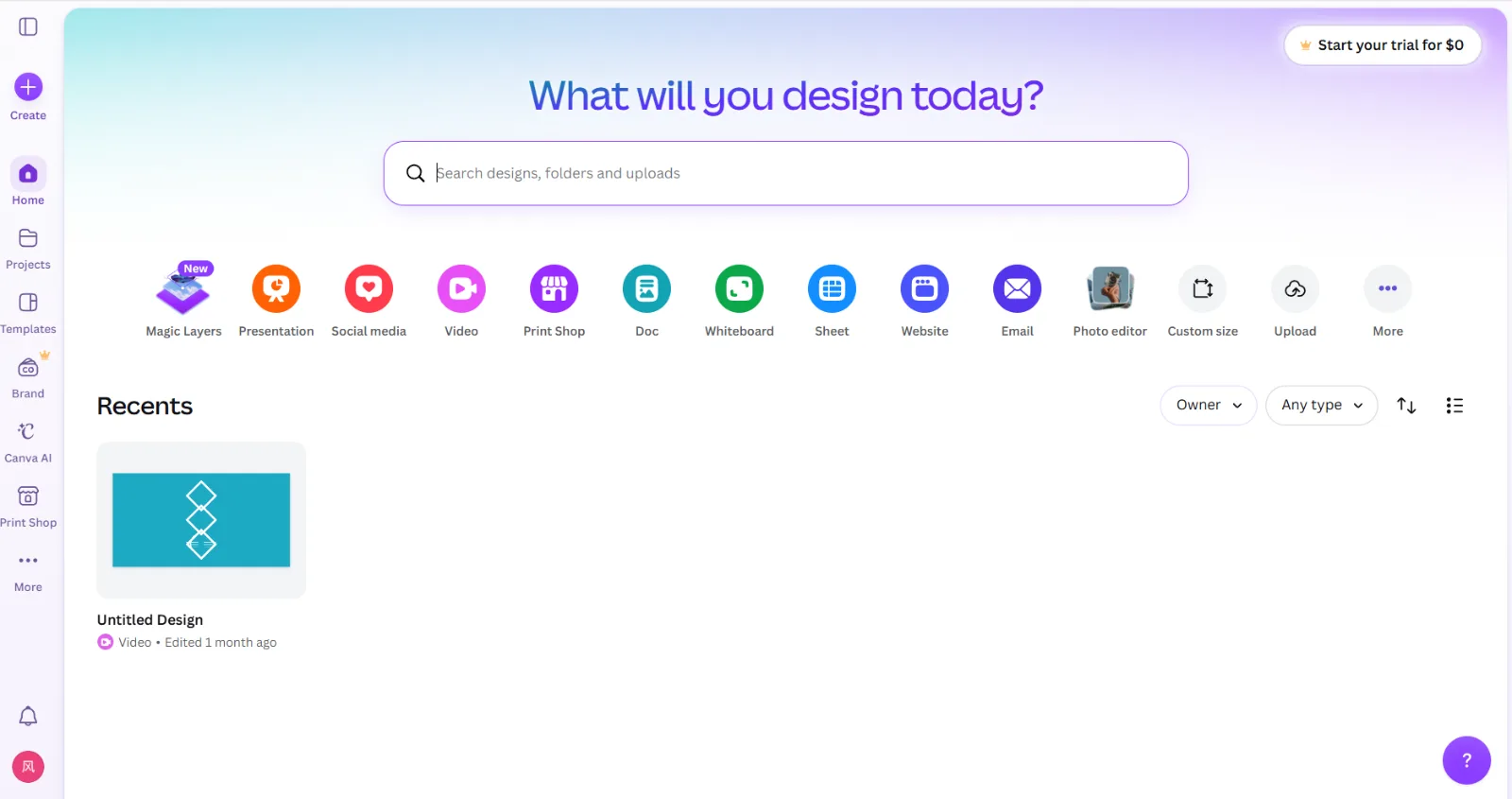 Canva keeps Reels, posts, and thumbnails in one workspace with template-driven 1080p output.
6. Runway: Best for Cinematic, Stylized Clips
Runway is the artist's pick when you want a Reel that looks like a film frame rather than a template. Its Gen-4 model turns a text prompt or a still image into short, stylized, often surreal motion, the kind of scroll-stopping visual that stands out in an aesthetic feed. Its create panel opens on generation modes like Multi-Shot Video and Scene Builder, so you choose how to build before you ever see a Reel. Each generation produces a short clip (around 10 seconds), which you assemble into a Reel.
The differentiator is generative quality and creative control over style, motion, and camera. For art pages, music promos, and brand teasers that need a distinct look, nothing here matches Runway's visual ceiling. It is best for creatives and studios who prioritize aesthetics and are comfortable directing shot by shot.
Where it falls short: it is the steepest of the six. You think in clips and credits, not finished Reels, so captions, voiceover, and final assembly are on you. The free plan gives 125 one-time credits, which disappear in a few generations. Our Pika versus Runway comparison shows how it stacks up against other generative engines.
Pricing: Free with 125 one-time credits; Standard starts around $15/month for a monthly credit allowance and higher-resolution exports.
Pros: Gen-4 cinematic quality; strong control over style, motion, and camera. Cons: Steepest workflow of the six; you assemble clips, captions, and audio yourself; 125 free credits go fast.
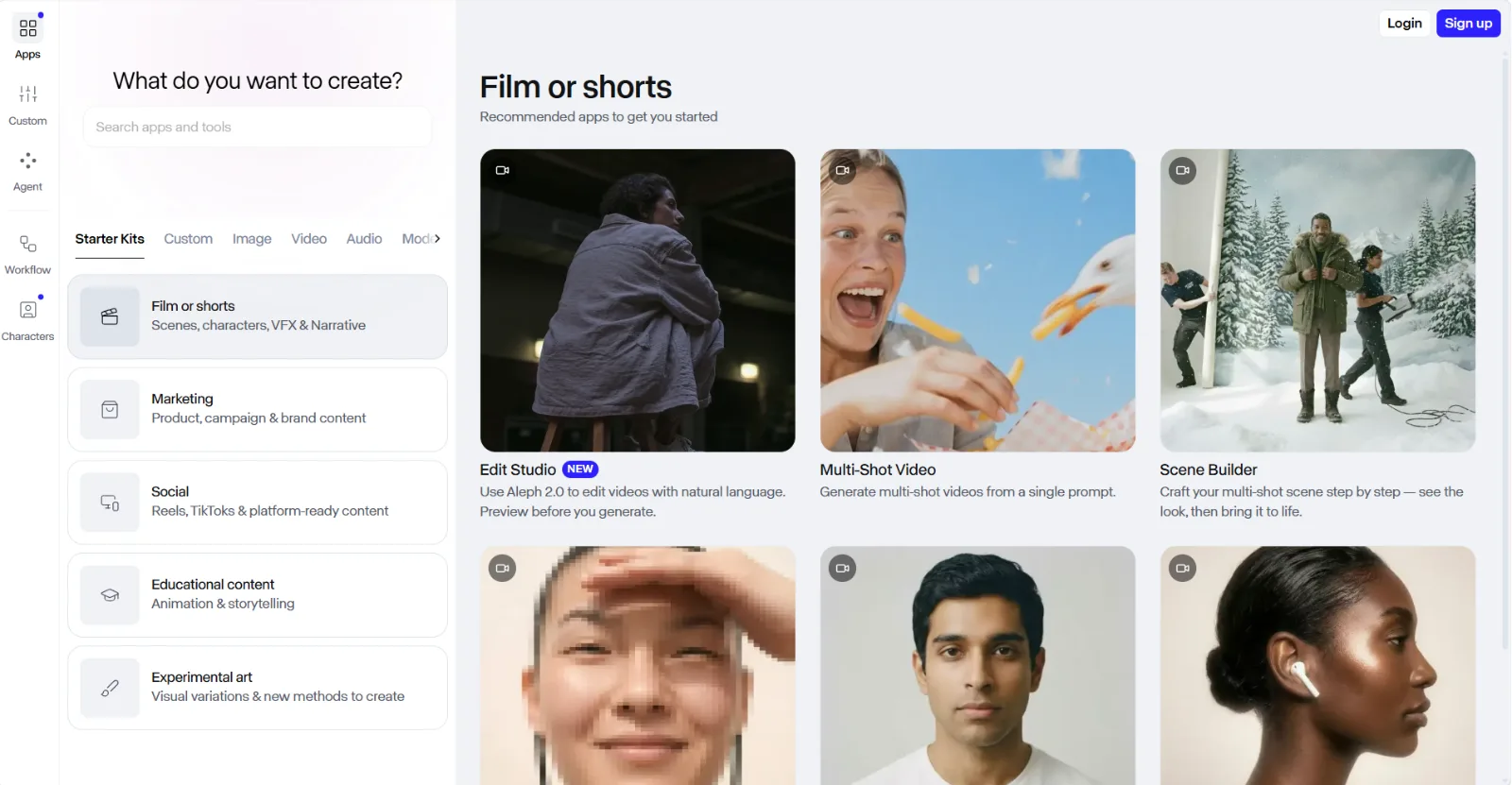 Runway's Gen-4 workflow generates short cinematic clips you assemble into a stylized Reel.
How to Choose the Right AI Reels Maker
The fastest way to choose is to name your content type, then match it to the tool built for that shape.
- Choose Pexo if you want the least friction: describe the Reel and get a finished, captioned vertical clip back, especially when you post often, sell products, or do not want to learn an editor or pick a model.
- Choose InVideo if your Reels are narrated voiceovers over stock B-roll and you publish several a week.
- Choose HeyGen if your format is a person talking to the camera and you want a consistent presenter (or a multilingual one) without filming.
- Choose CapCut if you like generating a first draft, then hand-editing the final cut on a timeline.
- Choose Canva if you want a free, familiar, all-in-one design surface and acceptable video is enough.
- Choose Runway if aesthetics are the point and you will direct cinematic clips shot by shot.
If you are repurposing an existing long video into clips, note that none of these generate-from-scratch tools is built for that; a clip-extraction tool is the right category instead.
Conclusion
The best AI video generator for Instagram is the one that matches how you make content. For most creators and sellers who want to post daily without a production day, Pexo is the strongest starting point: you describe the Reel, it builds the finished clip across the right models, and you skip both the prompt box and the timeline. If your need is narrower, InVideo owns script-to-stock Reels, HeyGen owns talking-head avatars, CapCut owns hands-on editing, Canva owns free all-in-one design, and Runway owns cinematic style. Try a few on one real brief and let your content type decide. Make your first Instagram Reel with Pexo to feel the conversational workflow in a couple of minutes.





