
 ChatGPT
 Perplexity
 Claude
 Gemini
 Grok



Higgsfield Cinema Studio is built for directing a scene. Its camera, lens, aperture, lighting, color, tempo, and movement controls give a product team more decisions to make before generation. That makes it useful when the ad needs one carefully shaped hero shot. It also means the team must decide whether the extra control improves the product story enough to justify another round of review.
Use one fictional brief to keep the review concrete. Aster Field, an invented outdoor brand, wants a six-second hero shot of a stainless-steel bottle on a wet stone ledge. The bottle must keep its brushed finish, orange loop cap, and vertical wordmark. The team wants a slow push-in, soft rain, a readable label hold, and a 9:16 social cut.
This review follows that one shot through Cinema Studio’s current documented controls. It does not present a generated result as a test outcome.
What Is Cinema Studio Designed to Produce?
Cinema Studio is Higgsfield’s cinematic scene workspace. Higgsfield's October 2026 Cinema Studio 4.0 guide describes support for text, image, video, and audio references, with clips up to 30 seconds, up to 50 references per generation, and output up to 1080p in the documented web workflow. The product page currently advertises a broader one-minute and native-4K offer, so confirm the limit shown in the account and version you will use.
The tool is designed for a directed scene rather than a catalog of product variations. You set the visual grammar first, then describe the action. Aster Field’s shot can therefore begin with a product reference, a location reference, a camera setup, a lighting direction, and one movement.
Higgsfield’s own tool guide places product ads and UGC-style campaign assets in Marketing Studio, while Cinema Studio is for cinematic video with camera control. That split matters. Use Cinema Studio when the camera movement and visual treatment are part of the brief. Use a more ad-oriented route when the brief is mainly about producing many publish-ready product variations.
A Product Shot Brief for the Evaluation
Write the brief so each control has a job.
| Brief field | Aster Field example |
|---|---|
| Viewer question | What does the bottle look like in a wet outdoor setting? |
| Product reference | Approved front and three-quarter bottle photos |
| Locked details | Brushed steel, orange loop cap, vertical wordmark |
| Setting | Wet stone ledge after rain, dark green background |
| Camera move | Slow push-in toward the wordmark |
| Focus | Bottle and label sharp, background soft |
| Sound | Light rain only, no spoken claim |
| Deliverable | One six-second 9:16 hero shot |
| Acceptance | Correct cap, finish, label, silhouette, movement, and readable hold |
The product photograph controls appearance. A style reference guides the rain, palette, or background, not the bottle’s shape or label.
How Do Camera and Reference Controls Fit the Brief?
Cinema Studio 4.0 groups the main decisions in a Director’s Panel. Film Setup covers genre, era, and tempo. Camera settings include camera type, lens, and aperture. Lighting offers presets or custom color, brightness, diffusion, and angle. Color Palette applies a template or a custom look. Movement supplies camera presets such as pan, POV, Robot Arm, and Helicopter Shot.
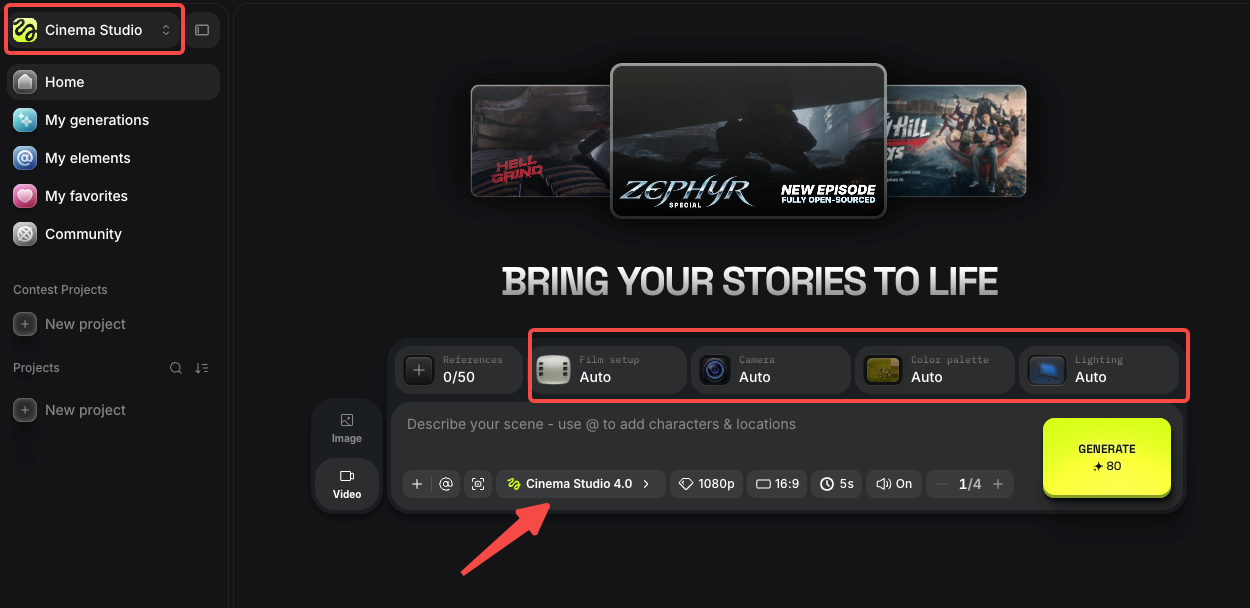
For Aster Field, choose a calm or single-shot tempo, a clean or modern camera, a lens that keeps the bottle’s silhouette stable, and an aperture that leaves the wordmark readable. The prompt should describe the rain, the ledge, and the slow push-in. It does not need to repeat every camera setting in prose. The controls already carry that direction.
References decide what must remain recognizable. The current help guidance allows up to 50 references in a 4.0 generation, including uploaded images, videos, and saved Elements. Use fewer when the shot only needs a bottle, setting, and color cue.
If the team has an existing clip, version matters. The Creator Hub guidance says 4.0 accepts uploaded videos up to 30 seconds, while earlier versions have different limits and 2.5 does not accept video uploads. Check the selected version before promising a continuation or edit workflow.
What Can a Generated Shot Contribute to an Ad?
A hero shot can establish the product’s setting, material, scale, and mood before the copy arrives. For Aster Field, the wet ledge and slow push-in can make the bottle feel ready for a trail or rainy commute. The shot can carry visual context that a plain packshot cannot.
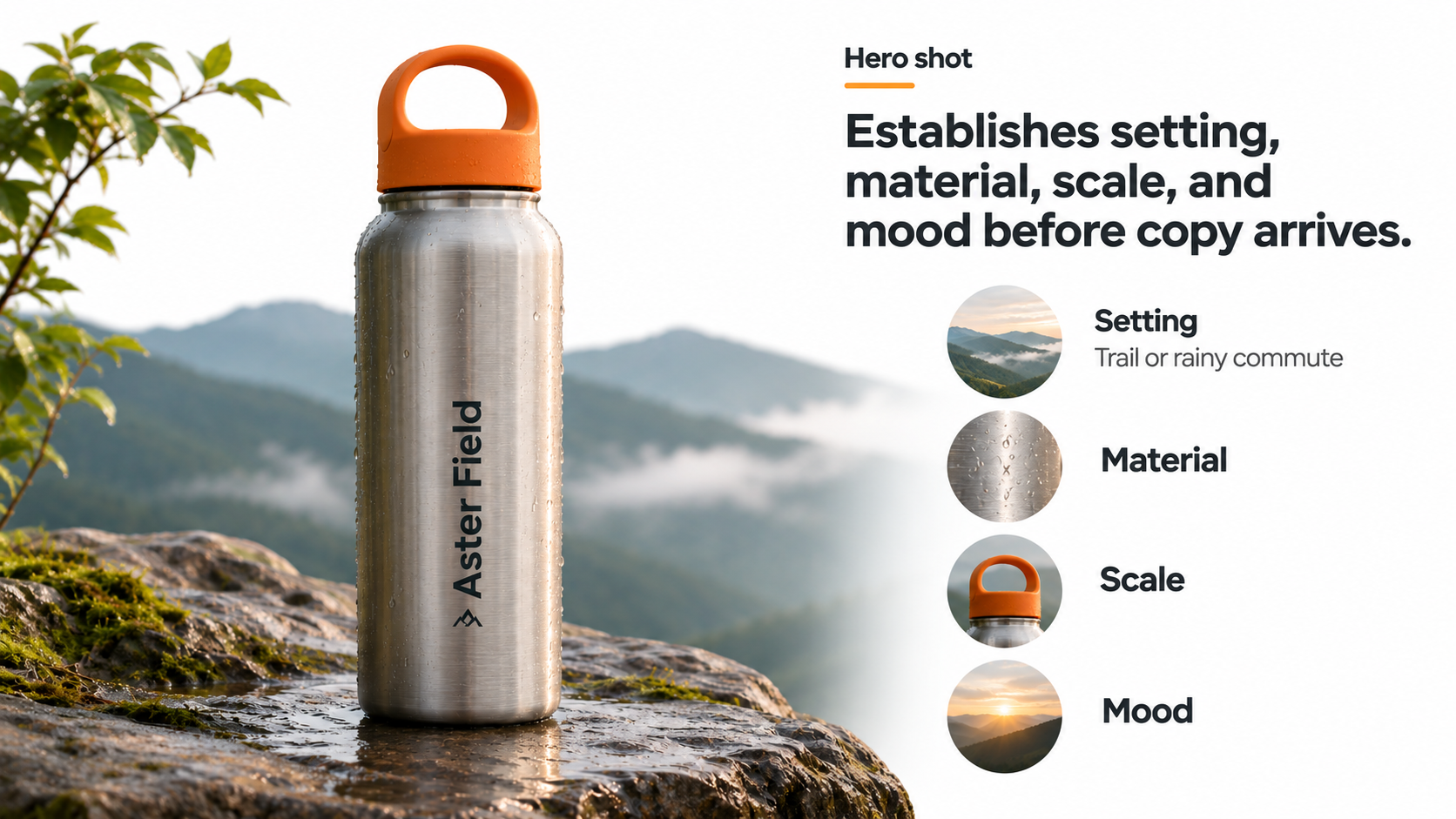
Give it one clear job. If the shot is meant to reveal the orange cap, do not add a second product action that competes for attention. If the label needs to be readable, hold the camera long enough for that task. If the ad needs a performance claim, add a separate source and approval step. A cinematic image can support a message without proving it.
Cinema Studio 4.0 also supports Edit Video for regional changes and Forward or Backward Extend for continuing an uploaded clip. Those controls can help when the team has a usable scene and needs a targeted change. They do not remove the need to compare the edited result with the original product reference.
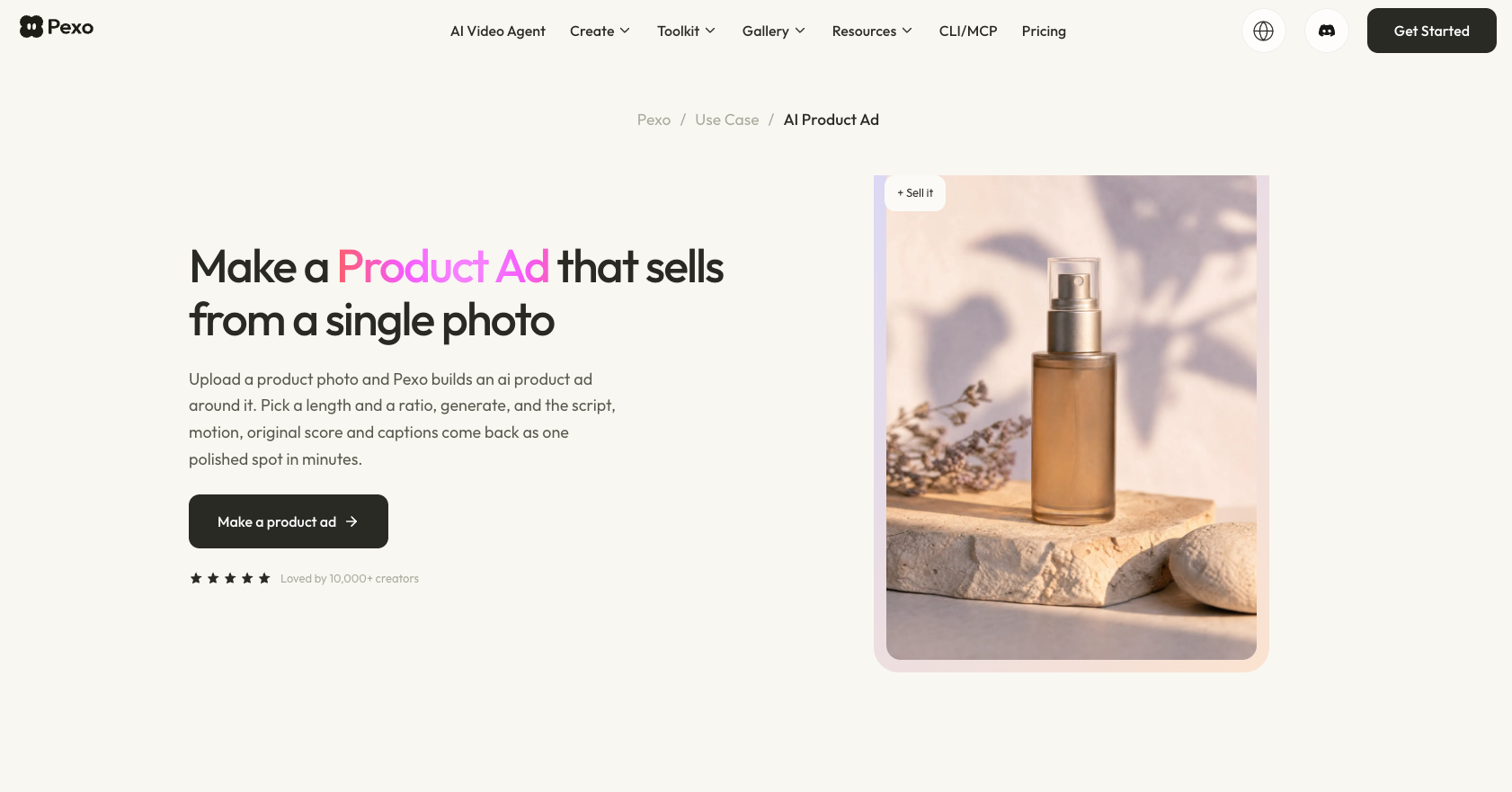
After approval, hand the shot to a larger video brief. Pexo’s product-page video guide shows how to keep product proof, visual context, and the destination CTA aligned. Its AI video agent is a separate route for building a complete video from approved direction and material.
Where Do Continuity, Product Accuracy, and Costs Limit It?
The main continuity risk is the product detail that sits outside the chosen camera move. A bottle may keep its overall silhouette while the cap color shifts, the wordmark changes, or the brushed finish becomes glossy. Review the first frame, the movement, and the final hold separately.
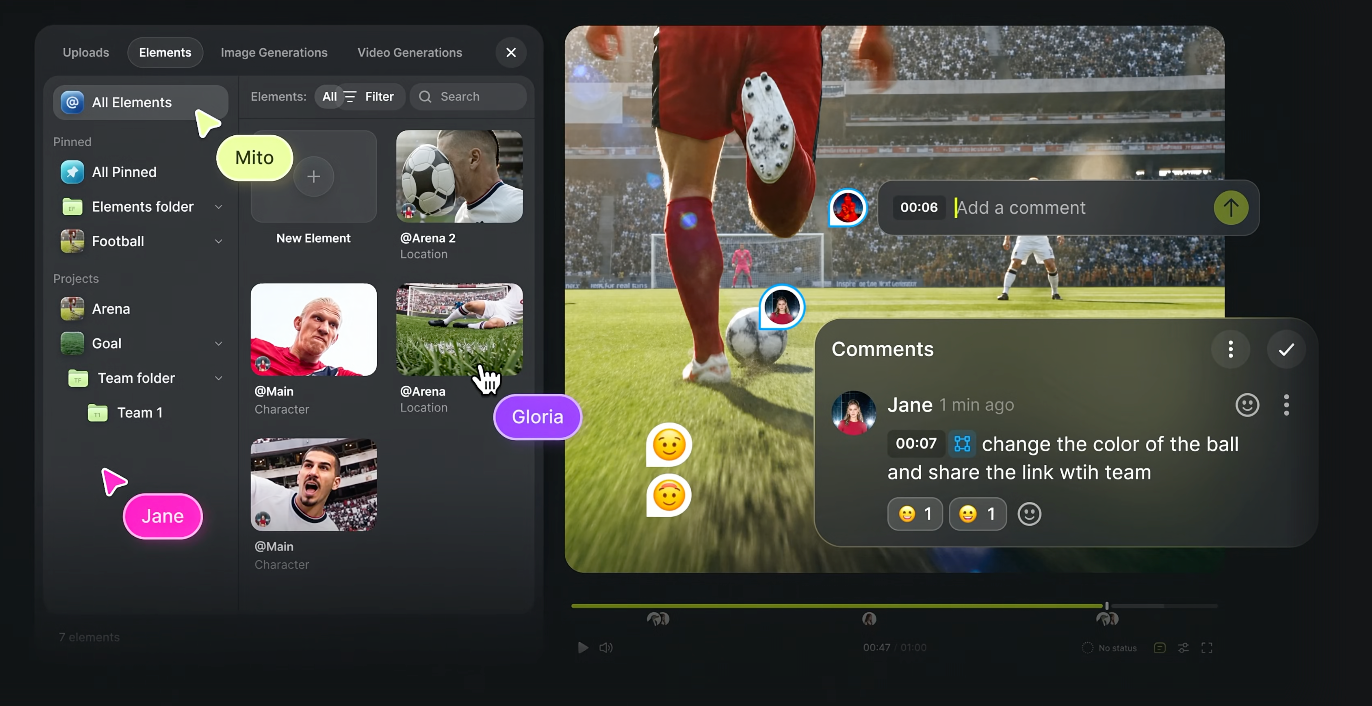
Reference handling also has a scope. Saved Elements can be reused, but the current guidance describes project-level sharing and collaboration differently across versions. Cinema Studio 3.5 adds team collaboration and shared Elements. Cinema Studio 4.0 adds the broader reference system. Confirm the project permissions before assuming that a client, editor, or separate workspace can open the same project and use the same saved assets.
For plans that do not include Cinema Studio in their Unlimited list, credits are charged by generation. The October 2026 Cinema Studio 4.0 guide lists web-app costs by duration and resolution, with the credit total shown beside Generate before the render begins. Its dated table lists 10-second generations at 30 credits in 480p, 70 in 720p, and 160 in 1080p. A six-second shot may still be priced according to the available duration options, so use the amount displayed in the account rather than dividing a table row by seconds.
Budget the accepted shot and the discarded shots separately. Aster Field’s estimate should include hero-frame rounds, motion generations, one product correction, and downstream caption or CTA edits. Cinema Studio credits cover generation. They do not cover the time required to verify the bottle, rewrite the prompt, assemble the ad, or approve the final placement.
Who Should Use Shot Control Instead of a Full-Video Workflow?
Use Cinema Studio when the team can describe one shot precisely and cares about camera behavior, lens character, lighting, and references. It fits a hero reveal, a controlled product move, or a short visual transition that will enter a larger edit.
Use a full-video workflow when the brief already includes several scenes, narration, captions, CTA logic, alternate ratios, and repeated review. The team then needs a sequence plan and a finished cut, not only a camera-directed generation. Higgsfield’s own tool guide directs product ads from a URL or image toward Marketing Studio. A Pexo product-ad workflow is another conditional route when the team wants a complete ad from an approved product image and direction.
Cinema Studio gives the team a controlled shot. A full-video workflow carries it into a story, voice, edit, and delivery package.
FAQ
Can an existing product clip be uploaded to every Cinema Studio version?
No. The current Creator Hub guidance gives different video-upload limits by version. Cinema Studio 2.5 does not accept video uploads, 3.0 and 3.5 accept videos up to 15 seconds, and 4.0 accepts videos up to 30 seconds. Select the version first, then prepare the clip.
Can saved Elements be shared across separate client projects?
Do not assume that one project’s Elements automatically become available in another client project. Cinema Studio 3.5 documents shared Elements within collaboration, while 4.0 uses references and saved Elements in its own project model. Confirm the account and workspace permissions before moving a saved character, prop, or location between projects.
Does Cinema Studio charge credits for a failed generation?
The public guidance explains that generations use credits and that the cost appears before generation. It does not establish one universal refund rule for every failed render. Check the account’s credit history and current support terms when a render fails.
Can a team use a real person's face as a reference image?
Only with the person’s permission for the intended generation and distribution. Higgsfield’s guidance also says protected content can block a generation. Keep the consent record with the reference and confirm the current terms before using a real face in a paid product ad.
Can a Cinema Studio project be opened by another team member?
Yes, when the project belongs to a shared workspace with the appropriate team permissions. Cinema Studio 4.0’s current team layer supports shared projects and Elements, so authorized members can work from the same project context. Keep the prompt, reference list, approved exports, and credit records in a separate handoff folder as well, so the work remains accessible if workspace access or plan permissions change.
Conclusion
Cinema Studio earns its place when the product ad depends on the shot itself. For Aster Field, camera, lens, aperture, lighting, references, and movement can shape one hero frame and a short controlled motion. The team still needs to budget rejected generations, inspect product details, and decide how the approved shot enters the full ad.
Use Cinema Studio for the camera-directed scene. Move to a full-video workflow when the campaign needs story structure, narration, captions, CTA logic, and multiple deliverables.
This article does not provide legal advice. Confirm current version limits, credits, project permissions, reference rights, and destination-channel terms before production or publication.