 ChatGPT
 Perplexity
 Claude
 Gemini
 Grok



Higgsfield and OpenArt can both turn product references into AI video, but they organize the work differently. Higgsfield centers its workflow on cinematic direction, camera behavior, and project controls. OpenArt brings models, characters, start and end frames, and multi-scene creation into a broader generation workspace.
The comparison below uses one fictional brief. Morrow Carry, an invented travel accessories brand, has an approved compression pouch photo, a six-second demonstration clip, a product fact sheet, and a 20-second social ad brief. The ad needs three scenes: a packshot opening, a close view of the zipper, and a final product card. The pouch must retain its black fabric, orange pull, and white wordmark in every shot.
This comparison draws on public documentation and a hypothetical cost model. It is not a matched generation test or a real quality ranking.
Which product video brief are we comparing?
The brief has two goals. Viewers should understand how the pouch is used, and the product should remain recognizable as the setting and camera angle change.
The opening needs a controlled reveal. The second scene needs a close product detail. The third needs a clean handoff to the product page. Those requirements create the following production checklist:
| Requirement | Morrow Carry need |
|---|---|
| Starting assets | Packshot, demonstration clip, approved claims |
| Shot direction | Slow push-in, close detail, end-card hold |
| Continuity | Black fabric, orange pull, white wordmark |
| Delivery | 9:16, 20 seconds, captions and CTA |
| Review owner | Product owner for appearance, marketing lead for pacing |
The comparison looks at how each platform helps the team complete this brief, revise the result, and measure usable work.
Compare starting assets and scene controls
Higgsfield's Cinema Studio 4.0 uses a Director's Panel for genre, era, tempo, camera, lens, aperture, lighting, color palette, and movement. The Cinema Studio guide describes up to 50 references per generation, clips up to 30 seconds, and web output up to 1080p in the documented workflow.
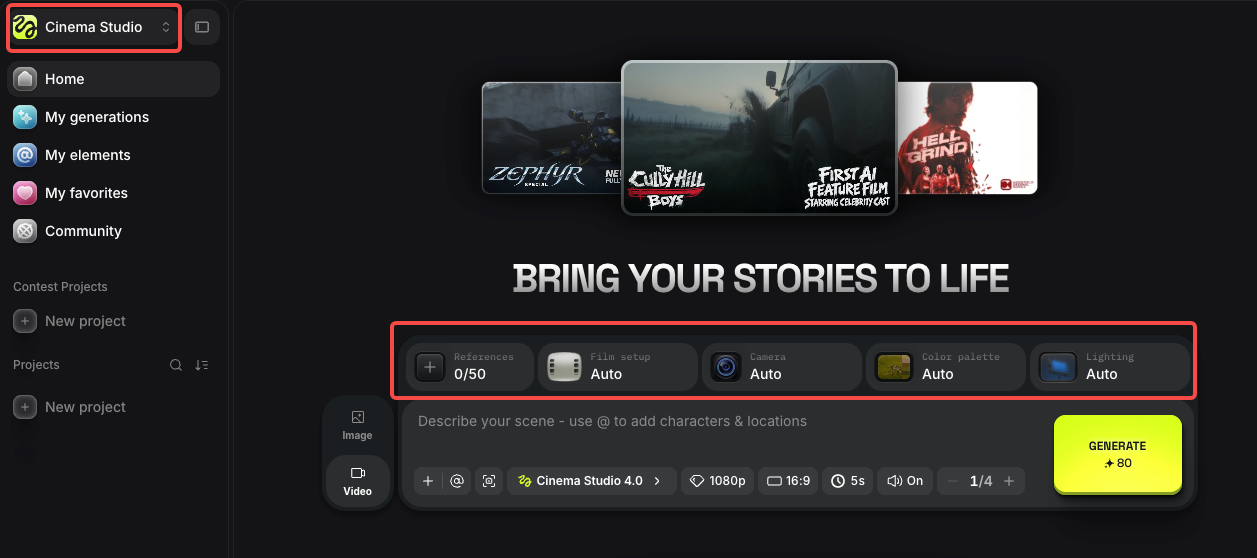
For Morrow Carry's reveal, those controls let the team set a calm tempo, choose a lens character, plan a deliberate camera move, and use the pouch photo as the product reference. The setting can change while the product reference stays fixed.
OpenArt offers a broader model and workflow surface. Its help center documents standard video generations of 5 to 15 seconds depending on the model, start and end frames, motion references, lip sync, and One Click Story for longer narrative videos assembled from multiple scenes. Characters created in OpenArt can be used across image and video generation.
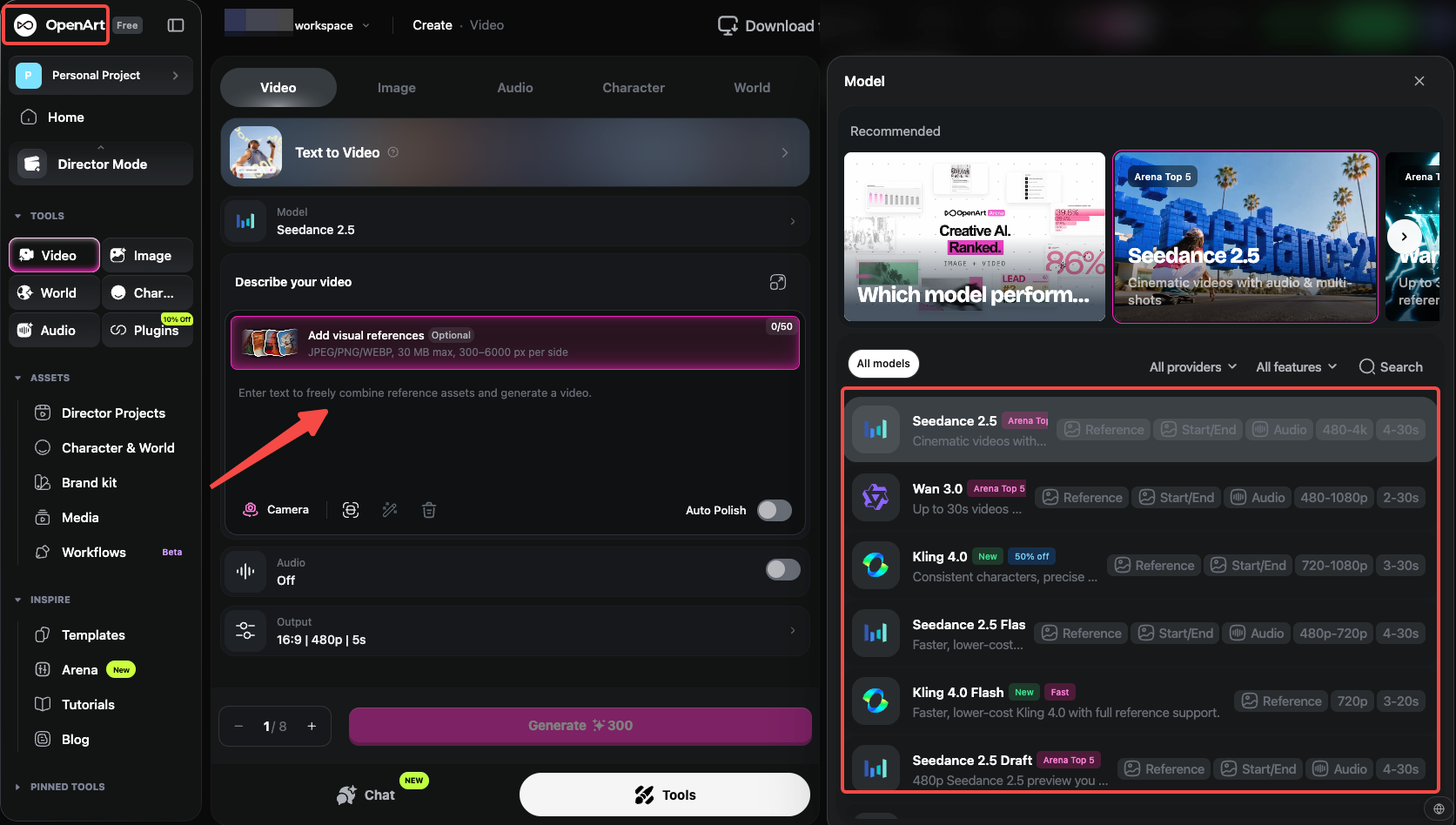
That workflow gives OpenArt more ways to build the same brief. The team can use a start frame for the pouch opening, an end frame for the product card, or a saved character and location for a wider story. Each model and scene method can also introduce a different continuity problem.
For Morrow Carry, Higgsfield provides the clearer route for camera direction. OpenArt provides a wider generation workspace. Neither platform can turn a product reference into proof that the generated pouch is physically accurate.
Compare consistency across multiple shots
Consistency is easier to review when the team names the details before generation. Morrow Carry should check the wordmark, pull color, pouch dimensions, zipper position, and fabric texture in every accepted scene.
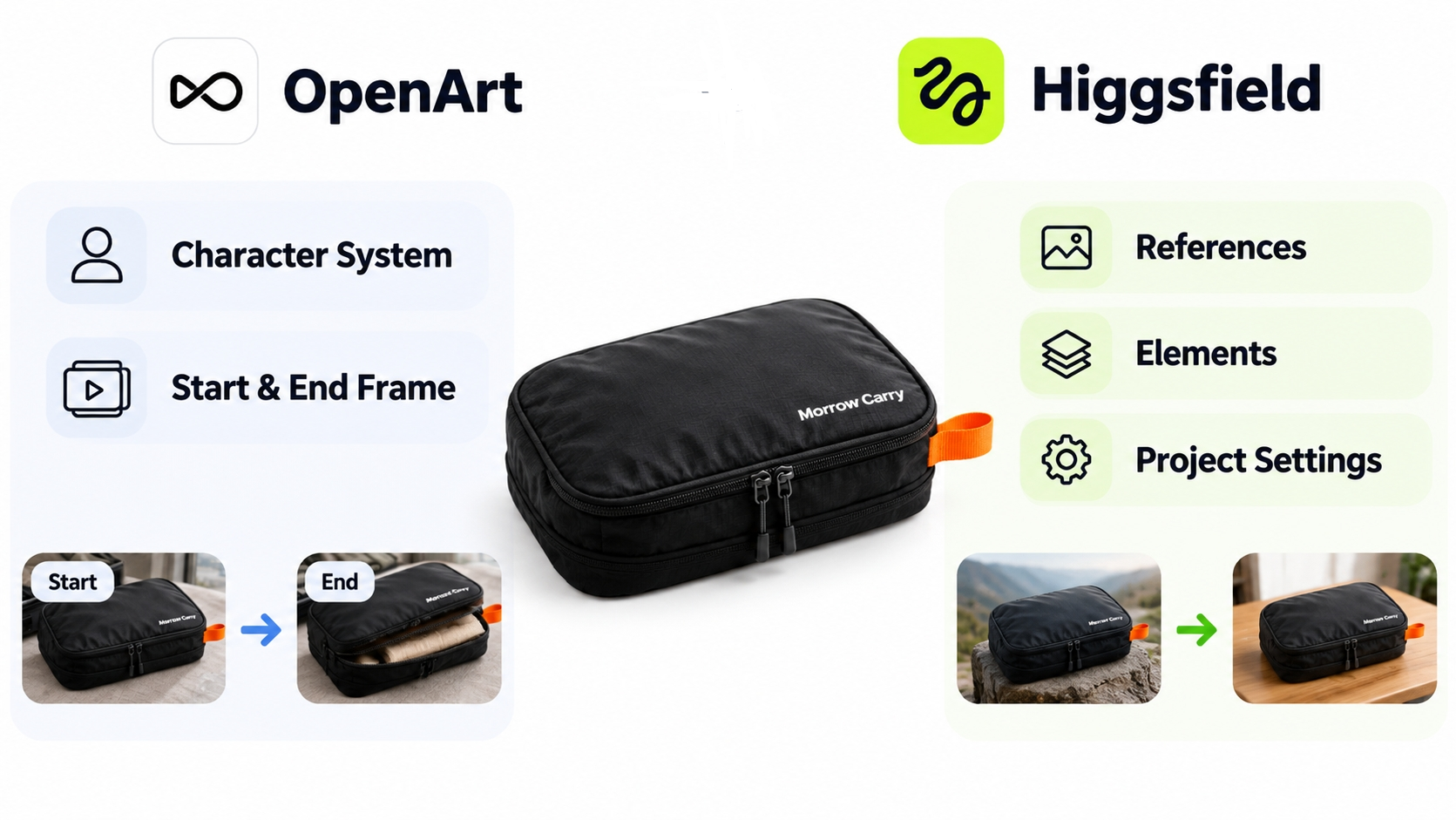
Higgsfield keeps those details in a project through references, Elements, and project settings. Cinema Studio 4.0's reference system can include product images, videos, and saved Elements. The team can reuse the same product reference while changing the camera or setting. Project controls also help maintain a consistent visual treatment across shots.
OpenArt's character system and start and end frame tools help carry a subject or transition between scenes. The last frame of one generation can become the starting frame for the next. This helps when the next shot should continue the same movement, but the team still needs to check each frame because a smooth transition can carry forward the wrong product detail.
Use an acceptance log like this:
| Detail | Scene 1 | Scene 2 | Scene 3 | Decision |
|---|---|---|---|---|
| Black fabric | Correct | Slightly glossy | Correct | Replace scene 2 |
| Orange pull | Correct | Correct | Missing | Regenerate end detail |
| White wordmark | Readable | Blurred | Not shown | Keep only scene 1 wording |
| Pouch silhouette | Correct | Narrower | Correct | Product owner review |
The log keeps a smooth sequence from passing with three different versions of the product.
Compare revision paths and export handoff
Higgsfield's Cinema Studio 4.0 supports Edit Video for regional changes and Extend for continuing an uploaded clip. The team can keep the approved scene while changing a specific object or adding what happens next. Every edited shot still needs a new product review.
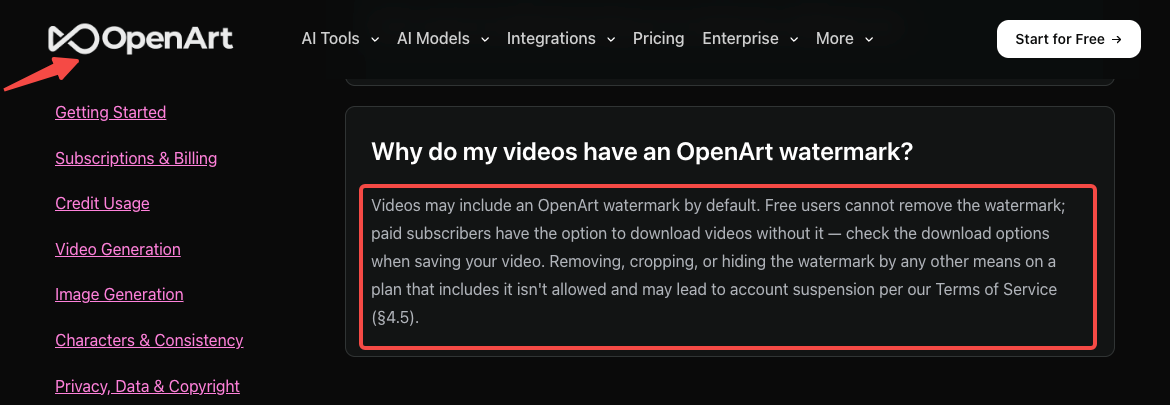
OpenArt's documented workflow includes start and end frames, model changes, and longer story assembly. Its help center says that cancelled generations automatically refund credits. The same help center says free users cannot remove the OpenArt watermark, while paid subscribers can download without it when their plan allows.
The handoff file should include accepted scene IDs, references, prompts, captions, the music record, and export settings. An MP4 does not carry the project's reference logic into the other platform. A Higgsfield export can serve as a video input for an OpenArt project only after the team confirms the format and records which product facts the new project must preserve. The same condition applies in the other direction.
OpenArt's help center says creations are retained while a subscription is active, with a limited download period after the subscription ends. Higgsfield keeps generations in the account and project system, while workspace and download access depends on the account and plan. Download approved masters before changing a subscription, and retain the source brief separately.
Compare subscription cost and a seven-attempt workload
Use the same workload before comparing costs: three accepted scenes, two attempts per scene and one replacement attempt, for seven generations in total. Keep duration, resolution, audio, model and aspect ratio the same where both platforms support them. A credit in one platform is not equivalent to a credit in the other.
The following USD monthly-billing figures were checked on November 20, 2026. These are subscription prices, not quotes for a finished ad. Annual discounts and account-specific offers are excluded from the comparison.
| Platform and official pricing source | Monthly subscription | Included monthly credits | Budgeting implication |
|---|---|---|---|
| Higgsfield Plus | US$49 regular monthly renewal; the page currently advertises a US$39 introductory offer | 1,000 | Use US$49 for a continuing monthly budget; verify the offer duration and taxes at checkout. |
| OpenArt Plus | US$34 billed monthly | 12,000 | Commercial-use rights are listed for Plus. Model and feature charges determine how much video this balance buys. |
Higgsfield's published Cinema Studio 4.0 guide gives a dated reference of 70 credits for a 10-second, 720p, 16:9 generation with native audio, checked by the provider on October 24, 2026. At the regular US$49 per 1,000-credit rate, seven such attempts would consume 490 credits, an allocation of US$24.01. If three scenes are accepted, that is approximately US$8.00 of allocated subscription cost per accepted scene. This is a calculation using the guide's published conditions, not a current 9:16 generation quote or a claim that three scenes will be accepted. The monthly cash outlay is still US$49 if the team buys that subscription.
For OpenArt Plus, the same allocation method uses US$34 / 12,000 credits. If its selected model quotes c credits per attempt, seven attempts allocate 7 × c × 34 / 12,000 US dollars; divide that amount by three only if three scenes actually pass review. Read c from the selected job's quote after setting the duration, resolution, audio and ratio. A total of roughly 8,474 OpenArt credits for seven attempts would equal the US$24.01 Higgsfield allocation above, but this arithmetic threshold does not establish equal output, access or quality.
For Morrow Carry's actual 9:16 brief, replace both job rates with the values displayed before generation. Include image preparation, retries, captions, assembly and review time. A lower subscription price or a larger credit balance alone does not establish the cheaper finished ad.
For a broader budget worksheet, see Higgsfield Pricing: Credits and Video Budget. Keep cash subscription cost, allocated generation cost and production labor separate.
Which team fits each workflow?
Higgsfield suits a team with a camera-directed shot brief and a need for settings such as lens, aperture, lighting, movement, and project continuity. It is a good fit for a product reveal where camera language is part of the creative decision.
OpenArt suits a team that wants to explore multiple models, start and end frames, saved characters, motion references, or a longer story assembled from scenes. That approach works well when the team values breadth and can maintain a detailed review log across different generation methods.
Both workflows need a product owner to check the actual SKU. A marketing lead can approve pacing and CTA, while the product owner checks changes to the zipper, label, or material.
When does a directed full-video agent fit instead?
A full-video agent fits when the brief already includes several scenes, narration, captions, CTA logic, alternate ratios, and a finished delivery target. In that situation, the team needs the sequence planned and revised as one deliverable.

Pexo offers a third route through its create workspace, using approved direction and source material to develop a complete video. Its product-ad workflow is designed for a finished product ad rather than Cinema Studio-style camera control. Treat it as a separate production path and keep it outside the Higgsfield and OpenArt scorecard.
A practical way to compare the two workflows
Higgsfield fits a camera-directed shot brief. OpenArt fits broader model exploration, start and end frames, characters, and multi-scene assembly. Compare them with the same product references, number of attempts, accepted scenes, and review work.
Usable cost includes the accepted scenes and the work required to verify and finish them. Keep that figure separate from a platform's advertised credit balance.
This article does not provide legal advice. Confirm current model access, credits, retention, watermark, voice, likeness, product-source, and commercial-use terms before production.