

 ChatGPT
 Perplexity
 Claude
 Gemini
 Grok
Grok



How to Make an eLearning Video
UPDATED: 2026-08-06 By Lan He, Senior Video Producer at Pexo
Making an eLearning video takes six steps: write measurable objectives, script to cognitive load limits, design visuals that reduce load, produce the footage, place interaction, then package for the LMS. An eLearning video takes about 30 minutes to produce once the content is approved.
Quick Version: How to Make an eLearning Video
- Write objectives you could actually test.
- Script three to six minutes per segment, one idea each.
- Design visuals that reduce load rather than decorate.
- Produce the footage without a studio.
- Place a knowledge check after each segment.
- Package for SCORM or xAPI with captions and a transcript.
How to Make an eLearning Video Step by Step
Step 1: Write measurable objectives
State what the learner will be able to do, in terms you could test: "calculate a prorated refund correctly" or "identify the three conditions that require escalation". Not "understand the refund policy", which cannot be assessed and therefore cannot be designed for.
Write one objective per segment. This is what makes the course modular, and modularity is what makes it maintainable: a policy change touches one three-minute segment rather than invalidating a 40-minute course nobody wants to re-record.
Step 2: Script to cognitive load limits
Write three to six minutes per segment, roughly 450 to 900 words at instructional pace, which is slower than conversational. Attention and recall both fall off past about six minutes on one idea, and a learner fitting the course around real work needs natural stopping points.
Resist comprehensiveness. The instinct in eLearning is to cover everything the subject expert knows, and the result is a course that is complete and unlearnable. Cut to what the objective requires and put the rest in a downloadable reference.
Step 3: Design visuals that reduce load
Show what the narration describes, at the moment it describes it. A visual that lags the audio, or shows something adjacent, forces the learner to reconcile two channels and costs the attention the content needed.
Cut decoration. Stock imagery of people shaking hands, animated transitions between every slide, and background music under narration all add load without adding meaning. The most common eLearning mistake is confusing production value with instructional value.
Step 4: Produce the footage
A studio, a presenter, and a shoot schedule are what stop most eLearning teams from producing video at all, which is why so many courses are narrated slide decks.
Pexo's text-to-video workflow generates the scenes and presenters from a written description, so a course can show a real situation instead of describing it over a bullet list. Hyperframe keeps the same presenter and setting across every segment, which is what makes a multi-module course feel like one programme.
Step 5: Place the interaction
Put a knowledge check after each segment, while the content is fresh. Placement matters more than question count: a question asked immediately produces better retention and tells you exactly which topic a learner missed.
Write questions on application rather than recall. "A customer asks for a refund on day 31 of a 30-day window. What do you do?" tests the objective; asking for the number of days tests memory. Pexo generates narration with natural AI voices and matching segment styling so an interaction break does not look bolted on.
Step 6: Package for the LMS
Export 16:9 at 1080p with captions and a transcript. Then package through your authoring tool if the LMS needs SCORM or xAPI: a plain MP4 records a play, while a packaged module records completion, time spent, and scores. That difference is what reporting and audits depend on.
Pexo exports up to 4K and generates narration in multiple languages, which makes a localised version a regeneration rather than a re-record. Track completion and scores, but measure the course against on-the-job outcomes where you can, since completion alone only proves the video finished playing.
How to Make an eLearning Video with Pexo
The six steps above work with any authoring tool. Pexo handles step 4 in a single conversation, which is what lets a course show situations instead of narrating slides.
Open the educational video page and describe each segment: "A 5-minute eLearning segment on handling a disputed invoice, set in a shared services office, one worked example and one edge case, calm instructional narration." Pexo generates the scenes, records the narration, and exports for packaging.
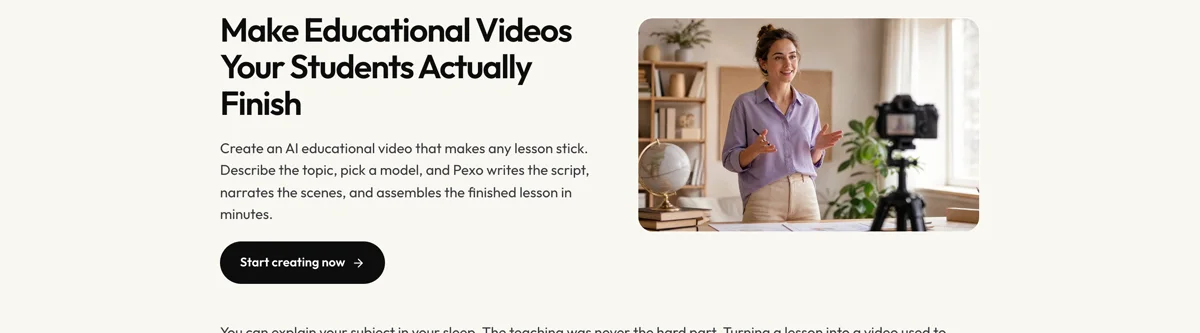
Adjust any segment by describing the change in the chat, and Pexo regenerates that scene alone. The platform runs across Seedance 2.0, Kling AI, and more.
For related formats, the training video page covers workplace training generally, and video presentation suits slide-led material.
5 Mistakes That Make eLearning Get Clicked Through
1. Covering everything the expert knows. Complete and unlearnable is the default failure. Cut to the objective and put the rest in a reference.
2. Objectives nobody can test. "Understand the policy" cannot be assessed, so it cannot be designed for either.
3. Decoration mistaken for engagement. Stock handshakes, transitions, and background music add load, not meaning.
4. All the questions at the end. A check right after the segment retains better and tells you which topic failed.
5. Shipping a plain MP4. A play is not a completion. Package for SCORM or xAPI if your LMS reports on it.
Related Tutorials
- How to make a microlearning video for short-form learning content
- How to make an employee training video for workplace training
- How to make a compliance training video for regulated topics
- How to make a training video for the broader training format




