 ChatGPT
 Perplexity
 Claude
 Gemini
 Grok




A social media strategy should settle the decisions that come before the calendar. Who is this campaign for? Which channel has which job? What product detail can the team prove? Who approves the claim? What will the team look at after the video runs?
This template gives a small DTC team one place to answer those questions. It works at the strategy level. A content calendar can turn the decisions into dates, while a creative brief can turn one approved idea into a production request. The strategy comes first so the calendar does not fill up with videos that have no clear job.
What Decisions Belong in a Social Media Strategy?
A video campaign strategy should decide five things.
-
Audience problem — What does the intended viewer need to understand, solve, or choose?
-
Channel purpose — What role does each channel play in the campaign?
-
Proof — Which product fact can the team support with approved material?
-
Owner — Who approves the product claim, channel use, and final video?
-
Resources and measure — What production and media resources are available, and which single measure will show whether the chosen channel job is being addressed?
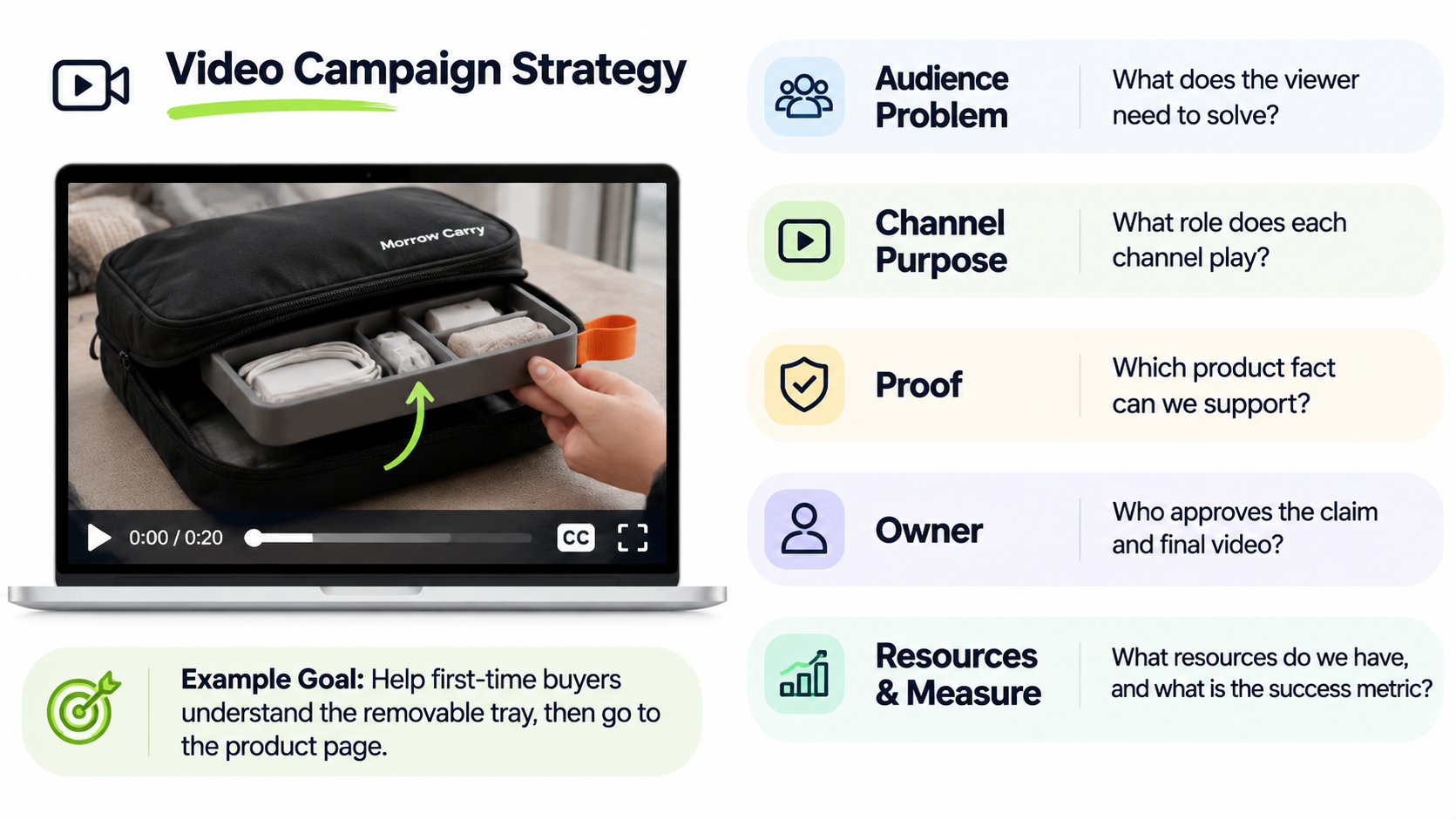
For example, “make social videos for the launch” leaves too much open. “Help first-time buyers understand how the removable tray works, then send interested viewers to the product page” gives the team a product question and a next action. The opening, demonstration, CTA, and measure can now support the same decision.
Copyable Video Campaign Strategy Template
Copy this table into your planning document.
| Field | What to write | Your campaign |
|---|---|---|
| Campaign goal | The decision or action the campaign should support | [ ] |
| Audience problem | One question, friction, or product choice | [ ] |
| Audience and context | Who encounters the message, where, and at what stage | [ ] |
| Channel | Platform or owned destination | [ ] |
| Channel role | Teach, invite discussion, build recognition, or support acquisition | [ ] |
| Video format | Demonstration, testimonial, explainer, comparison, or another format | [ ] |
| Product claim | One approved fact the video can state or show | [ ] |
| Proof asset | Product page, photo, source clip, specification, or approval record | [ ] |
| Source-material owner | Person who can confirm the product fact and asset rights | [ ] |
| Production owner | Person who requests, reviews, and organizes the video work | [ ] |
| Approval owner | Person accountable for the claim and channel use | [ ] |
| Production resources | Assets, time, credits, people, or outside help | [ ] |
| Media resources | Paid budget, account support, or “none” | [ ] |
| CTA and destination | The next action and the page, profile, or thread it reaches | [ ] |
| Single primary measure | One measure connected to the channel role | [ ] |
| Change trigger | What would make the team revise the strategy | [ ] |
| Open question | What the team still needs to confirm | [ ] |
Audience, Channel Role, Proof, Owner, and Budget
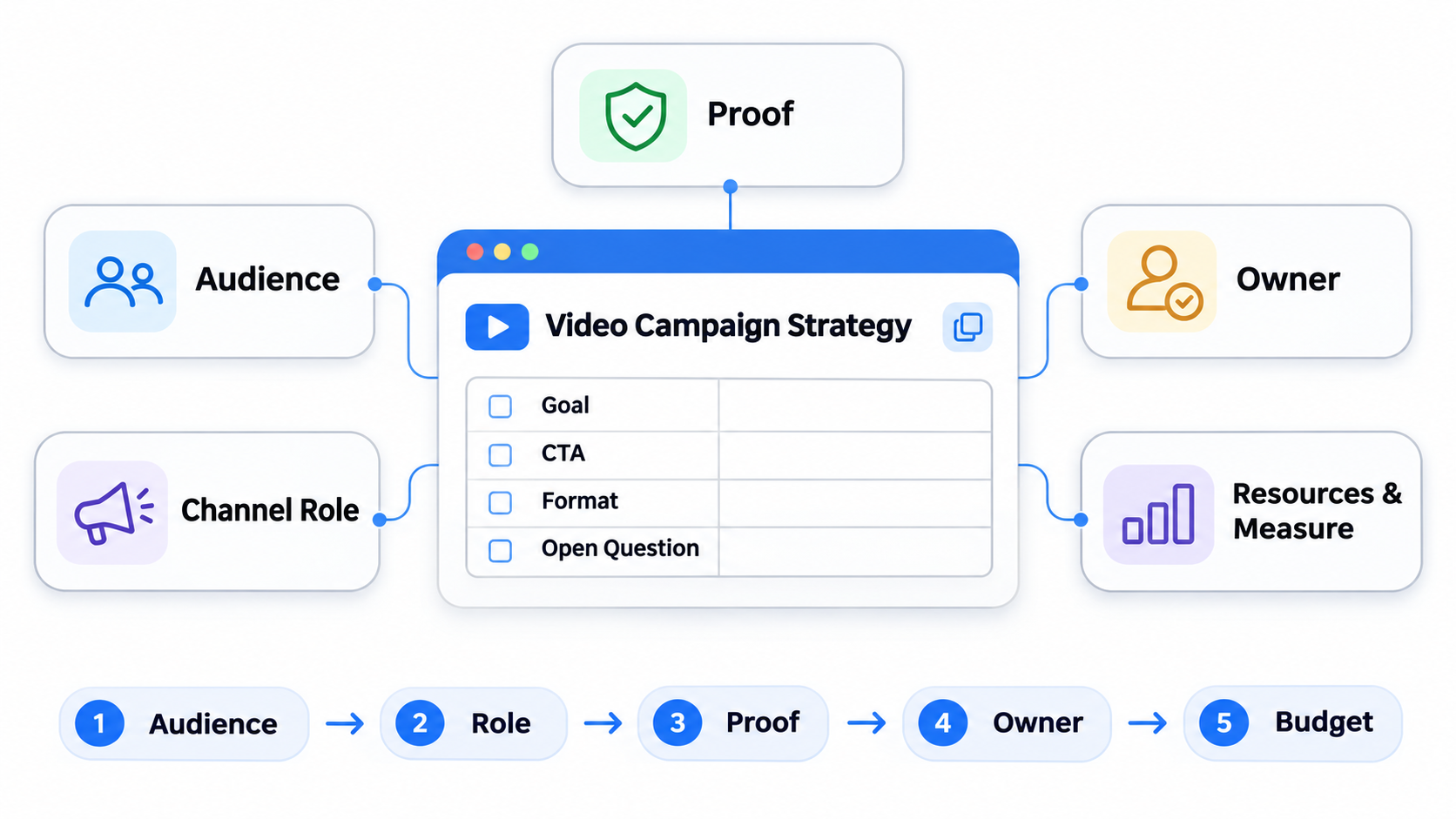
Fill the fields in that order. Start with the audience problem, choose the channel role, select a format that can show the proof, then assign owners and resources.
Keep the claim beside its source. If the product page says the tray lifts out, the source clip should show that action on the same model. Do not let an attractive visual add an unsupported benefit.
A Filled Strategy for a Fictional Product Launch
| Field | Filled example |
|---|---|
| Campaign goal | Help first-time buyers understand the lunch box’s middle section and choose whether to view the product page |
| Audience problem | “How does the middle section work, and what can I put there?” |
| Audience and context | Mobile shoppers discovering the product through social posts or a campaign |
| Channel | Instagram organic post and paid social placement |
| Channel role | Organic teaches and invites a useful response; paid supports product-page visits |
| Video format | Short product demonstration with two openings adapted to channel purpose |
| Product claim | The inner tray lifts out of the current lunch box model |
| Proof asset | Approved continuous tray-removal clip and current product photos |
| Source-material owner | Wren & Fold product lead |
| Production owner | Brand marketing coordinator |
| Approval owner | Product lead for the construction claim, brand lead for final wording |
| Production resources | Approved photos, source clip, logo, finish names, voiceover option, and revision time |
| Media resources | Organic production only for the post; a separately recorded paid budget |
| CTA and destination | “See the colors” for the organic post; “See how the tray works” for the paid cut |
| Single primary measure | Organic: saves; paid: clicks (one primary measure per channel role) |
| Change trigger | The product detail changes, the destination changes, or the selected measure stops answering the channel question |
| Open question | Whether the product page makes the tray detail easy to find after the click |
Turn Each Channel Decision Into a Video Brief
-
The audience question
-
The product fact and proof asset
-
The channel job
-
The first useful shot
-
The message that must stay accurate
-
The CTA and destination
-
The owner who approves the result
-
The one measure the team will review
If the team wants help turning an approved brief into a complete video, Pexo can support the production and revision conversation. The brand still owns the audience strategy, channel choice, account settings, and performance interpretation. The Creative Brief Template can hold the single-video assignment after this strategy row is approved.

Choose Measures Before Scheduling Posts
| Channel role | Primary measure example | What it can help you decide |
|---|---|---|
| Teach a product detail | Saves or qualified product-page visits | Whether the explanation gives people a reason to keep or inspect it |
| Invite a useful response | Relevant comments | Whether the question gives the community something specific to answer |
| Build recognition | Reach or completed views | Whether the message was delivered and watched in the chosen context |
| Support acquisition | Clicks or a defined landing-page action | Whether the paid message and destination create the intended next step |
The Content Calendar Template can carry an approved strategy row into dates, formats, owners, and status.
When Should the Strategy Change?
-
The product claim changes. Recheck the source asset, wording, captions, voiceover, and destination before the next cut runs.
-
The audience changes. A new country, language, or buyer stage may require a different proof point, CTA, or approval path.
-
The channel role changes. A post that began as education may become a paid acquisition asset. Give it a new job and review the destination.
-
The available resources change. If the team has no paid media budget, record an organic role and choose a measure that fits it. Do not write a paid target into the row just because it sounds more ambitious.
-
The measure stops answering the question. Choose a better measure for the same role, then record why it changed.
-
The source material is no longer current. Archive the old version and identify the new product source before requesting another video.
Conclusion
A usable social media strategy gives every video a reason to exist. Fill in the audience problem, channel role, proof, owner, resources, destination, and one measure. Then turn the approved row into a focused brief and a scheduled item.
If you have the product facts and direction but the video still feels like the fiddly part, bring the approved row and source assets to Pexo. Ask for the cut that matches the channel job, then review the detail that matters before it reaches your calendar.