

 ChatGPT
 Perplexity
 Claude
 Gemini
 Grok
Grok



How to Make a Book Launch Video
UPDATED: 2026-08-05 By Lan He, Senior Video Producer at Pexo
Making a book launch video takes six steps: find the hook, write a 30 to 60 second script, plan the cover reveal and atmosphere shots, generate the scenes, add music and captions, then export for social and retailer pages. A book launch video takes about 20 minutes end to end.
Quick Version: How to Make a Book Launch Video
- Find the hook: the one line that makes someone want to read the book.
- Write a 30 to 60 second script that sells the premise without summarizing the plot.
- Plan the atmosphere shots and the cover reveal.
- Generate the scenes that establish genre and tone.
- Add music, on-screen text, and captions.
- Export 9:16 for social, 16:9 for retailer and author pages, 1:1 for feeds.
How to Make a Book Launch Video Step by Step
Step 1: Find the hook
Write the one sentence that makes a stranger want to read the book. It is usually a premise with a tension in it: "A grief counselor discovers her newest client is the man who killed her sister." Not a theme, not a setting, and not a character description.
Test the sentence on someone who has not read the book. If their response is a question, the hook works. If their response is polite interest, it does not, and no amount of atmosphere in the video will fix a premise that does not provoke a question.
Step 2: Write the book launch script
Write 30 to 60 seconds, which for a trailer usually means 40 to 80 words of on-screen text rather than continuous narration. Structure it in four beats: the hook, two or three lines of escalating tension, the title and cover, then the release date and where to buy.
Withhold the resolution. A trailer that answers the question it raised has removed the reason to read the book. The last text card before the cover should leave the viewer needing something.
Step 3: Plan the atmosphere and cover reveal
Choose three or four atmosphere shots that establish genre within the first two seconds. A rain-slicked street at night reads as thriller before a word appears. A sunlit kitchen reads as something else entirely. Genre mismatch in the opening shot loses the right reader immediately.
Give the cover its own beat. Three seconds minimum, centered, held still, ideally as the last image before the release date. The cover is what a reader will search for later, so it needs to register rather than flash past.
Step 4: Generate the scenes
Generate the atmosphere shots from the script. A book has no existing footage to draw on, which is why book trailers historically relied on stock imagery that rarely matched the story.
Pexo's text-to-video workflow builds scenes from written description, which suits a medium that is already written. Describe the setting in the same language the book uses and the visuals inherit its tone. Upload the cover art and image-to-video conversion turns it into a moving reveal rather than a static card.
Step 5: Add music and text
Choose music by genre before anything else, because music establishes category faster than any image. Thrillers take low percussion and rising tension. Literary fiction takes sparse piano. Romance takes warmth and melody.
Set text cards to match the reading speed of the audience, not the pace of the music: four to six words held for at least two seconds. Use the book's actual typeface if the cover has a distinctive one. Pexo composes an original score matched to the pacing and adds captions in the same pass.
Step 6: Export for social and retail
Export 9:16 at 1080x1920 for Reels, TikTok, and Shorts, which is where book discovery now happens. Export 16:9 for YouTube, an author site, or an Amazon A+ content module. Export 1:1 for Instagram and Facebook feed posts.
Pexo exports all three ratios from one project. Watch the vertical cut on a phone before posting and confirm the title and cover stay clear of the platform's caption overlay, which covers the bottom quarter of the frame on most apps.
How to Make a Book Launch Video with Pexo
The six steps above work with any tool. Pexo handles steps 2 through 6 in a single conversation, which matters for a format where there is no footage to start from.
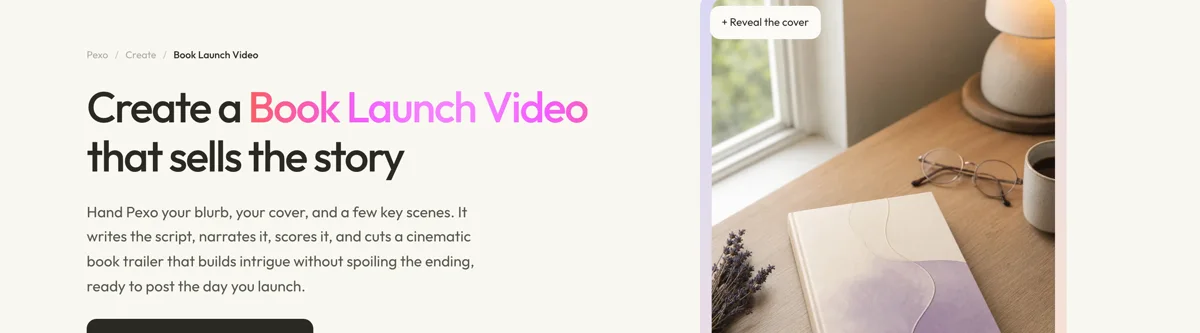
Open the book launch video page, upload the cover, and describe the book: "A 40-second trailer for a literary thriller set in coastal Maine in winter, cold palette, sparse piano, ending on the cover and an October release date." Pexo writes the text beats, generates the atmosphere scenes, scores the cut, and animates the cover reveal.
Adjust any scene by describing the change in the chat, and Pexo regenerates that scene alone. The platform runs across Seedance 2.0, Kling AI, and more.
For related formats, the teaser trailer page suits the shorter cover-reveal cut, and audiobook and story formats suit adapting a passage rather than announcing the book.
5 Mistakes That Make a Book Trailer Feel Amateur
1. Summarizing the plot. A trailer that explains what happens removes the reason to read. Raise a question and leave it open.
2. Showing the cover for half a second. The cover is the asset a reader will search for later. Give it three seconds and hold still.
3. Mismatching genre in the opening shot. The first two seconds tell a viewer whether this book is for them. A tonal mismatch loses the right reader instantly.
4. Using text cards nobody can finish reading. Six words held for one second is a card the viewer misses. Two seconds minimum, always.
5. Publishing only on release day. A cover reveal two to four weeks ahead gives short-form platforms time to find readers before there is something to buy.
Related Tutorials
- How to make a teaser trailer for the cover-reveal cut
- How to make a movie trailer for narrative trailer structure
- How to make a short film for adapting a passage into video
- How to make a short video for the social cut-downs




