


AI Sports and Fitness Highlight Video
Make a sports and fitness highlight video with Pexo. Turn match or training footage into a sports reel that shows the effort, the result, and the live reaction.
Make an AI livestream highlight video. Bring a stream recording and choose the question, reveal, or reaction worth sharing. Give it enough context to stand on its own as a short or a recap.
Bring the recording and a rough time range around the moment you want others to see. In Pexo’s livestream highlight video maker, keep the first line that tells a new viewer what happened and the shot that delivers the payoff. Use Merge Videos if a series of stream highlights belongs in one recap.

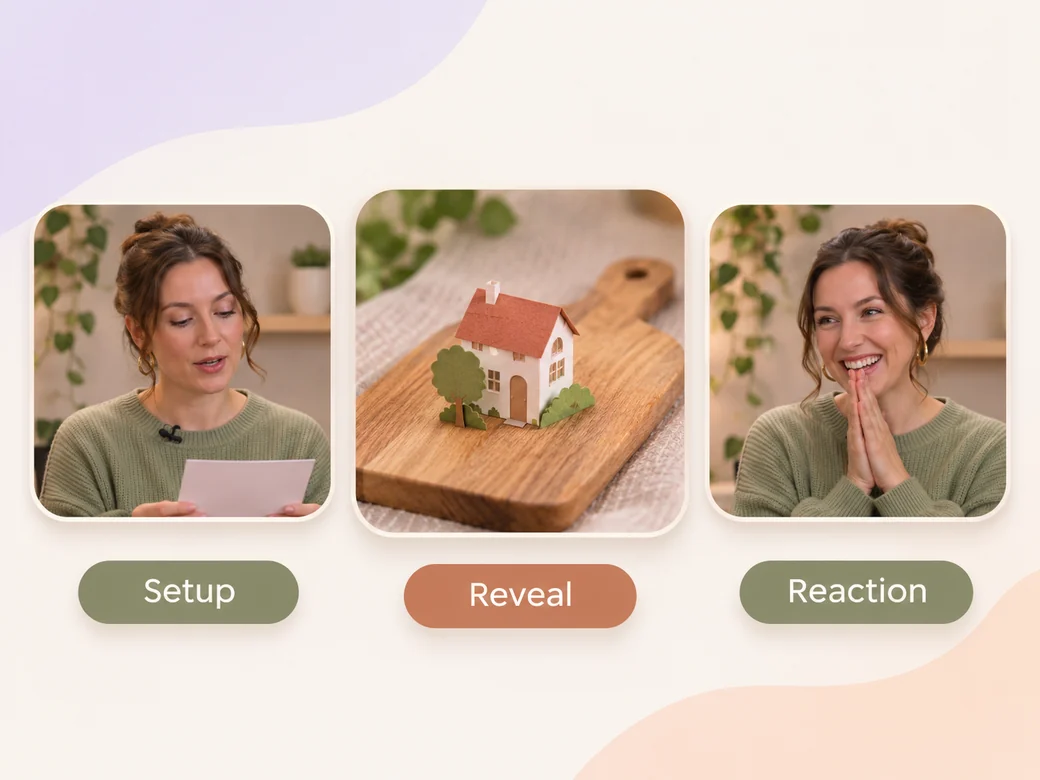
The hosts show the model and react. Review the line that introduces the demo and the shot that follows it.
What to review
Start where the host reads a question or introduces the example. Keep the response until the viewer can see the reveal or understand the answer. Trim the quiet lead-in and unnecessary chat pauses, and leave just enough reaction to show how the moment played out live.
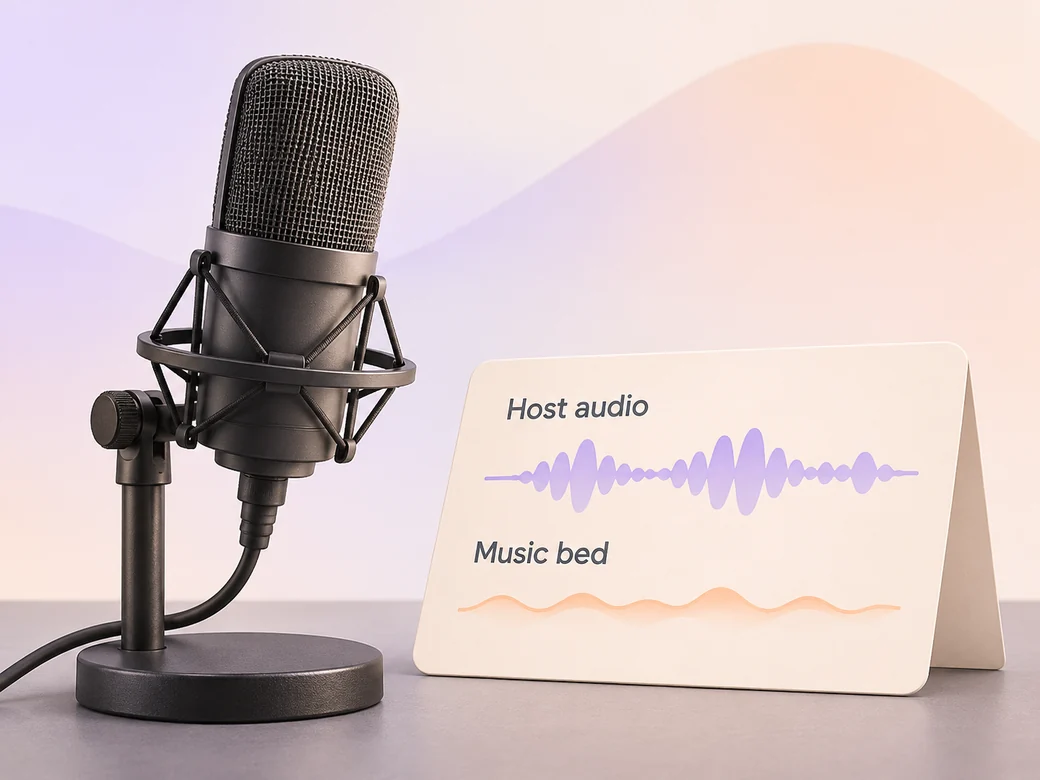
Use the recorded stream audio for the best reaction, answer, or exchange. Ask for a low score only where it supports the clip. Check that the important words remain audible and that the audio level stays consistent across cuts before sharing.
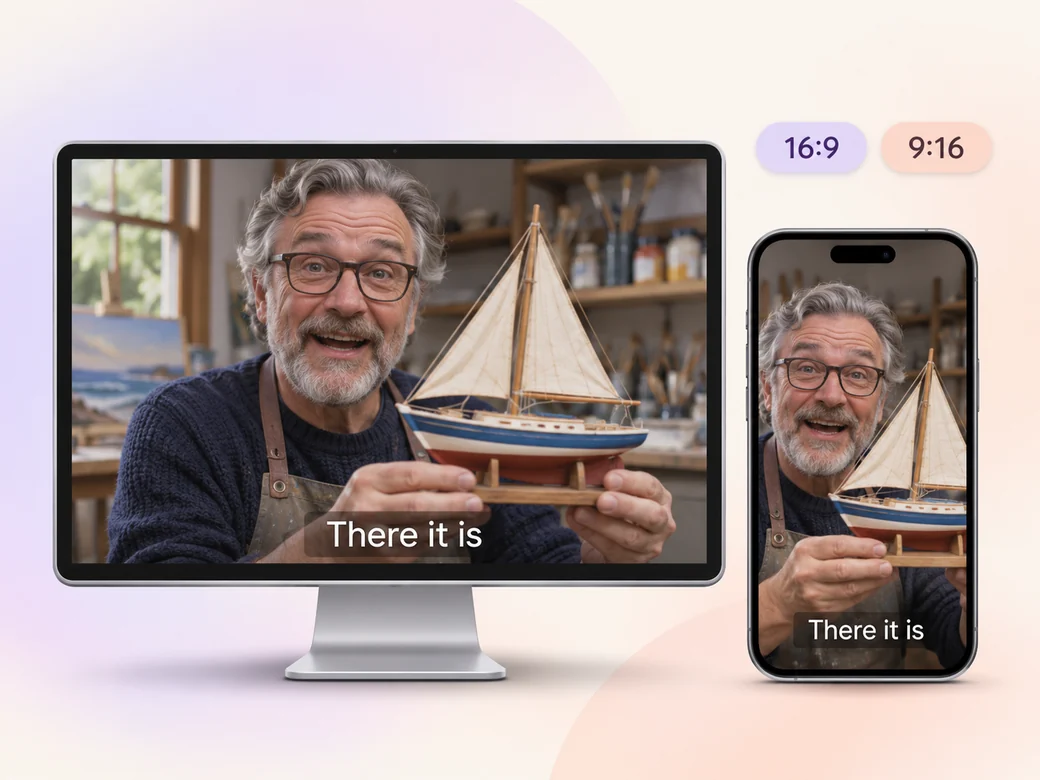
Use Add Subtitles to Video to place key lines in an area that stays clear of names, faces, and any info on screen. Check the words against the original audio, especially names and quick reactions. Leave off unrelated chat messages so the clip reads without opening the stream.
A widescreen cut can keep a host, guest, or screen share together. In a 9:16 version, select one focus and move subtitles to a clear part of the frame. Play it on a phone to check that the viewer can follow the same exchange.
“When I review a clip in Pexo, the first line should tell me why we’re here. I keep the question or setup even when the reaction is what I want to share.”

“I look for that short moment right after the reveal. It gives a recorded clip some of the energy of the stream.”

“I watch on my phone with sound down. The words should stay clear of both the host’s face and platform controls.”

A livestream highlight video is a short edit taken from a recorded broadcast. It might focus on a question, a surprising result, a demo, or a spontaneous response. It retains the context a viewer needs, then presents the payoff so a person who missed the live stream can still follow the moment.
Start with the section around your selected moment if you already know where it is. Include a little time before the moment and keep the reaction that follows it. Provide a rough timestamp or note where the host introduces the subject, and tell Pexo whether names or subtitles belong on screen.
Use source material you are allowed to share. Keep a chat message or overlay only when it helps explain the moment and you have permission to show it. For captions, check speakers, names, and placement. Tighten the crop, obscure distracting material where appropriate, or choose a cleaner section before you export.
Pexo can assemble a focused cut from a recorded broadcast and revise spoken captions, crops, and pacing with you. Start with recorded sound and clips so the highlight reflects what happened. Kling AI 3.0 can animate a separate original intro graphic if the channel needs a branded opening before the excerpt.
A livestream highlight is anchored in a specific moment from a broadcast. A YouTube video can be filmed or written from scratch for a channel. You can upload the highlight to YouTube, but the editing job remains to keep an authentic moment and enough setup for people who did not watch live.
Use subject + action + camera movement + setting + style. Try ‘Use the recorded segment from the studio broadcast. Open on the host introducing the copper model, keep the fixed wide camera through the reveal, and stay on the reaction for a beat. Keep their original voice and add simple captions low enough to leave both faces clear in a vertical short.’
Share the recording and point out the moment you want to clip.
Make a sports and fitness highlight video with Pexo. Turn match or training footage into a sports reel that shows the effort, the result, and the live reaction.
Make a gameplay highlight video with Pexo. Turn recorded plays and reactions into a clear, paced reel or a short social clip your viewers can follow.
Create a social media cover video with a readable first frame, brand colors, and a short intro. Make a pinned Reel or YouTube channel trailer with Pexo.
Make a recruitment video with team clips, workplace photos, and a clear job brief. Show candidates what the role involves and where to apply.
Make a Facebook video from one line of description with Pexo. The AI Facebook video generator writes the hook, burns in captions, and renders with Sora 2, Kling and Veo in minutes.
YouTube ad creation runs on Sora 2, Kling and Veo inside Pexo. Describe your product and get a hooked, voiced, captioned ad in 16:9, 9:16 and 1:1 in minutes.
Instagram video generator that turns a prompt or a photo into a captioned vertical Reel in minutes. Pexo runs Sora 2, Kling and Veo and exports 9:16 and 1:1.
A TikTok ad generator that turns one line of text or a product photo into a native 9:16 ad. Pexo writes the hook, uses Sora 2, Kling and Veo, and delivers in minutes.