




Make a Sneak Peek Video with Seedance 2.5, Kling AI 3.0 and MiniMax H3 in Minutes
Make a sneak peek video that teases without spoiling. Pexo builds it with Seedance 2.5, Kling AI 3.0 and MiniMax H3 in 16:9, 9:16 or 1:1 up to 4K.
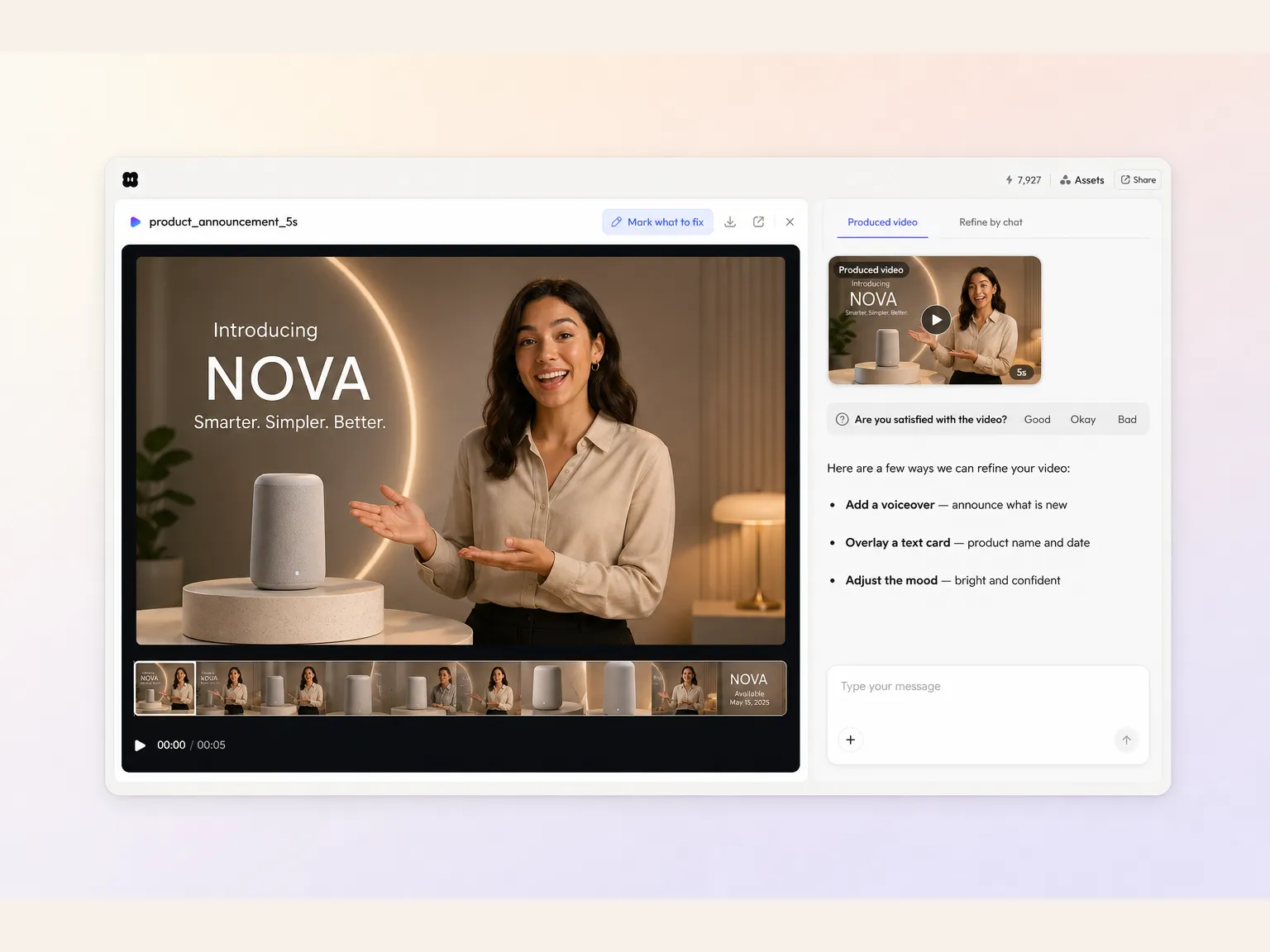
Describe your update and Pexo builds an AI product announcement video from it. Upload a product photo, pick a model, and our product announcement video maker returns a polished, narrated cut in minutes.
Type what changed, or drop in a product photo, and Pexo scripts every shot then stitches them into one edited cut. Text to video, image to video and script to video all live in the same project, so a new product announcement video never needs a timeline. You stay in plain language from the first sentence to the export. No keyframes, no editor to open.
Pexo can front the news with an AI avatar that speaks your script with matched lip sync, or clone a founder voice so the narration sounds like the person your audience already follows. Prefer product shots only? Skip the presenter and let the narration carry it. Either way the delivery stays direct instead of reading like a memo.
Pexo front-loads the actual news in your product announcement video so viewers know what changed before they scroll away, then backs it with the why. Ask for a short promo video cutdown of the same script and you get a fifteen second version for social alongside the full announcement. No slow intro, no burying the update.
Pexo shapes the cut around the moment worth forwarding and closes on one action, which is what feeds reward with reach. The same brief also gives you a product promo video for the pricing page and a small business promo video for local channels, all from one script. One announcement that helps carry its own distribution.
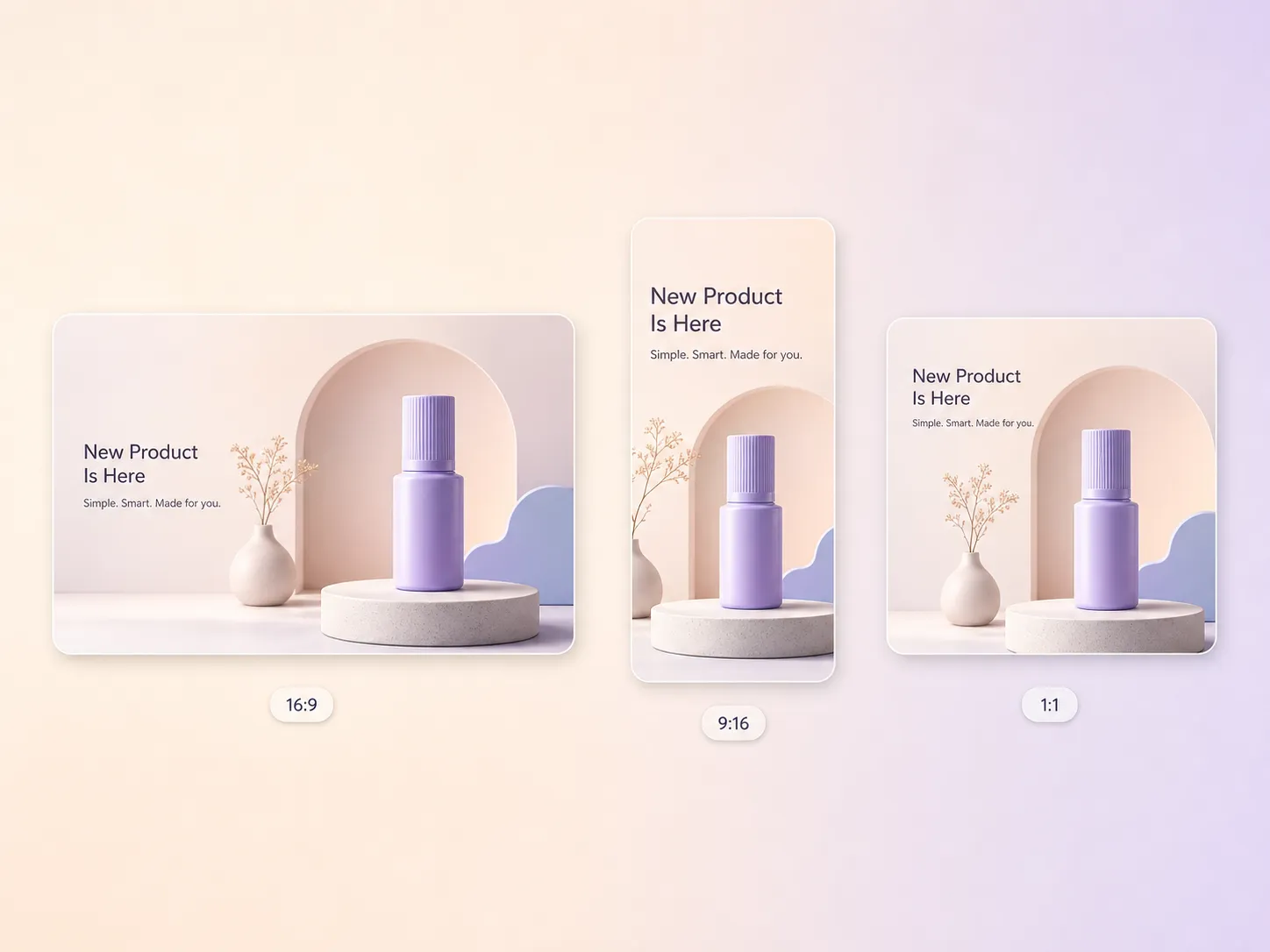
Pexo delivers 16:9 for YouTube, 9:16 for TikTok, Reels and any Instagram promo video, and 1:1 for feeds, up to 4K and anywhere from 5 to 120 seconds. Each ratio is generated for that screen rather than cropped down from one master, so nothing important sits outside the frame. Ask for several at once and post the right version everywhere.
Our launch posts used to be plain text. Pexo turned the last update into a narrated announcement with a presenter and engagement more than doubled.

I described the update in four sentences and Pexo scripted, narrated and edited the whole announcement. What took the team a week took me an afternoon.

We ship weekly, so we needed to create promo video cutdowns as fast as the releases land. Pexo gives every one a polished clip without pulling anyone off the roadmap.

Related launch, teaser and promo formats built from the same prompt. Use them to make a promo video for the campaign, a demo product video for the docs, or a promo video for website pages that need more than a screenshot.
Carry the whole launch story in one edited cut
Hold the product back until the payoff shot
Tease the news days before the announcement drops
Build the waitlist before anything is public
Ship a release note that people actually watch
Show the app in use on the day it hits the store
Turn product details into polished clips in minutes
Give one detail away and keep the rest quiet
Repurpose the same script for every paid channel
A product announcement video is a short video that tells your audience what you shipped, what changed and why it matters. It usually runs 15 to 60 seconds, opens on the headline news, shows the product in use and closes on one clear action. Pexo builds one from a written update in minutes.
Short. Most land between 15 and 45 seconds, and Pexo generates anywhere from 5 to 120 seconds in 16:9, 9:16 or 1:1 up to 4K. Keep the full version under a minute for YouTube and email, then export a 15 second cutdown for feeds where attention drops fastest.
No. Pexo generates every shot with models such as Seedance 2.5, Kling AI 3.0 and MiniMax H3, so a product photo and a paragraph are enough. Add an AI avatar with matched lip sync when you want a face delivering the news, or keep it product shots and narration only.
Pexo. It routes each shot to the strongest model available, currently Seedance 2.5, Kling AI 3.0, MiniMax H3 and Happy Horse 1.0, then writes the script, narrates it, scores it and edits the cut. You get 16:9, 9:16 and 1:1 versions up to 4K from the same brief.
Scope. A product launch video carries a whole launch story, while an announcement is one piece of news delivered fast. A product reveal video holds the product back until the payoff. Pair any of them with a product video demo when buyers want to see the workflow before they sign up.
Use subject plus action plus camera movement plus setting plus style. Example: a matte black smart speaker rotating slowly, slow dolly in, on a pale studio table, soft daylight, clean minimal product film. Name the one thing that changed, then let our product announcement video generator handle shots, pacing and music.
Describe it once and Pexo returns the announcement, the social cutdowns and the event promo video for launch week.
Make a sneak peek video that teases without spoiling. Pexo builds it with Seedance 2.5, Kling AI 3.0 and MiniMax H3 in 16:9, 9:16 or 1:1 up to 4K.
Make a website launch video with Seedance 2.5, Kling AI 3.0 and MiniMax H3. Describe your site, pick a model, and get a launch film in minutes.
Make a startup launch video from your pitch with Pexo. Script, presenter, music and edit in one pass with Seedance 2.5 and Kling AI 3.0, ready in minutes.
Make an event launch video with Seedance 2.5 and Kling AI 3.0. Pexo scripts, scores and edits a teaser that reveals the date and drives sign-ups.
Make a product reveal video that teases, then lands the hero shot. Pexo scripts and scores it with Seedance 2.5, Kling AI 3.0 and MiniMax H3 in minutes.
Make a software launch video that shows what shipped and why it matters. Pexo scripts, narrates and edits it with Seedance 2.5 and Kling AI 3.0.
Make an app launch video from your screens with Seedance 2.5, Kling AI 3.0 and MiniMax H3. Pexo scripts, voices and edits it in 16:9, 9:16 and 1:1.
Make a countdown video for any launch or event. The AI countdown video generator scripts, scores, and renders it with Seedance 2.5, Kling and Happy Horse.