

 ChatGPT
 Perplexity
 Claude
 Gemini
 Grok
Grok



How to Make an Event Launch Video
UPDATED: 2026-08-05 By Lan He, Senior Video Producer at Pexo
Making an event launch video takes six steps: identify the draw, write a 20 to 45 second script, place the essential details on screen, generate or edit the footage, add music and captions, then export for social and the ticketing page. An event launch video takes about 20 minutes end to end.
Quick Version: How to Make an Event Launch Video
- Identify the single reason someone would clear their calendar.
- Write a 20 to 45 second script carrying that reason plus the essentials.
- Place the name, date, venue, and ticket link on screen, not just in audio.
- Generate the atmosphere footage or cut archive footage from a previous edition.
- Add music, captions, and a deadline that is specific.
- Export 9:16 for social, 16:9 for the ticketing page and email, 1:1 for feeds.
How to Make an Event Launch Video Step by Step
Step 1: Identify the draw
Name the one reason someone would attend. For a conference it is usually a speaker or a specific outcome. For a festival it is the lineup or the atmosphere. For a local event it is often that nothing else like it exists nearby.
Write the draw before anything else, because it decides the entire visual approach. An event sold on speakers needs names on screen. An event sold on atmosphere needs footage that conveys a feeling and would be diluted by a list of names.
Step 2: Write the event launch script
Write 20 to 45 seconds, which is roughly 50 to 110 spoken words. Structure it in three beats: the draw, the essentials (name, date, venue), and the action with a deadline. Event promos carry a fixed payload, so brevity comes from cutting adjectives rather than information.
Avoid the flyer voice. "Join us for an unforgettable evening of music and connection" says nothing checkable. "Four bands, one warehouse, October 12, doors at eight" says what is happening.
Step 3: Place the essential details on screen
Put the event name, date, venue, and ticket source on screen as text, not only in the narration. Social video autoplays muted, and an event promo that hides its date in a voiceover loses the one piece of information that decides attendance.
Hold each detail for at least two seconds and keep it in the middle third of the frame. Platform interfaces cover the bottom quarter, which is exactly where most event promos place their date card. Repeat the date at the end as well as introducing it early.
Step 4: Generate or cut the footage
Cut from previous-edition footage where it exists, because a shot of a full room is the strongest proof an event is worth attending. For a first edition, generate the atmosphere instead.
Pexo's text-to-video workflow builds crowd, venue, and stage scenes from a description, which covers events with no archive. Keep generated scenes honest about scale: atmosphere that implies a stadium for an event expecting two hundred people damages trust when attendees arrive. Upload a venue photo and image-to-video conversion turns it into a moving establishing shot.
Step 5: Add music and a specific deadline
Choose music that matches the event rather than the promo. A promo scored like a movie trailer sets an expectation the event will not meet. Use a track that sounds like what an attendee will actually hear.
Close on a deadline a viewer can verify: "Early bird ends September 14" beats "limited spots remaining". Specific dates create urgency that survives skepticism; vague scarcity does not. Pexo composes a matched score and adds captions during production.
Step 6: Export for social, page, and email
Export 9:16 at 1080x1920 for Reels, TikTok, and Shorts, where event discovery happens. Export 16:9 for the ticketing page, YouTube, and email. Export 1:1 for Facebook and Instagram feeds.
Pexo exports all three ratios from one project. Cut three variants from the same footage while it is open: the launch version, an early-bird deadline version, and a one-week-out version. Producing them together costs almost nothing and saves rebuilding the project twice.
How to Make an Event Launch Video with Pexo
The six steps above work with any tool. Pexo handles steps 2 and 4 through 6 in a single conversation, which matters most for a first-year event with no footage.
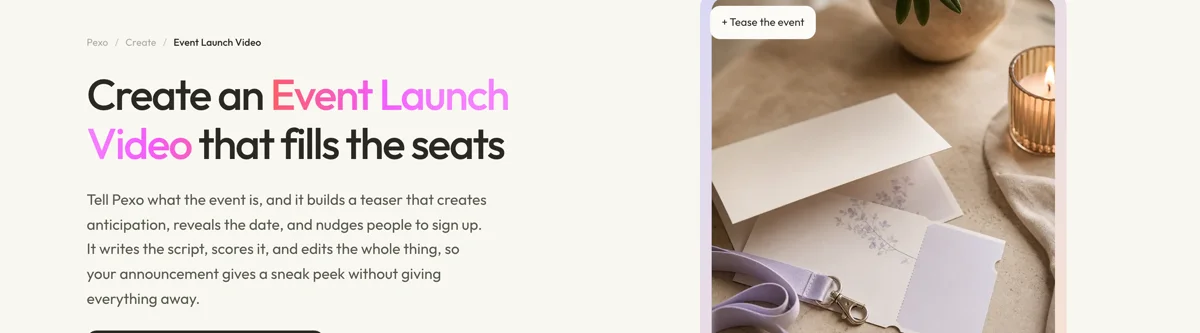
Open the event launch video page and describe the event: "A 30-second promo for a two-day design conference in Lisbon in March, warm and understated, four speaker names on screen, closing on an early-bird deadline." Pexo writes the script, generates the venue and audience scenes, scores the cut, and places the detail cards.
Adjust any scene by describing the change in the chat, and Pexo regenerates that scene alone. The platform runs across Seedance 2.0, Kling AI, and more.
For adjacent formats, the countdown video page produces the reminder posts in the final week, and teaser video suits a lineup announcement before tickets go on sale.
5 Mistakes That Cost Ticket Sales
1. Hiding the date in the voiceover. Muted autoplay is the default. A date that never appears on screen effectively does not exist.
2. Placing detail cards in the bottom quarter. Platform captions and interface elements cover exactly that area. Keep the essentials in the middle third.
3. Writing in flyer language. "An unforgettable evening" is unverifiable and reads as filler. Concrete details persuade; adjectives do not.
4. Implying a scale the event will not deliver. Generated stadium crowds for a two-hundred-person event create a disappointment that outlasts the ticket sale.
5. Publishing once. One promo at on-sale leaves the deadline moments unused. Cut the deadline and final-week versions from the same footage in the same session.
Related Tutorials
- How to make a countdown video for the final-week reminder posts
- How to make a teaser trailer for lineup announcements
- How to make a short video for the social cut-downs
- How to make a Facebook video for event promotion on Facebook




